.png)
The January 2026 release introduces new updates designed to help teams better manage and track test execution time. These improvements focus on increasing visibility into execution effort, improving collaboration across test runs, and making test management more flexible and organized throughout your testing workflows.
Learn more here: January Release Article
.png?cb=2a96e05f74aa264d29dc2541e32a4013)
Time Tracking
With this release, AgileTest improves how you track and report execution time during test runs. AgileTest captures elapsed time using the Timer, and also lets you manually log execution effort to Jira through the Test Run screen or Jira’s standard time tracking fields. This combined approach ensures accurate reporting, capacity planning, and cost tracking.
Test Run Assignee Management
You can assign teammates directly to Script Test’s Test Runs to clearly define execution responsibility. Assigned users will receive email notifications, helping ensure that test runs are picked up promptly and reducing delays in the testing process.
Defects Report Widget
The new Defects Report Widget allows you to view the ratio between opened and closed defects in a single view. This helps you better understand defect resolution trends and assess the overall health and progress of your testing efforts.
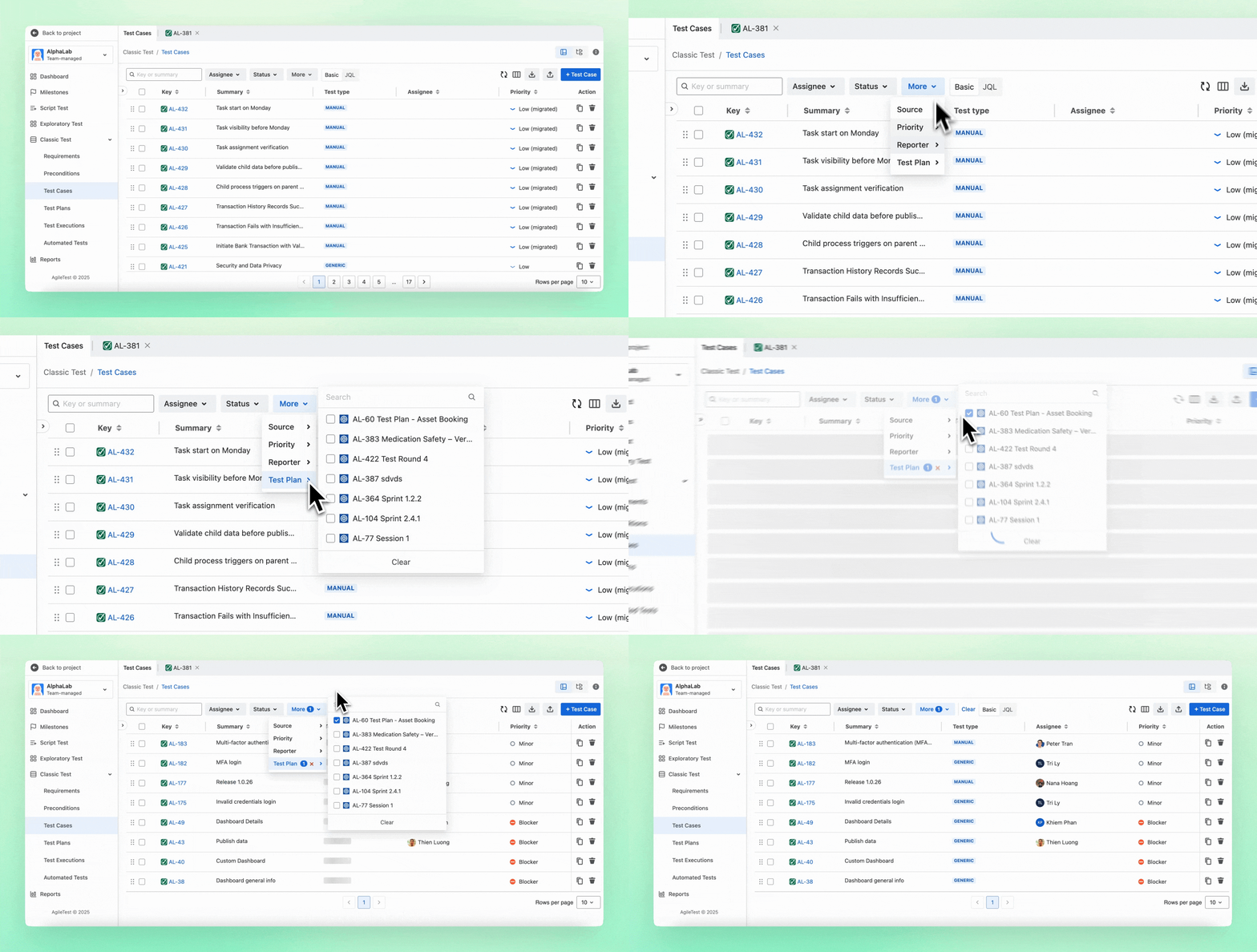
Filter Test Cases by Test Plan
You can now display Test Cases by Test Plan directly within the Test Cases folder. This makes it easier to navigate large test repositories and quickly focus on the test cases relevant to a specific plan or testing scope.
Expanded Issue Linking
Script Test’s Test Runs now support linking work items from other Jira projects, rather than being limited to the same project. This provides greater flexibility when executing tests that span multiple teams or shared initiatives.
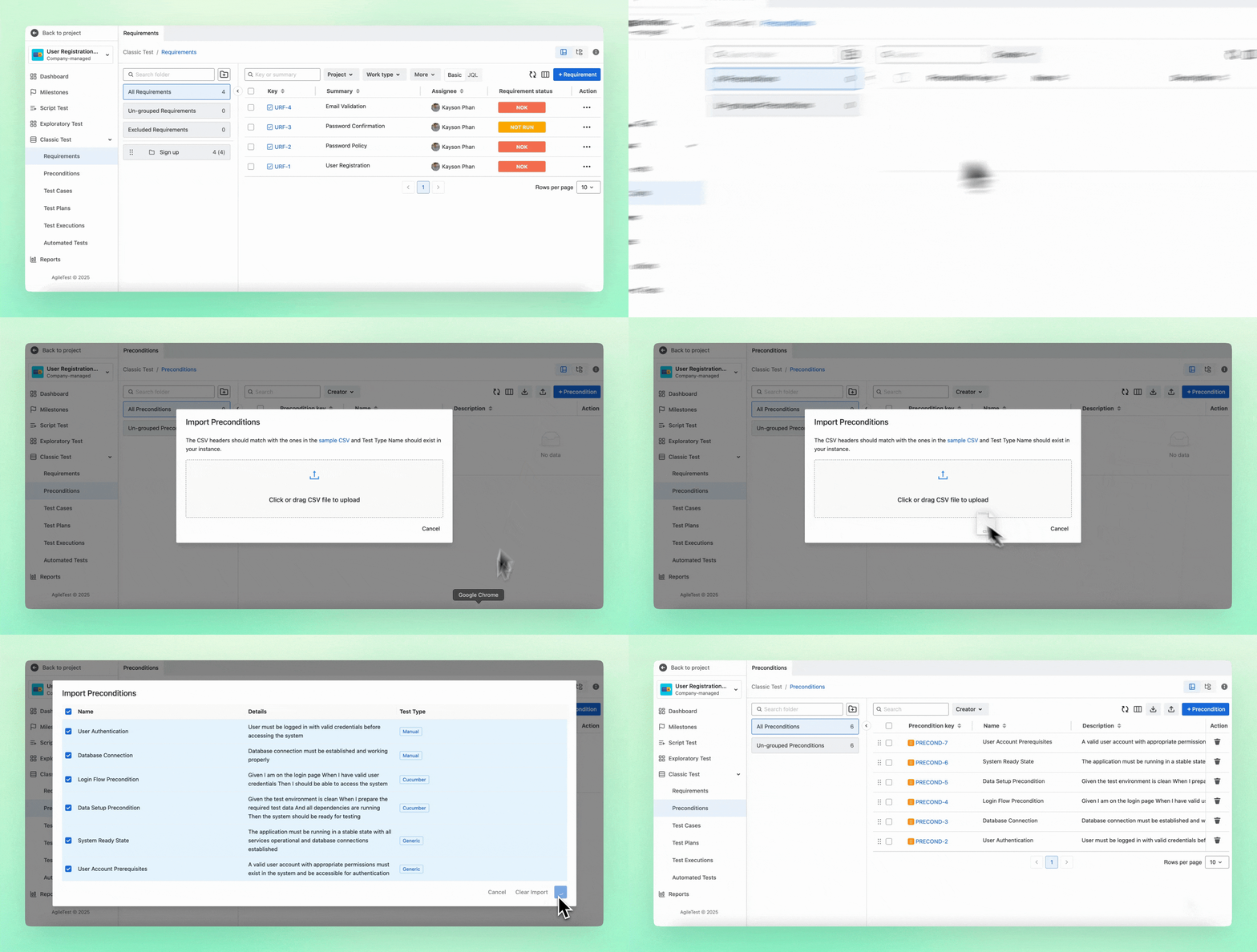
Preconditions Import via CSV
Preconditions can now be imported using a CSV file, allowing teams to manage and maintain test prerequisites more efficiently. In addition, when importing Test Cases, you can map existing Precondition keys to ensure prerequisites remain consistent and reusable across your tests. This is especially useful when migrating existing test data or standardizing preconditions across multiple test cases.
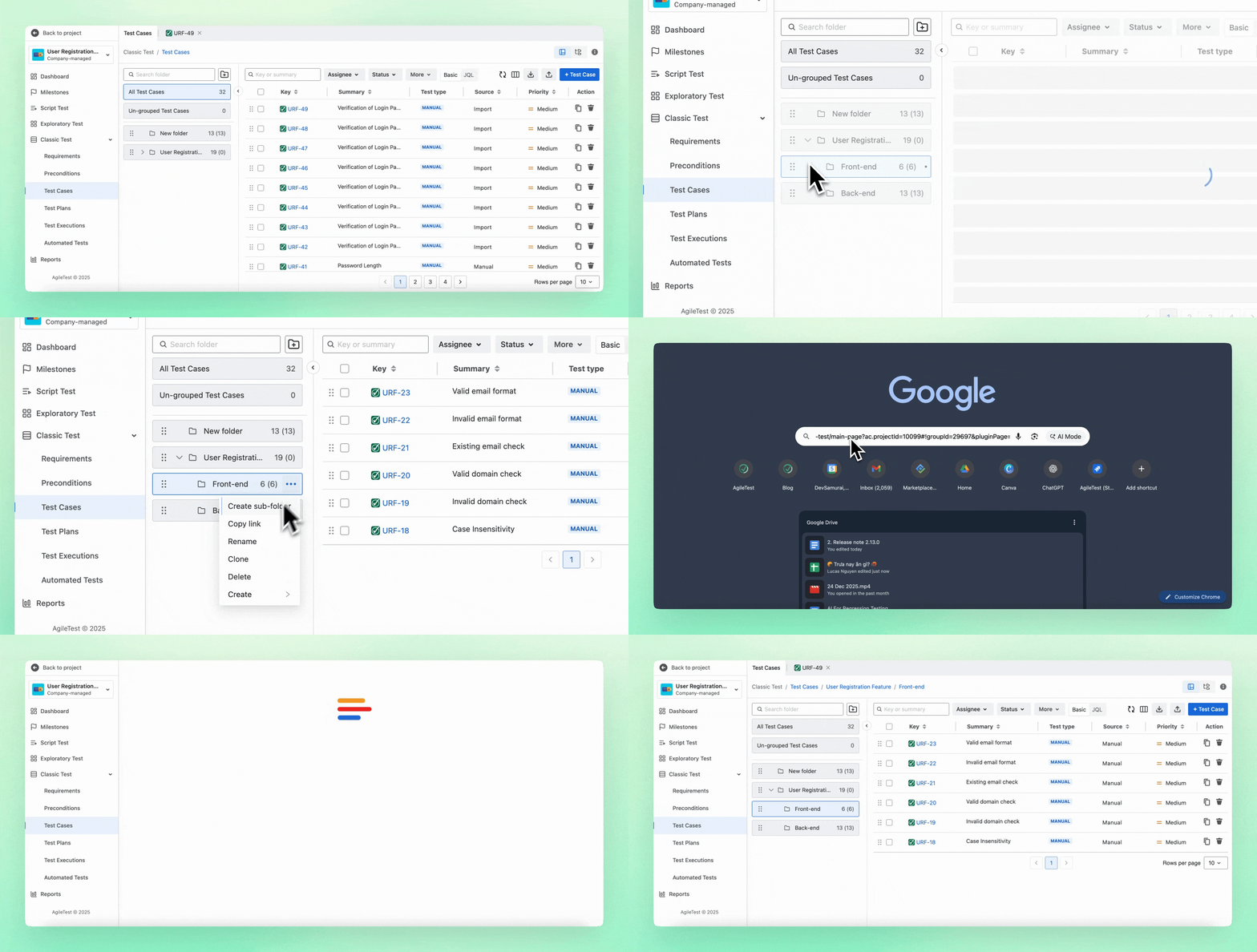
Test Folder Sharing
You can share Test Folders with your team by copying a direct link. This makes it easier to collaborate on test suites, quickly guide teammates to relevant tests, and ensure everyone is working from the same structure.
Improvements
UI Enhancements
The interface for the Test Step Generator and Test Step Fields has been improved to provide a smoother and more consistent testing experience, helping users work more efficiently when creating and maintaining test steps.
.png?cb=e8b1409aed3a233dea2235bd5cbf0101)
Increased Widget Display Limits
Widget display limits have been increased to allow more Test Cases to be shown in the Test by Coverage widget and more data to be displayed in the Test Execution Summary Chart. This provides better visibility into coverage and execution progress without needing additional filtering.
.png?cb=3369156d8aae5b76f0f49ff7d1742c64)
Sprint Column in Test Executions
A Sprint column has been added to the Test Executions tab in the Test Case Section, allowing you to view Sprint information alongside Releases. This makes it easier to understand which Test Cases belong to which Sprint and improves traceability between testing and sprint planning.
.png?cb=b85ed54d5b94068756af6d79f589f02d)
Minor Bug Fixes
We’ve also resolved several minor issues and made general improvements to ensure a smoother and more reliable AgileTest experience.
This update is all about helping you move faster, see clearer, and test smarter. Let us know what you think and how we can keep improving your testing experience.
Need assistance? Visit our Support Desk now.