.png)
You must have the Admin role to configure this setting
To access Board Settings, click the ellipses (⋯) icon in the top right corner of the board, then select Settings.

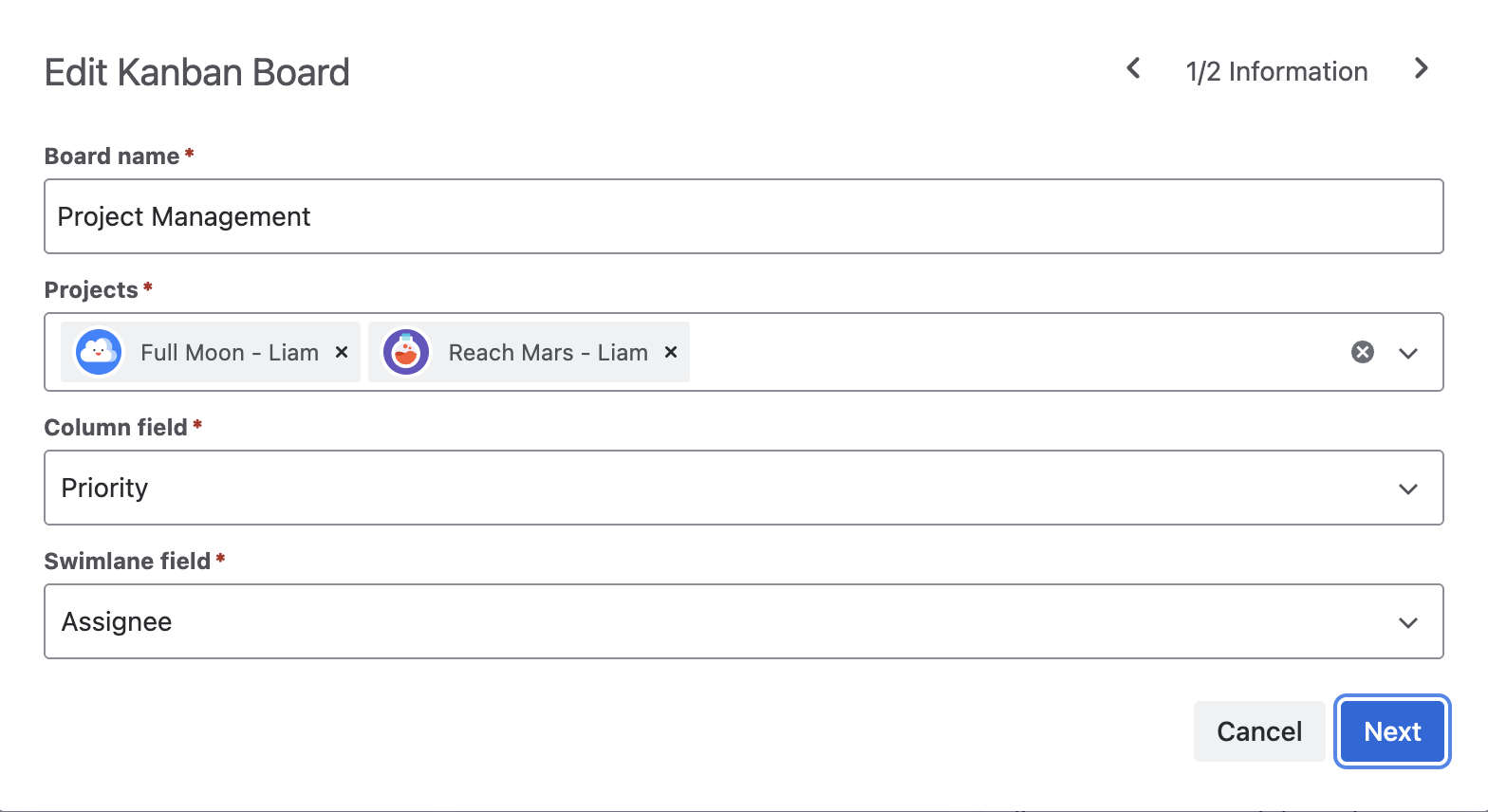
In Board Settings, you can edit the properties of the entire board, including:
Information
-
Board name: Update the name of the board.
-
Projects: Select one or more projects to include.
-
Column field: Change the field used to define your columns.
-
Swimlane field: Change the field used to define your swimlanes.
Permissions
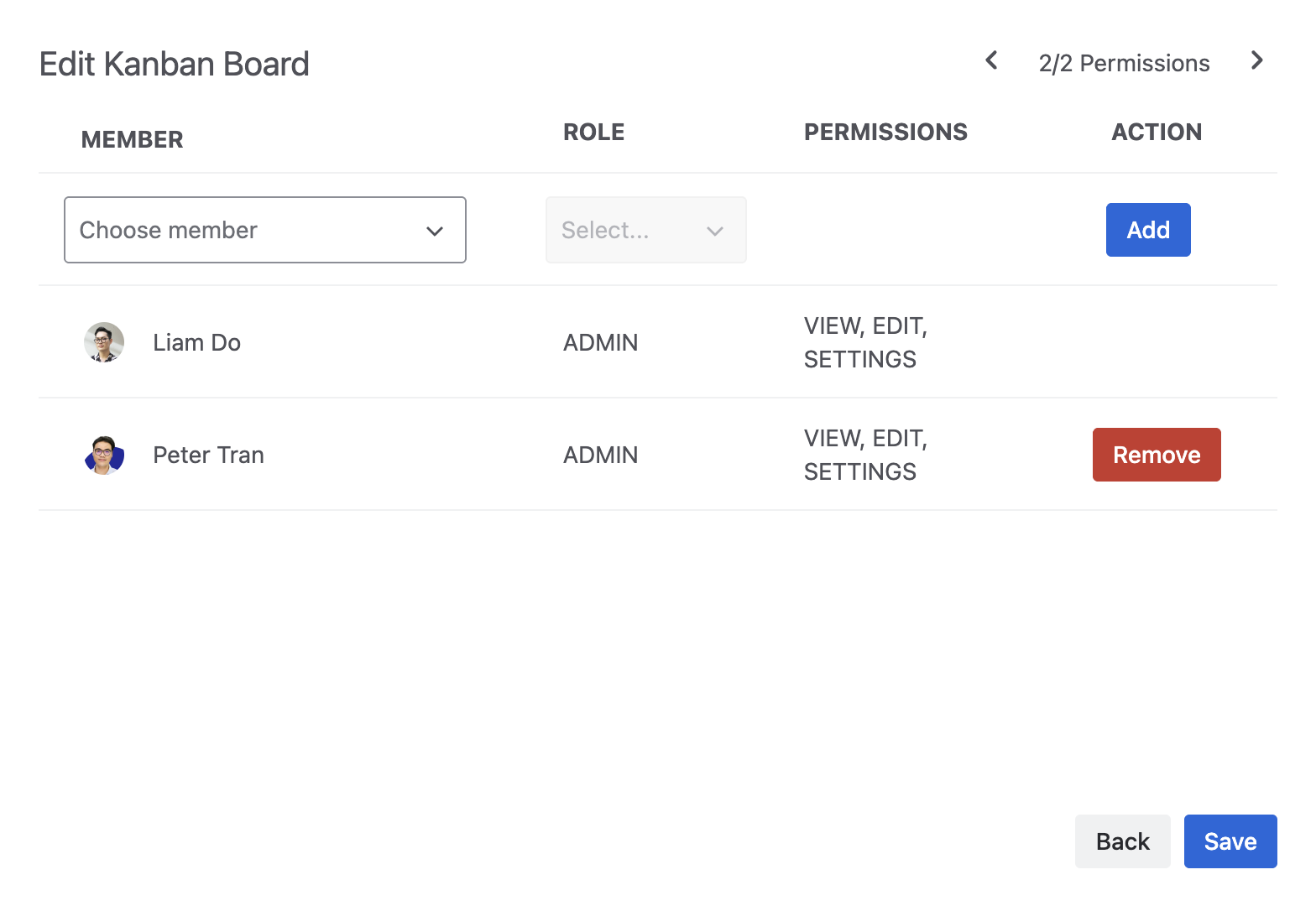
Assign access to team members and define their roles:
-
Admin: View, edit, and manage settings.
-
Planner: View and edit board content.
-
Viewer: View only.
Click Save to save your new board.