.png)
Create a dependency
To link tasks on your roadmap, hover over a planned task to reveal two dots at each end.

Click and drag from one dot to the task you want to connect.

A line will appear, showing the dependency between the two tasks.

Understanding Dependency Details
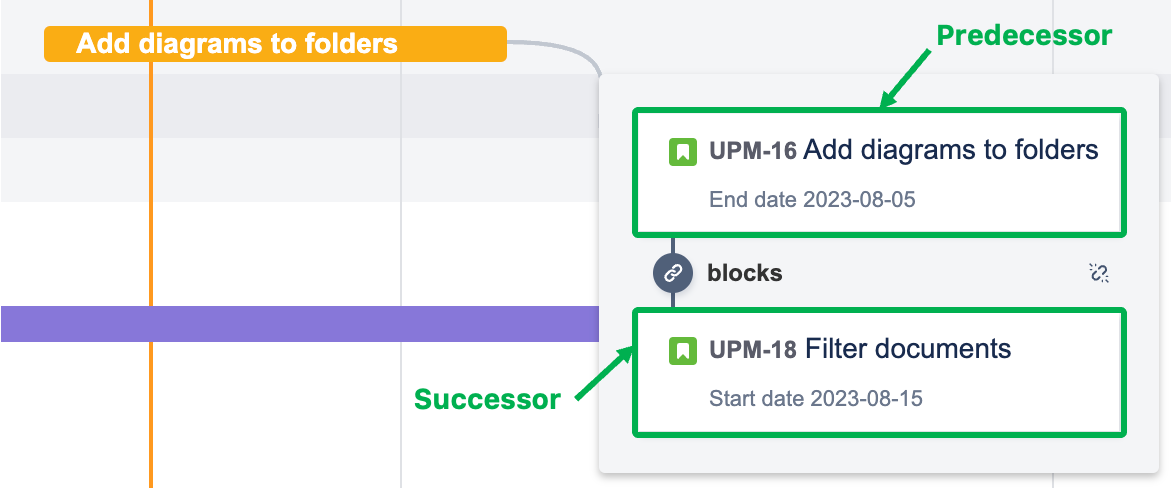
Click the dependency line to view more information. A dependency connects a predecessor task (the one that controls the timing) to a successor task (the one whose schedule depends on the predecessor).
-
The predecessor sets the start or end date for related tasks.
-
The successor is scheduled based on the predecessor’s timing.
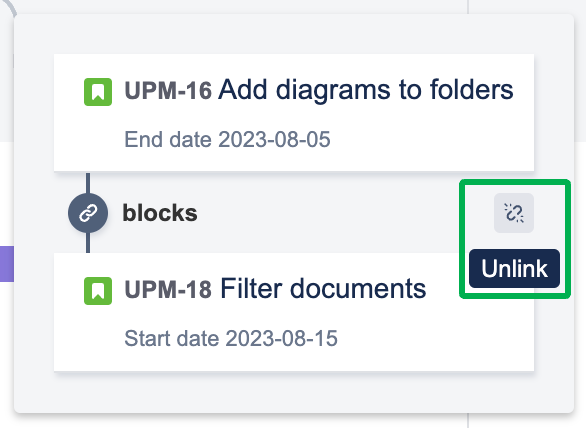
If you need to remove a dependency, click the unlink icon in the dependency details popup.
This feature helps you manage task relationships, avoid scheduling conflicts, and keep your project running smoothly.