.png)
A predefined kit in AssetIT is a collection of items that are packaged together as a single unit to simplify the process of bundling related items together for quick and easy checkout.
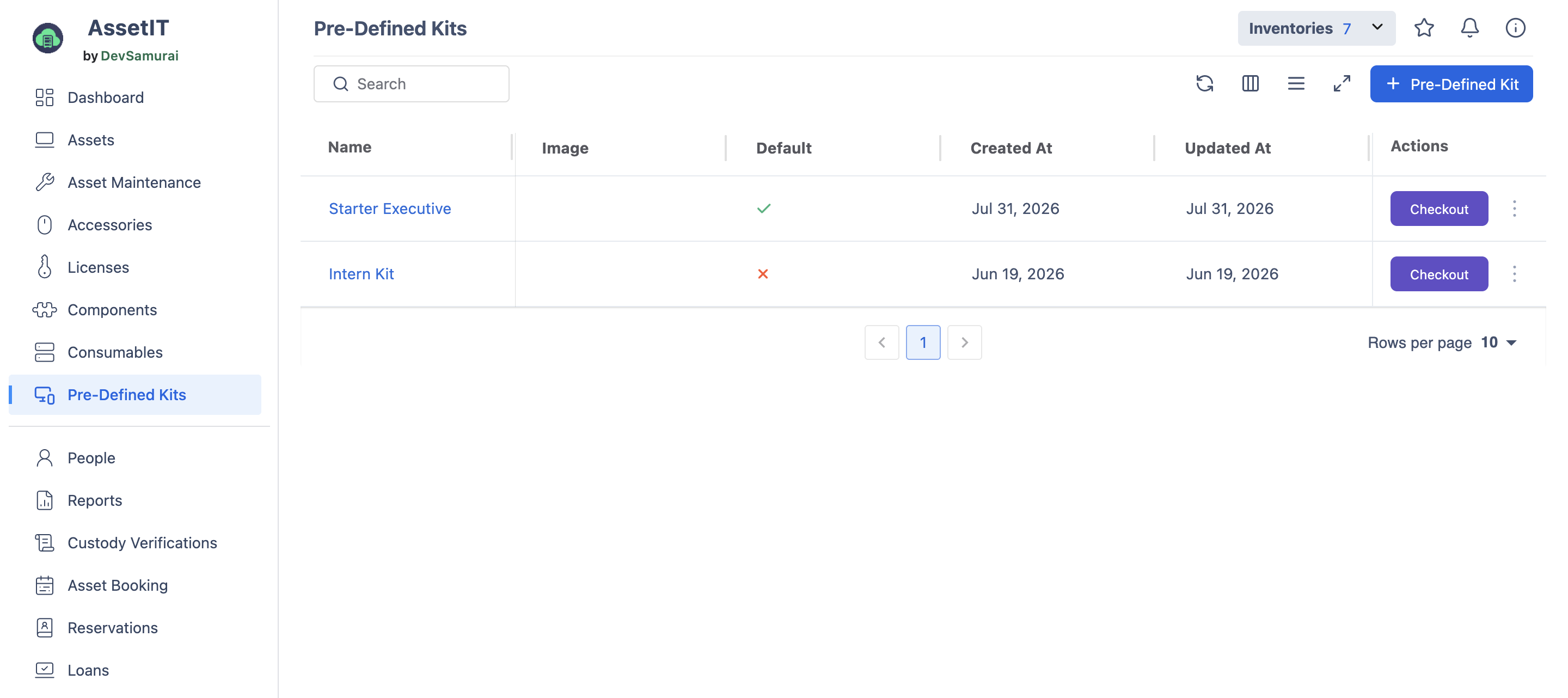
You can create a new kit by clicking on the 
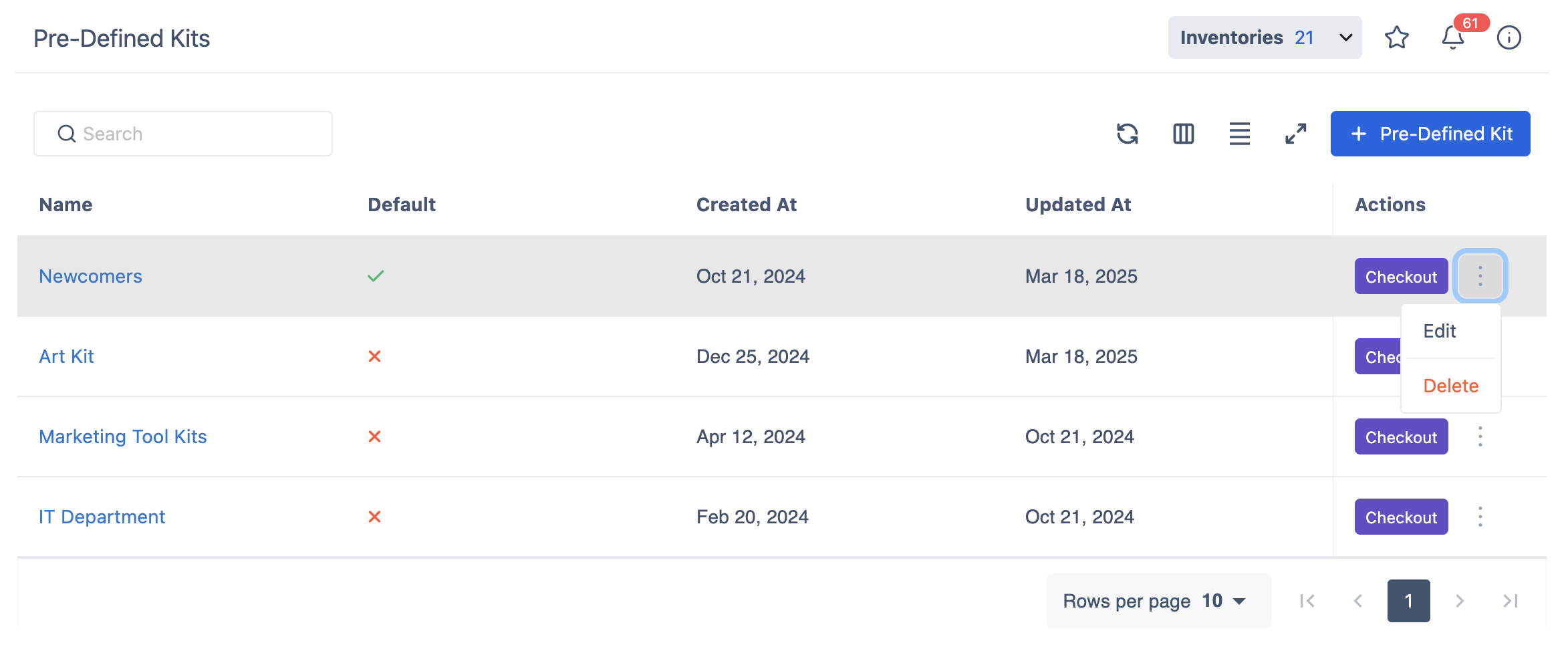
Create a new Kit
The kit includes Asset Models, Accessories, Licenses, Components, and Consumables. You can add more items to the kit by clicking on 
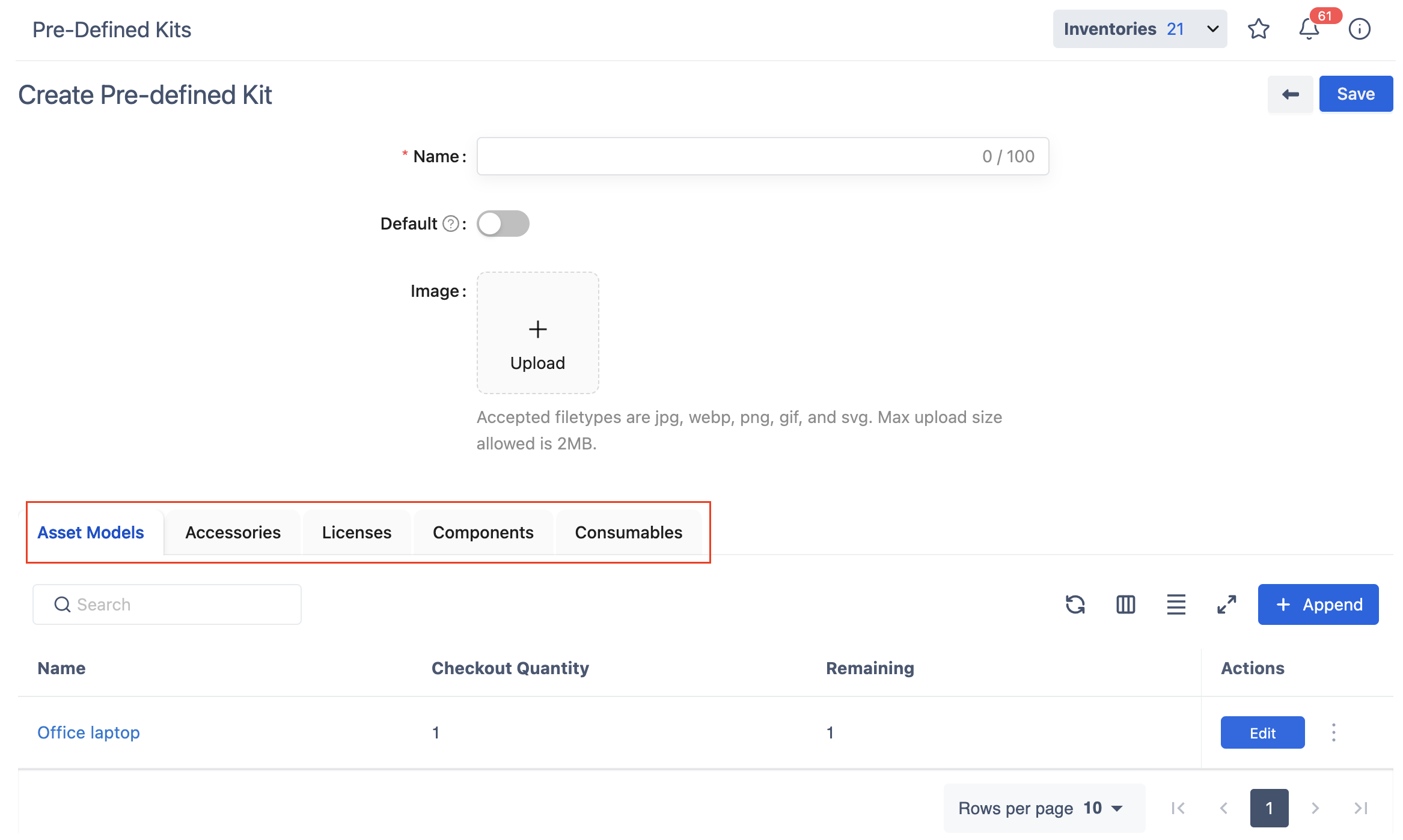
Turn on the Default button if you want to check out the kit for newcomers automatically. Make sure you have turned on the auto-checkout setting in General Settings.
Check out a Kit
To check out a Pre-Defined Kit, click the Check Out shortcut in the Action column. The checkout process walks you through 2 steps:
Step 1: Select Assets
Choose which individual assets from the kit you want to include in this checkout. You can select all items or only the specific ones needed for this assignment.
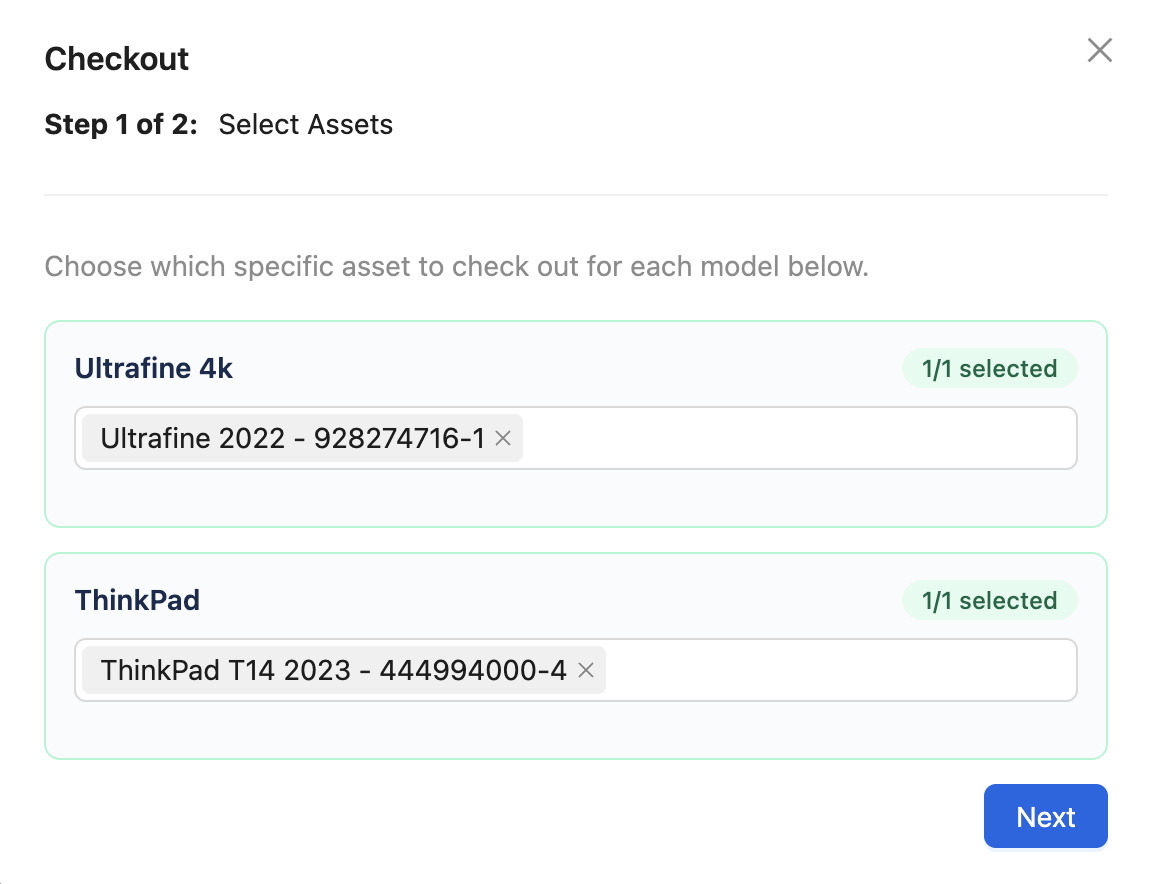
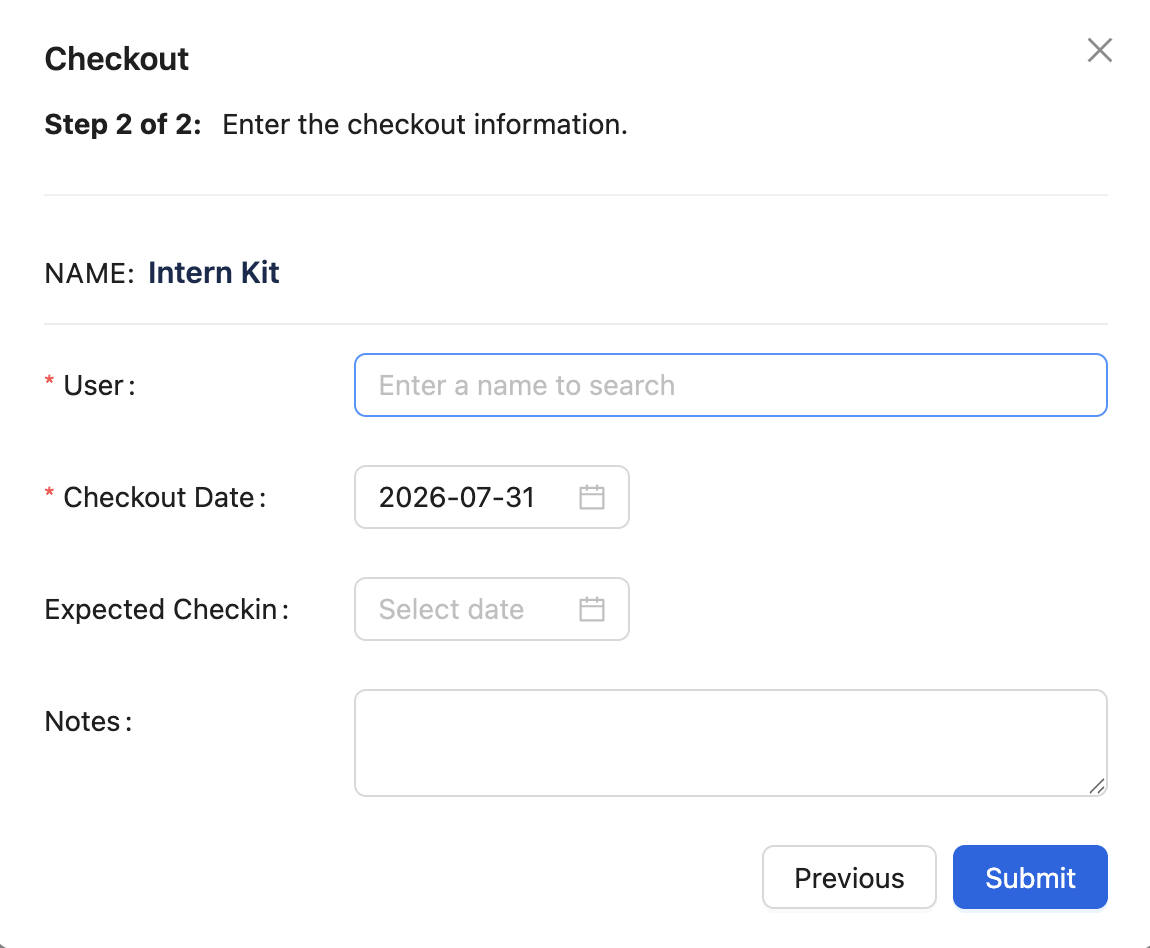
Step 2: Enter the checkout information
Fill in the checkout details, such as who or what the kit is being checked out to, the expected check-in date, and any additional notes.