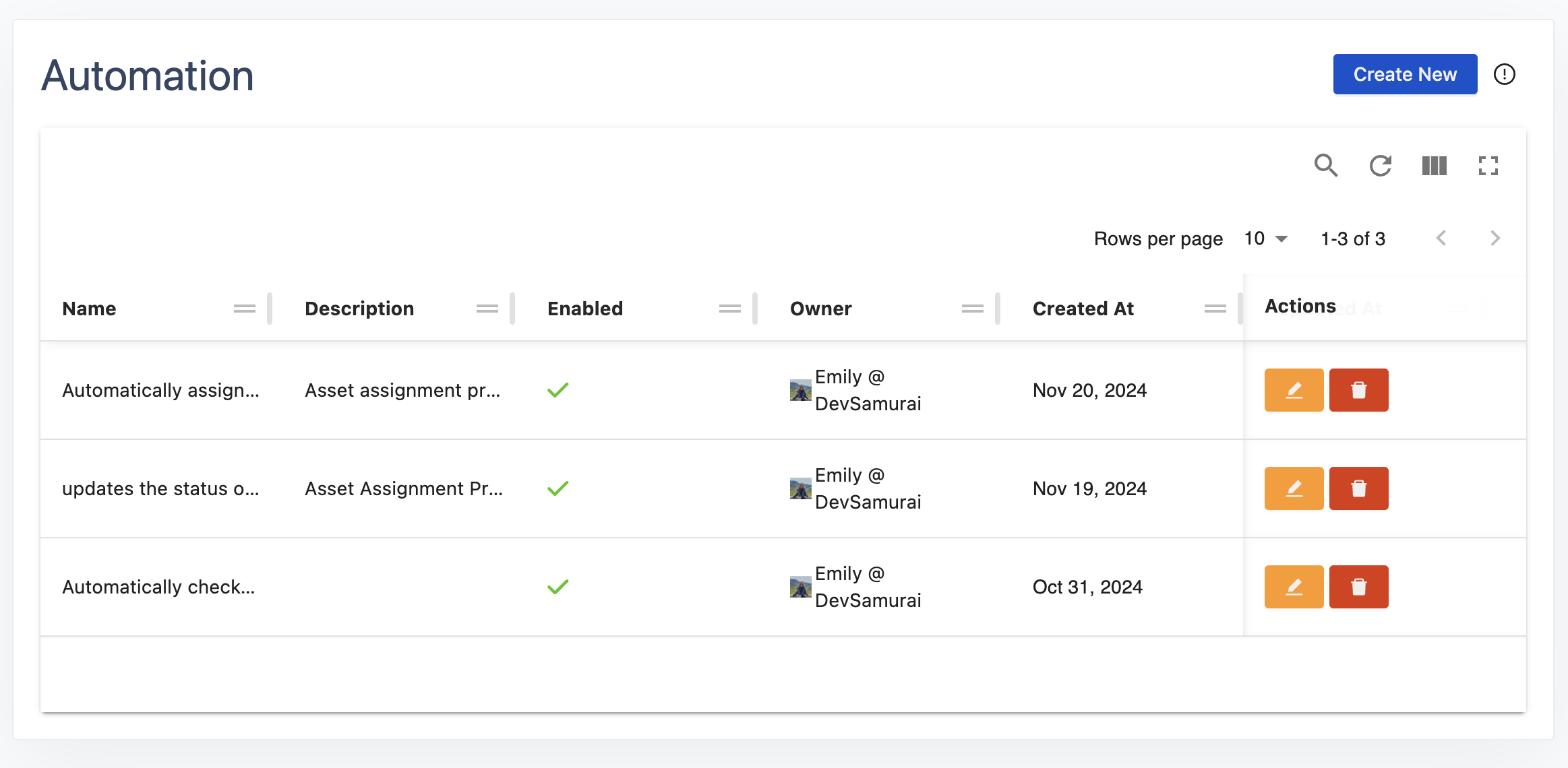
.png)
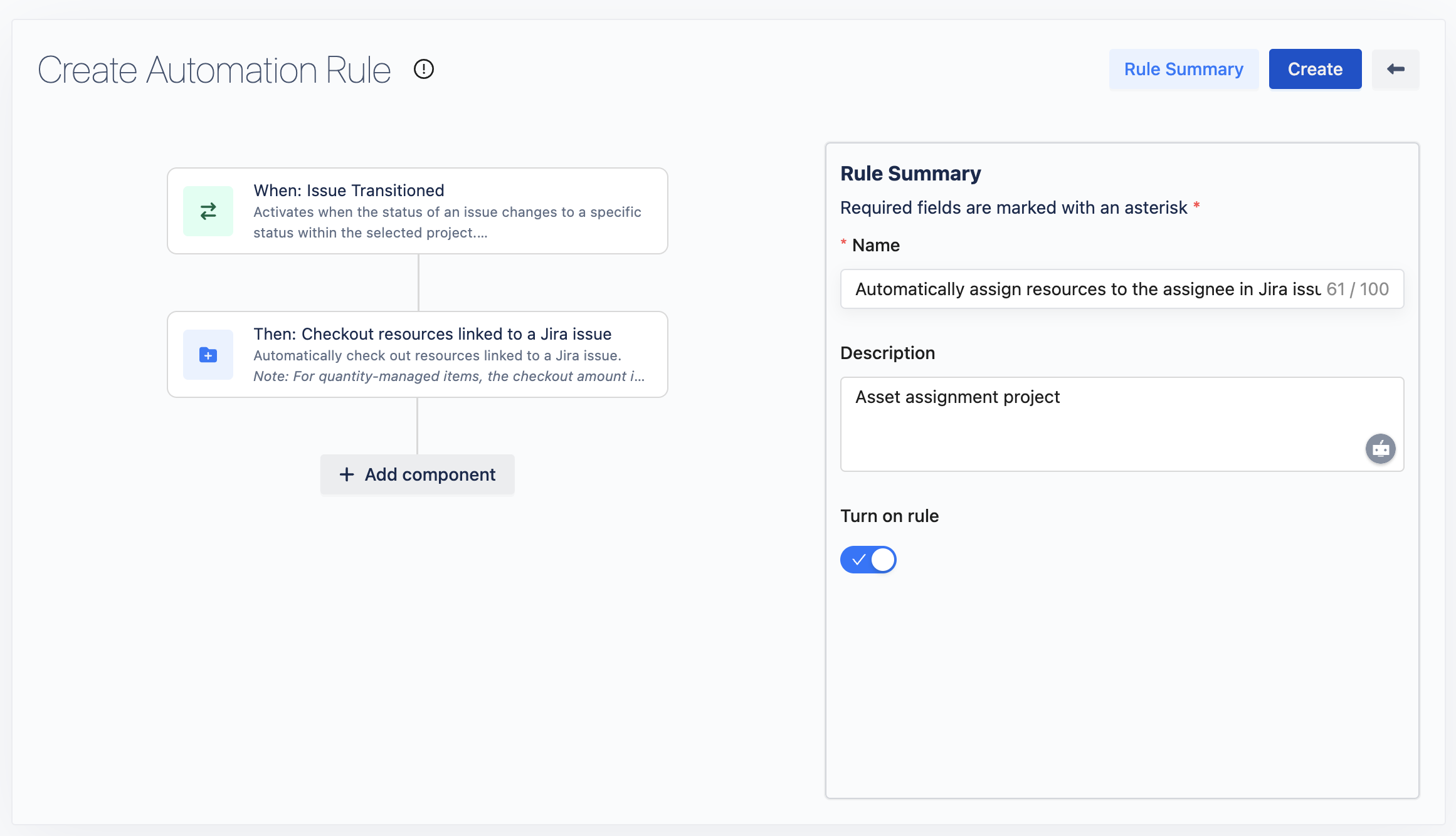
This rule automatically checks out resources linked to a Jira issue when the issue's status is changed. This ensures seamless resource allocation for tasks based on their progress.
1. Set Up the Trigger
Purpose: The rule will activate when the status of a Jira issue changes.
-
Trigger: Issue Transitioned
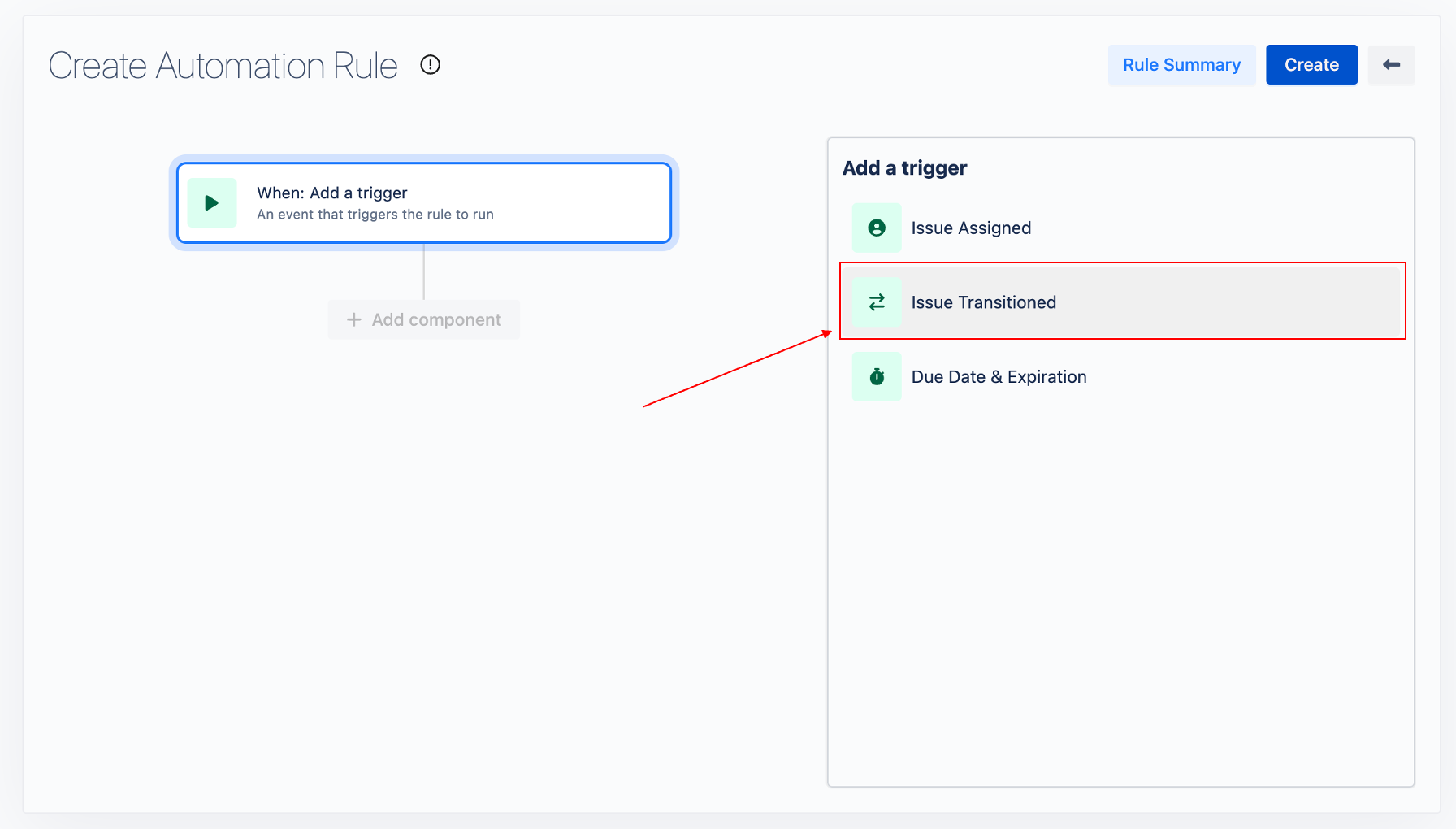
-
Configuration:
-
Project: Search for the name or key of the Jira project. The selected project will determine where this rule is activated.
-
From Issue Status: (Optional) Specify the previous status of the Jira issue.
-
To Issue Status: Specify the target status of the issue to trigger the rule.
-
Click Next to proceed.
-
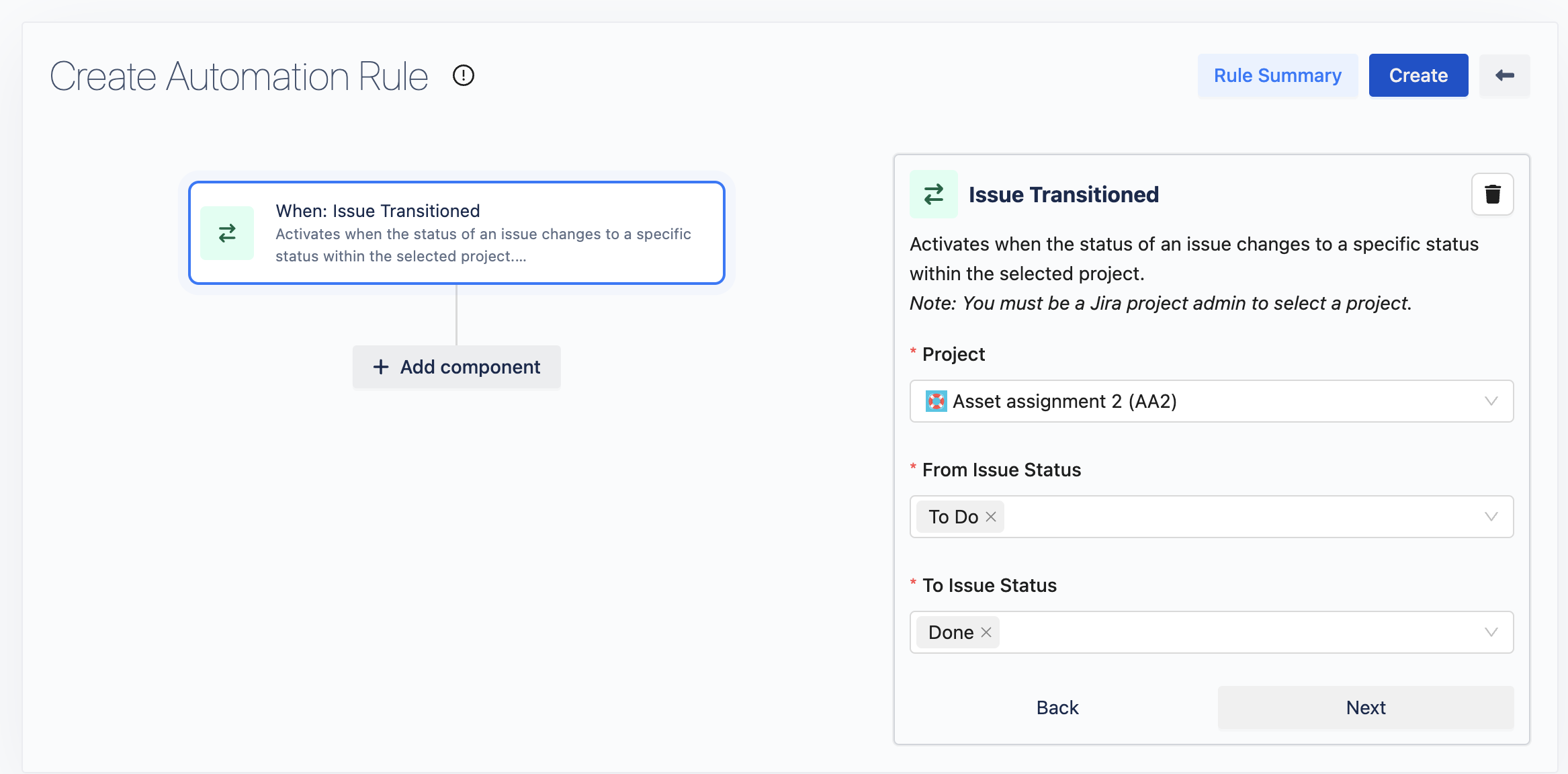
2. Add an Action
-
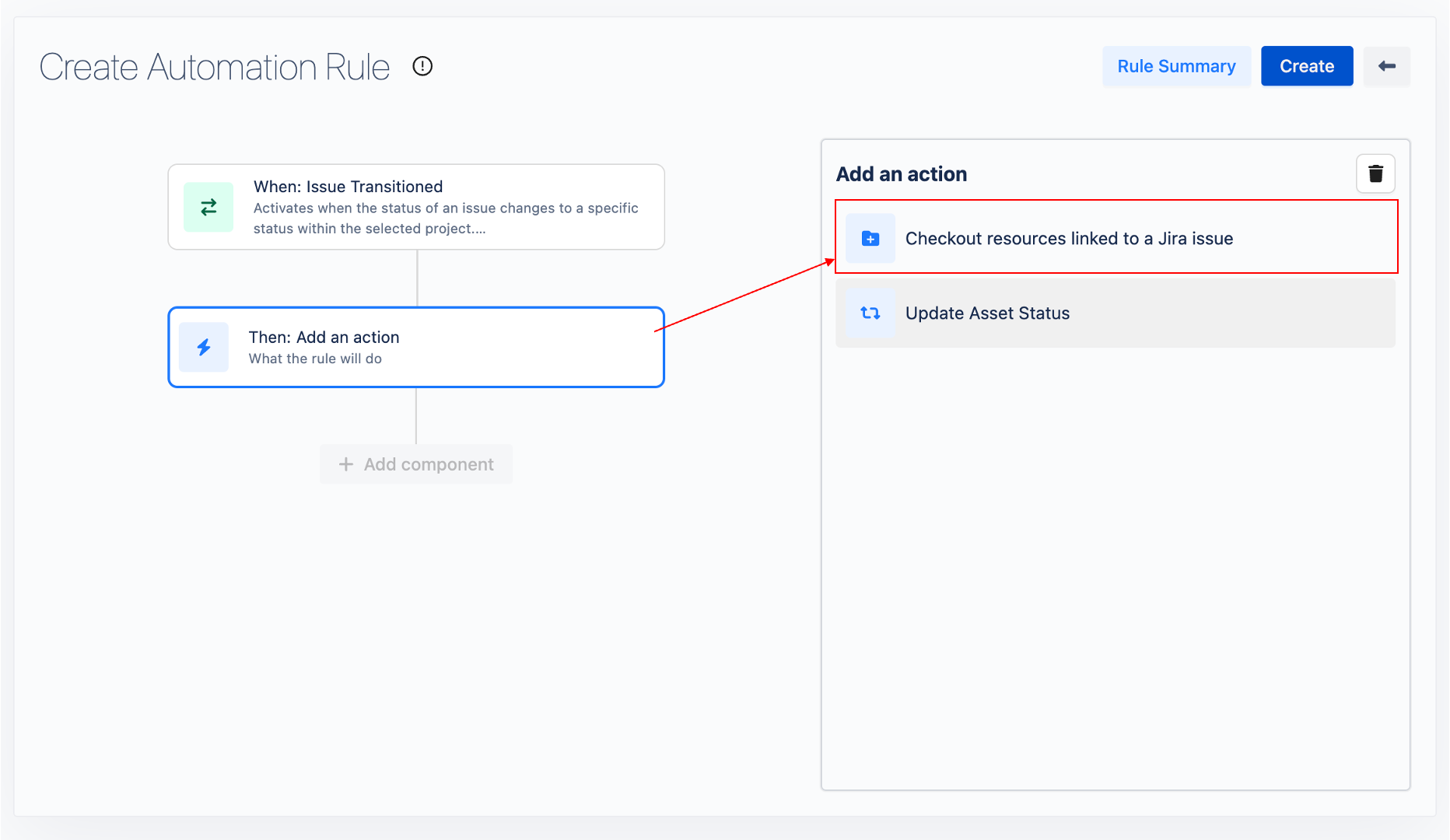
Choose a Component: After clicking on Add a component, select Add an action from the dialog that appears.
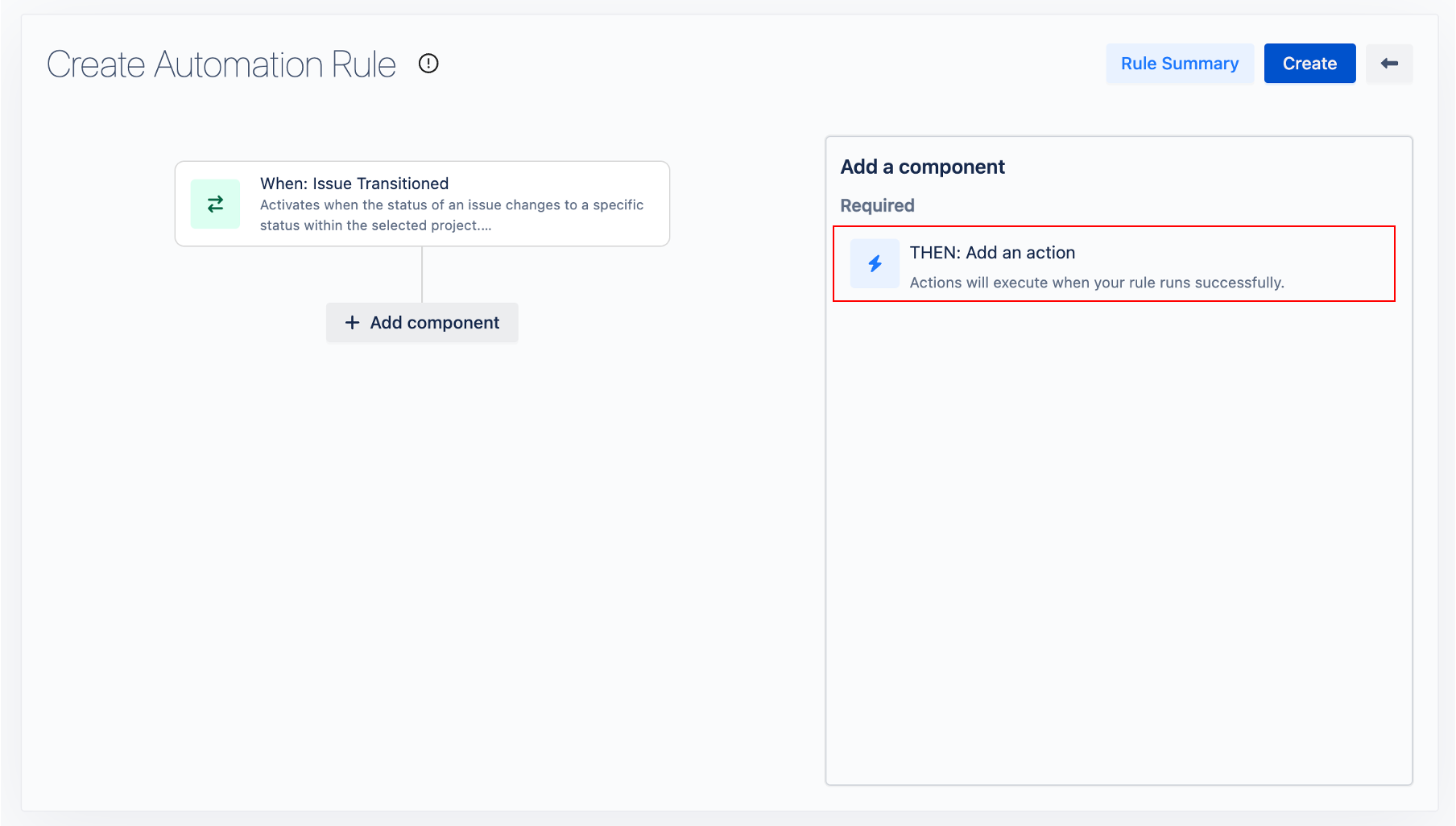
-
Action Selection: Select Checkout resources linked to a Jira issue from the action list.
-
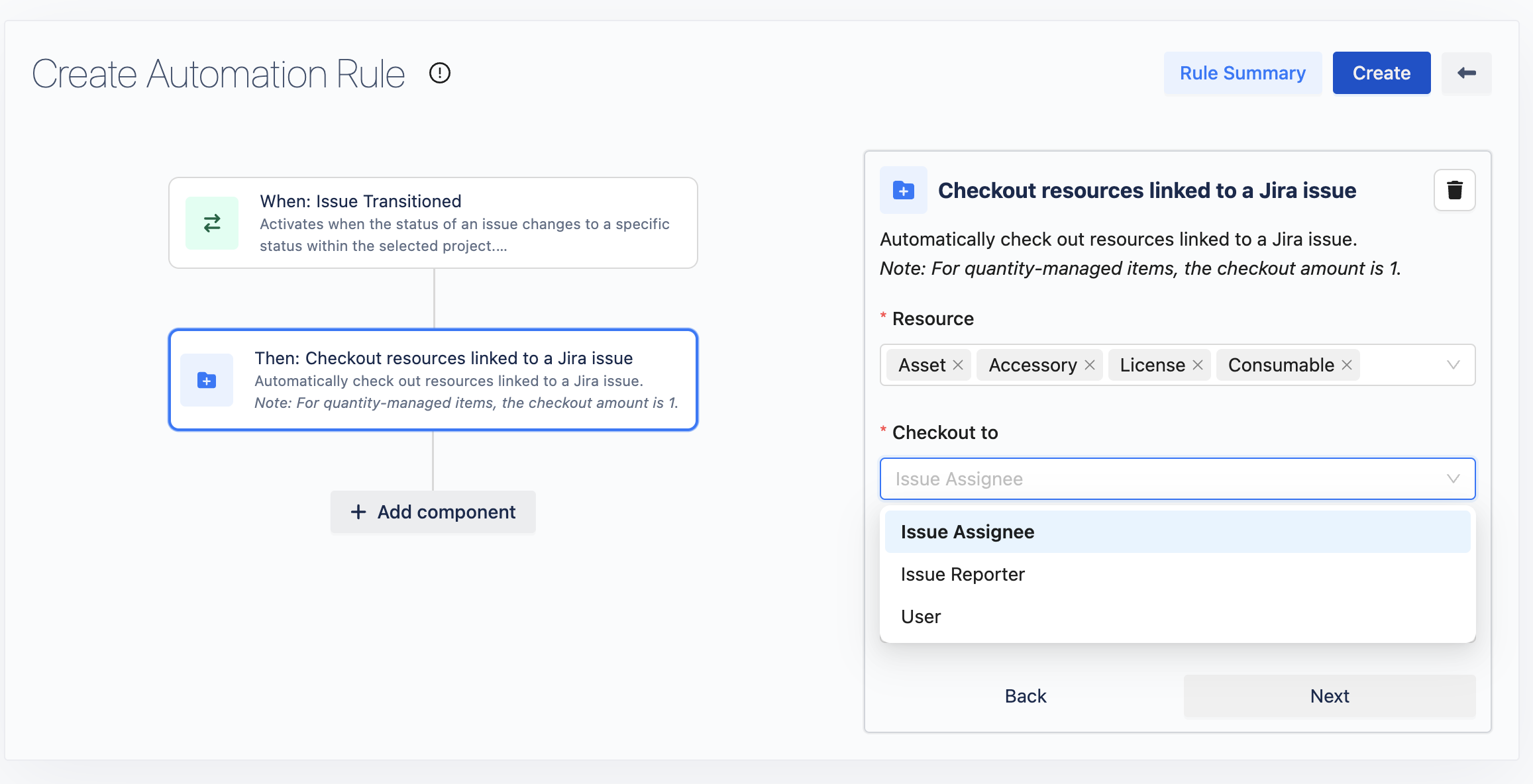
Configuration:
-
Resource: Choose the types of resources to be checked out to a user. (e.g., Assets, Accessories, Licenses, Consumables).
-
Checkout to: Select the target for the resource checkout (e.g., Issue Assignee, Issue Reporter, or a specific user).
-
Click Next to proceed.
-
3. Add Rule Summary
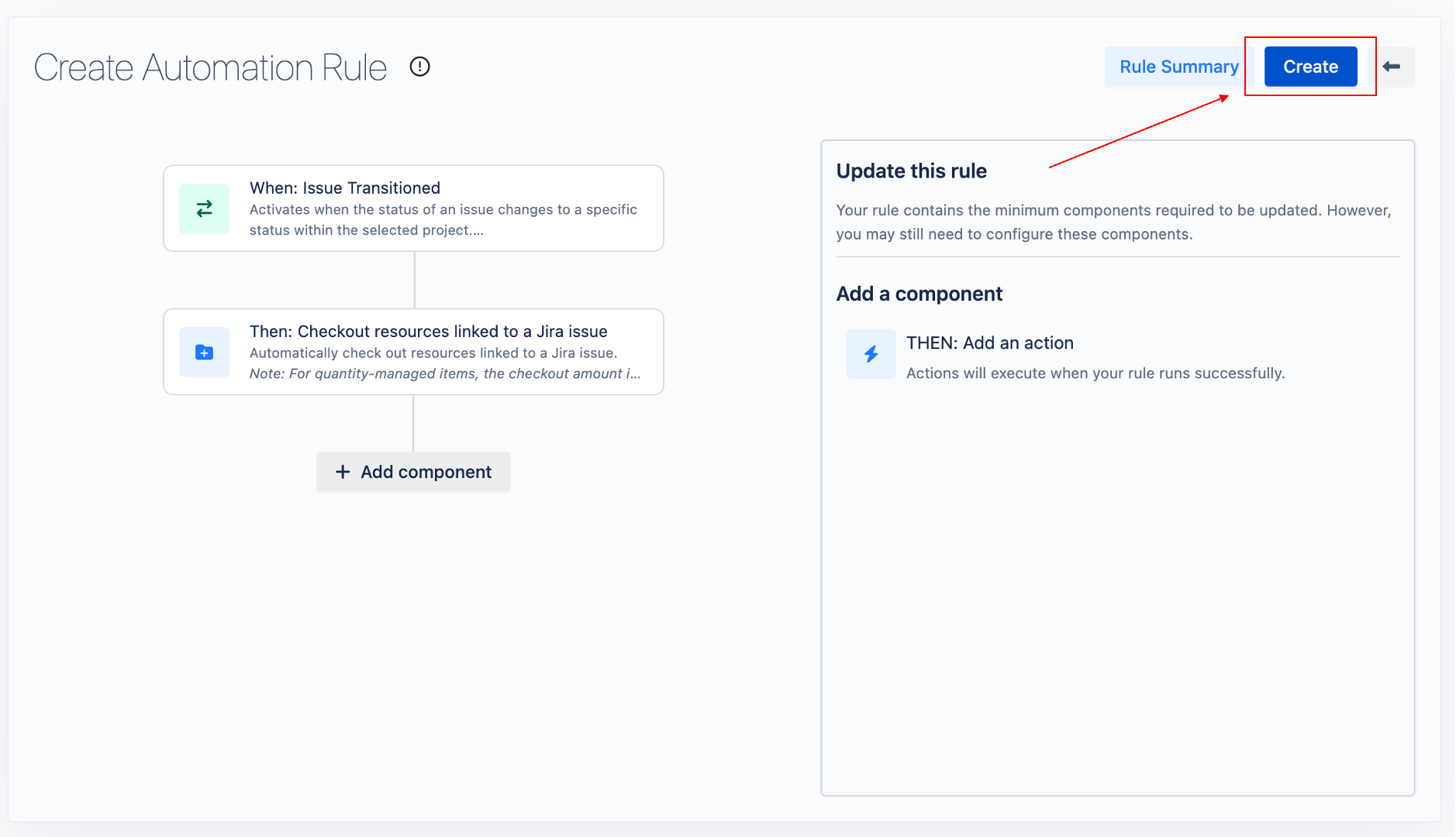
Click on 
-
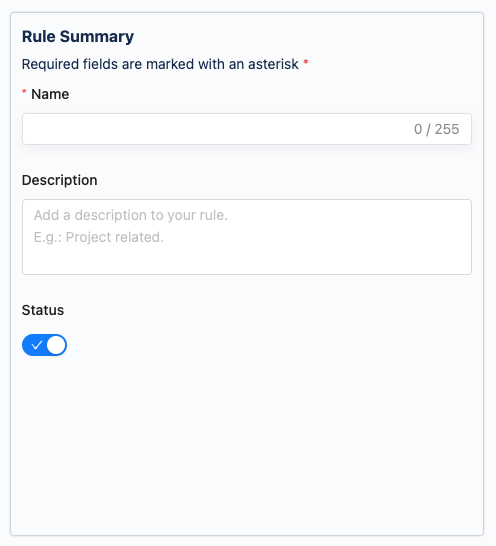
Inputs Required:
-
Rule Name: Enter a descriptive name for your rule.
-
Description: Optionally, add a description for clarity.
-
Toggle Status: Choose to enable or disable the rule.
-
-
Completion: After filling in the required information, click the