.png)
Exporting GanttTable’s Jira Work Item Data
GanttTable supports exporting Jira issues and tickets as a data sheet.
Locate the Export Sheet button → choose to export as an XLSX or CSV file.
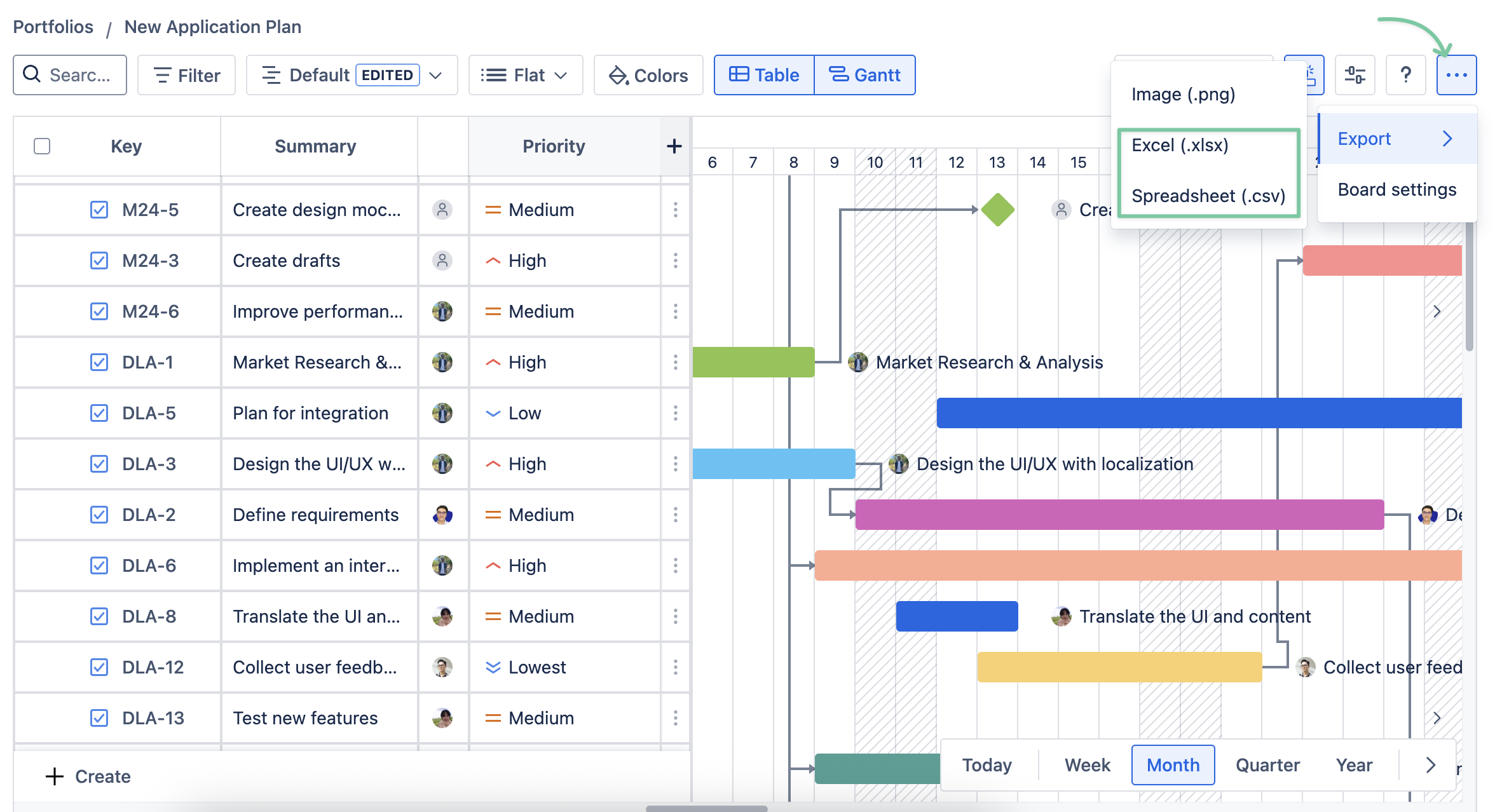
Exporting GanttTable’s board
In the new version, GanttTable supports exporting both the Table and Gantt views as a PNG image.
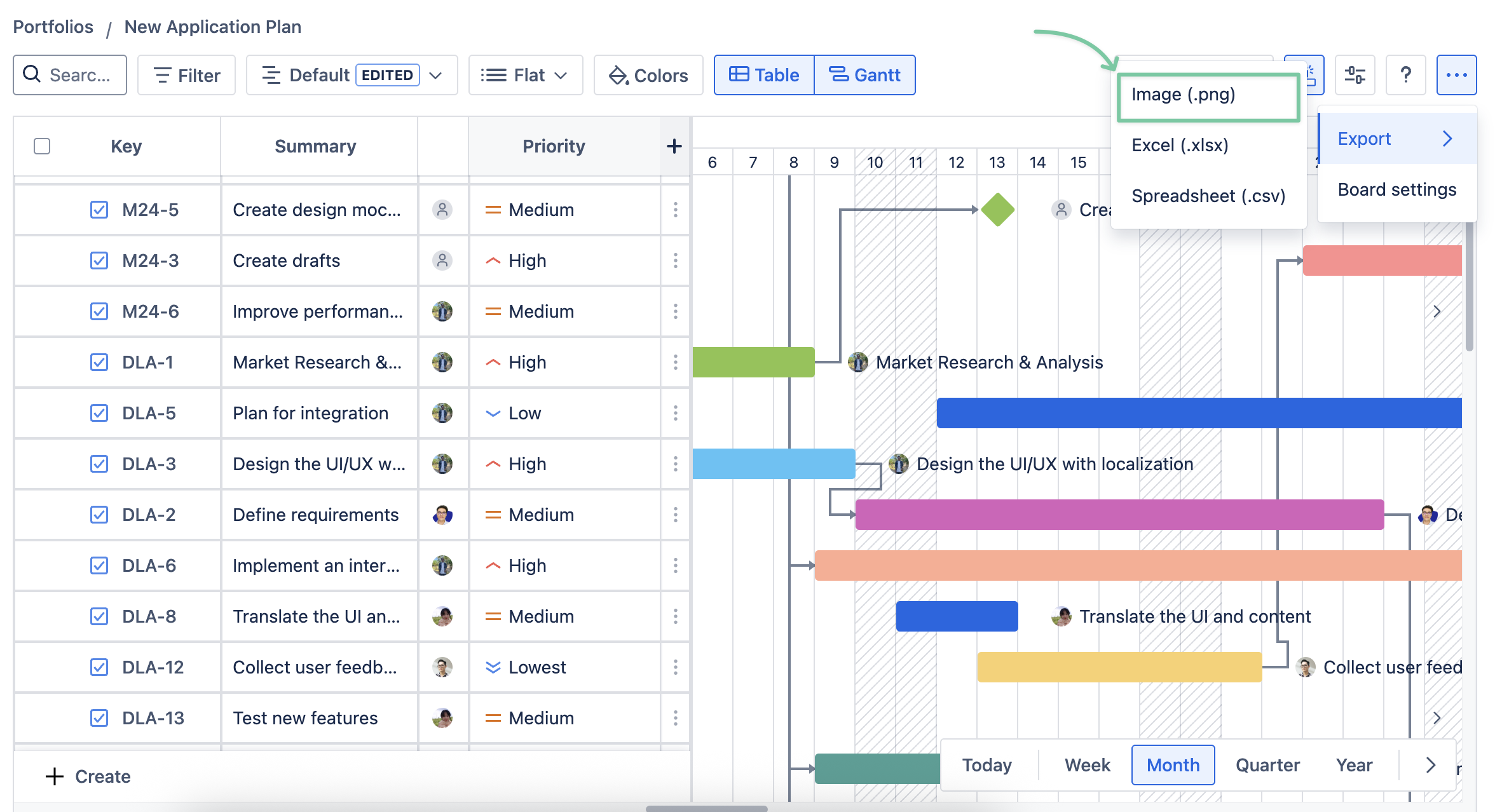
You can choose among different timelines: Week/Month/Quarter/Year.
-
Choose the Start date and End date of your board to create the image.
-
To download the GanttTable image, you are required to Generate a preview first.
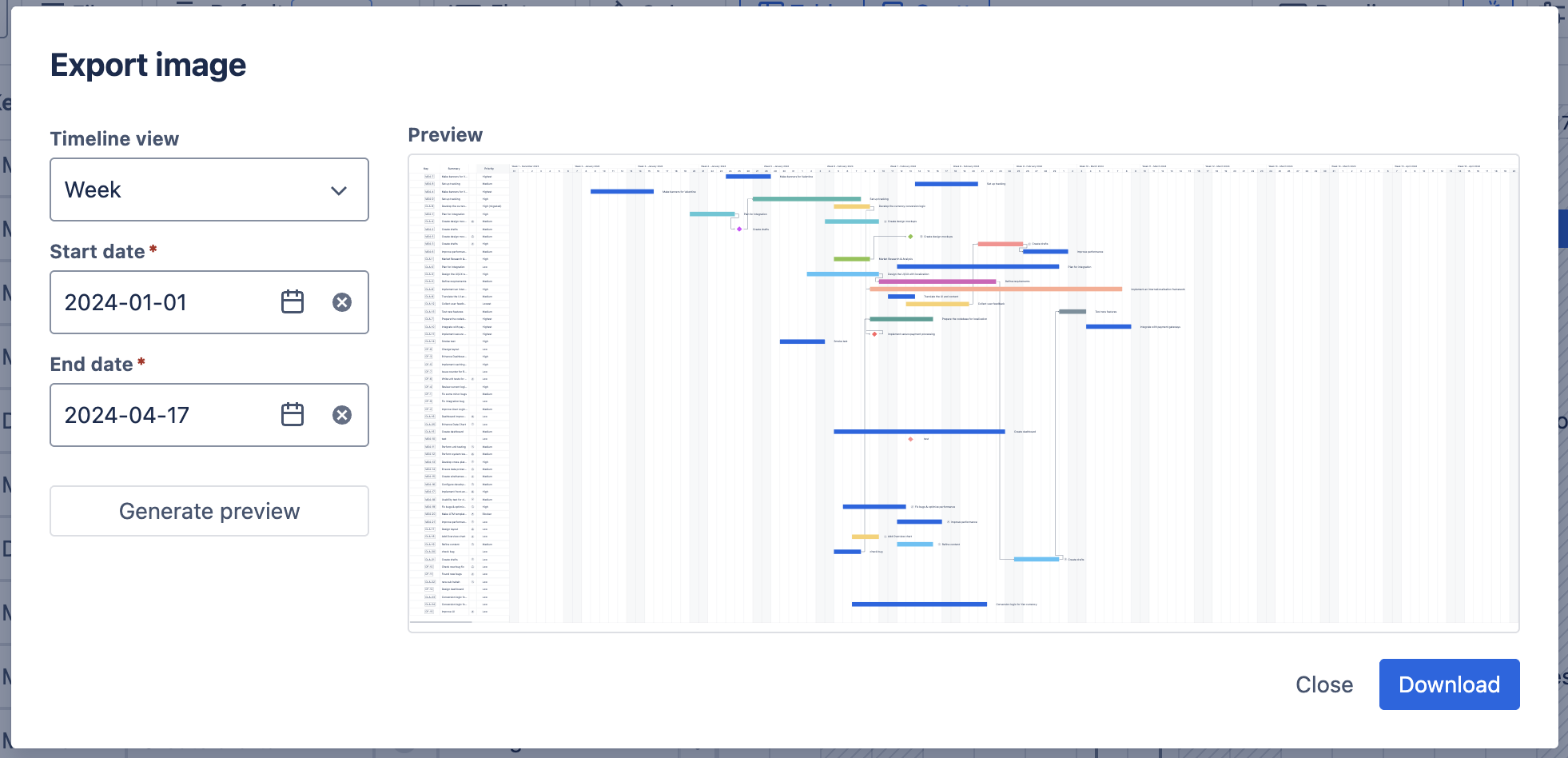
Note: it might take a few minutes to finish generating a preview of your portfolio, depending on its data.
Currently, the Export Image feature can only support up to 500 Jira Work Items (formerly Jira issues). If your board exceeds that number, GanttTable can only support exporting the first 500 items.
*Please consider using a filter to organize the first 500 Jira work items that you need to export as an image.
-20250519-175425.png?cb=dd1a374c92a9105813fa4a18063fa13c)