.png)
Email Templates in Sales & CRM for Jira let you save and reuse pre-written messages, making your communication faster, more consistent, and easier to personalize across your team.
Create a Template
Start by creating a new email and writing the email body as you normally would.
To personalize your message, use merge tags from the {} Columns menu in the email editor. This allows you to personalize emails with names, companies, deal details, and more.
-
Each merge tag represents a column from your Sales & CRM board
-
When the email is sent, Sales & CRM automatically pulls in the matching values from those columns
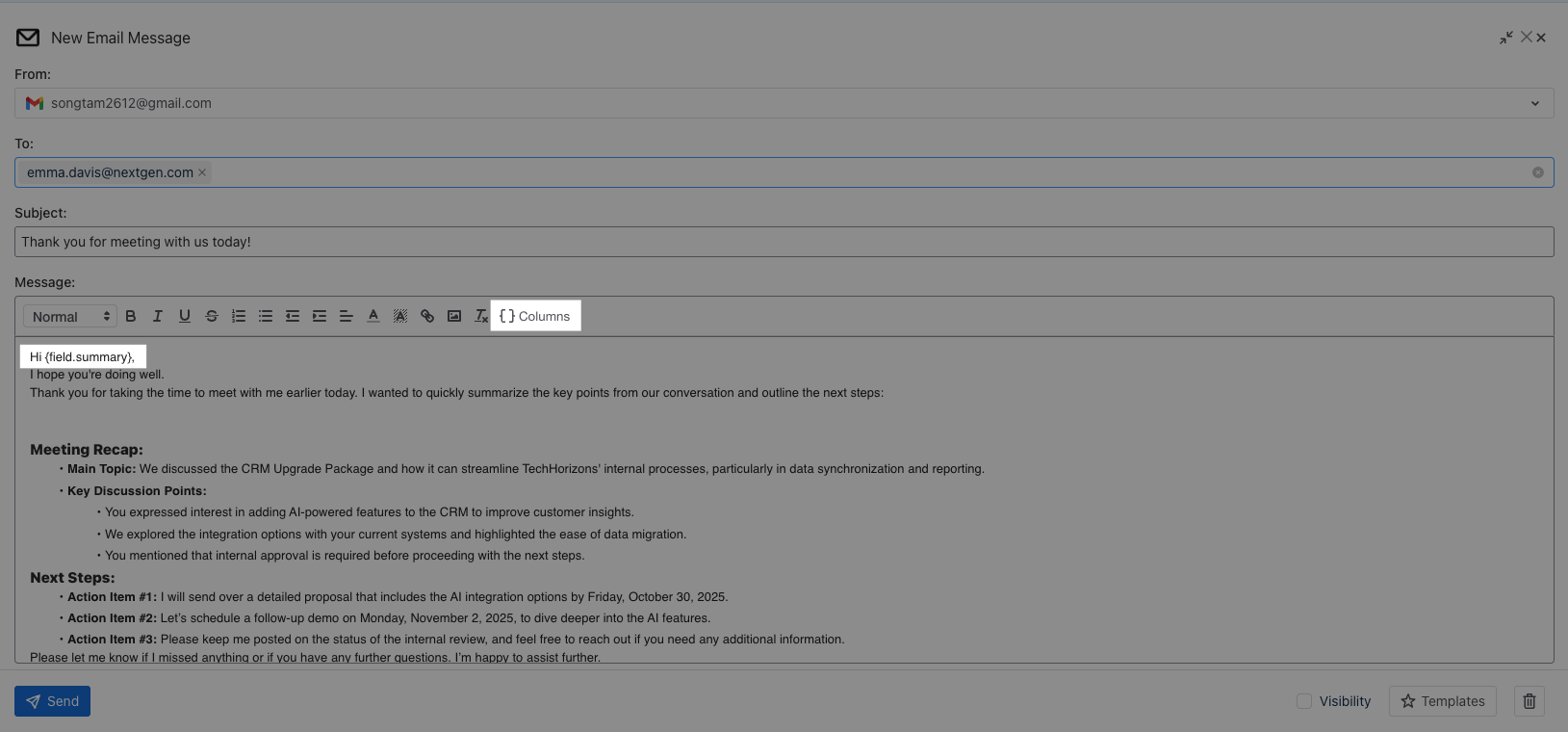
After drafting your email, click 
Once you’re done drafting:
-
Click the Templates button
-
Select + Save as new template
-
Enter a Template name and choose whether to share it with:
-

-

-
-
Click Save
-
Your email is now stored as a reusable template.
Use a Template
To apply a saved template:
-
Create a new email
-
Click the Templates button in the lower-right corner
-
Select the template you want to use
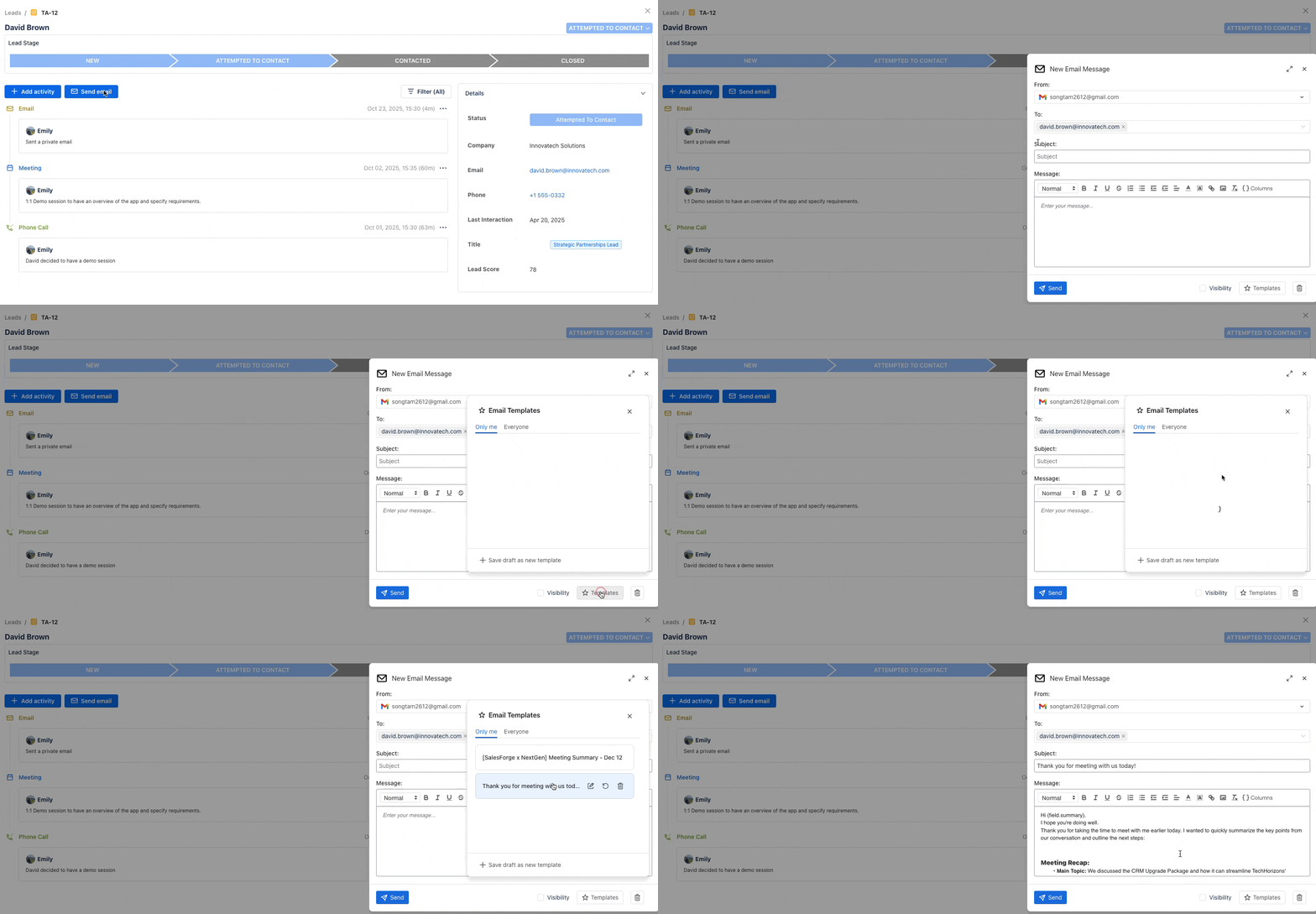
The email content and merge tags will be automatically applied.
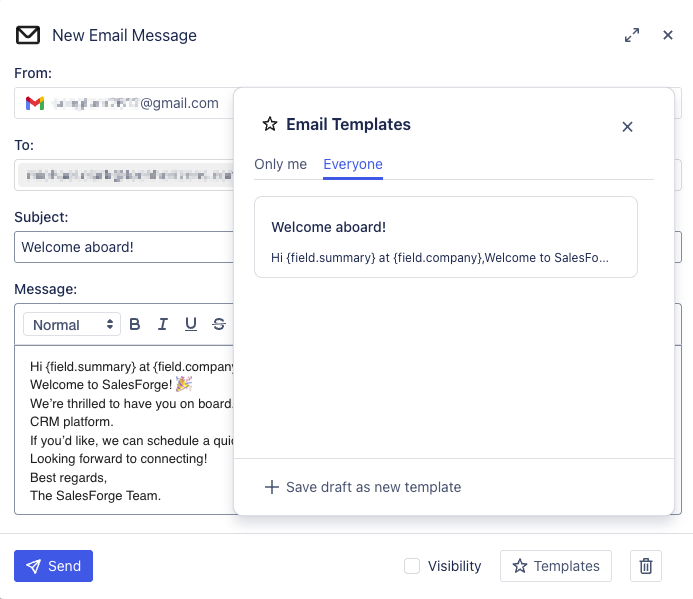
✉️ Example: Add a Welcome Email to the Template
Subject: Welcome aboard!
Message:
Hi {field.first-name},Welcome to Sales & CRM for Jira! 🎉
We’re thrilled to have you on board. Our team is here to help you get started and make the most out of our CRM platform.If you’d like, we can schedule a quick walkthrough to explore how Sales & CRM fits your workflow.
Looking forward to connecting!
Best regards,
{field.sender-name}
How Saving & Sharing Templates Helps
-
For Team Collaboration:
Shared templates ensure every team member communicates consistently with leads and customers, maintaining tone, style, and professionalism across the board. -
For Mass Emailing:
When sending bulk or follow-up emails, templates save significant time while allowing personalized fields with