.png)
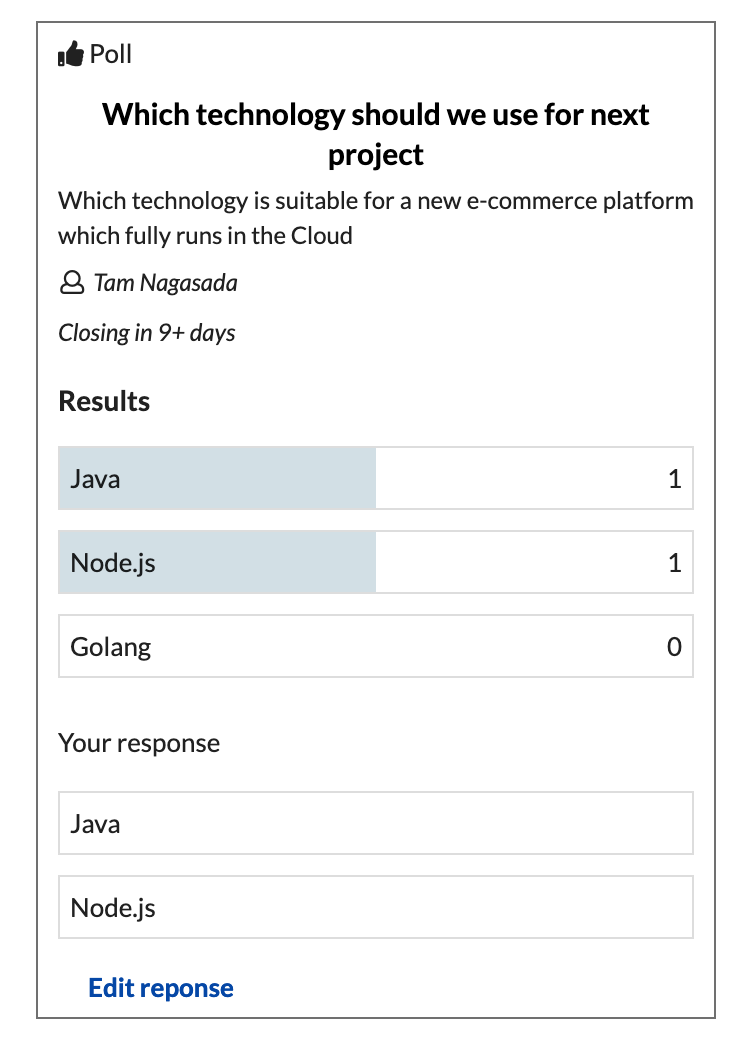
Use a poll to measure popularity or offer a choice. You can place some options and allow voters to choose from, voters can also add their options if it is allowed when creating poll.
Create a Poll
-
From you Confluence page insert "Team Decision Macro"
-
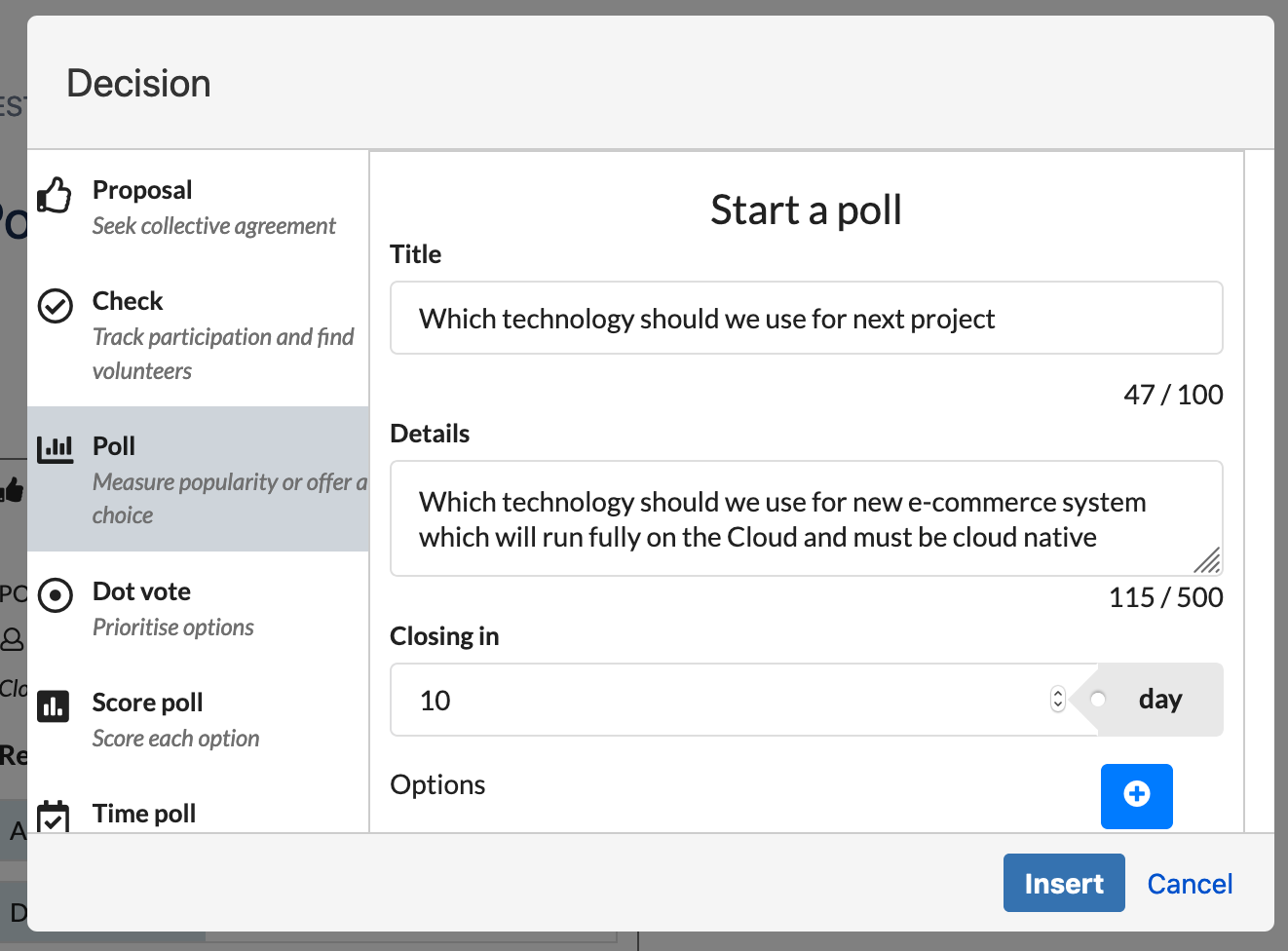
Click Poll and fill-in information
-
Tile: Summary of the Poll
-
Details: short details of the Poll, it will show up in the Poll box but you can also create more content out side in the Confuence to support your idea
-
Closing in: number of days to expire the Poll
-
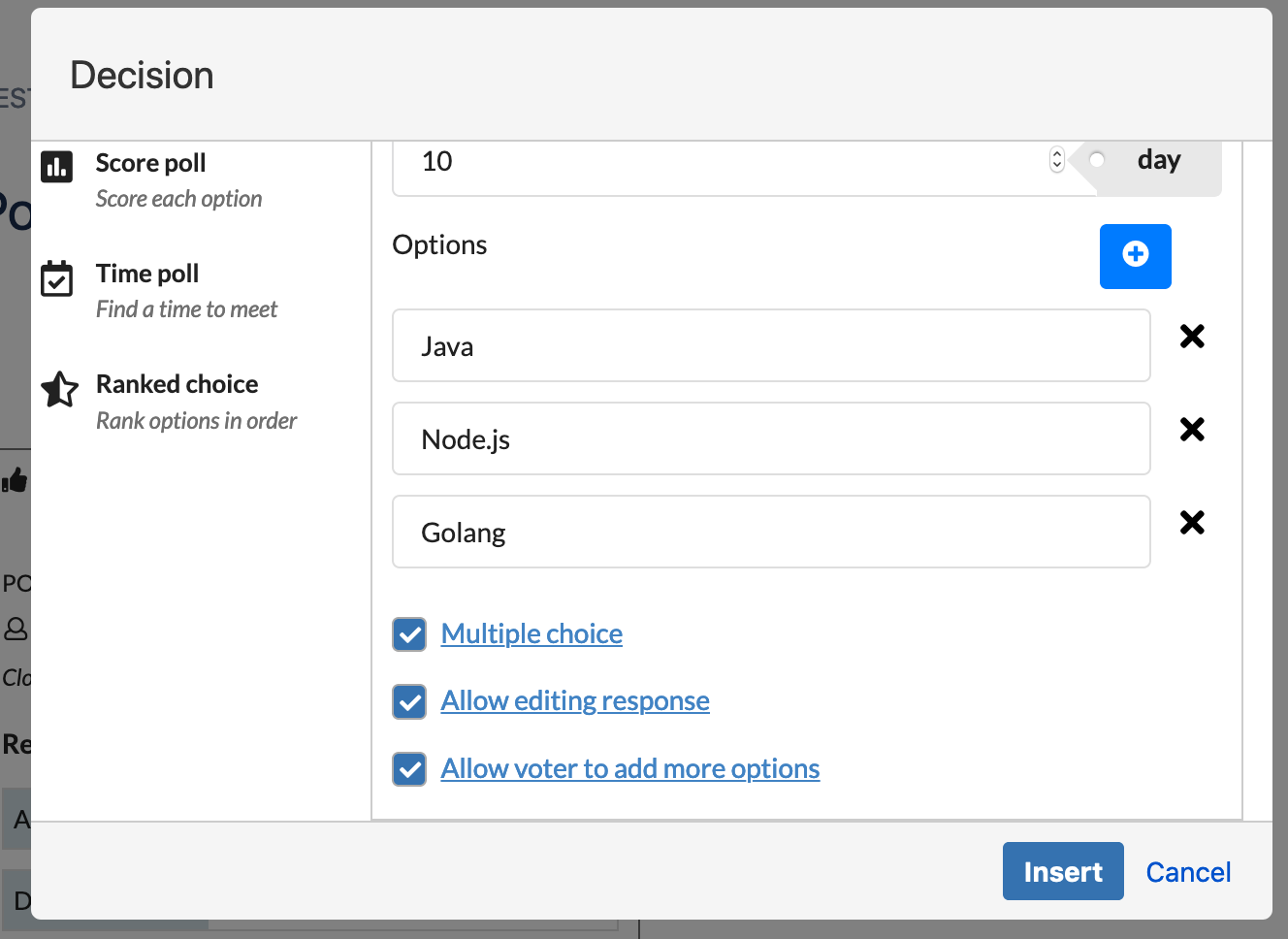
Options: Add options for your poll
-
Multiple choice: Allow voter to choose multiple options or not
-
Allow editing response: If checked voters can edit their response as long as the Poll is still active
-
Allow voter to add more options
-
-
Insert and Save the page
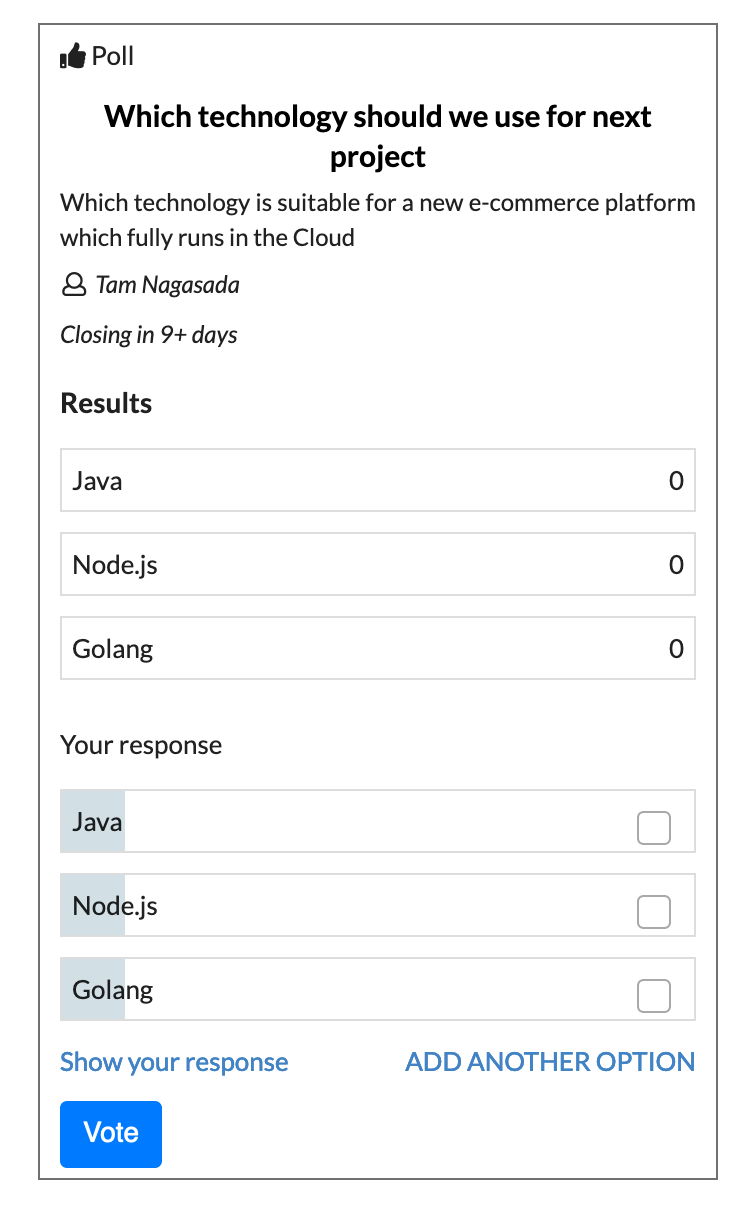
Work on Poll
-
Click on the option to place your opinion
-
You can edit your response if the author allow that