.png)
1. Overview
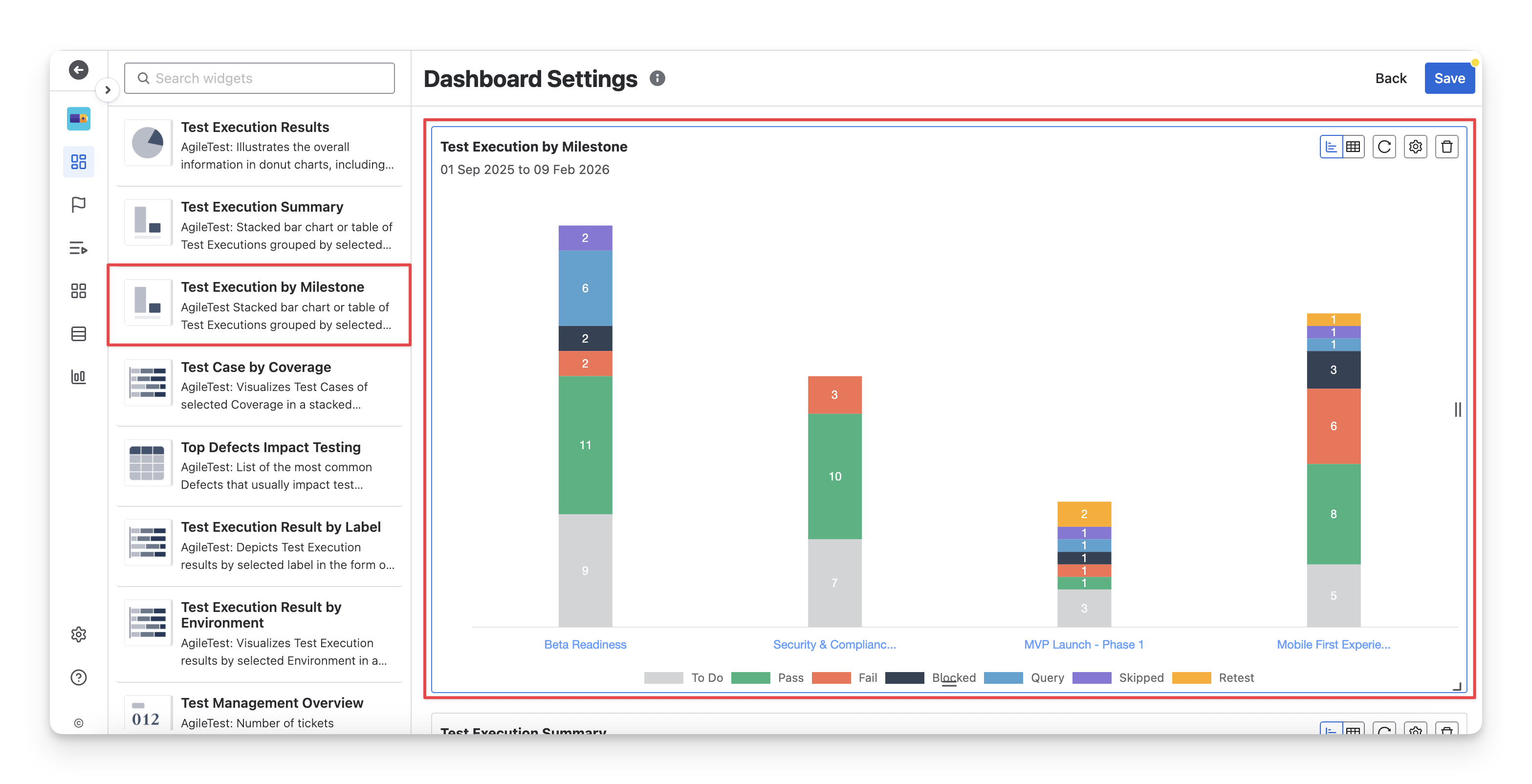
The Test Execution by Milestone widget is useful when QA teams need to track test execution progress across different milestones in a project.
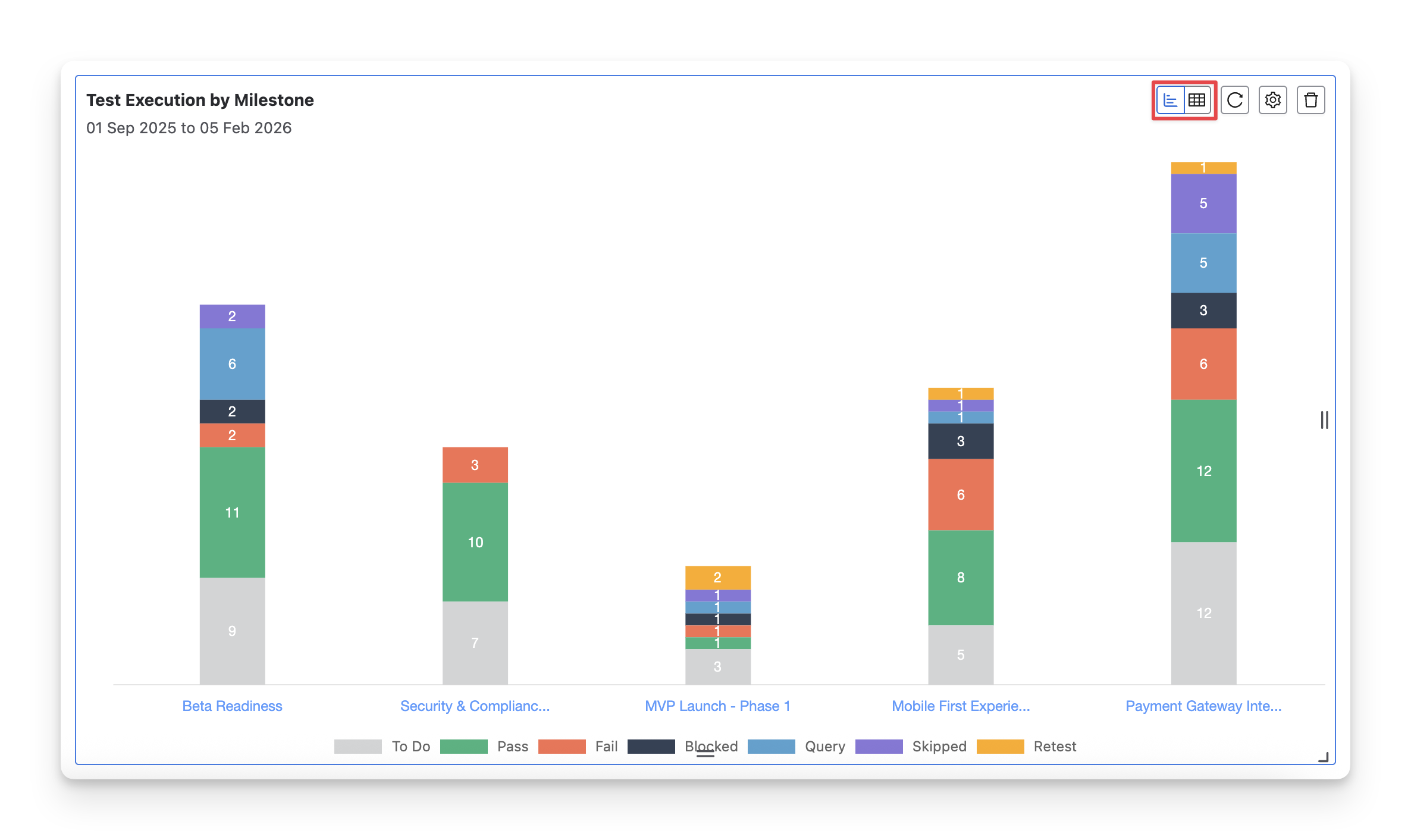
This widget has 2 display formats: chart and table. You can switch between these two formats by clicking on the “Switch format” button.
1.1 Chart Format
The Test Execution by Milestone chart uses stacked columns, where each column represents a specific AgileTest milestone. Each column displays the number of test cases with the execution statuses ( Fail pass skipped blocked query todo retest ).
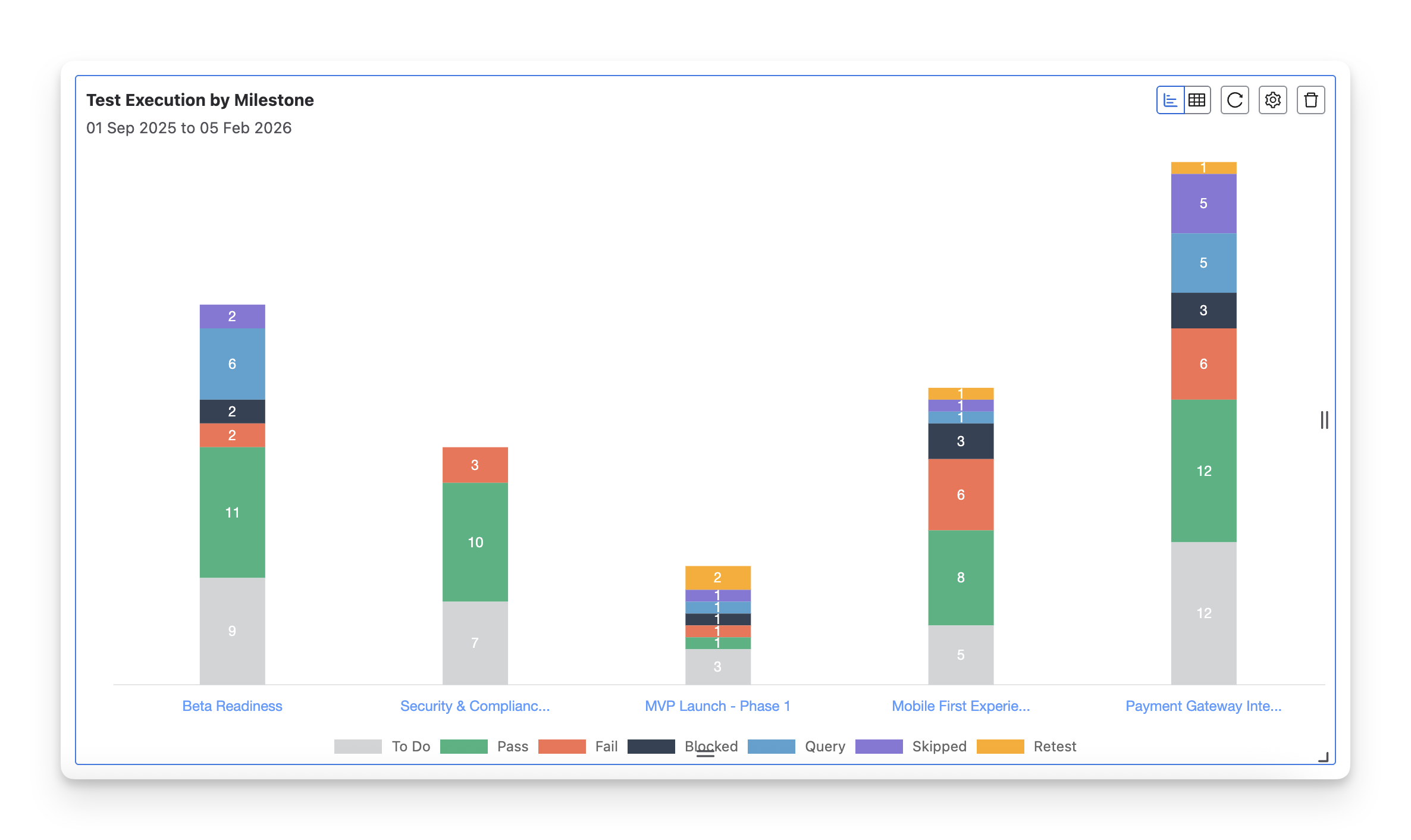
The Test Execution by Milestone chart is ideal for QA teams who need to:
-
Track progress across milestones: Quickly spot Fail Blocked test cases within specific milestones. This helps prioritize problem areas that need immediate attention, such as when a key milestone has too many Fail test cases.
-
Assess overall testing health: This format is great for monitoring test quality across multiple milestones. It helps you see the distribution of test outcomes and identify if certain phases are more likely to encounter issues.
-
Report testing progress to stakeholders: The milestone-based layout is helpful when presenting status updates to project managers, team leads, and stakeholders, especially when you want to break down testing results by project phases or milestones.
1.2 Table Format
The Test Execution by Milestone table displays the number of test cases in different statuses ( Fail pass skipped blocked query todo retest ) for each milestone. Each row represents a milestone, and the columns show the number of test cases in each status, giving you a clear breakdown of execution progress for each phase.
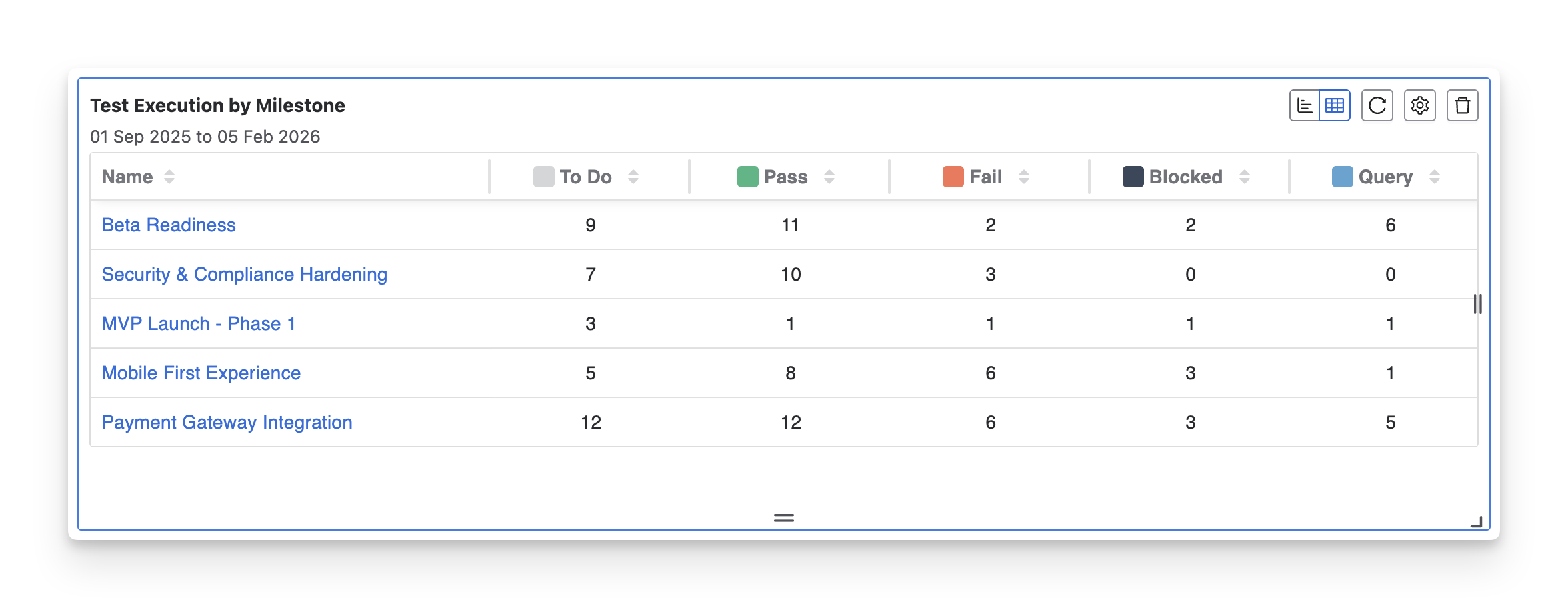
Use the table format when you need to:
-
Track detailed test progress by milestone: This format provides a detailed view of how many tests have passed, failed, or are still pending within each milestone.
-
Compare execution progress across multiple milestones: The table format makes it easy to compare test execution across different milestones, helping teams ensure that progress is consistent and identify if one area needs more focus.
2. Configuration
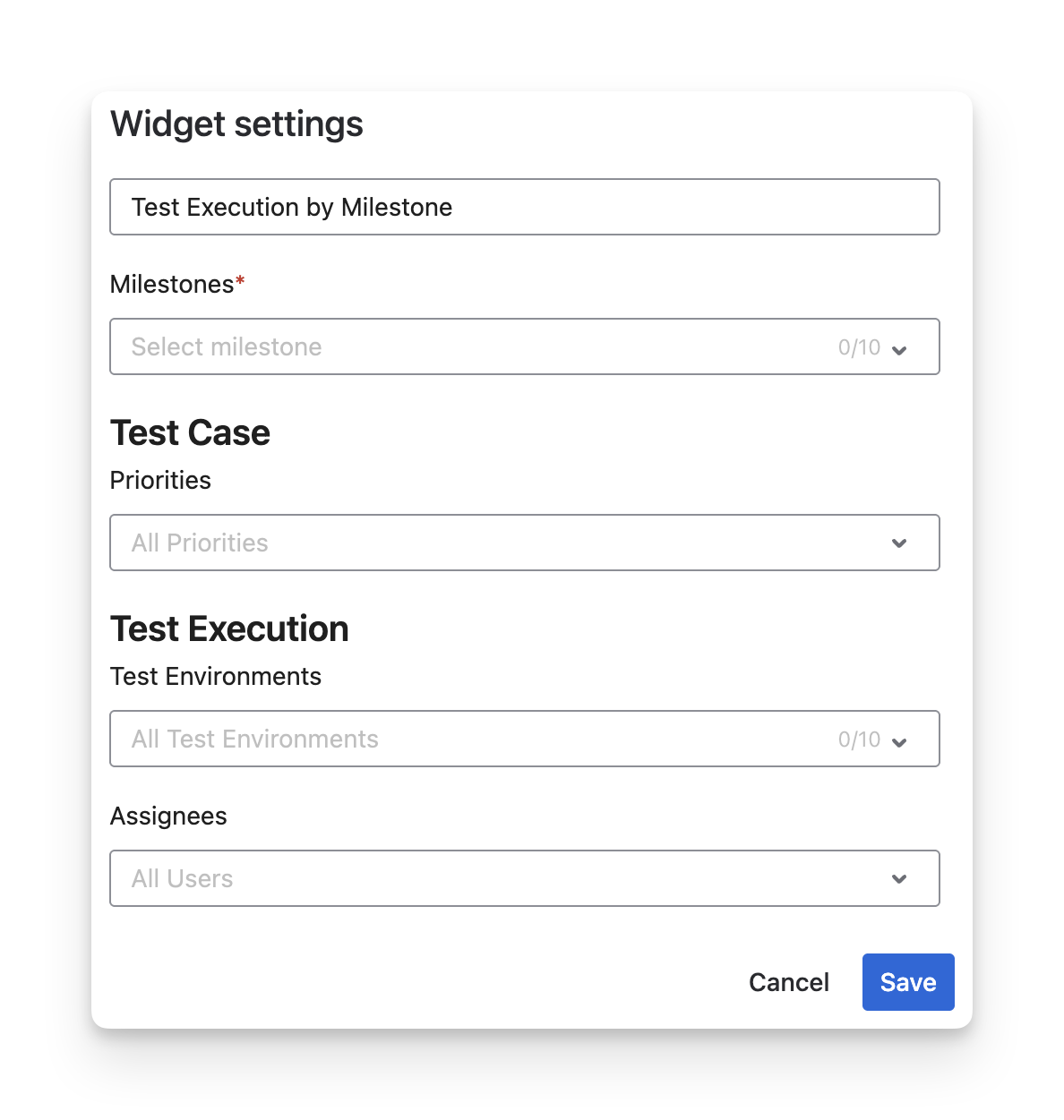
With this widget, you can:
-
Rename the widget to reflect the milestone or release you are tracking.
-
Select up to 10 milestones to monitor test execution progress for specific phases or releases.
-
Filter test cases by priority to focus on high-risk or critical testing areas within milestones.
-
Filter by test environments to analyze execution performance across different platforms.
-
Filter by assignees to see which QA members are contributing to milestone testing.
-
Define a time range using presets or custom From–To dates to control the reporting period.
-
Choose the default display mode (Chart or Table) depending on whether you prefer a visual summary or detailed breakdown.
Should you need any assistance or further AgileTest inquiries, contact our 24/7 Support Desk!