.png)
1. Overview
A Test Plan in AgileTest defines the testing scope and organization for a testing effort. It is a structured collection of test cases gathered from one or multiple folders, allowing QA teams to group related tests into a single plan. From these test cases, teams can create multiple test executions to run the same set of test cases across different timelines, environments, or builds.
To view the test plans in AgileTest, you can navigate to the Classic Test dropdown menu on the left-hand side menu bar → Test Plans section.
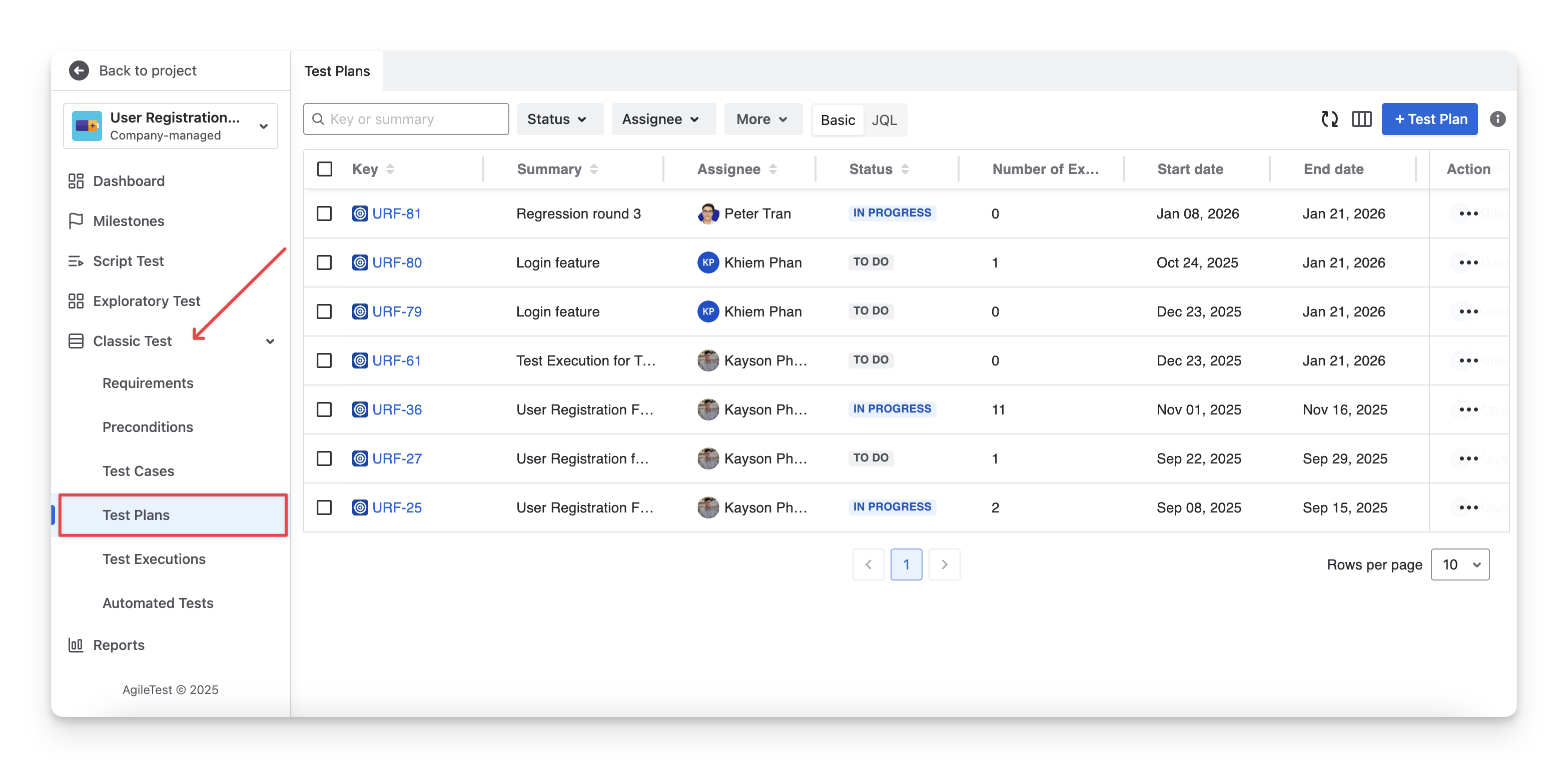
In AgileTest, each Test Plan is also a Jira work item.
2. Locate Test Plans
Your test plans are displayed in 2 areas: AgileTest Test Plan Section and Jira Issue Board.
2.1 Find Test Plans in AgileTest
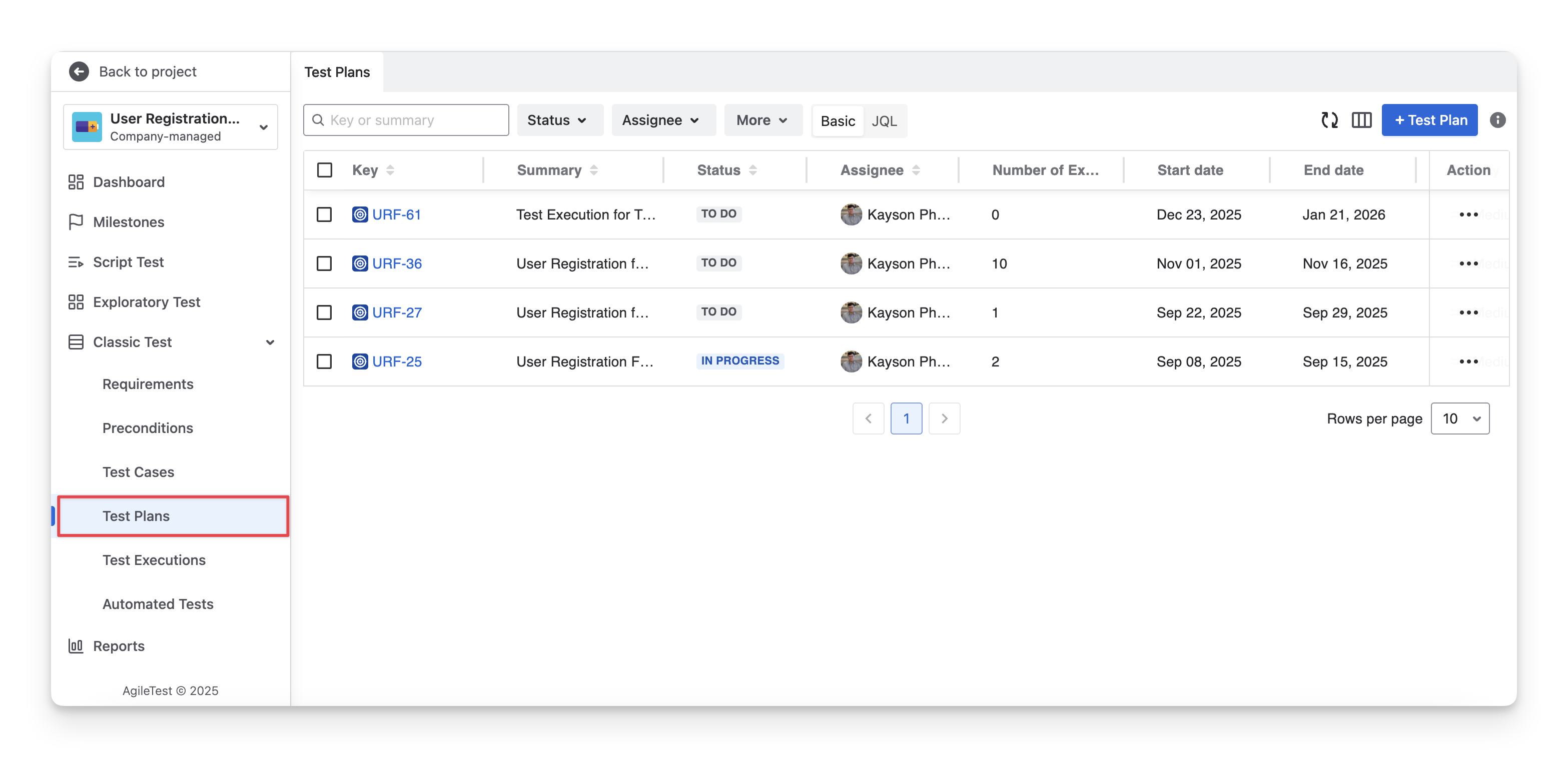
On the left menu sidebar, navigate to the Classic Test section → Choose Test Plans.
2.2 Find Test Plans in Jira
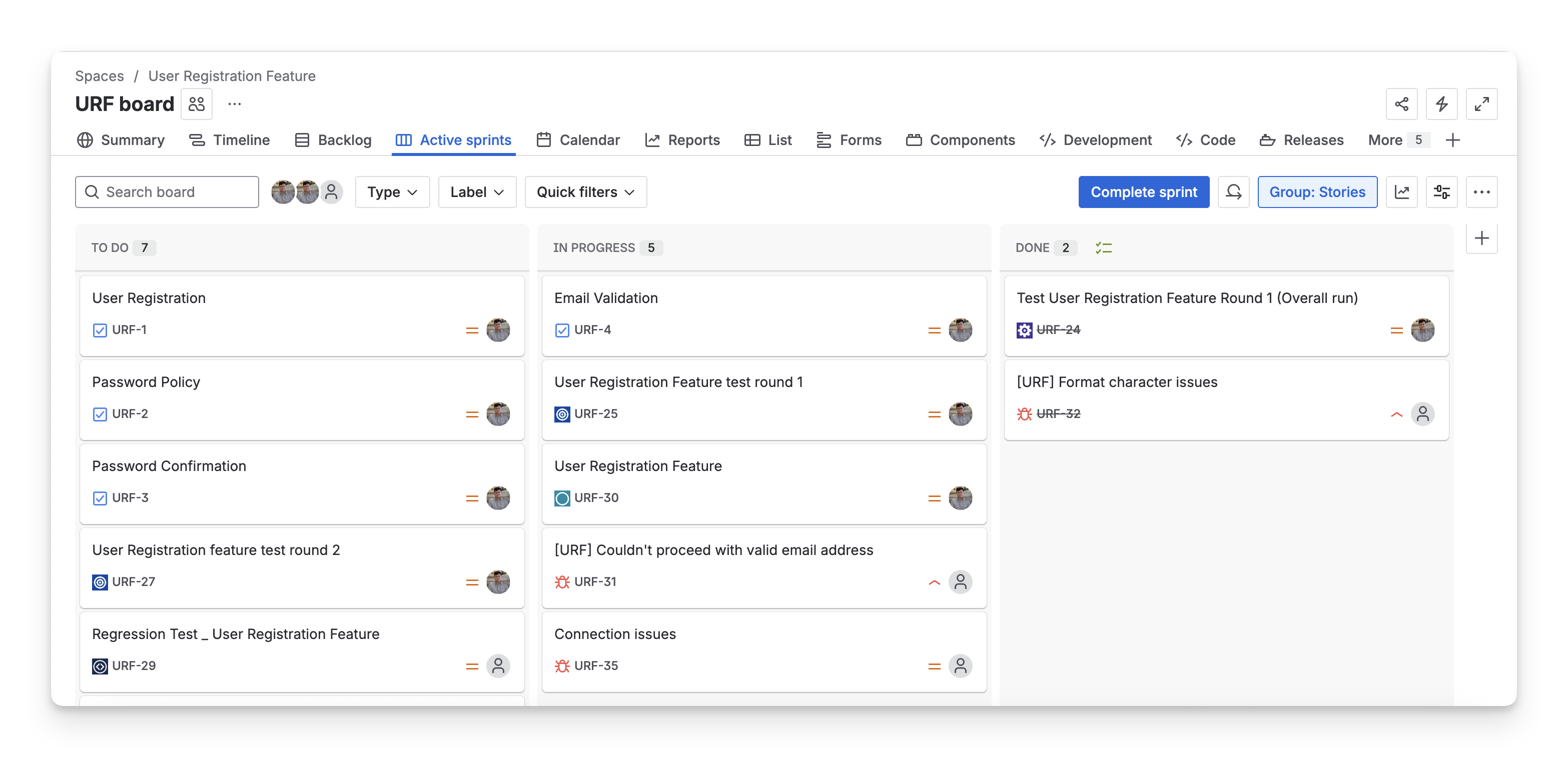
On your Jira board, you can find these test plans as Jira work items
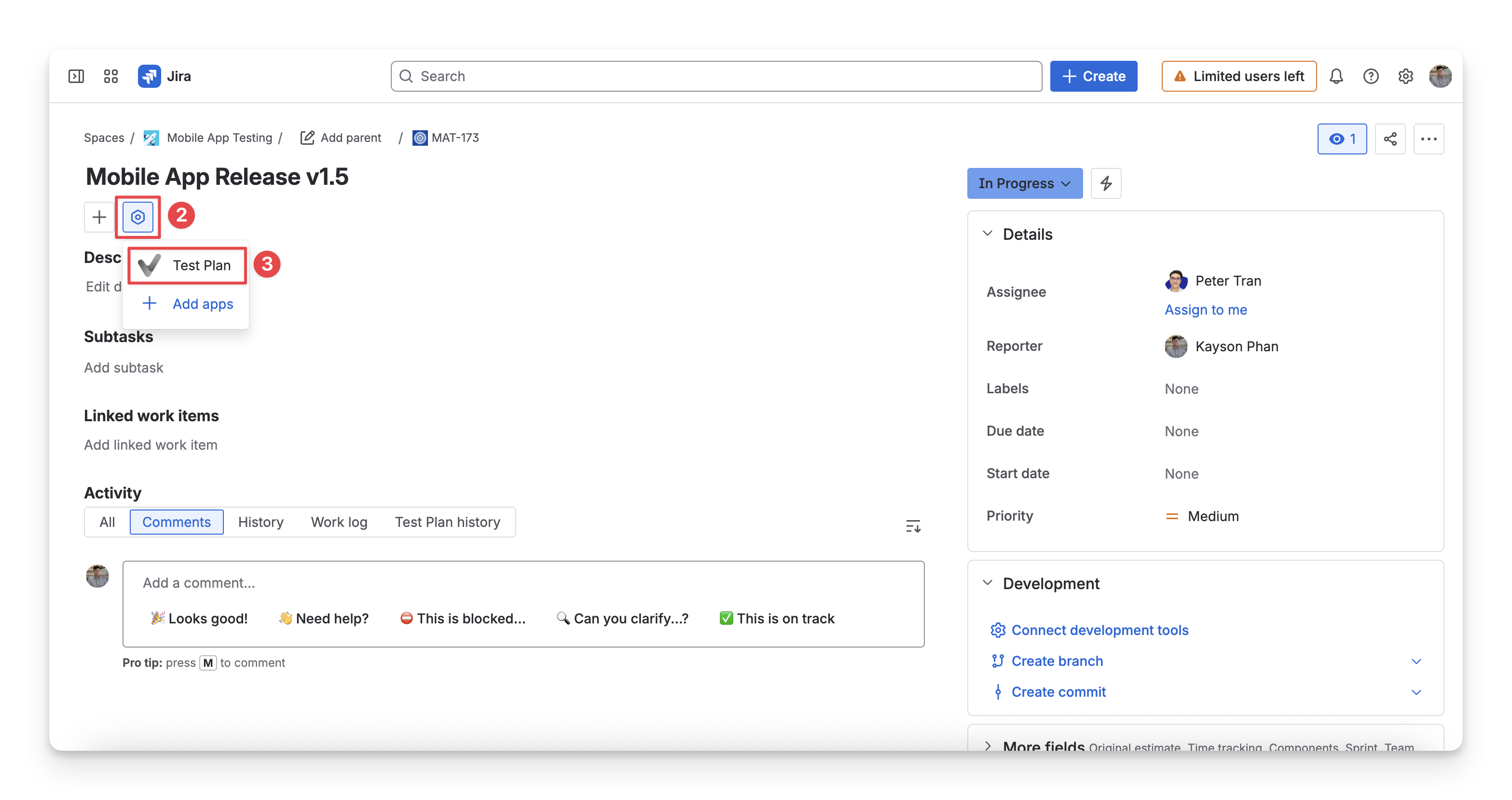
To enable AgileTest widget panel, you can follow these steps:
-
Open a Jira test plan issue
-
Click the View apps action next to the issue summary
-
Select Test Plan with the AgileTest icon. The widget UI should then appear below the issue content.
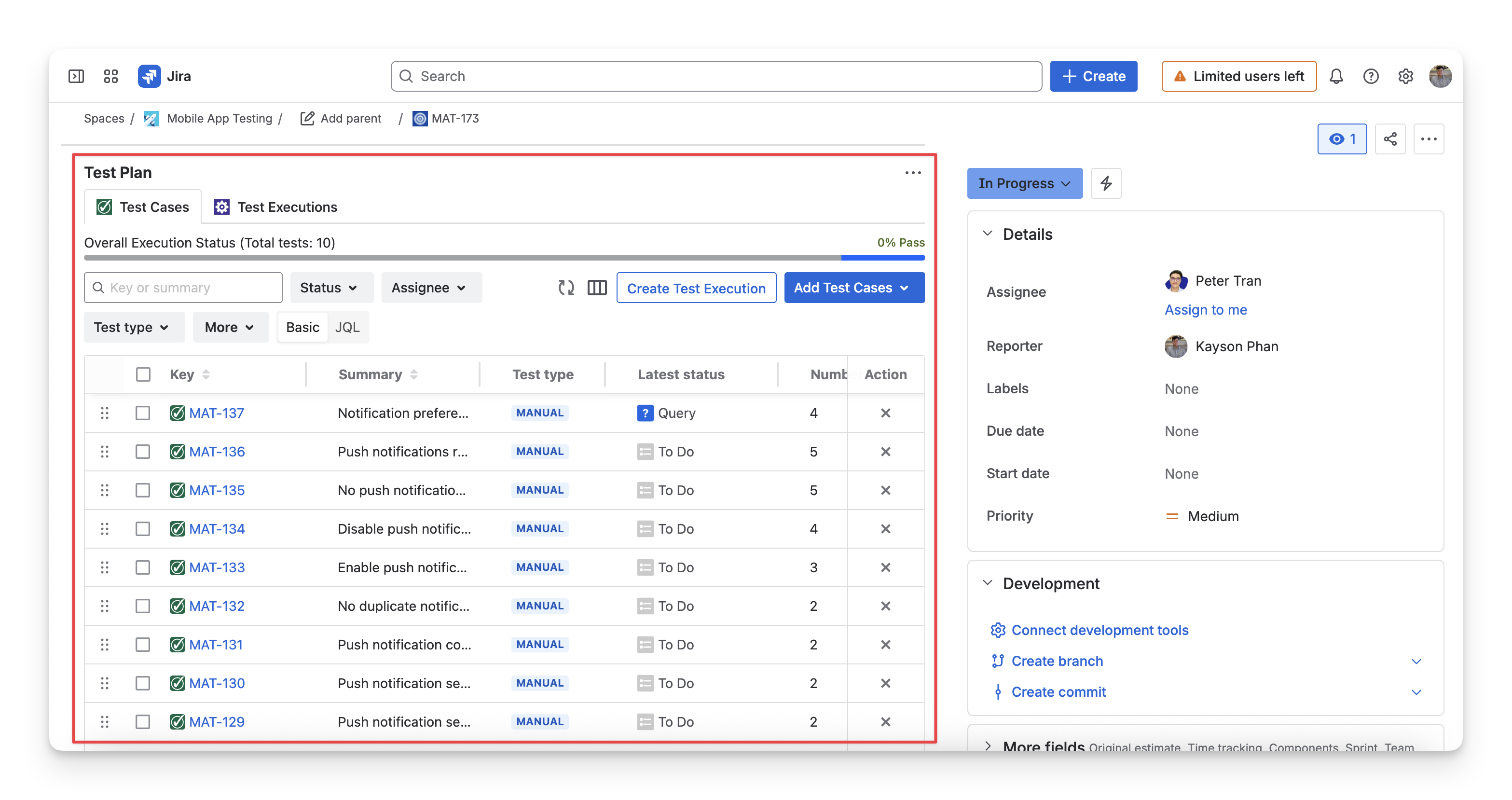
-
You can display the widget automatically for all work items of the same type by clicking the 3-dot menu in the widget UI, then selecting the Show for all work items option.
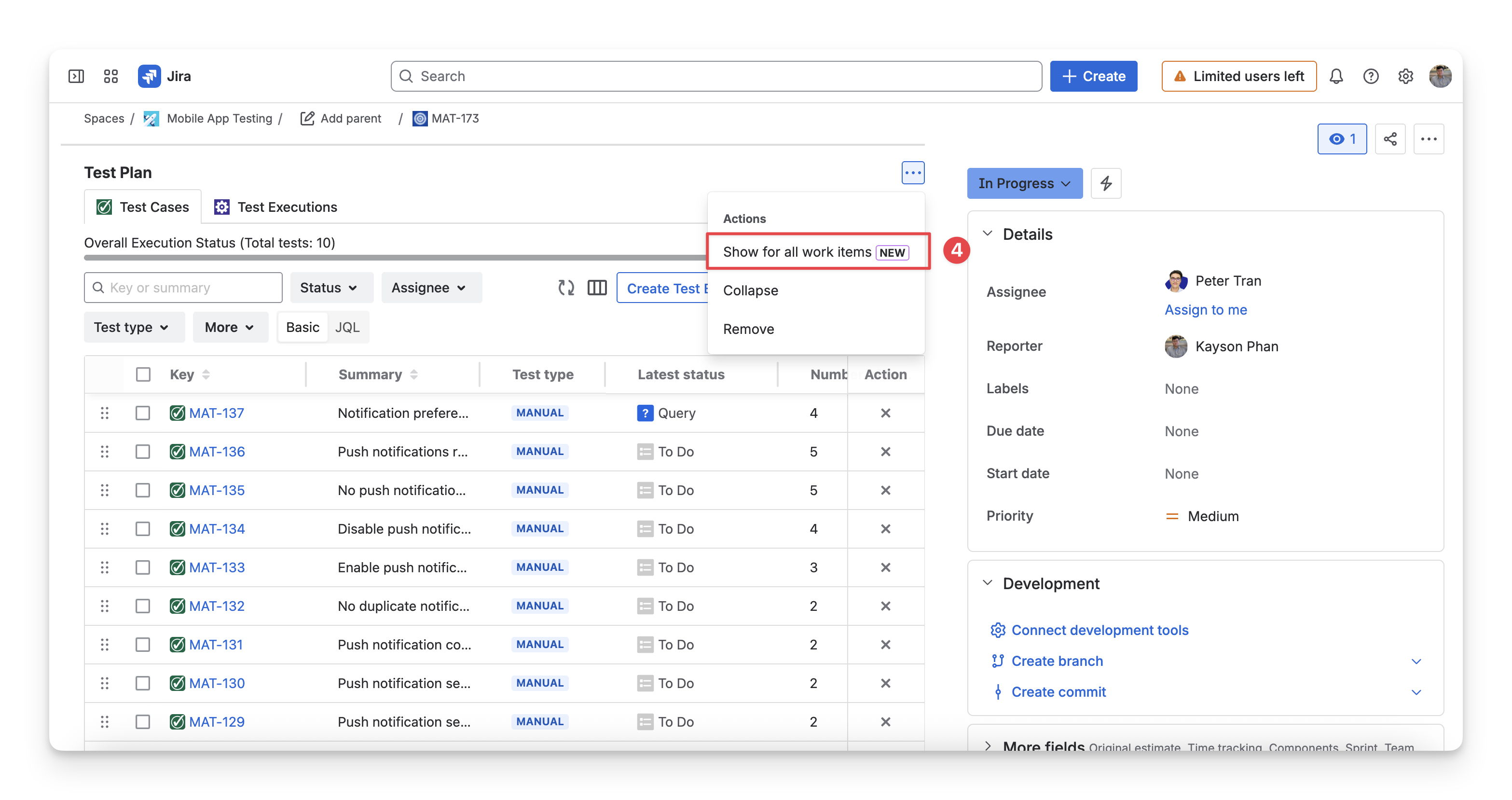
Explore more details about AgileTest Test Plan:
Should you need any assistance or further AgileTest inquiries, contact our 24/7 Support Desk!