.png)
Prerequisites:
-
Rovo must be activated on the instance (Available for Cloud plans - Standard, Premium, Enterprise.
-
AgileTest must be installed on the instance → Learn how to install AgileTest.
Most Failed Test Cases summarizes the test cases that failed most often within a sprint. It highlights those with the highest failure rates, helping teams identify recurring issues for further investigation or optimization. This overview lets teams prioritize resolving persistent problems.
AgileTest Agent only displays the test cases that belong to at least 1 sprint.
AgileTest Agent can gather data on the most failed test cases, whether or not a sprint name is provided, and can also be filtered by assignee if needed.
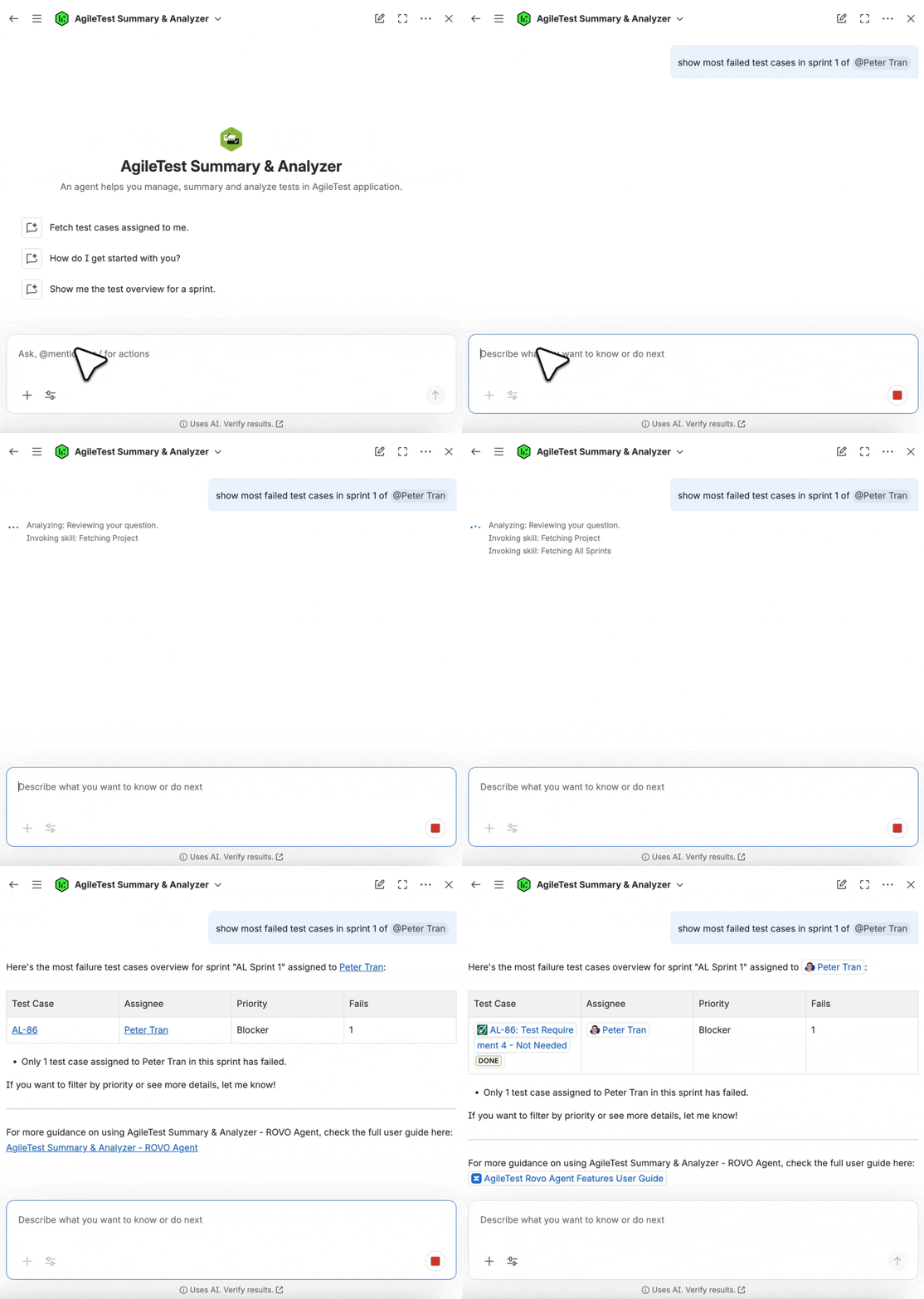
Scenario 1: Provide with No Sprint Name
If you ask Rovo Agent with a command like show most failed test cases without limiting sprint duration, AgileTest Agent will list the most failed test cases across all active sprints.
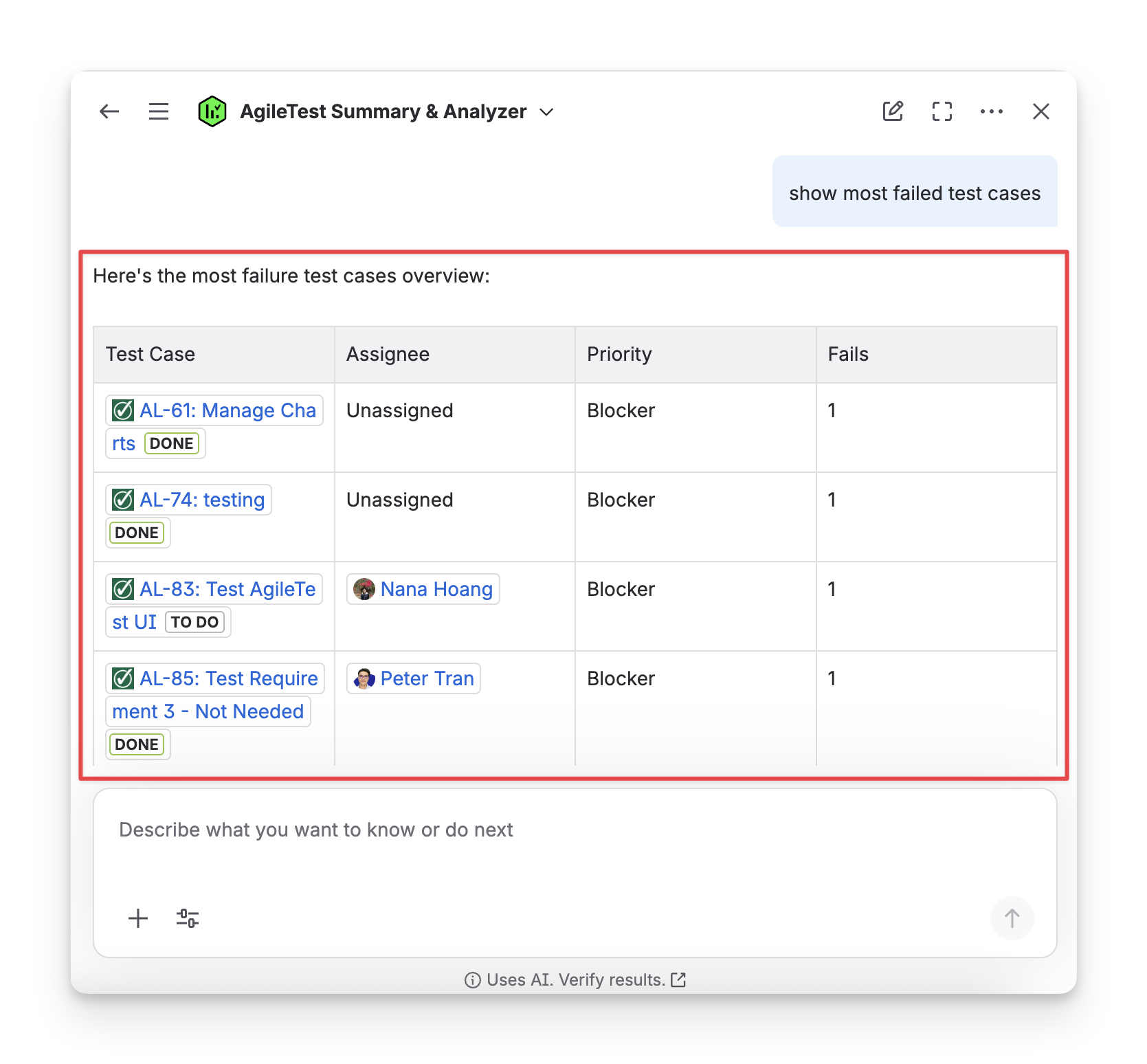
Scenario 2: Provide with A Specific Sprint Name
When you want AgileTest Agent to display the most failed test cases for a specific sprint, you can restrict the answer with a more time-bound command, such as: show most failed test cases of sprint 1.
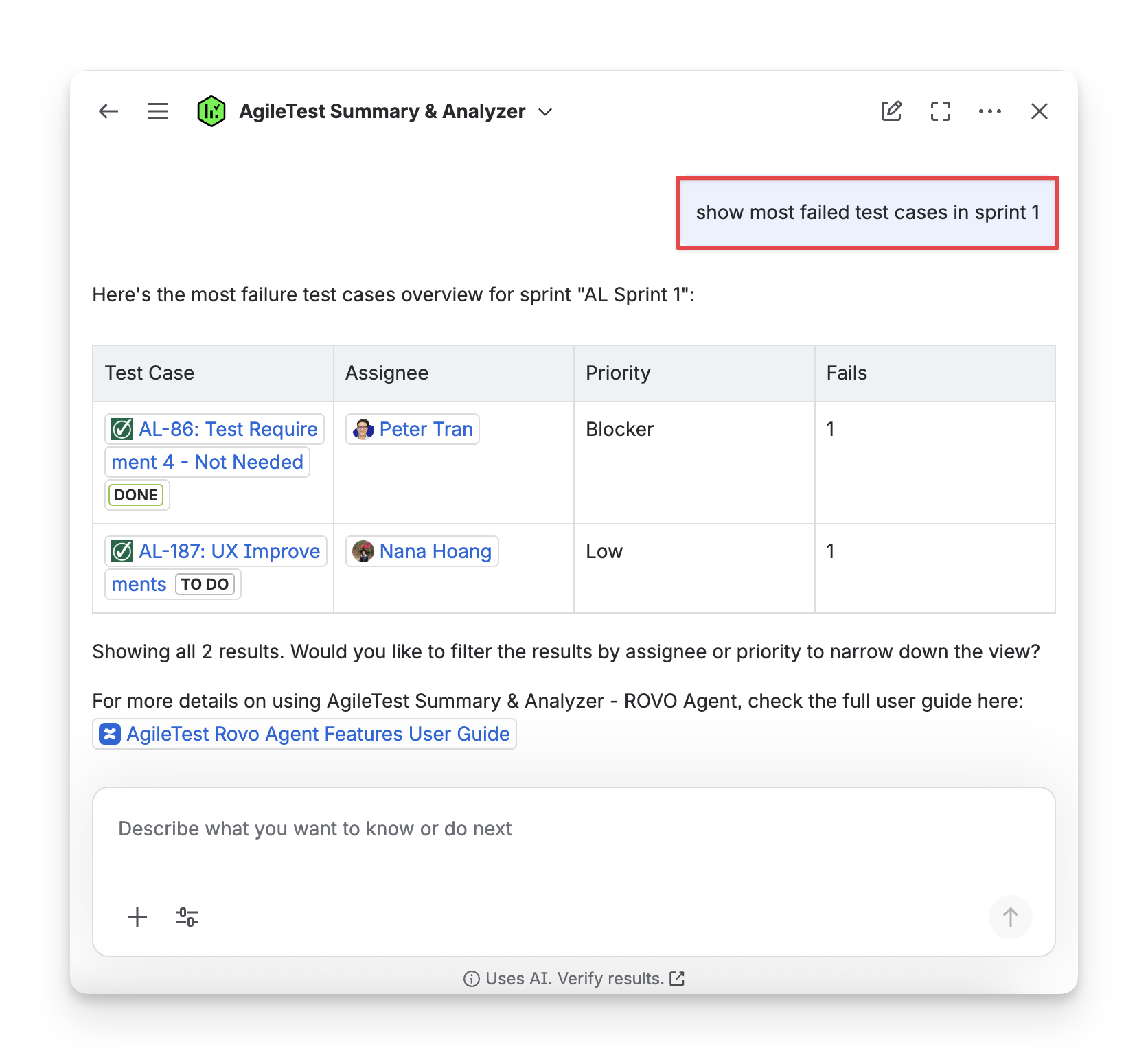
Scenario 3: Provide with A Specific Sprint Name + Assignee
When you need to show the most failed test cases of a team member in a specific sprint, you can have the detailed command, such as: show most failed test cases + sprint name + @user name.
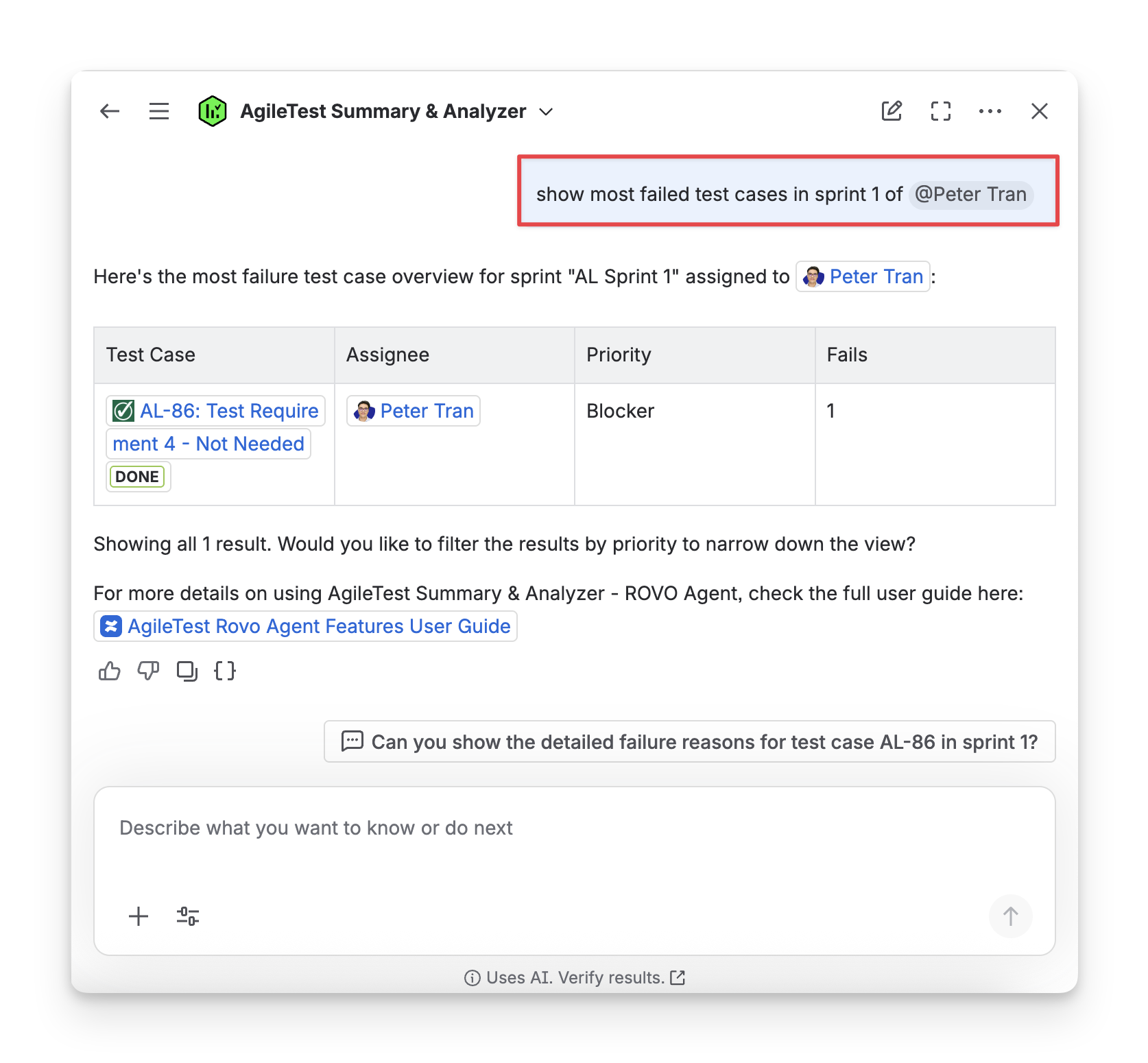
AgileTest Agent Answer Format:
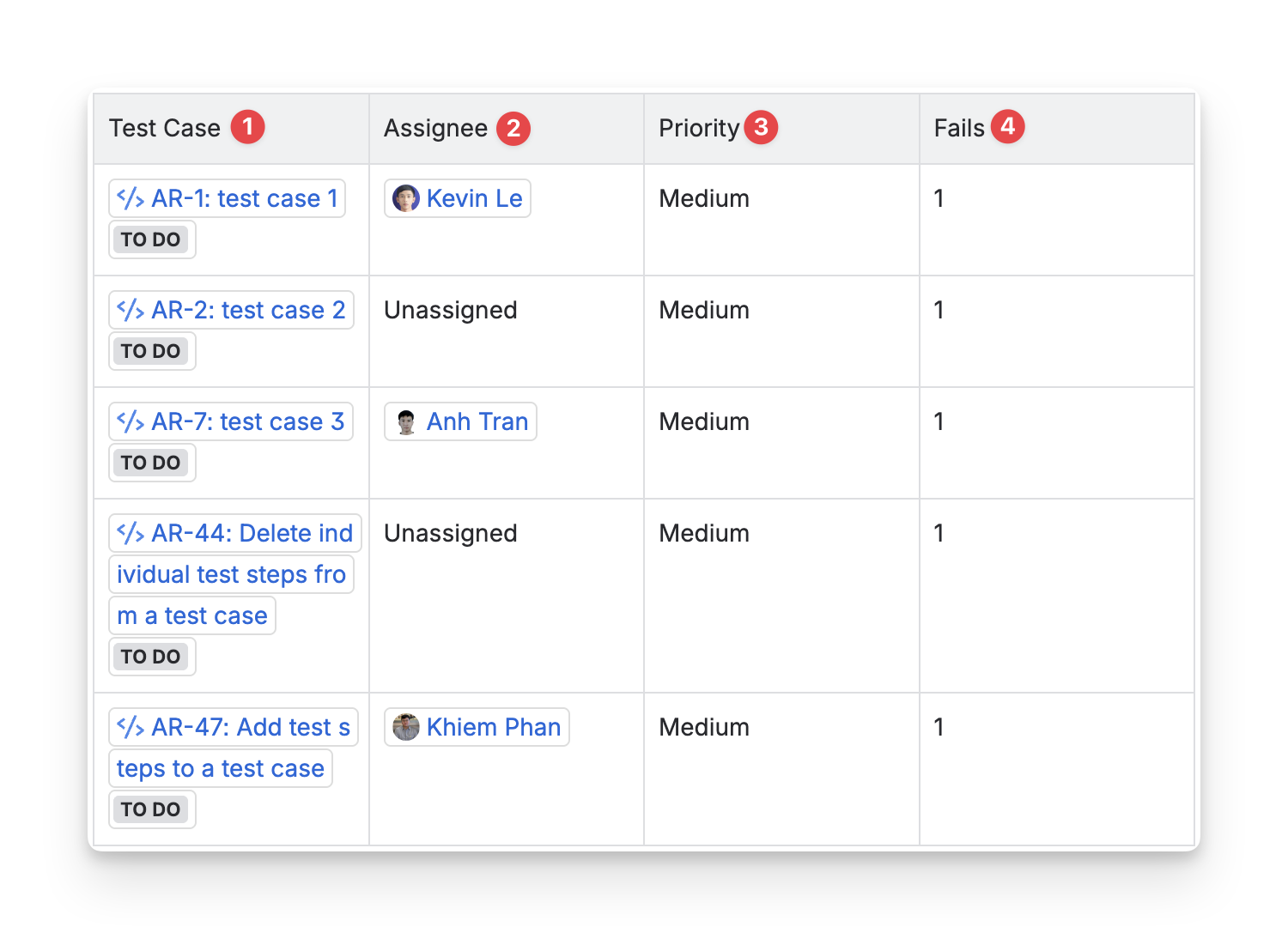
The answer from AgileTest Agent will include:
-
Test Case Key: the ID of each test case in the test execution, used to reference individual test cases and their results within the execution.
-
Assignee: the individual or team member responsible for executing the test case. This person is the one performing the testing or reviewing the results.
-
Priority: the priority level assigned to the test case, which indicates its importance or urgency. (High, Medium, or Low).
-
Fails: the number of times the test cases have been marked with the Fail status.
Should you need any assistance or further AgileTest inquiries, contact our 24/7 Support Desk!