.png)
This is where you can configure your portfolio board in GanttTable and make it work for everyone else on your team.
GanttTable settings (Global settings)
These configurations define your organization’s schedule and working hours that apply across the app.
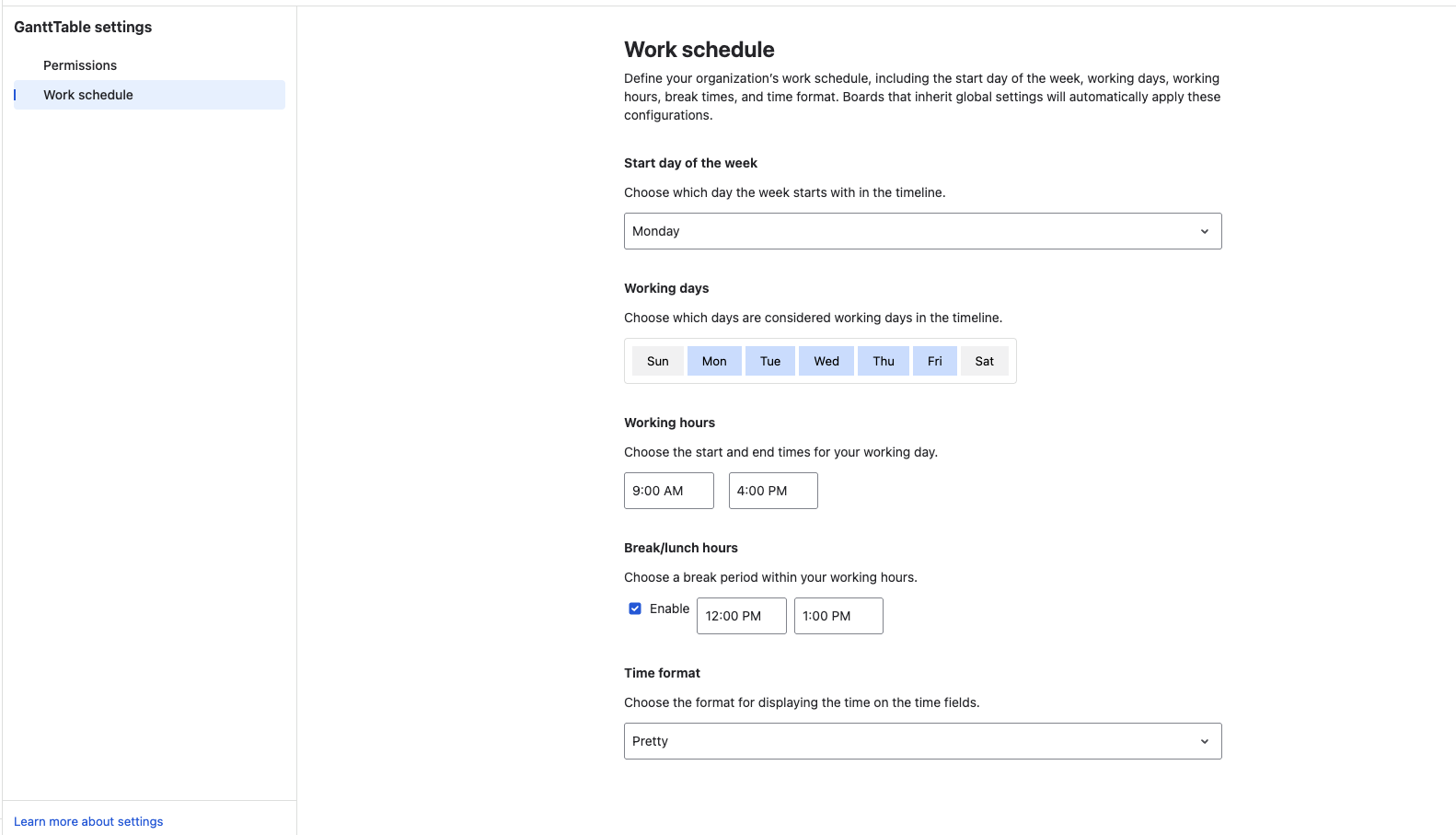
Jira admins can set and manage the work schedule by:
-
Start day of the week
-
Working days
-
Working hours
-
Break/lunch hours
-
Time format (admins can select Pretty, Days, or Hours)
Portfolio
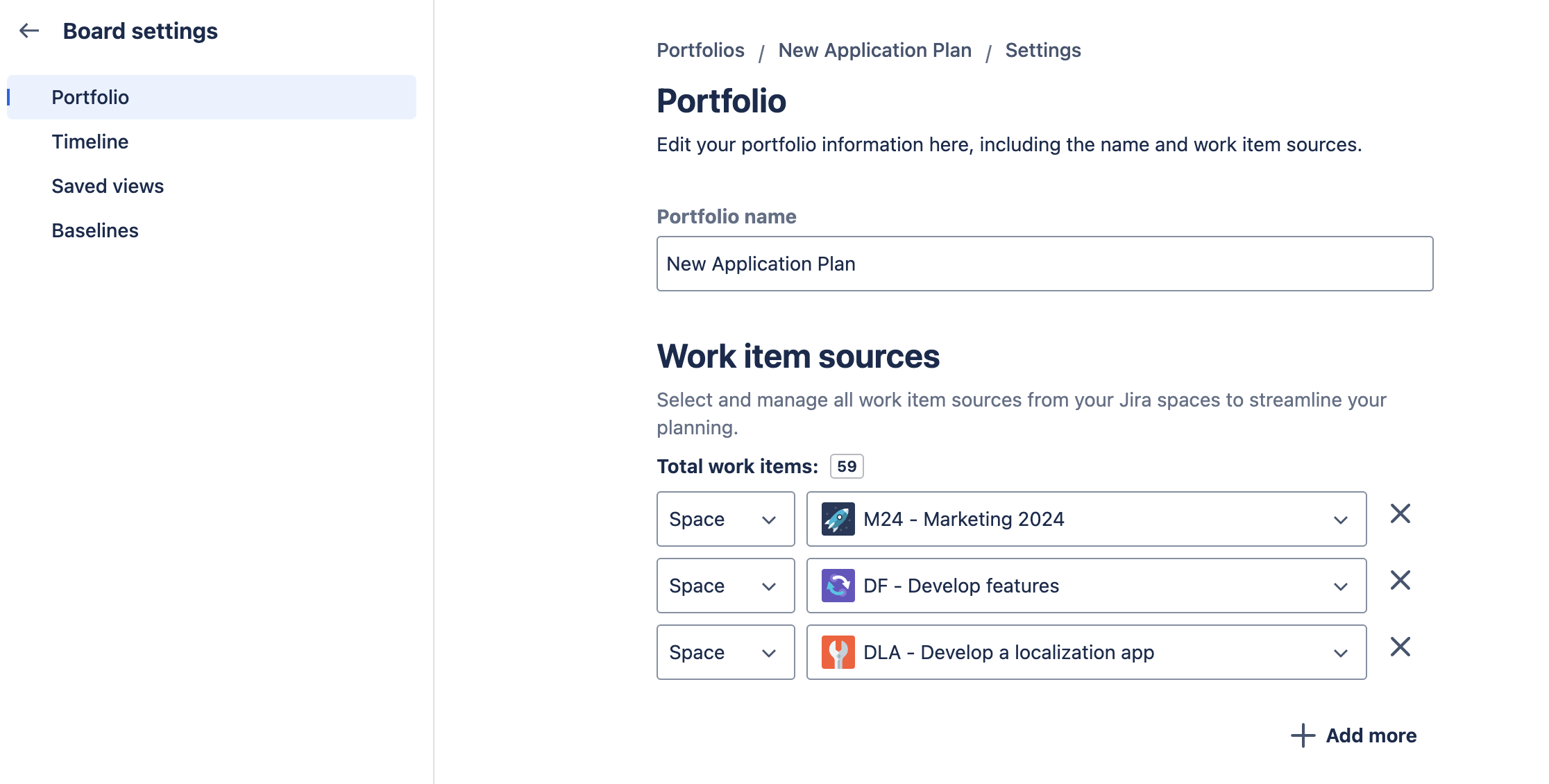
You can change the portfolio's name after creating it for the first time.
Work item sources
This is where you can manage all work items from all Jira spaces that you added to this portfolio board. You can see the total Jira issues, remove projects from the portfolio, or add more.
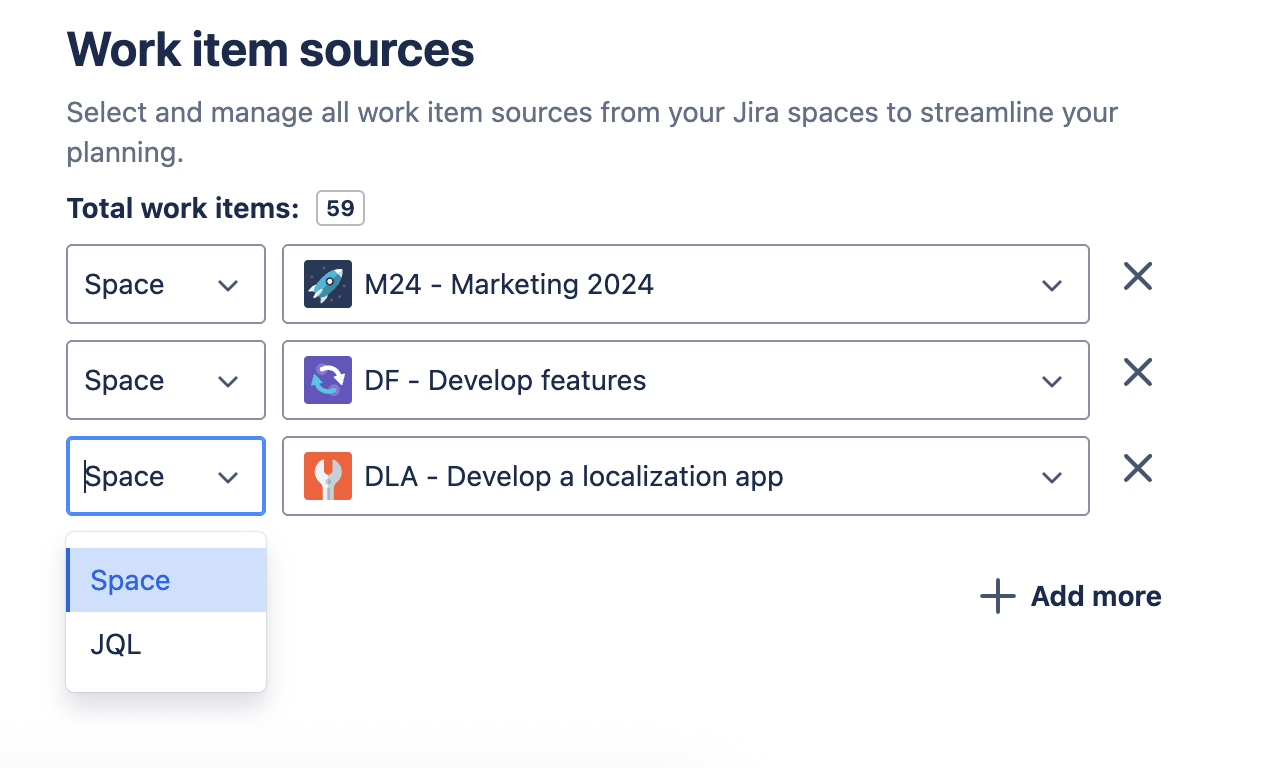
While adding more issue sources, you can either choose to use Space or JQL to search for the source you want.
Timeline
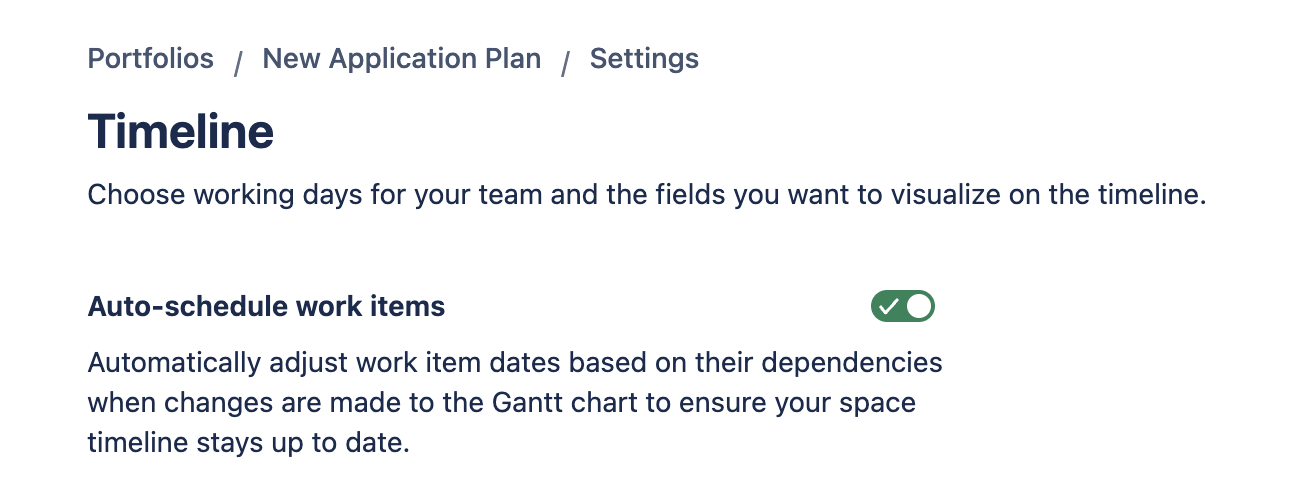
1. Auto-scheduling work items
With the Auto-scheduling option turned on, you can adjust task dates and dependencies automatically when changes are made to the Gantt chart.
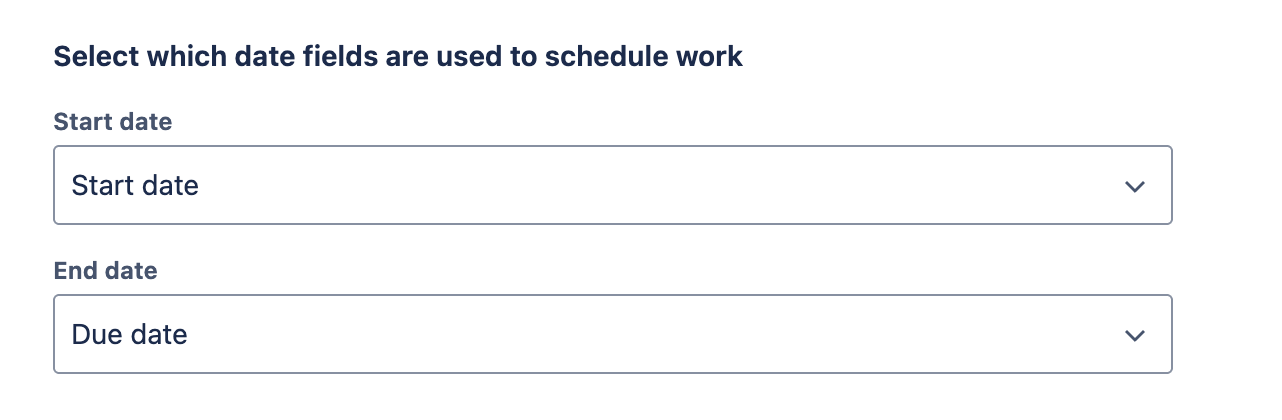
2. Fields mapping
This is where you will map Jira date fields to the GanttTable’s task start and end dates. It visually reflects project timelines with Jira issue dates.
3. Progress mapping
This is where you map the progress percentage as a number field to visualize progress on a task bar in Gantt.

To map this field, you are required to add a custom number field first. For more details, please read How to add a progress field in GanttTable.
4. Dependencies mapping
This allows you to map the Gantt dependencies between tasks, which will be visualized on the Gantt chart, integrating task dependencies with the corresponding Jira issue link types.
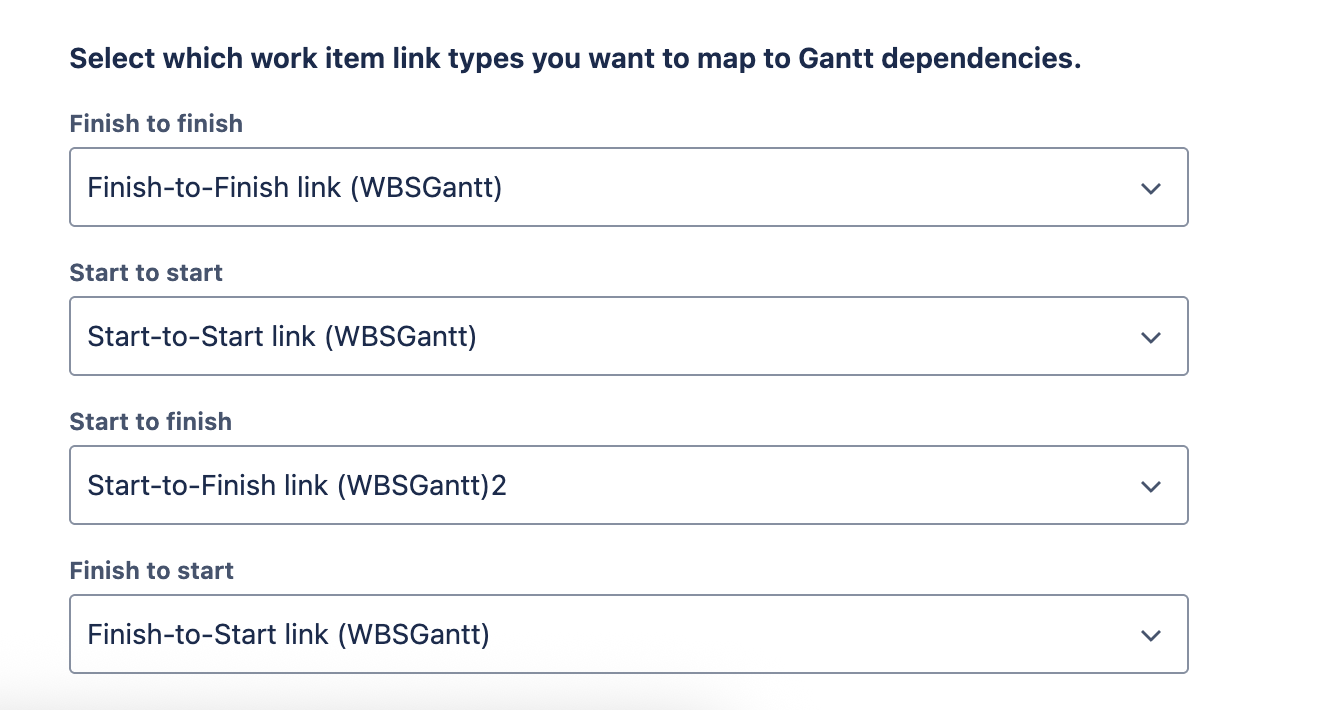
For more details, please visit the Dependencies section.
Work schedule
GanttTable supports visualizing working days and hours on the Gantt chart. With it, you can avoid Non-working days and plan tasks more effectively.
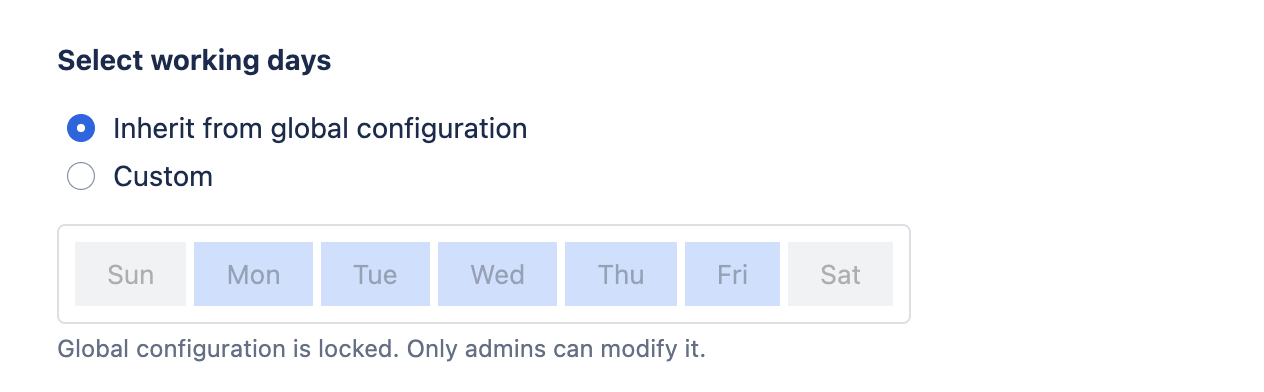
Most configurations in the Work schedule settings follow the GanttTable settings. The board owners can change the settings of the Work schedule resource.
For the Work schedule source, you can switch between 2 options:
-
Inherit from Global configuration (GanttTable settings)
-
Custom
Note: Only the admins can modify the Global configuration.
Permissions
GanttTable allows you to set boundaries and limitations for specific users or groups of users. You can assign users administrative, editing, or viewing access to your boards.
In general, there are 3 different permission roles used in GanttTable:
|
Permission role |
Description |
|---|---|
|
Administrator |
Allow the selected users and groups to perform all administrative functions in this board |
|
Editor |
Allow the selected users and groups to create, view, and manage spaces and portfolios, while preventing access to the Board settings page. |
|
Viewer |
Allow the selected users and groups to view spaces and portfolios in read-only mode. |
There are 2 types of permission settings available in GanttTable: GanttTable settings and Board Permissions.
1. GanttTable settings
This is where you can set access for different roles and permissions to all GanttTable public spaces and portfolios. These permissions apply to all spaces and portfolios across the app.
Only Jira Admins can access and manage Jira groups in the global GanttTable setting.
To access the setting page, locate GanttTable under the App tab on the left sidebar. Click the three-dot symbol, then choose App settings.
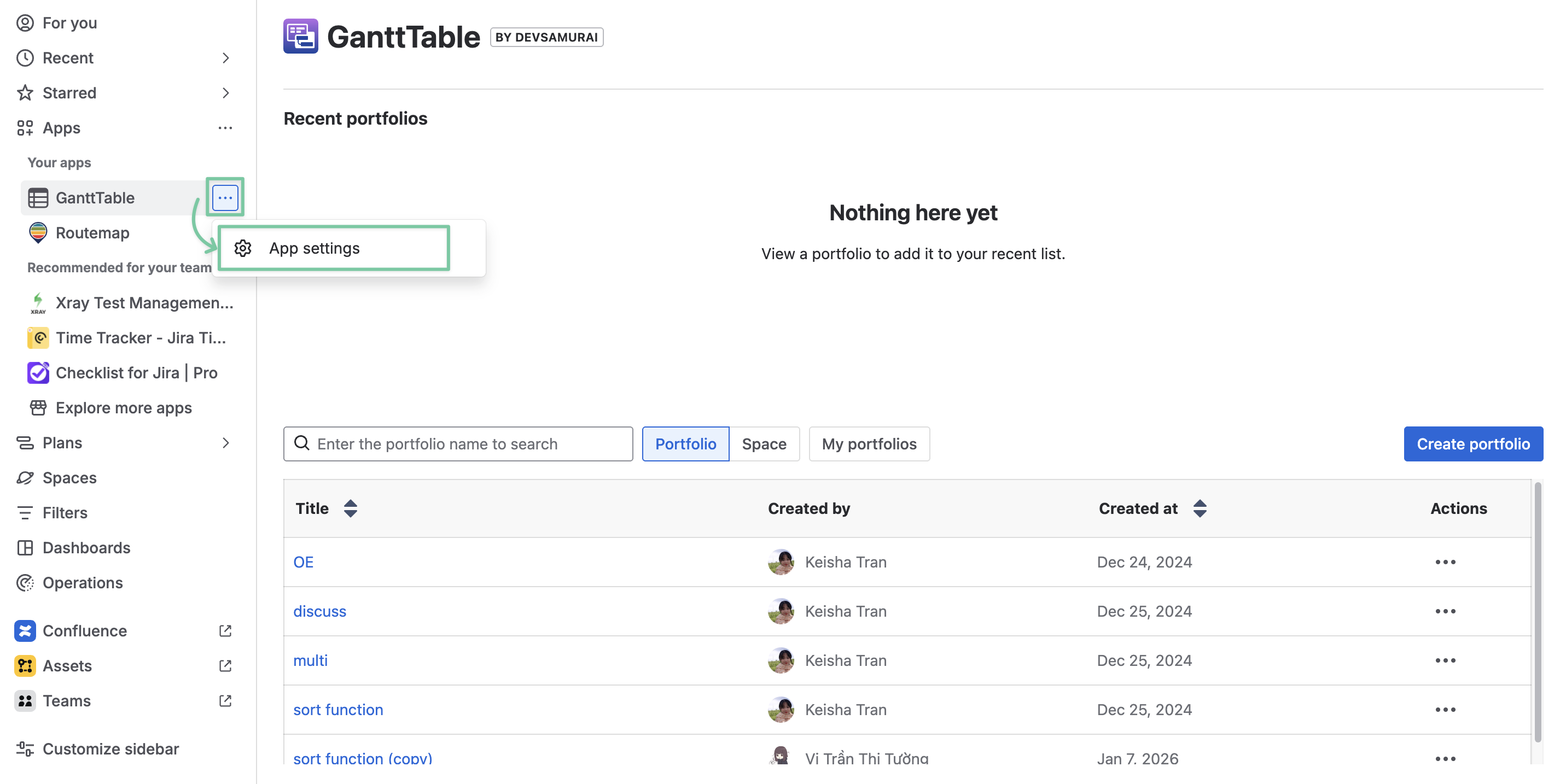
Permissions configuration: By default, only Jira admins have access to this Global permission page. These Jira admins can make changes and allow specific groups to access and use GanttTable.
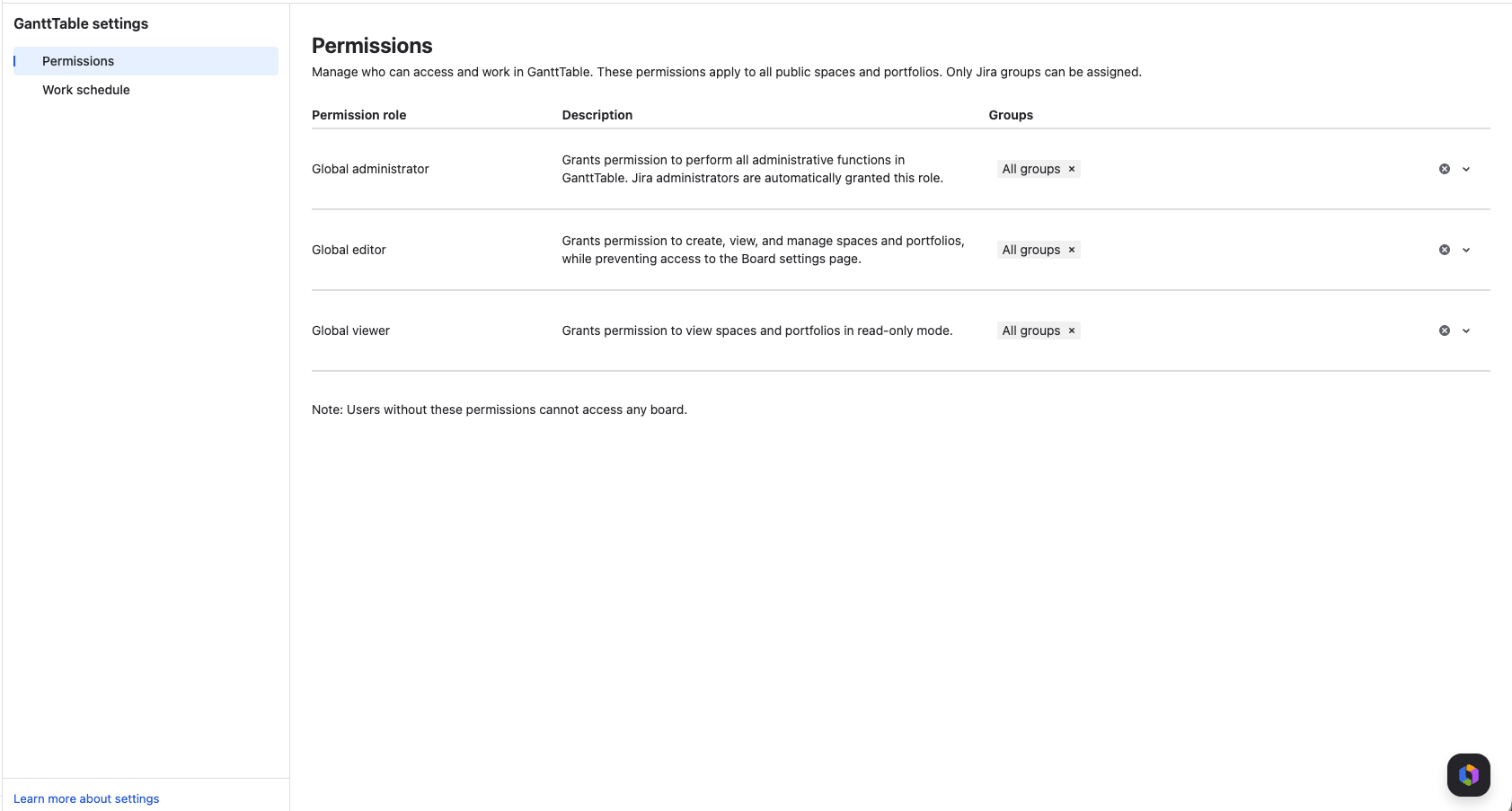
Remember that users without these permissions cannot access any board in GanttTable.
2. Board Permissions
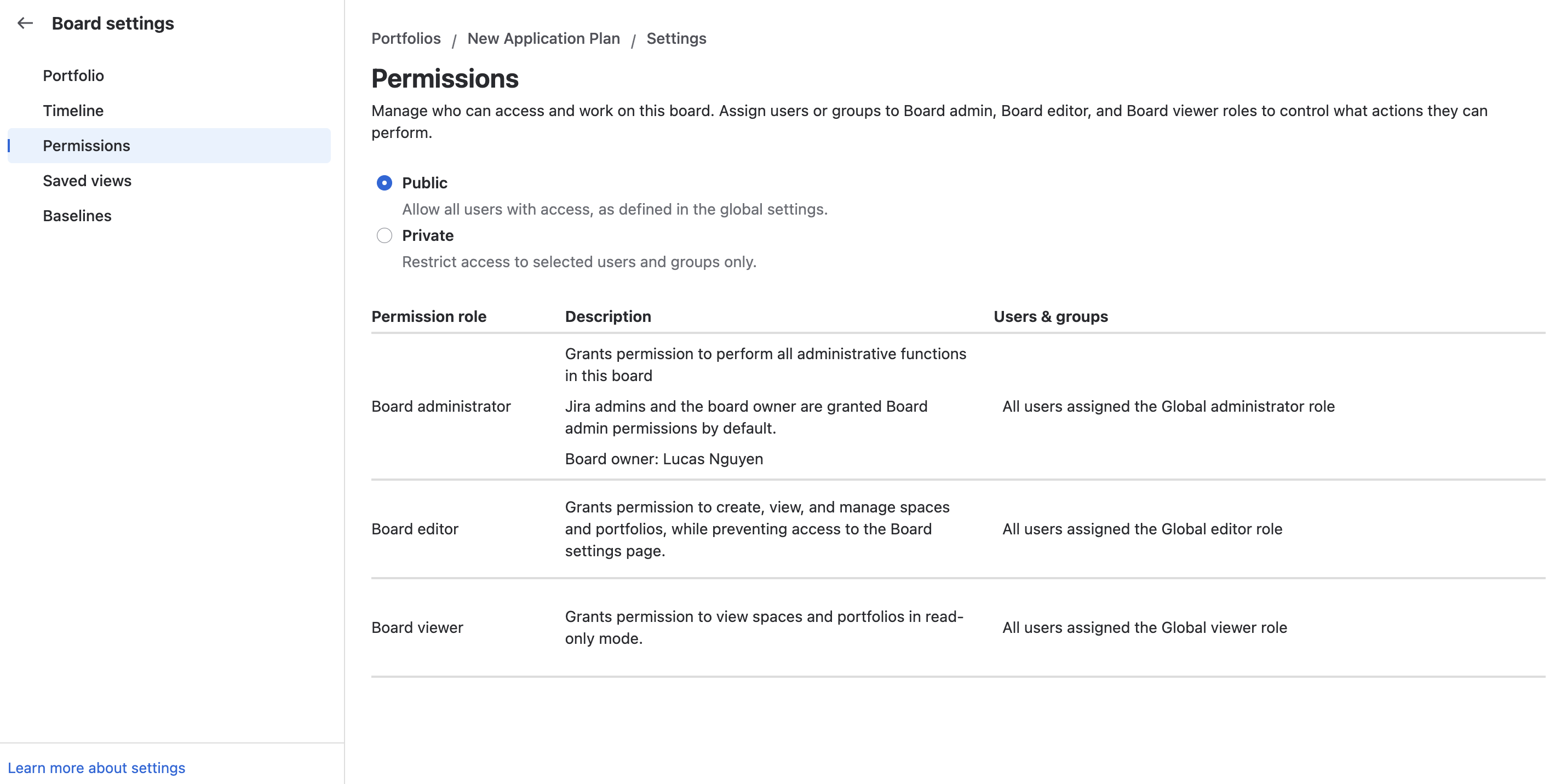
In the board settings, only the Jira admins and board owners can manage their board as either public or private, and decide which users and groups can access it. GanttTable also divides the board permissions into 3 categories: Board administrator, Board editor, and Board viewer.
To change the board permissions, locate the Settings button on the menu bar and select Board settings:
-
Public: In public mode, all users (as defined in the GanttTable’s global settings) can have access to this board.
-
Private: When changing the board’s permission to Private, the board’s owner can restrict access to only the selected users and groups.
NOTE
By default, the board owner and the Jira admins are granted the Board admin permission and have full access to the board’s settings page, even when the board is private.
Saved views
In GanttTable, you are empowered to create different custom views to tell a different story.
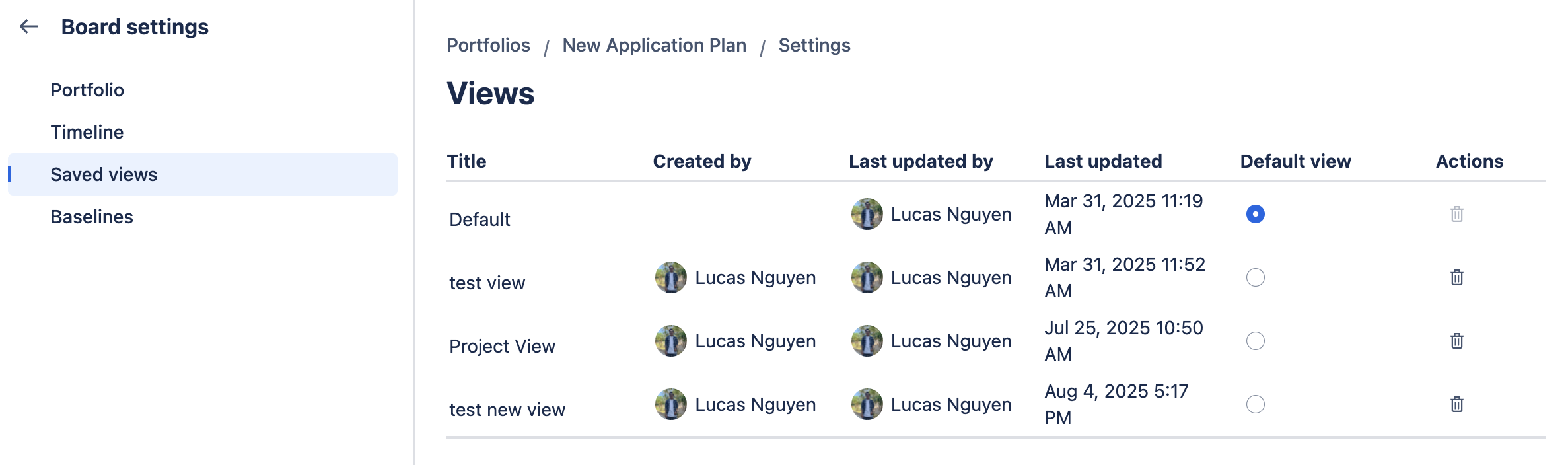
In the settings, you can set a custom view as the default for every member of your team. Or, you can delete a view from the list.
Baselines
This is where you can view and manage different baselines created in GanttTable.

You can:
-
See who created the baseline and when
-
Change the baseline’s titles
-
Delete a baseline
To edit a baseline’s title, simply click once on that title.
-20250519-175425.png?cb=dd1a374c92a9105813fa4a18063fa13c)