.png)
To access Board settings in AgileBox, click the gear icon ⚙️ located on the AgileBox interface. Any changes you make in this section will apply to your current project’s board configuration.
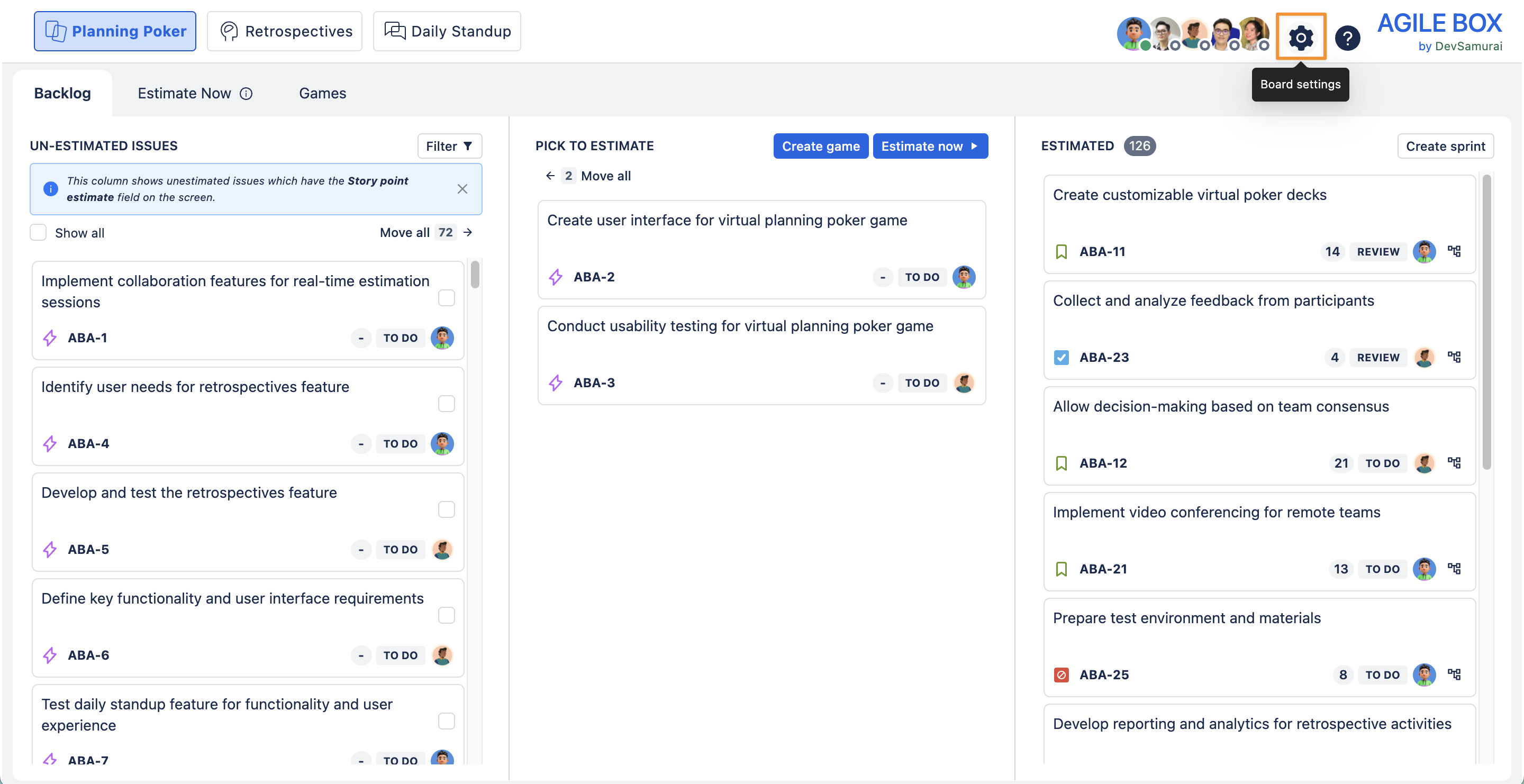
Board settings include:
Planning Poker Settings
Customize your planning poker sessions by adjusting the timer, estimation field, and deck templates.
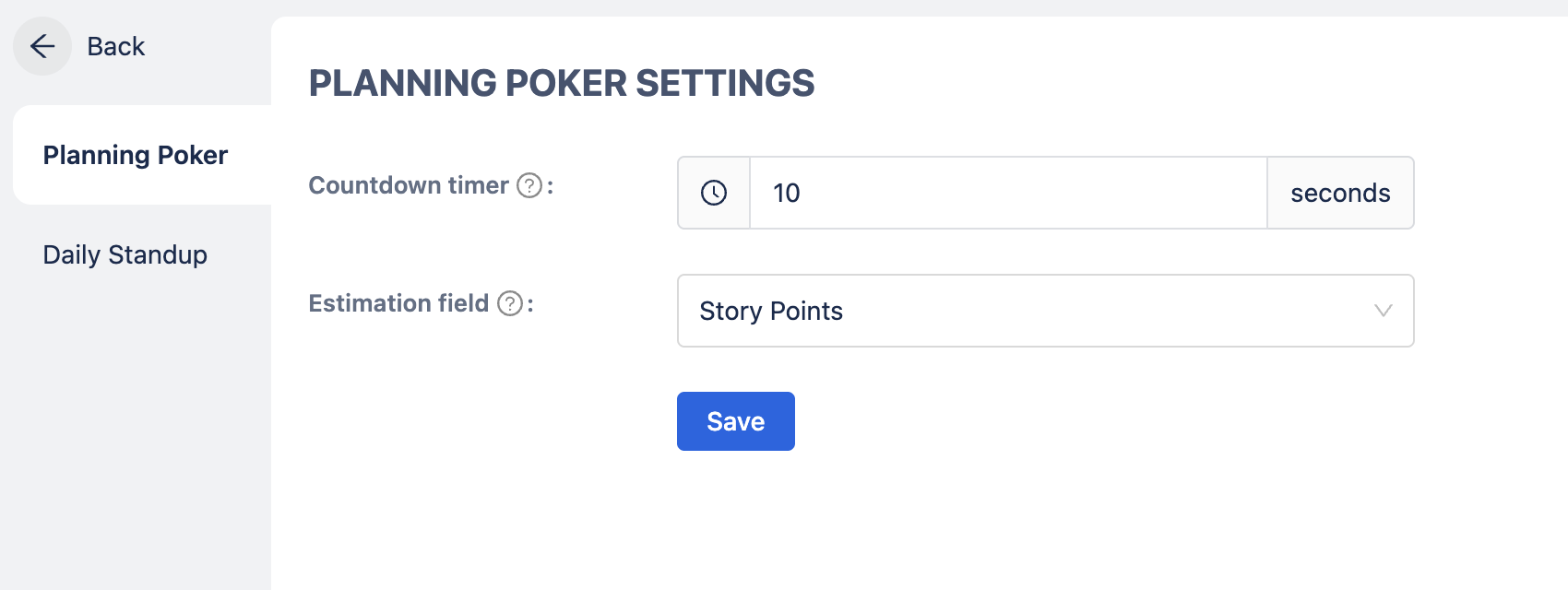
Available options:
Countdown timer
Set the countdown time for estimating each issue, from 1 to 300 seconds (up to 5 minutes).
Estimation field
Choose the Jira or custom field used to record your story point estimates.
Daily Standup Settings
Configure daily standup details and participation for the current project.
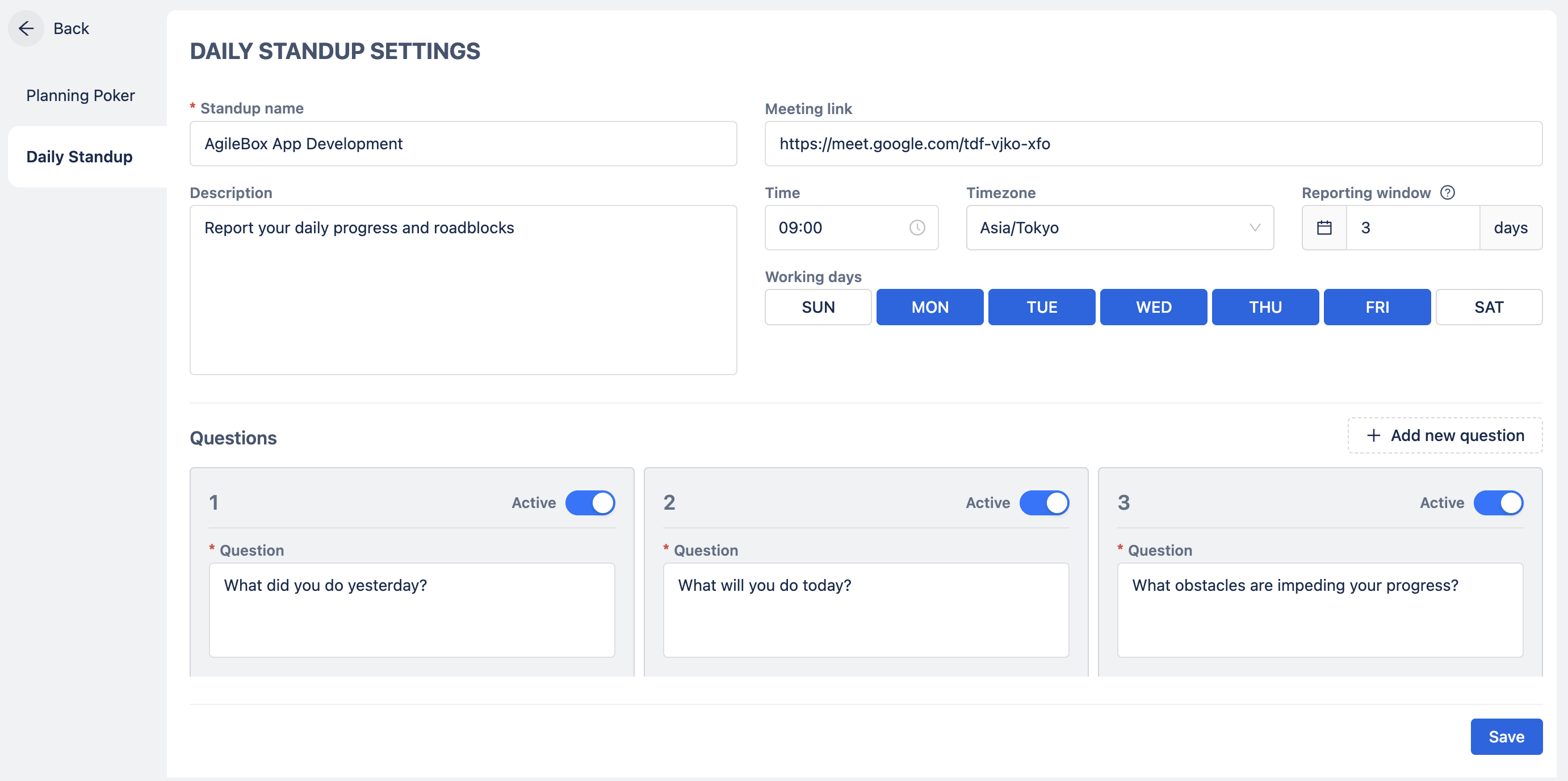
Available options:
Information field
Edit standup name (required), description, meeting link, reporting window (in days), time, timezone, and working days (required). The reporting window controls how many future working days can be reported; for example, a window of 3 days allows updates for today plus the next 3 working days.
Questions
Customize the daily standup questions for your team.
Participants
Manage who has access to participate in the daily standup.
Learn more about daily standup setting here: Creating a daily standup meeting