.png)
AgileBox also enables you to quickly start the planning poker game with your team using the picked issues. The process is simplified to enable your team to estimate issues at a glance.
Here are the steps to do it:
-
Go to the Backlog tab
-
Move your selected issues to the Picked to Estimate column
-
Click on the Estimate now button
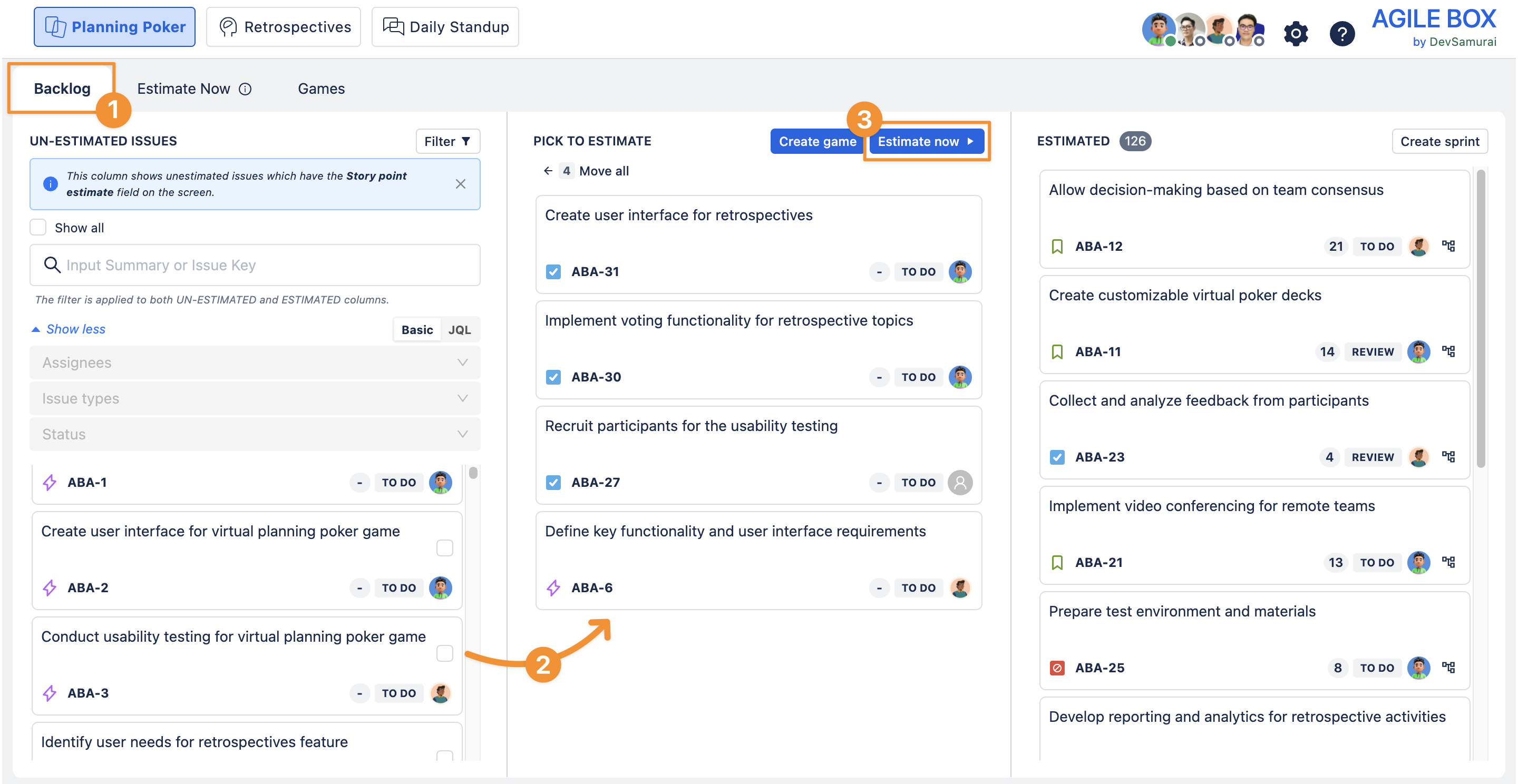
Then you will be redirected to the Estimate Now tab on the screen, where you and your team can estimate the issues.
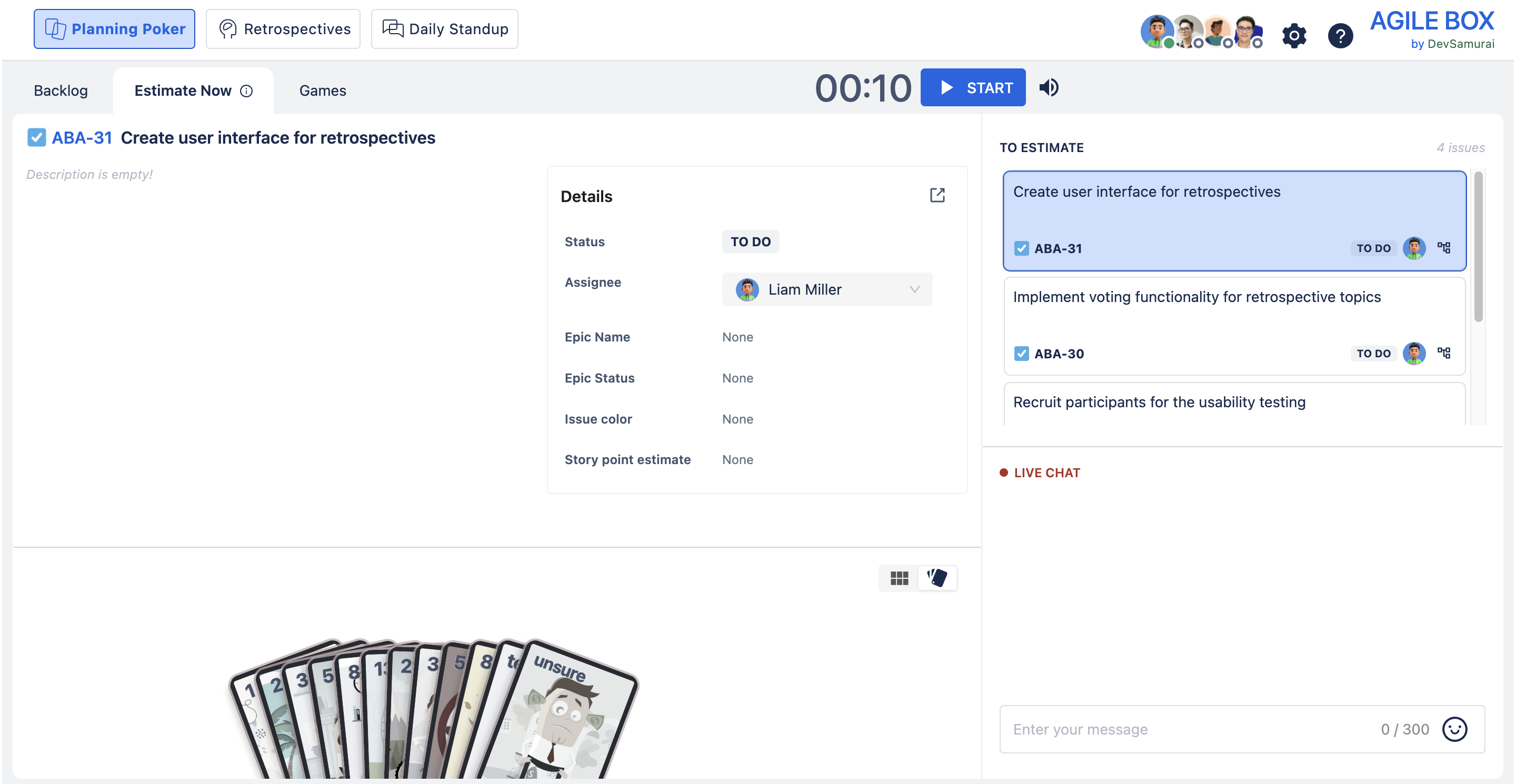
Now your team can start estimating issues. Refer to these resources for more details: