.png)
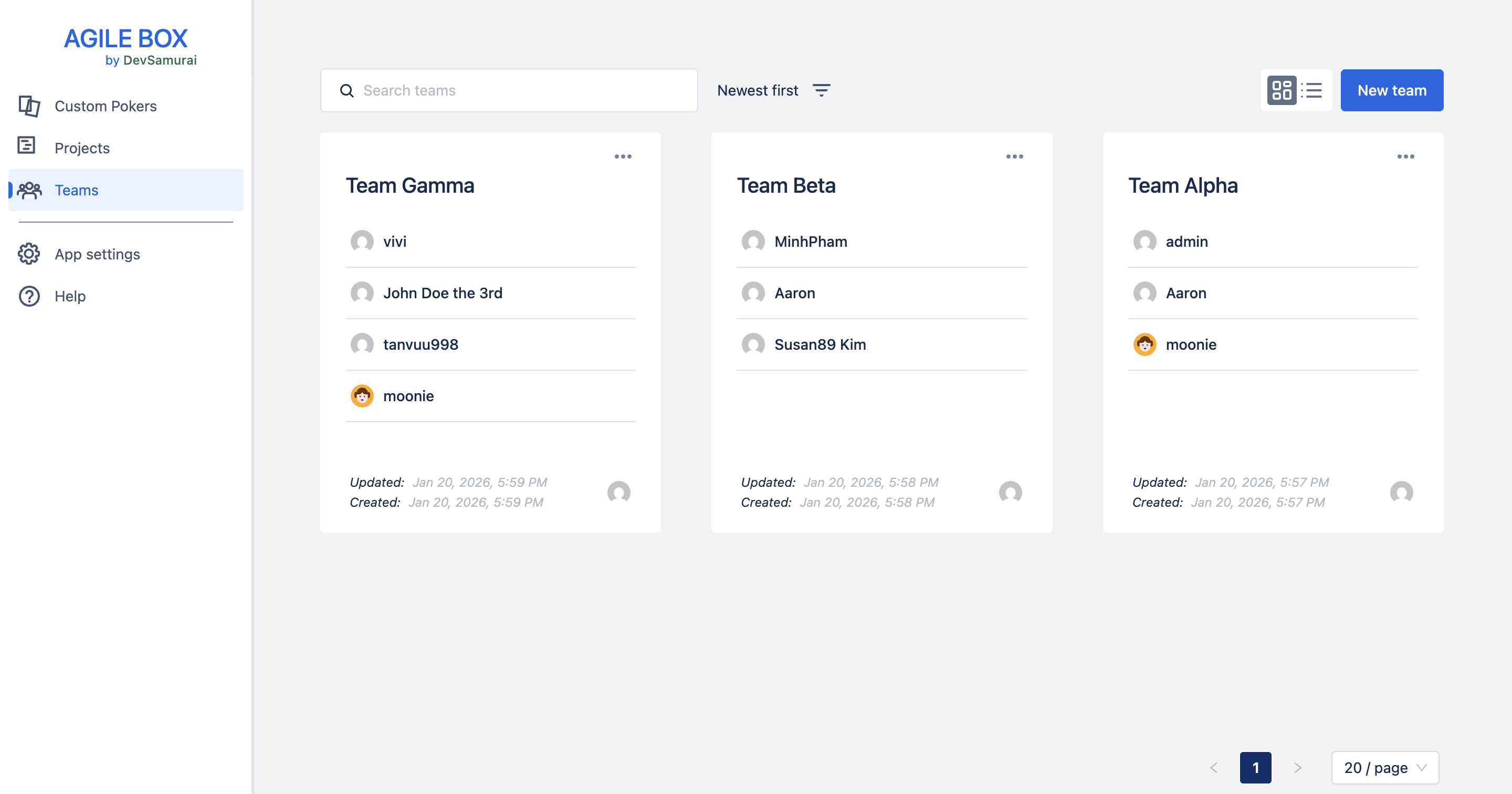
The Teams section in AgileBox lets you create and manage your teams easily.
Accessing Teams
-
Go to the Teams section from the AgileBox main page.
-
Browse all teams available across your Jira instance.
Create a new team
To create a new team:
-
Click the New team button.
-
Fill in the team details:
-
Team name
-
Members
-
Description (optional)
-
-
Click Save to finish.
Overview of Teams Information
Before opening a team, you can preview key details to help you find the right one:
-
Team name
-
Team members (Team leaders have a “Leader” tag next to their names)
-
Last updated date
-
Team creator
Filtering and Searching
Easily find the team you’re looking for by:
-
Filtering based on:
-
My teams / All teams
-
View toggles (Grid/List)
-
-
Sorting based on:
-
Recently updated
-
Least updated
-
Newest first
-
Oldest first
-
-
Searching by team name using the search bar