.png)
1. Overview
Coverage Analysis in AgileTest is the process of evaluating how well requirements are covered by tests. It is determined by the Coverage Status of a Requirement (shortly called Requirement Status) based on the test case statuses or test run item statuses.
There are 6 types of Requirement Status: NOK ; not run ; Unknown ; ok ; Uncovered ; covered . These statuses allow testers to quickly see which requirements have been fully tested, which are still in progress, and which may need additional testing.
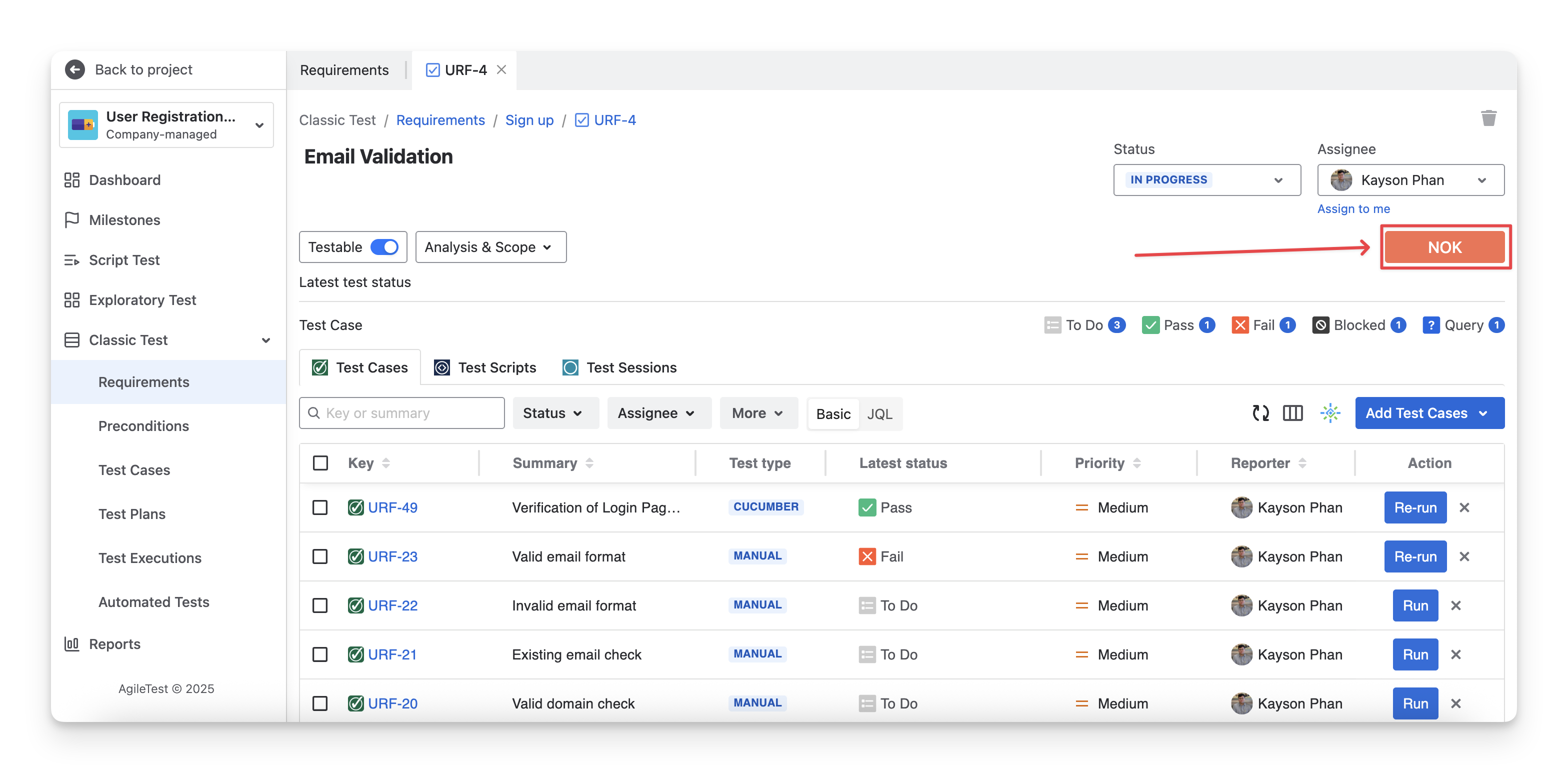
AgileTest allows you to select the analysis scope based on test cases or test scripts.
When you change the analysis scope, AgileTest automatically recalculates the coverage status to reflect the selected scope.
For AgileTest to calculate the Requirement Status based on the scope of Test Cases or Test Scripts, you need to link test cases/test scripts to their corresponding requirements.
2. View Requirement Run Status
You can check the Requirement Run Status in 3 areas:
2.1 View Requirement Run Status In The Requirement Detail Screen
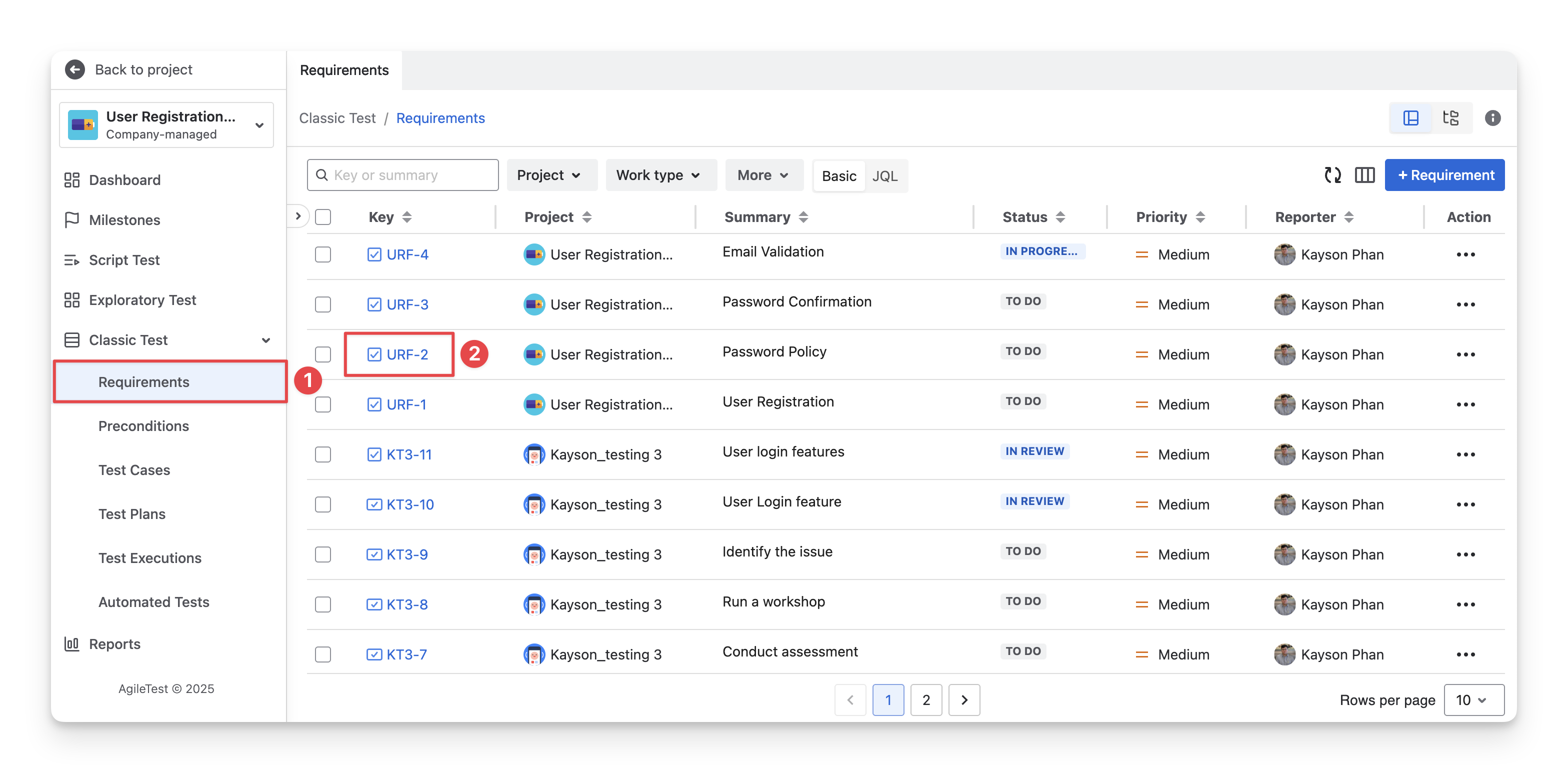
You can view the Requirement Run Status in the Requirement Detail Screen by following these steps:
-
On the left-hand side menubar, navigate to the Classic Test section → Choose Requirements.
-
Select the Requirement Key ID of the requirement you want to view the status.
-
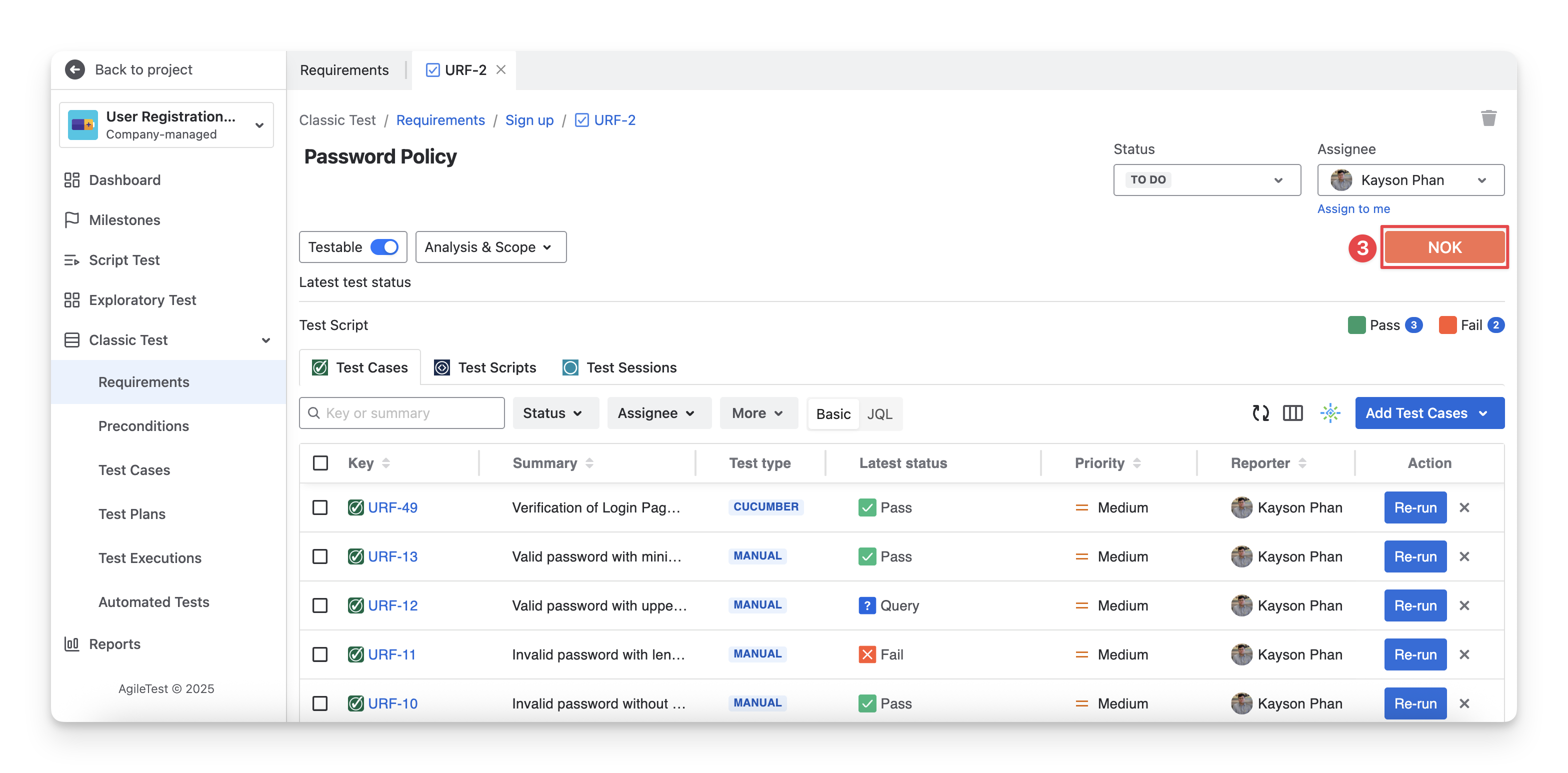
The Requirement Detail screen will open, where you can view the Requirement Test Status, reflecting the latest testing results linked to that requirement.
2.2 View Requirement Run Status In The Test Coverage Report
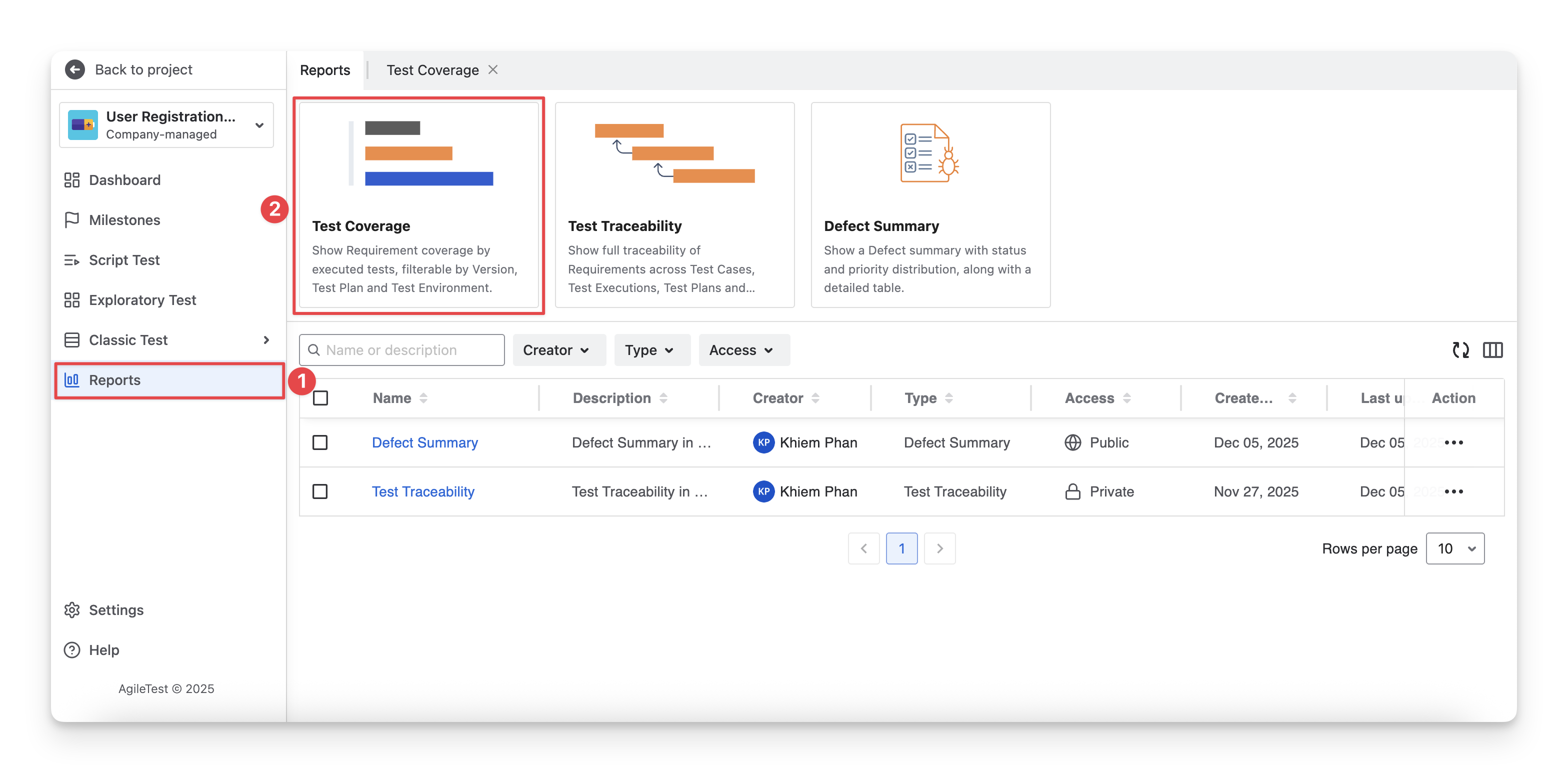
You can view the Requirement Run Status in the Test Coverage report by following these steps:
-
On the left-hand side menubar, navigate to the Reports section.
-
Select the “Test Coverage” report type.
-
The report provides an overview of all requirements, displaying run status as percentage charts and detailed status information for each requirement.
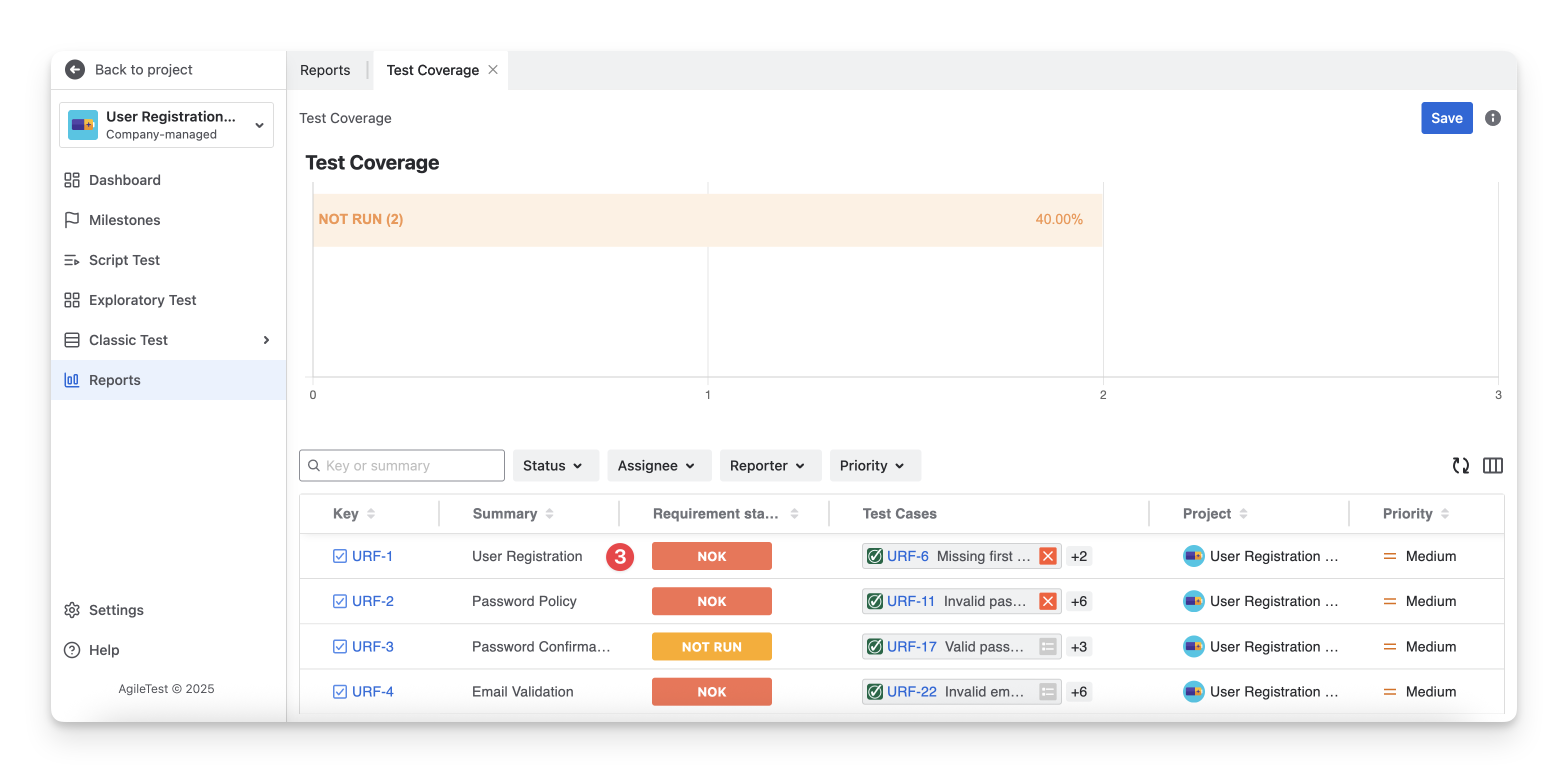
The requirement status in this report depends solely on the Test Case scope and cannot be adjusted to the Test Script scope.
2.3 View Requirement Run Status In The Test Traceability Report
You can view the Requirement Run Status in the Test Traceability report by following these steps:
-
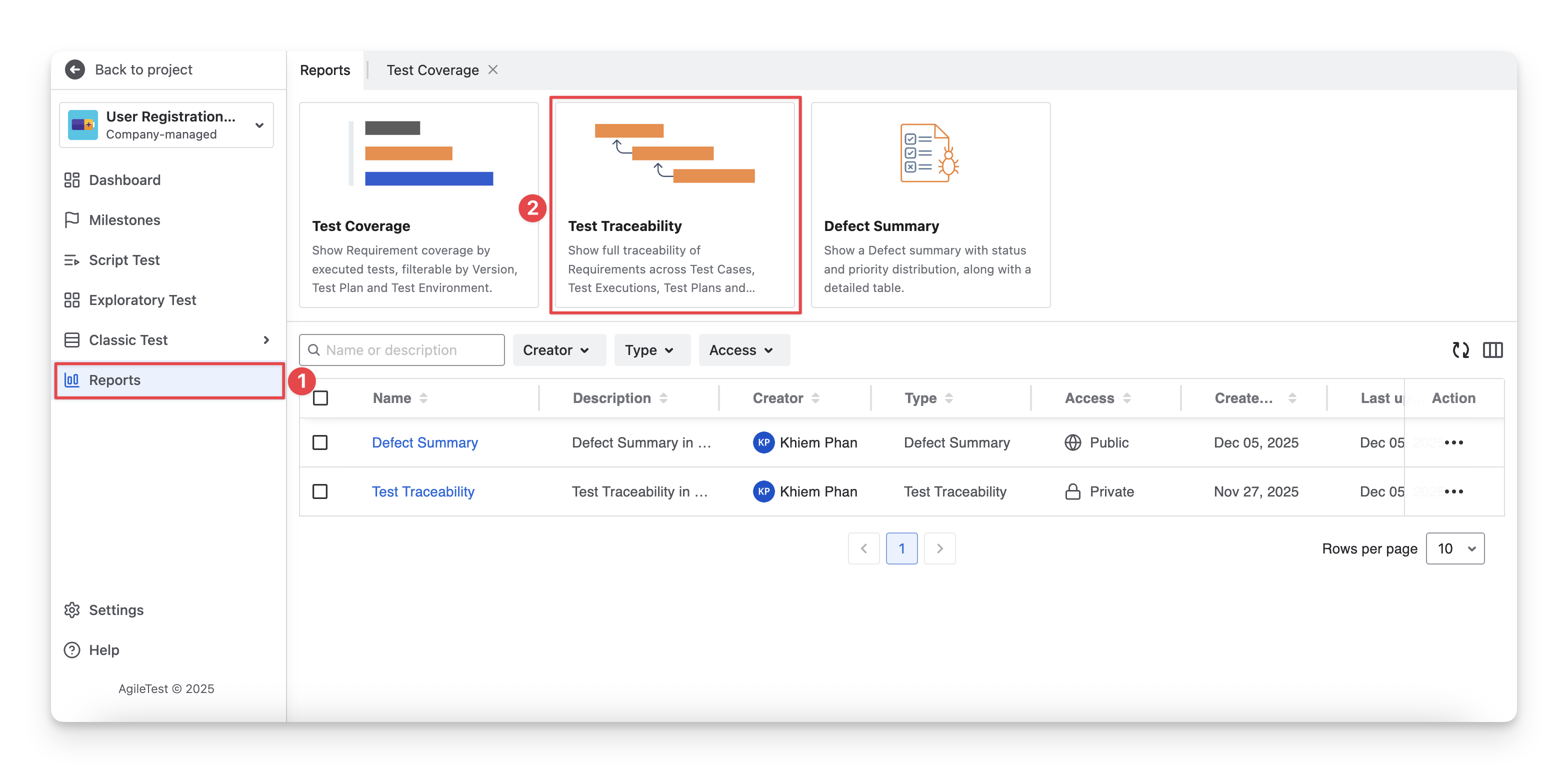
On the left-hand side menubar, navigate to the Reports section.
-
Select the “Test Traceability” report type.
-
The report will display all active requirements, along with their latest run status.
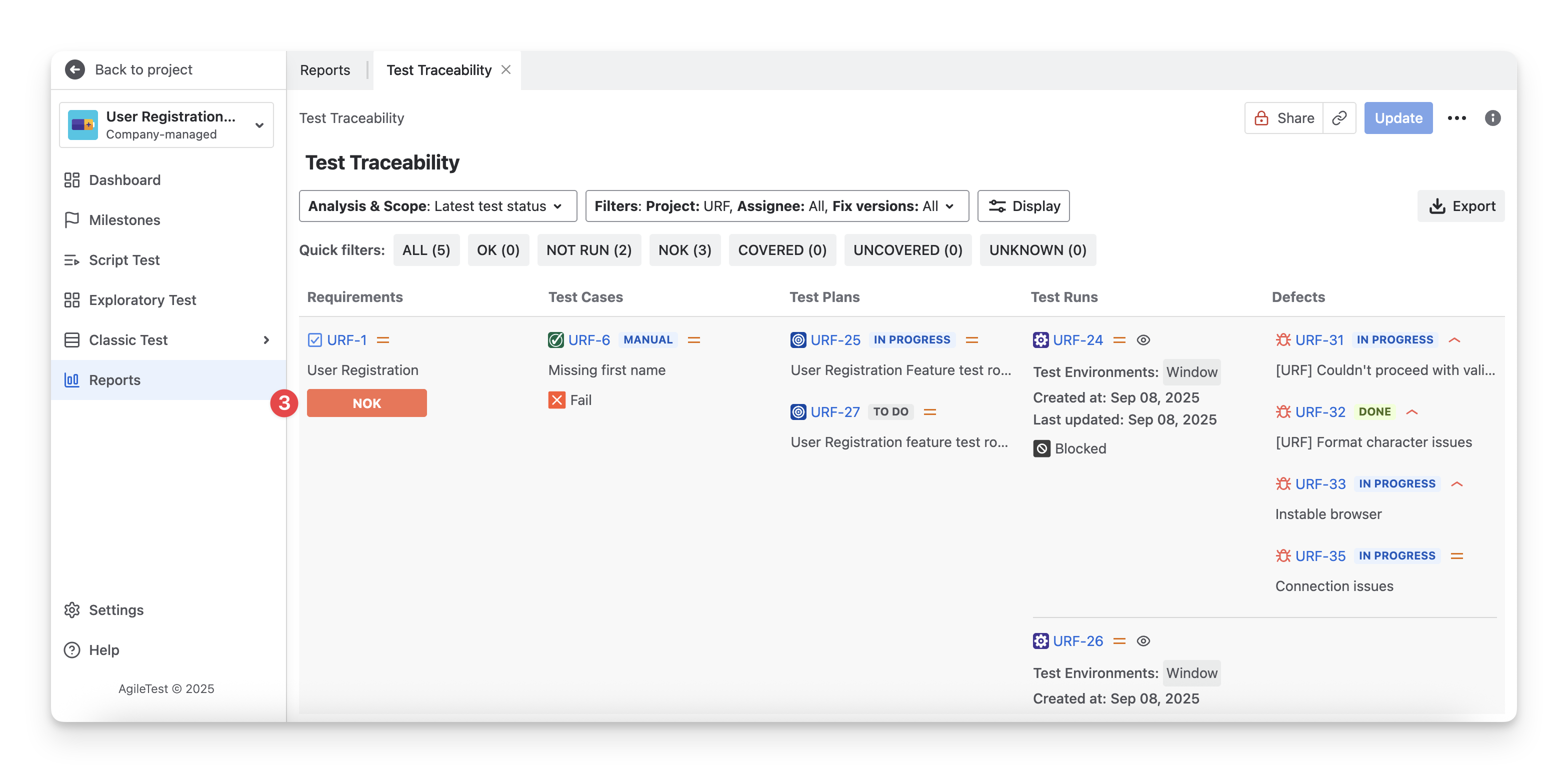
The requirement status in this report depends solely on the Test Case scope and cannot be adjusted to the Test Script scope.
Explore how Requirement Run Status is calculated under:
Should you need any assistance or further AgileTest inquiries, contact our 24/7 Support Desk!