.png)
1. Overview
Automated tests in AgileTest allow teams to import and manage automated test results directly within Jira. Instead of tracking automation separately in CI/CD tools, AgileTest centralizes execution results and statuses.
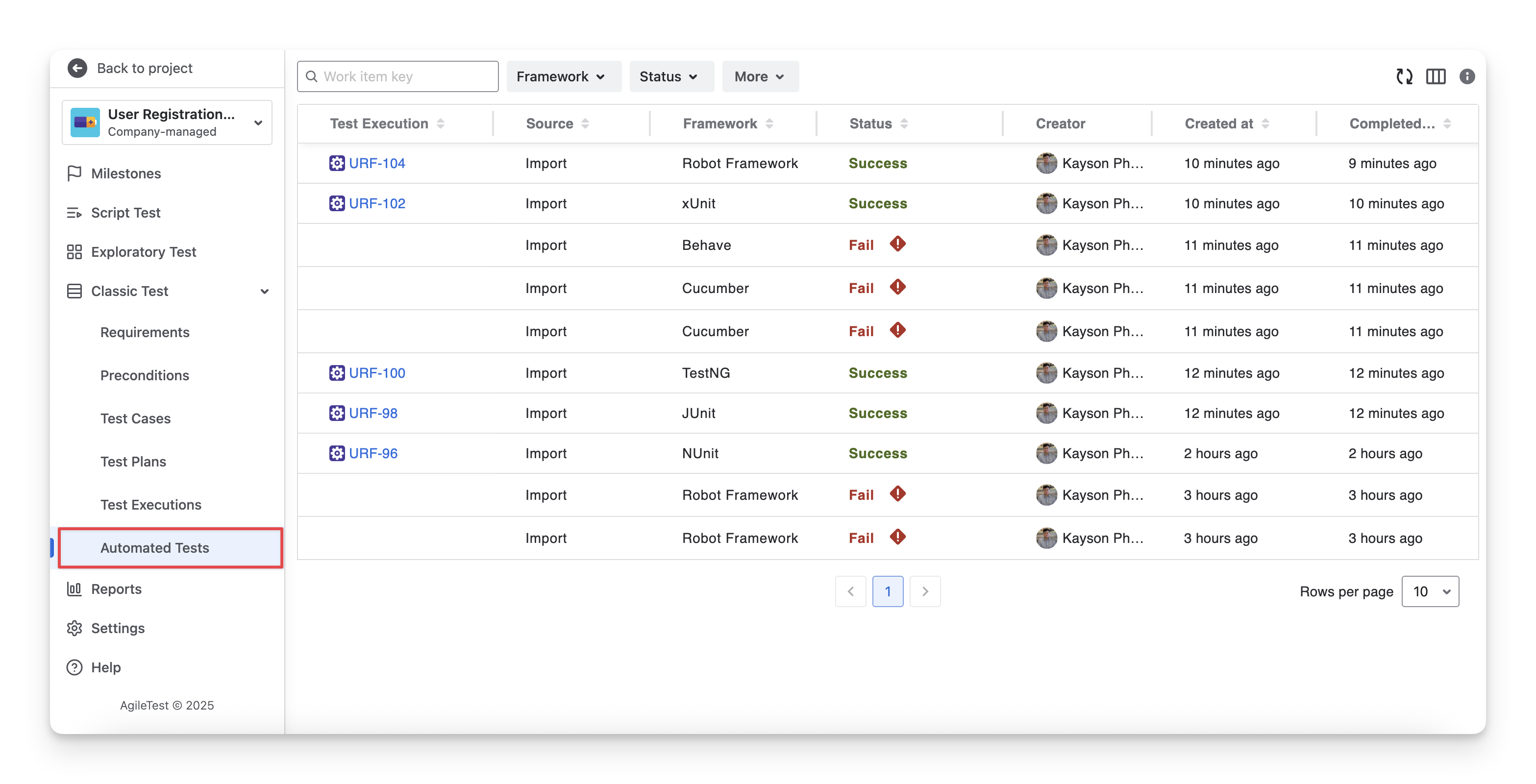
To view the results of automated tests in AgileTest, you can navigate to the Classic Test dropdown menu on the left-hand side menu bar → Automated Tests section.
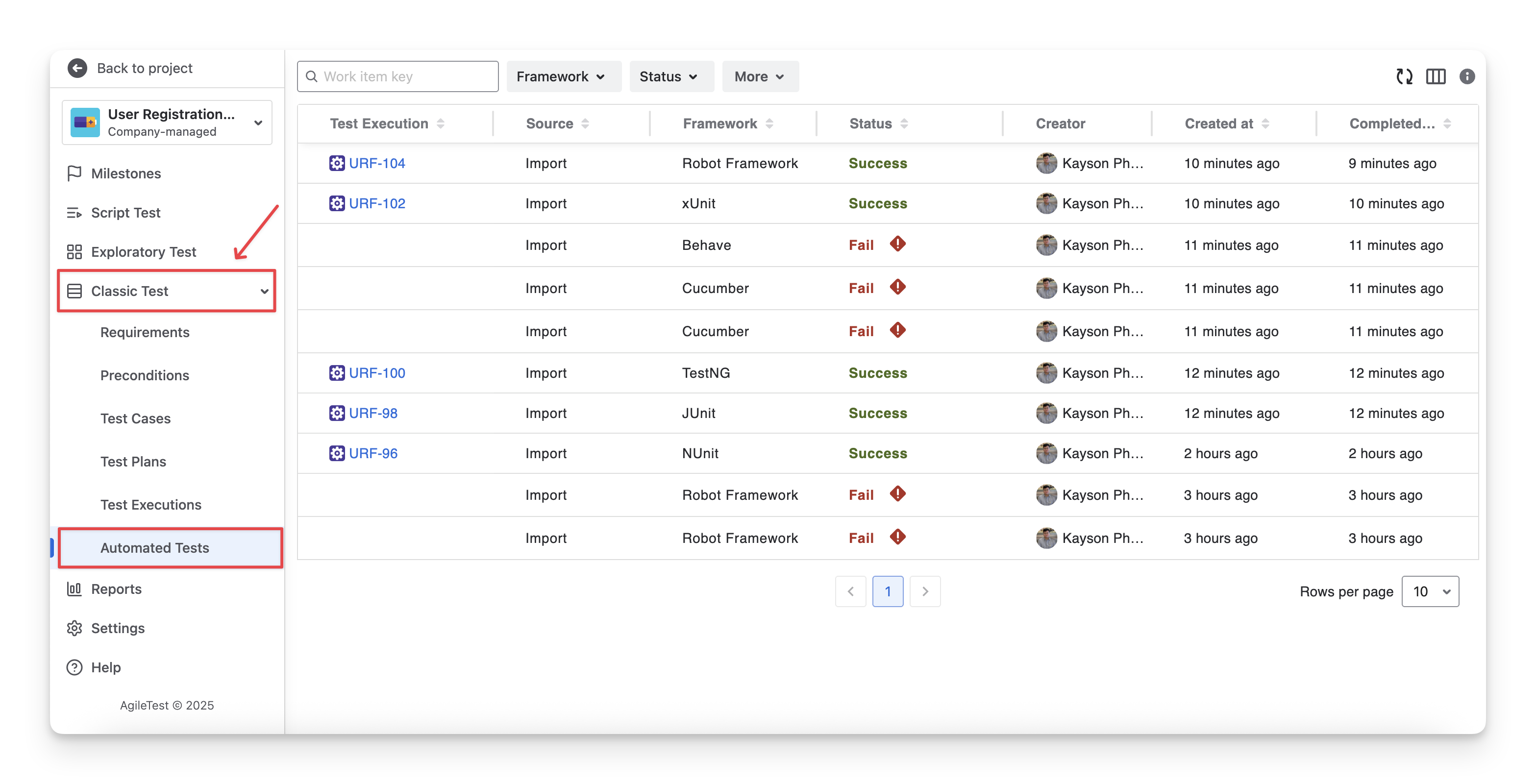
2. Locate Automated Tests
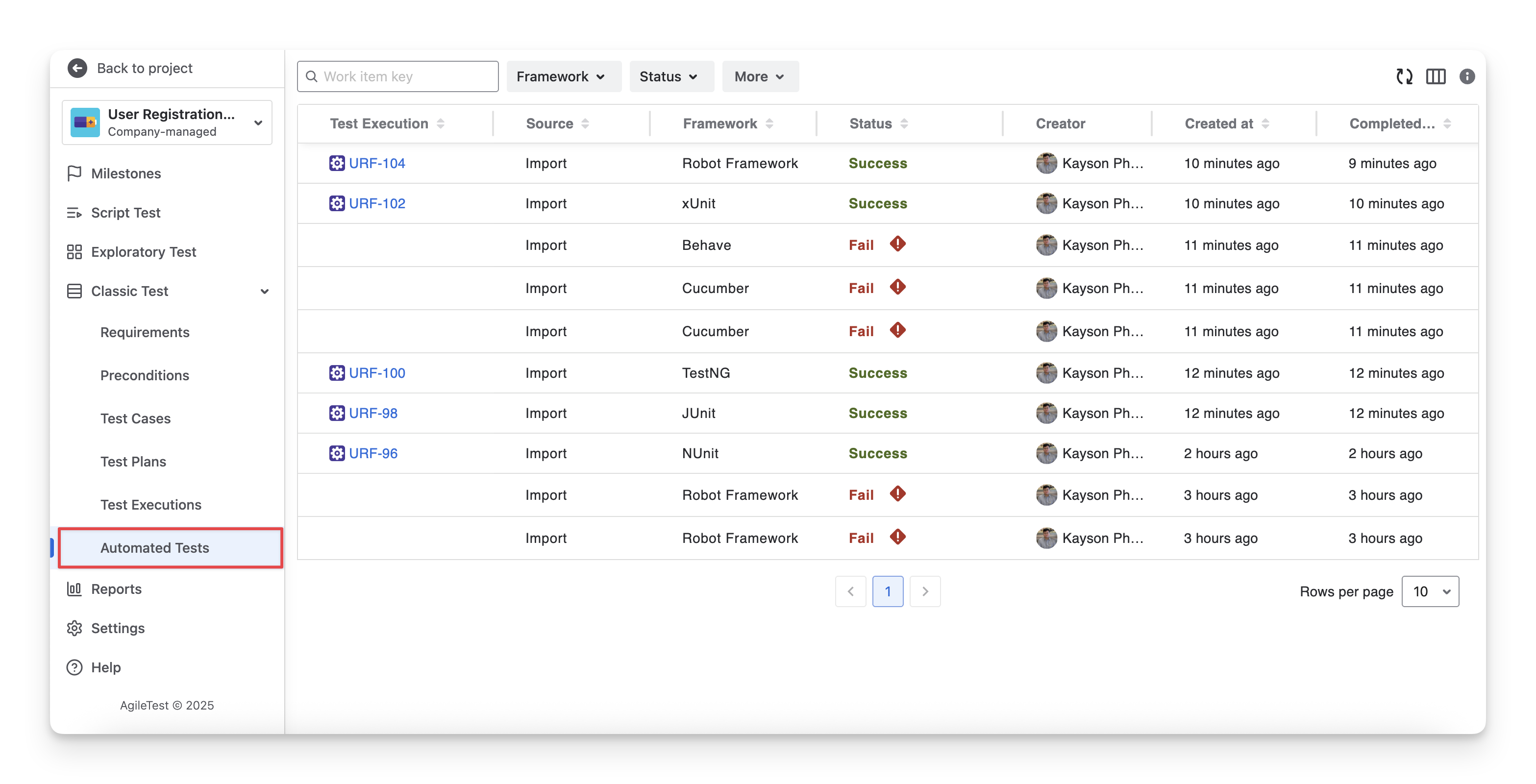
To view only the automated tests, you can go to the Automated Tests section. Here, you can check the framework, status, execution results, and other key details specific to your automated test executions.
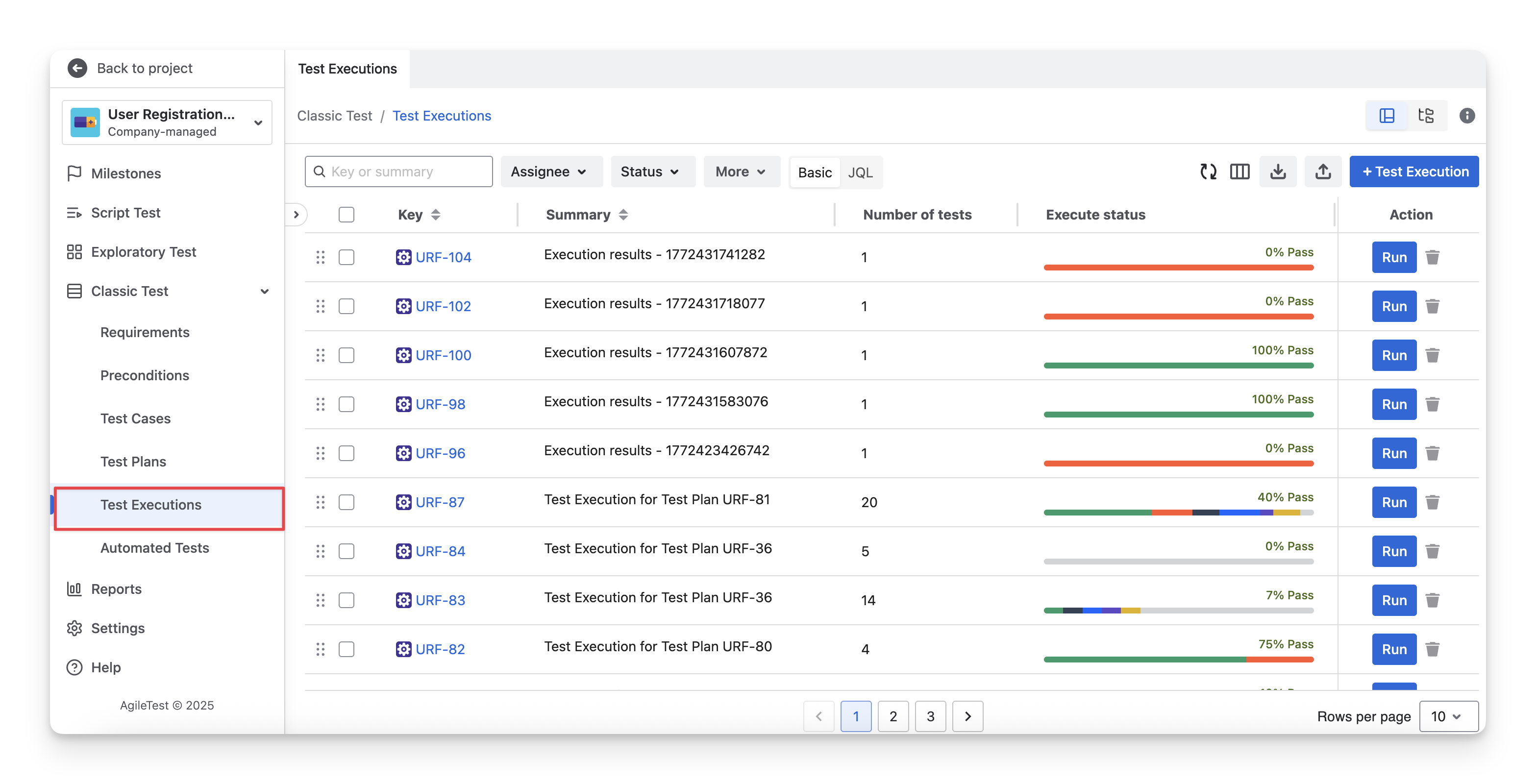
Besides this, you can also locate your imported test results in the Test Executions section. When importing automated tests, the results are either added to a new execution or linked to an existing execution that you have selected. As a result, both automated and classic tests will appear in this section.
3. How Automated Tests in AgileTest Work?
AgileTest does not execute automated tests directly. Instead, it acts as a control and reporting hub, triggering automated tests through external tools and collecting the execution results back into AgileTest.
To enable this workflow, you need to conduct some setup for automated tests:
-
Import Test Results: This allows you to upload existing automated test results from report files. It helps you synchronize past or external executions into AgileTest without recreating them manually.
-
Integrate with CI/CD tools: This connects AgileTest with your CI/CD pipelines (such as Jenkins, GitLab CI, etc.). Once integrated, test results can be automatically pushed to AgileTest after each build, ensuring up-to-date reporting without manual uploads.
-
Trigger Build Remotely with AgileTest: This enables you to trigger automated test runs directly from AgileTest. Instead of switching to your CI tool, you can initiate builds from Jira and monitor results in one place.
After you finish testing automated tests, AgileTest will generate reports in XML or JSON format. AgileTest supports these formats so you can accurately parse, interpret, and display execution data from different testing tools.
Read more about AgileTest Automated Tests
Should you need any assistance or further AgileTest inquiries, contact our 24/7 Support Desk.