.png)
TeamCity is a powerful Continuous Integration/Continuous Deployment (CI/CD) server developed by JetBrains. It automates software build, test, deployment, and reporting processes. In this document, we will show you how to integrate AgileTest with TeamCity.
Prerequisite:
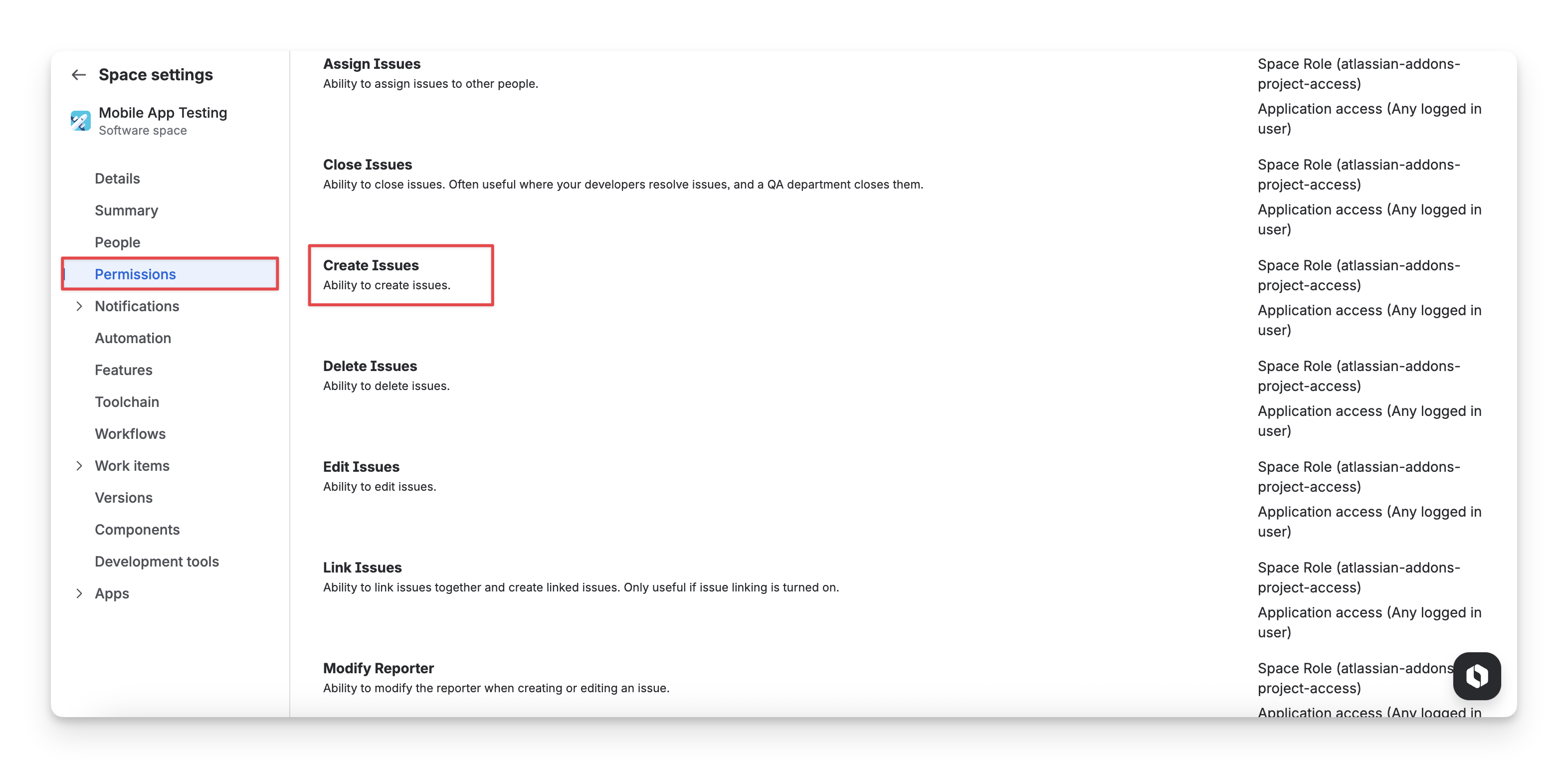
Make sure your account has permission to create TestCase and TestExecution issues; otherwise, the import will fail.
As a Jira admin, you can update this permission in the Space setting → Permission → Create Issues.
-
For the Cloud version, Client id and Client secret are needed. Please refer to this instruction to get them: API integration
-
For Data Center version, you will need a Personal access token (PAT) instead. In Jira, select ⚙️ (top right corner) → System -> Administering personal access tokens, and create yourself a token. Please refer to this article from Jira for more details.
1. Setup your TeamCity project
Unlike GitHub, GitLab, or Bitbucket, TeamCity is solely a CI/CD platform. It doesn’t have source repositories or version control system. That’s why when using CI/CD platform, users need to connect it with other source repositories.
To learn more about how to setup a project or a pipeline in TeamCity, please refer to this document: Getting Started with TeamCity.
When you integrate AgileTest with TeamCity, you need to securely store certain authentication details, such as your Client ID and Client Secret. By doing it, you ensure that sensitive data is kept secure and is not exposed in your code or logs, reuse variables in different places, etc. These credentials are also required for AgileTest to authenticate and communicate with TeamCity in the pipeline.
1.1 For Cloud version
We recommend that you set up 5 repository variables:
|
Variables |
Description |
Is secured |
Example |
|
BASE_AUTH_URL |
Base URL used for requesting authenticating token |
|
|
|
BASE_URL |
Base URL to submit your report to |
|
|
|
CLIENT_ID |
The client id that you have requested earlier |
✅ |
****** |
|
CLIENT_SECRET |
The client secret that you have requested earlier |
✅ |
****** |
|
PROJECT_KEY |
Your project key |
|
RKE |
1.2 For Data Center version
In case you are working with AgileTest Data Center version, you only need 3 variables as follows.
|
Variables |
Description |
Is secured |
Example |
|
DC_TOKEN |
Your Personal access token |
✅ |
|
|
BASE_URL |
Base URL to submit your report to |
|
|
|
PROJECT_KEY |
Your project key |
|
RKE |
1.3 Setup TeamCity variables
To set up these variables, you can open the pipeline settings and
-
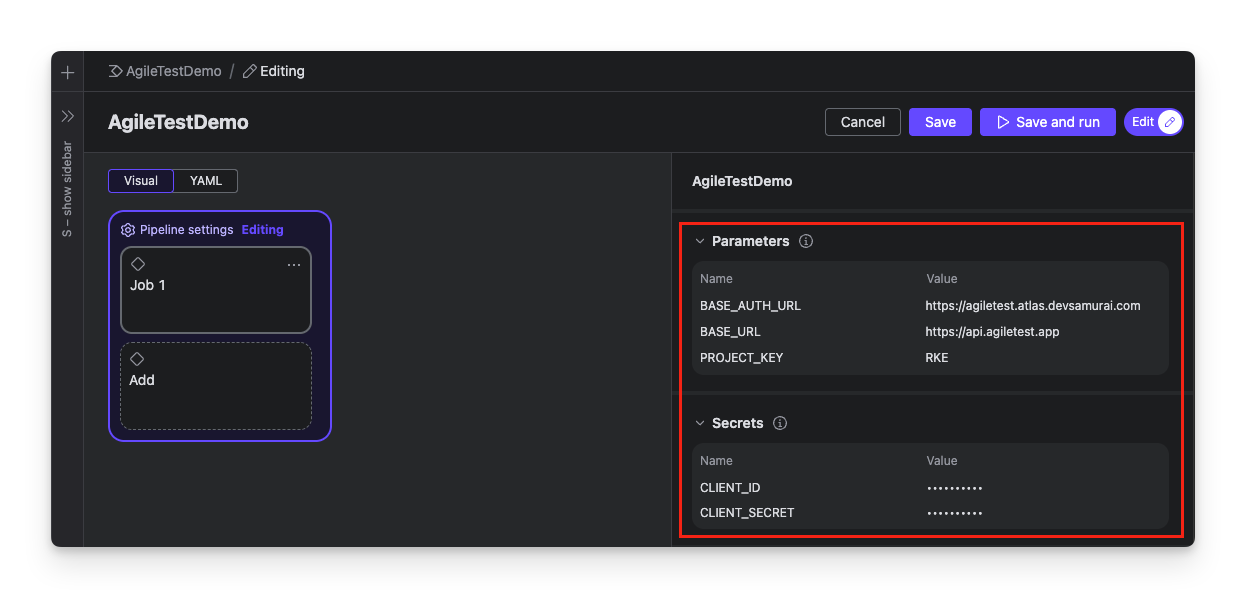
Add 3 variables BASE_AUTH_URL, BASE_URL, and PROJECT_KEY in the Parameters tab.
-
Then expand Secrets section and continue to add CLIENT_ID and CLIENT_SECRET.
2. Upload your test result
After you have set up the TeamCity project, you can prepare the YAML file in TeamCity to connect AgileTest with this tool and upload the test results.
You can have your report in different types of test frameworks. Here is a sample JUnit report to play around with.
If you need more detailed examples, please refer to our public repository on AgileTest GitHub for additional sample projects.
There are 2 main approaches to uploading your test results:
2.1 Use API
2.1.1 For Cloud version
Step 1: Build and run test
In step 1, the pipeline runs tests and yield the test reports. The reports are generated and stored in target/surefile-reports directory.
-
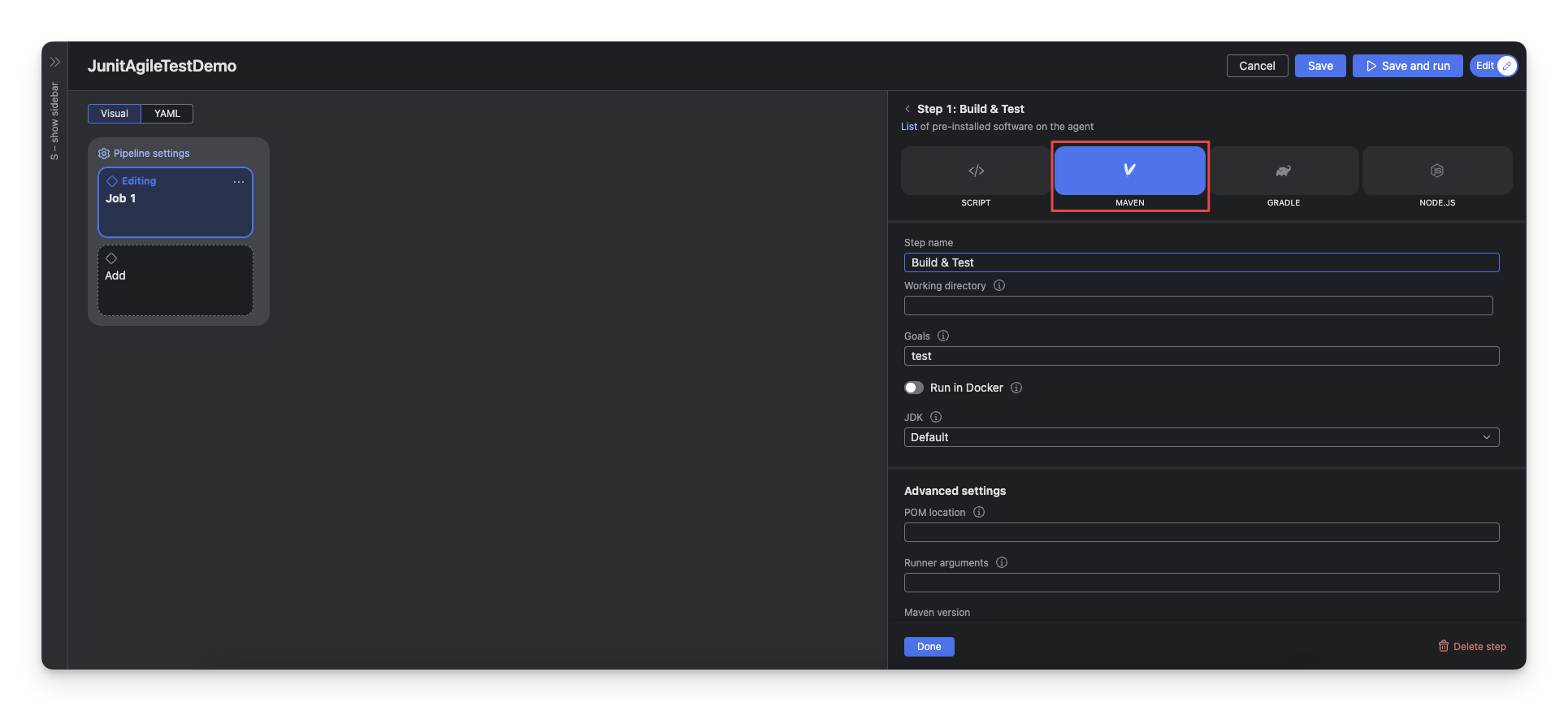
Add a step of Maven type and name it “Build & Test”.
-
Set Goal =
test.
Step 2: Upload test result to Agile Test via API
In step 2, the pipeline uploads test reported (stored in Artifact in the last job) to Agile Test using curl to send API requests.
-
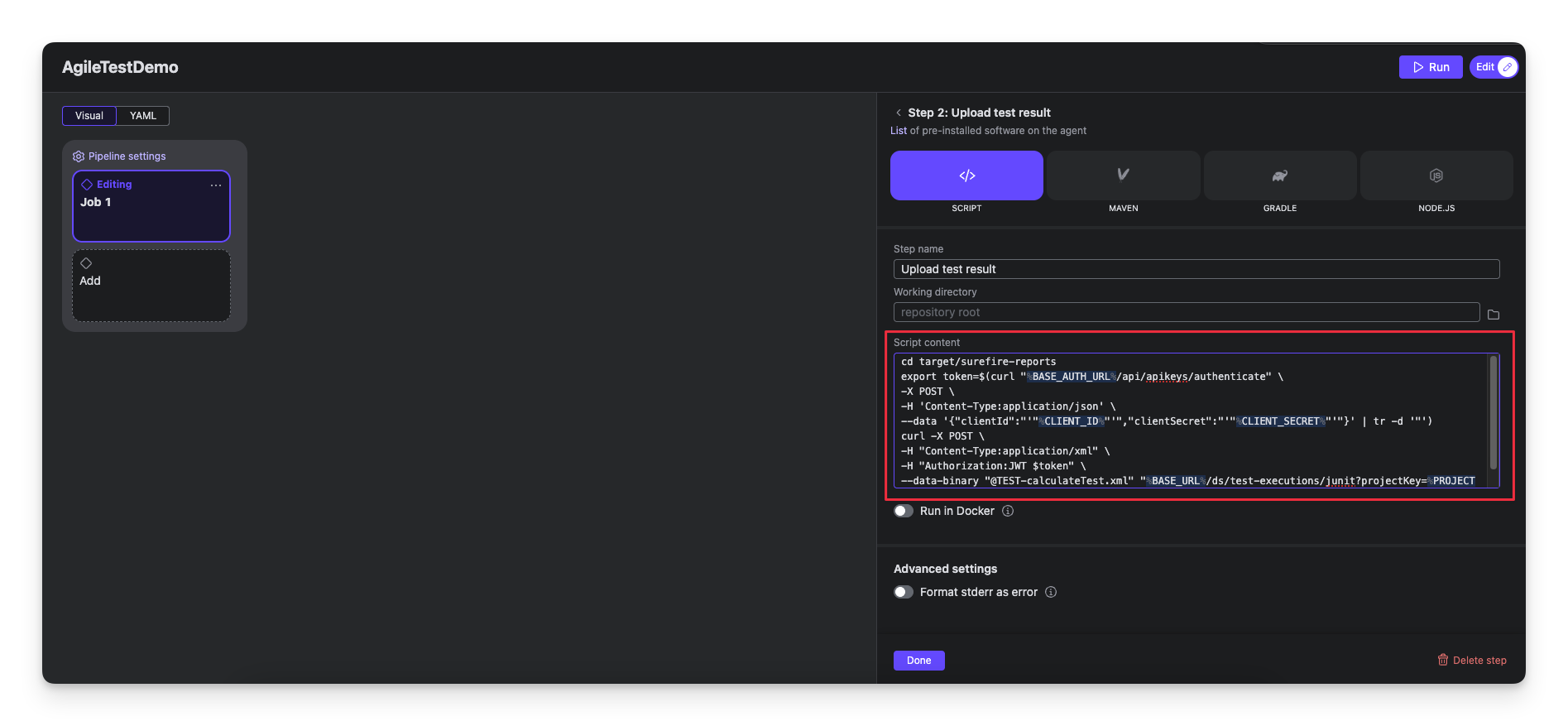
Add a step of Script type and name it “Upload test result”.
-
In Script content field, add the scrip below and save. All parameters encapsulated in
%will be replaced with preconfigured secrets and parameters on pipeline run.
cd target/surefire-reports
export token=$(curl "%BASE_AUTH_URL%/api/apikeys/authenticate" \
-X POST \
-H 'Content-Type:application/json' \
--data '{"clientId":"'"%CLIENT_ID%"'","clientSecret":"'"%CLIENT_SECRET%"'"}' | tr -d '"')
curl -X POST \
-H "Content-Type:application/xml" \
-H "Authorization:JWT $token" \
--data-binary "@TEST-calculateTest.xml" "%BASE_URL%/ds/test-executions/junit?projectKey=%PROJECT_KEY%"
2.1.2 For Data Center version
For the Data Center version, the step 1 and 2 are the same as the Cloud version. You only need to change the script:
cd target/surefire-report
curl -X POST \
-H "Content-Type:application/xml" \
-H "Authorization:Bearer %DC_TOKEN%" \
--data-binary "@TEST-calculateTest.xml" "%BASE_URL%/ds/test-executions/junit?projectKey=%PROJECT_KEY%"
2.2 Use AgileTest CLI
You could find the specs of our CLI here https://agiletestapp.github.io/agiletest-cli/ .
Unlike API methods, this approach necessitates dividing the process into two discrete jobs.
2.2.1 For Cloud version
Job 1: Build and run test
In job 1, the pipeline runs tests and yield the test reports. Then it uploads test reports to Artifact registry.
-
Add a step of Maven type and name it “Build & Test”.
-
Set Goal =
test. -
Set Shared files =
**/TEST-*.xmlor name of the report files after the testing phase finishes.
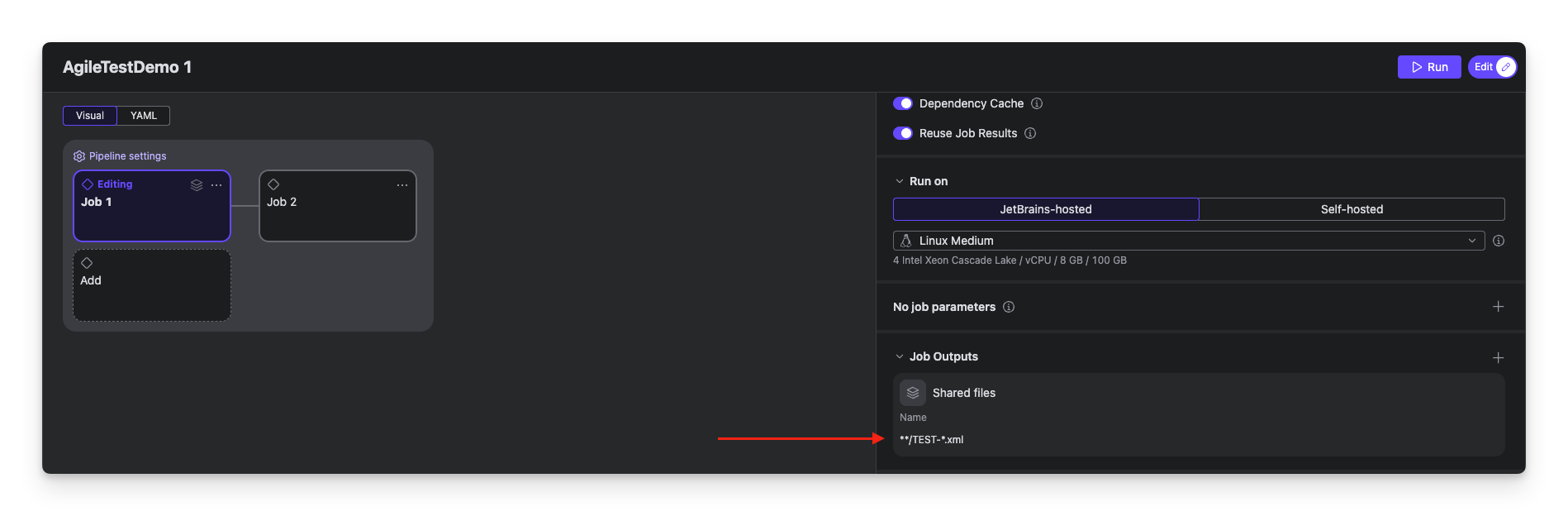
Learn more about wildcards in TeamCity. Wildcard Support | TeamCity
Job 2: Upload test result to Agile Test via API
In job 2, the pipeline uploads test reported (stored in Artifact in the last job) to Agile Test using curl to send API requests.
-
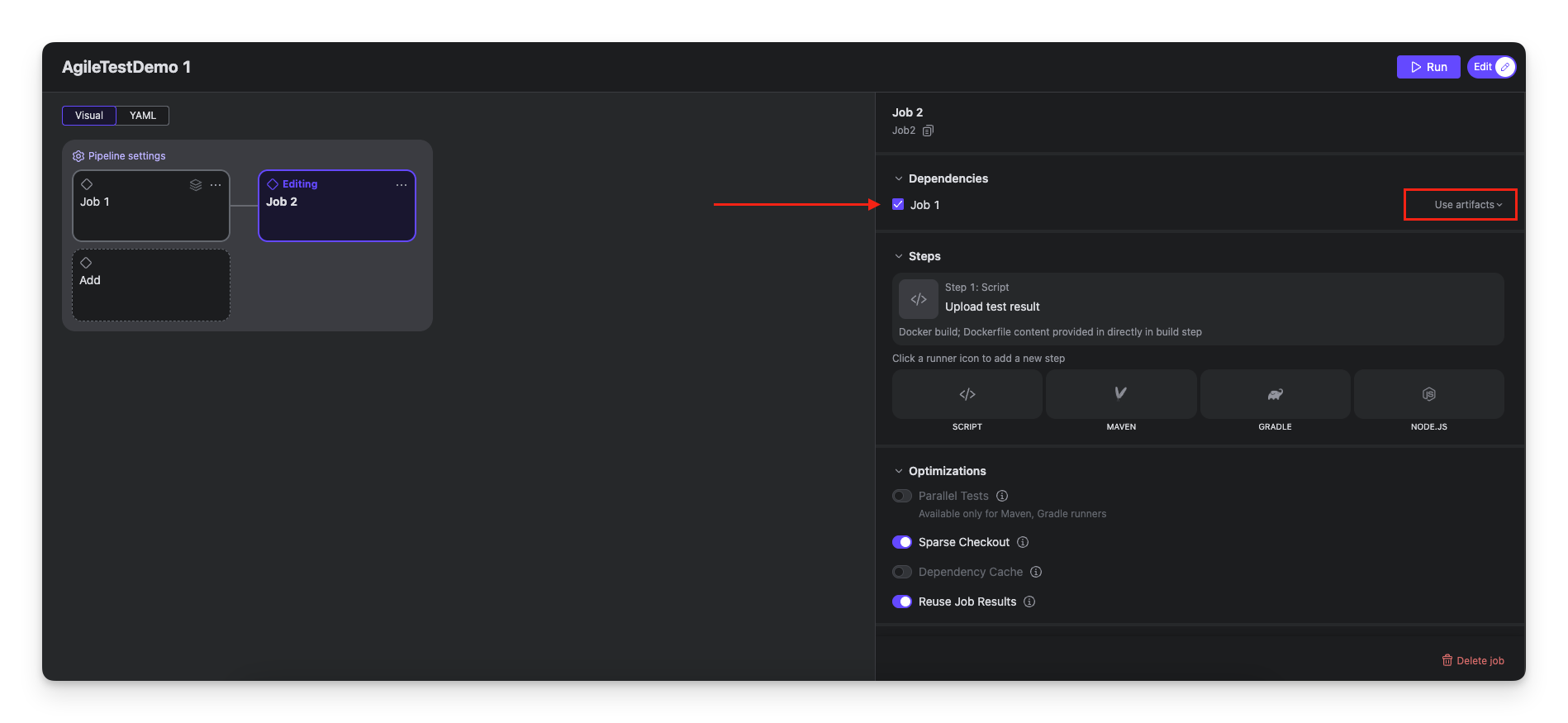
Tick Job 1 checkbox in Dependencies section. Don’t forget to change Ignore artifacts to Use artifacts, otherwise all shared files from Job 1 will be ignored altogether.
-
Add a step of Script type and name it “Upload test result”.
-
In Script content field, add the command below and save. All parameters encapsulated in
%will be replaced with preconfigured secrets and parameters on pipeline run.
cd target/surefire-reports
agiletest --client-id %CLIENT_ID% --client-secret %CLIENT_SECRET% \
    --base-auth-url %BASE_AUTH_URL% --base-url %BASE_URL% \
    test-execution import \
    --framework-type junit --project-key %PROJECT_KEY% \
    TEST-calculateTest.xml
-
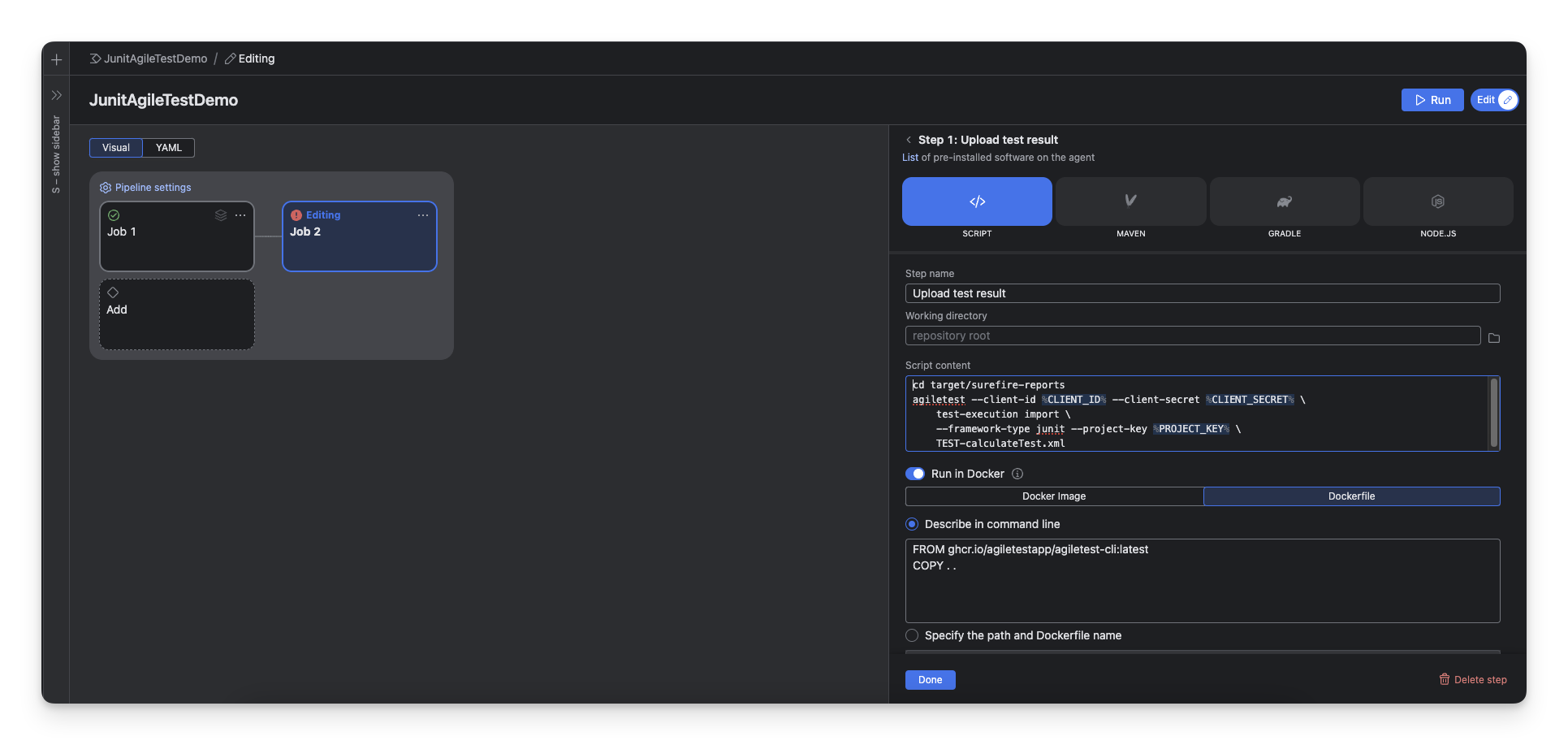
Switch Run in Docker on and select Dockerfile. Fill in Describe in command line the content below and save.
# Use official AgileTest CLI image as base
FROM ghcr.io/agiletestapp/agiletest-cli:latest
# Copy application code
COPY . .
At this stage, your step should look like this.
2.2.2 For Data Center version
All setup steps match the Cloud version. The difference lies in the script used in step 3 of Job 2.
cd target/surefire-reports
agiletest --base-url %BASE_URL% \
    --data-center-token %DC_TOKEN% \
    --data-center \
    test-execution import \
    --framework-type junit --project-key %PROJECT_KEY% \
    TEST-calculateTest.xml
Should you need any assistance or further AgileTest inquiries, contact our 24/7 Support Desk!