.png)
Prerequisites:
-
Rovo must be activated on the instance (Available for Cloud plans - Standard, Premium, Enterprise.
-
AgileTest must be installed on the instance → Learn how to install AgileTest.
AgileTest Generator can help analyze requirements for additional insights, ensuring a better understanding of requirements.
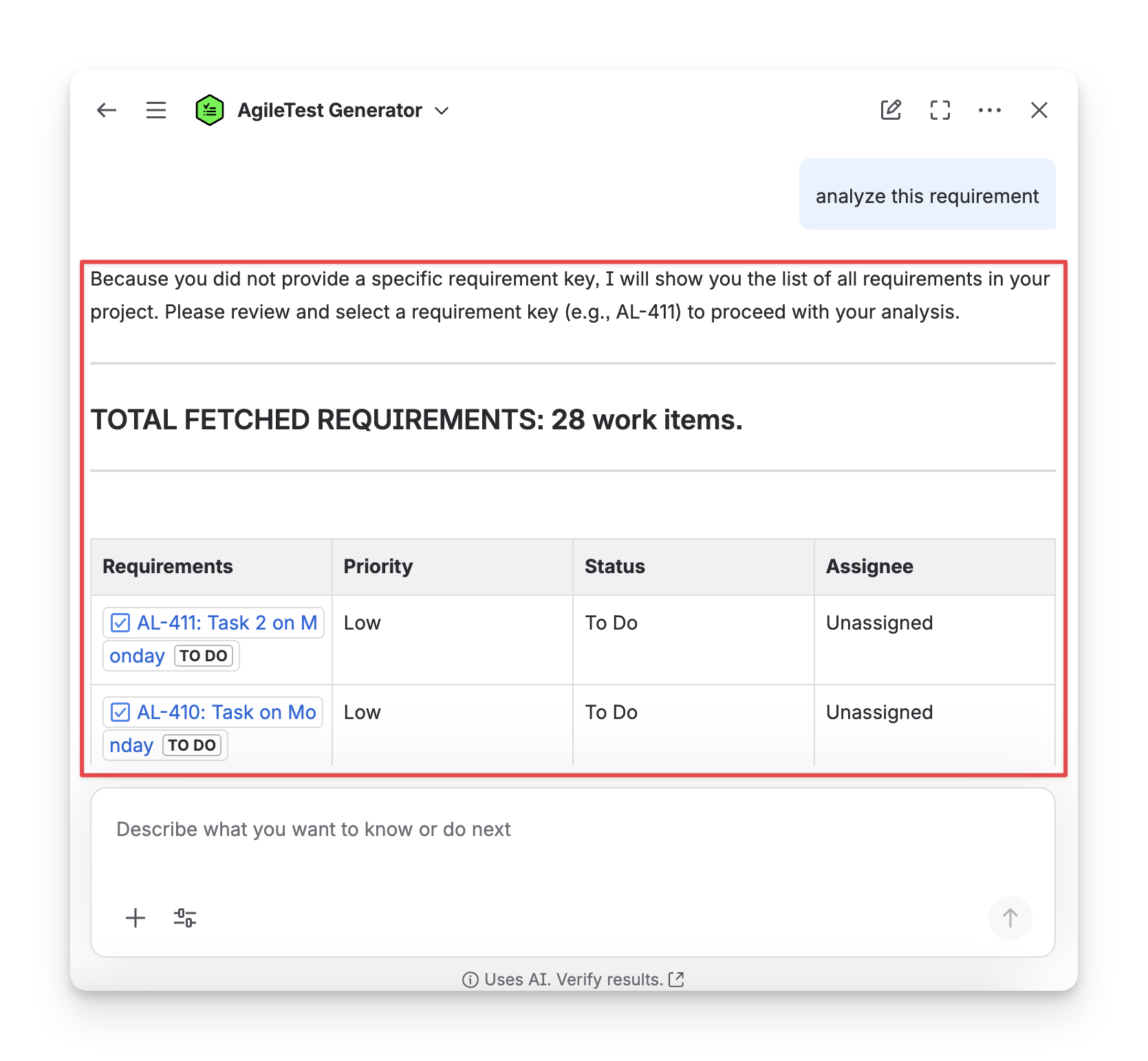
Scenario 1: Provide with No Requirement Key
When you ask a general command to the AgileTest Agent without Requirement keys, such as: analyze this requirement, the Agent will provide you a list of existing requirements so that you can select which requirements you want the Agent to analyze.
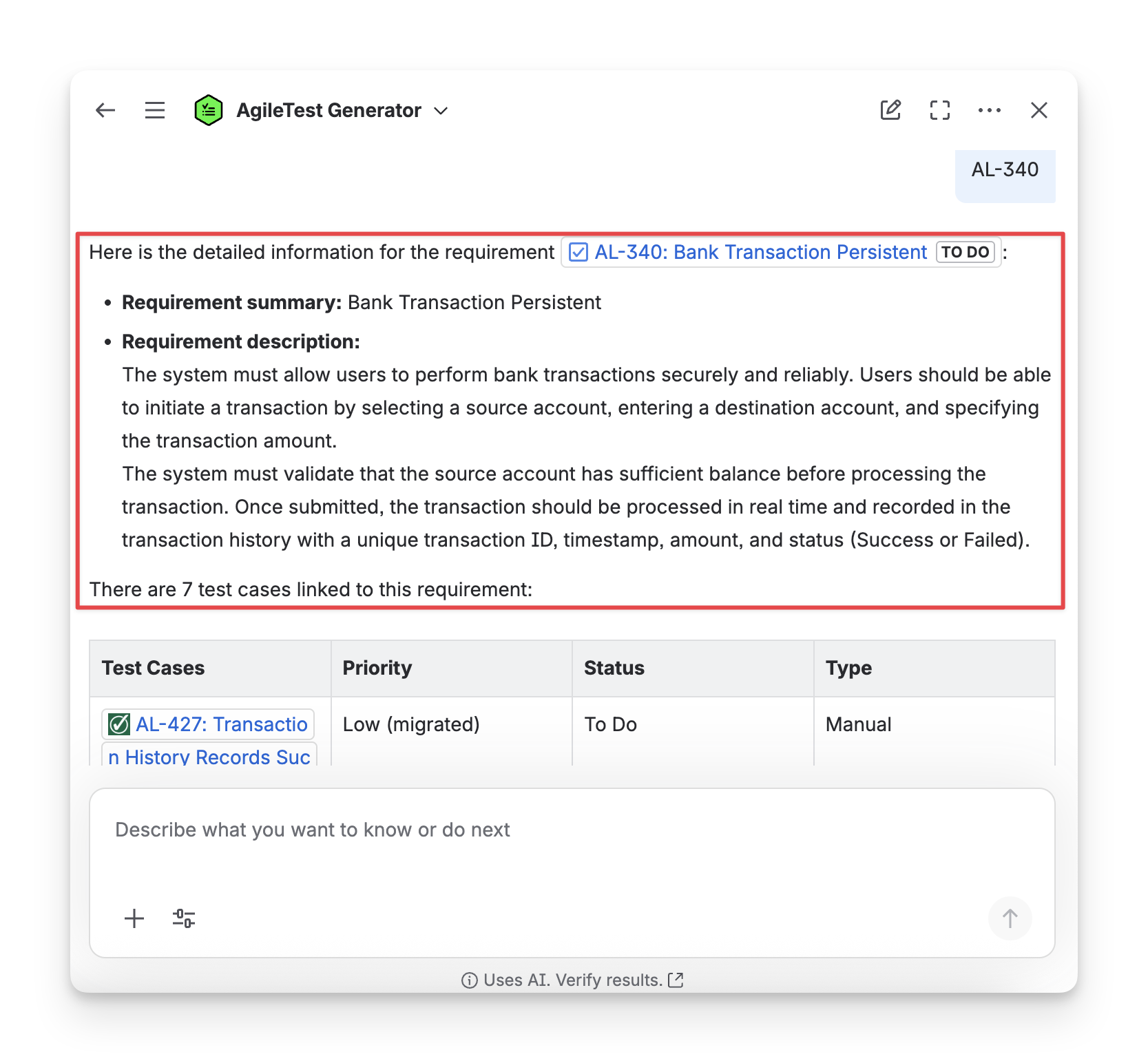
Then, you need to select a specific requirement key for the AgileTest Generator to provide a detailed analysis. AgileTest Generator will get you the description of the requirements, along with linked test cases, and suggest what you can improve for this requirement.
Scenario 2: Provide with A Specific Requirement Key
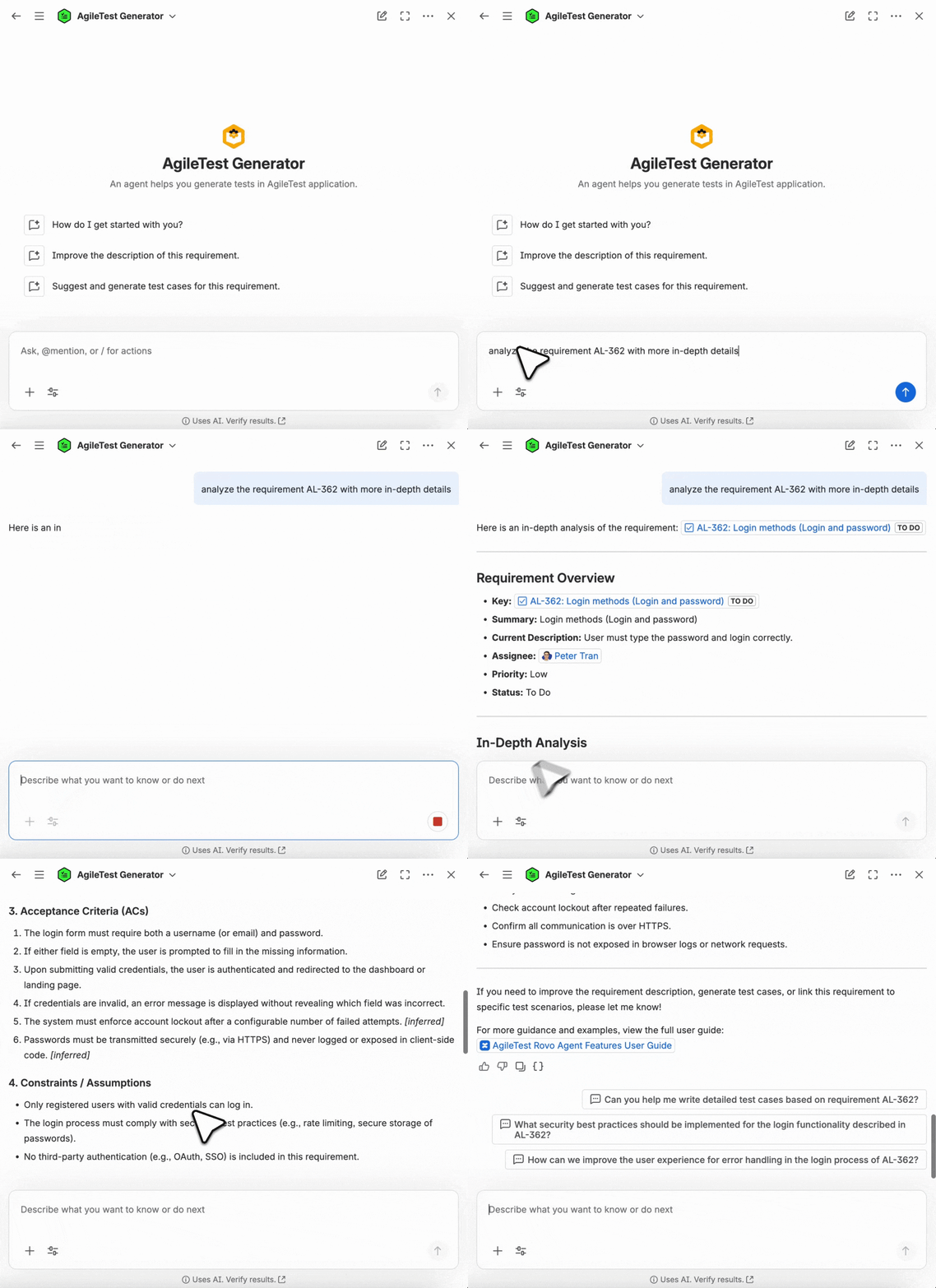
When you provide a requirement key in your command, such as analyze the requirement AL-362, the Agent will provide you with full details of this requirement.
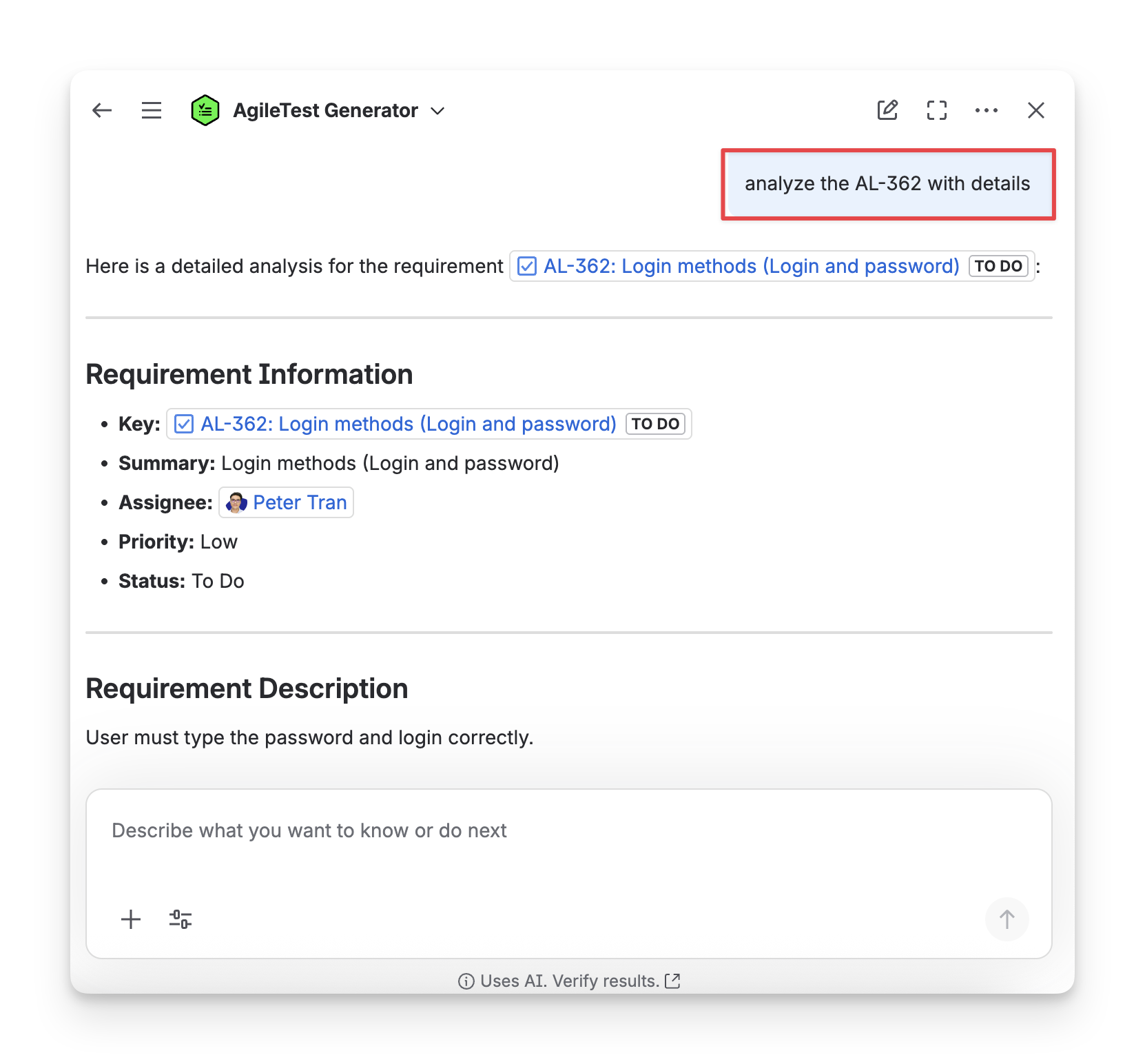
If you are on a specific AgileTest requirement screen, AgileTest Generator recognises that you want to analyze this requirement.
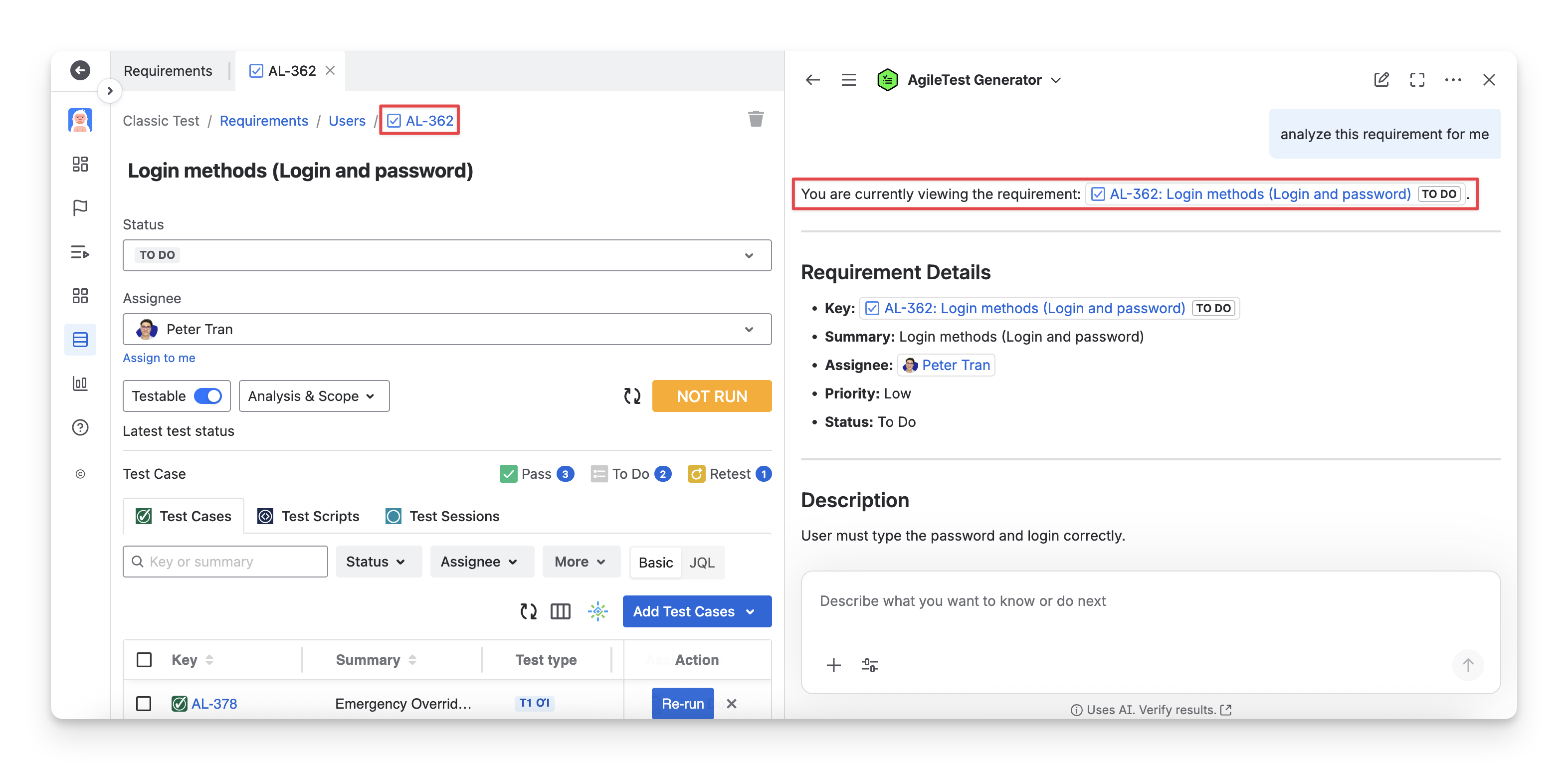
AgileTest Agent Answer Format
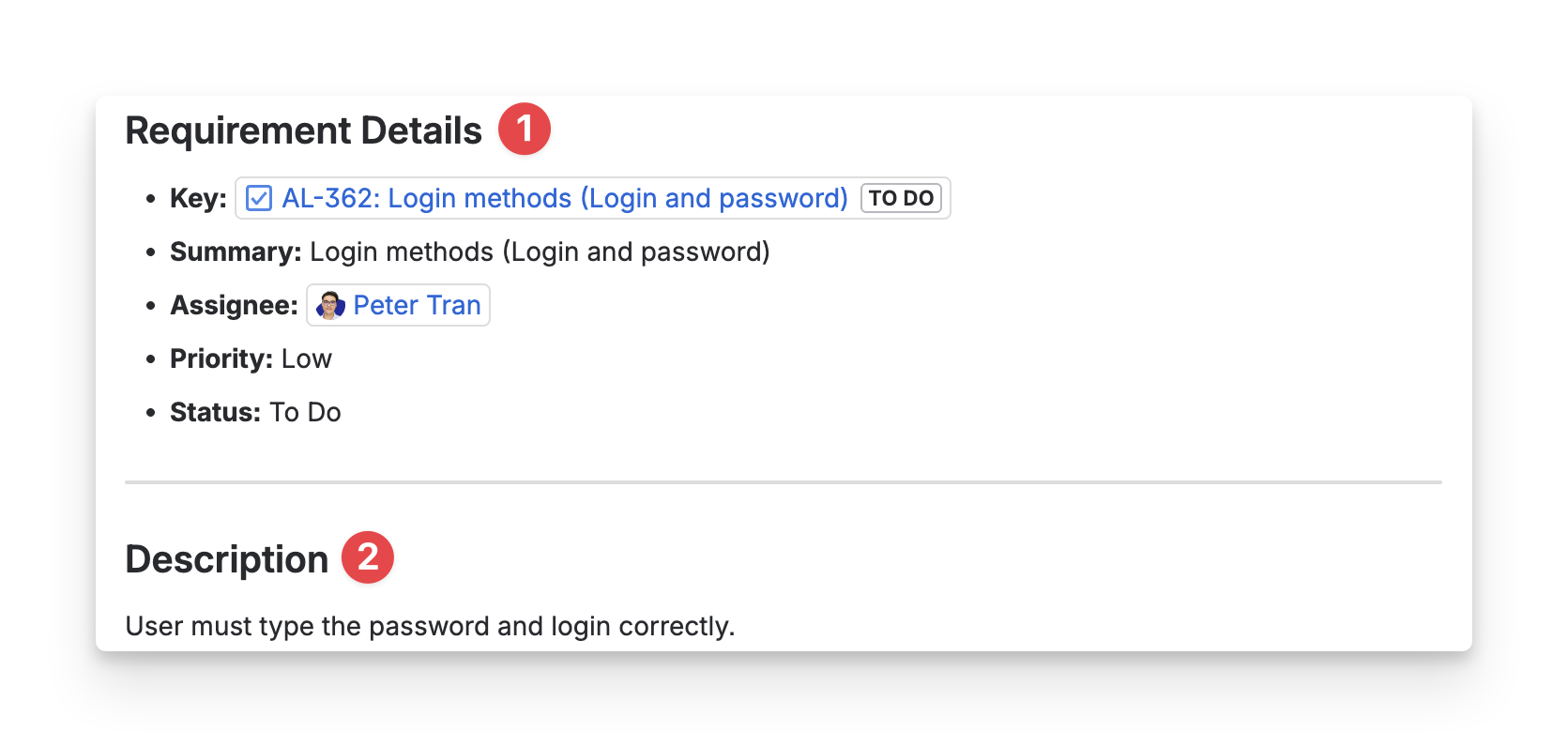
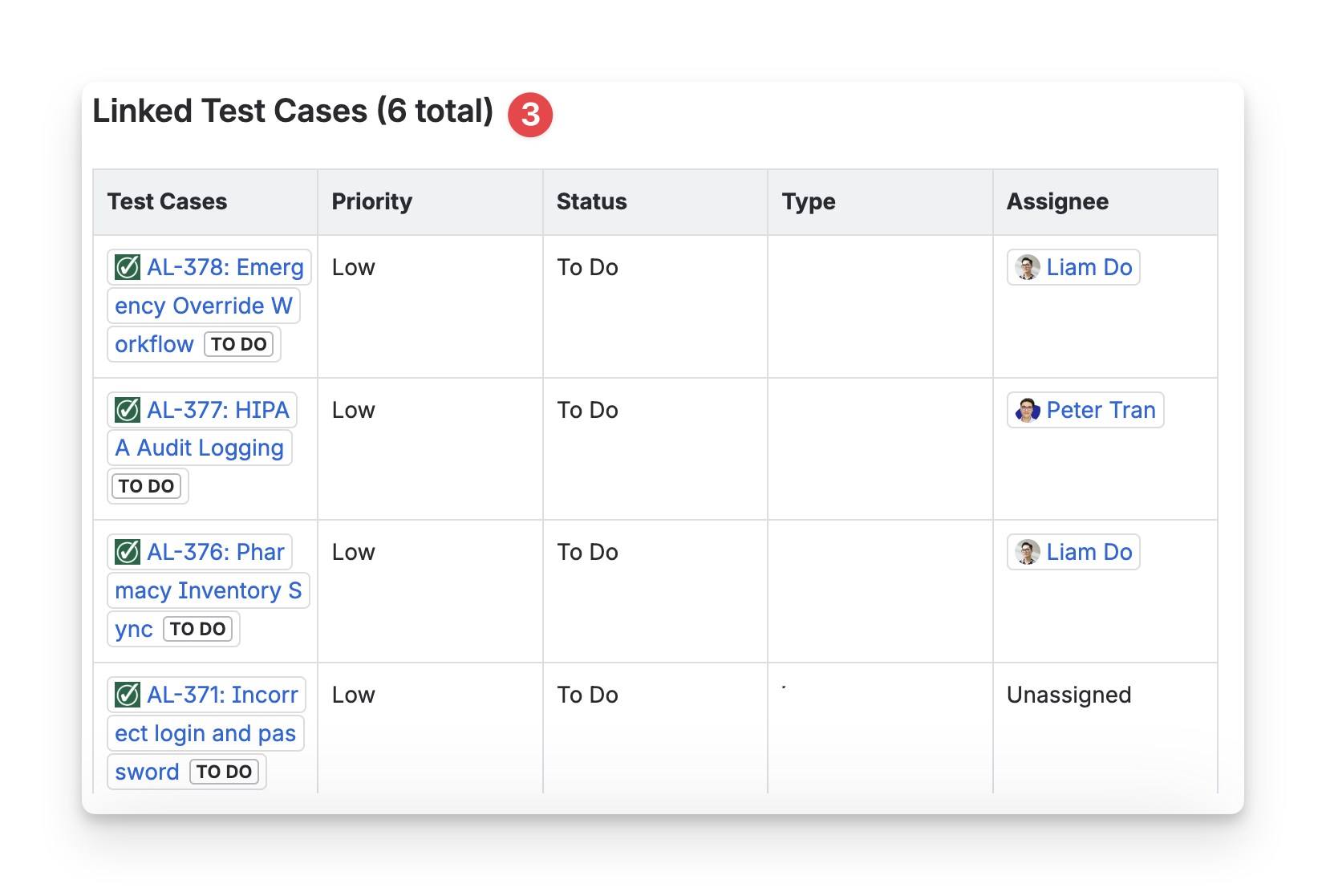
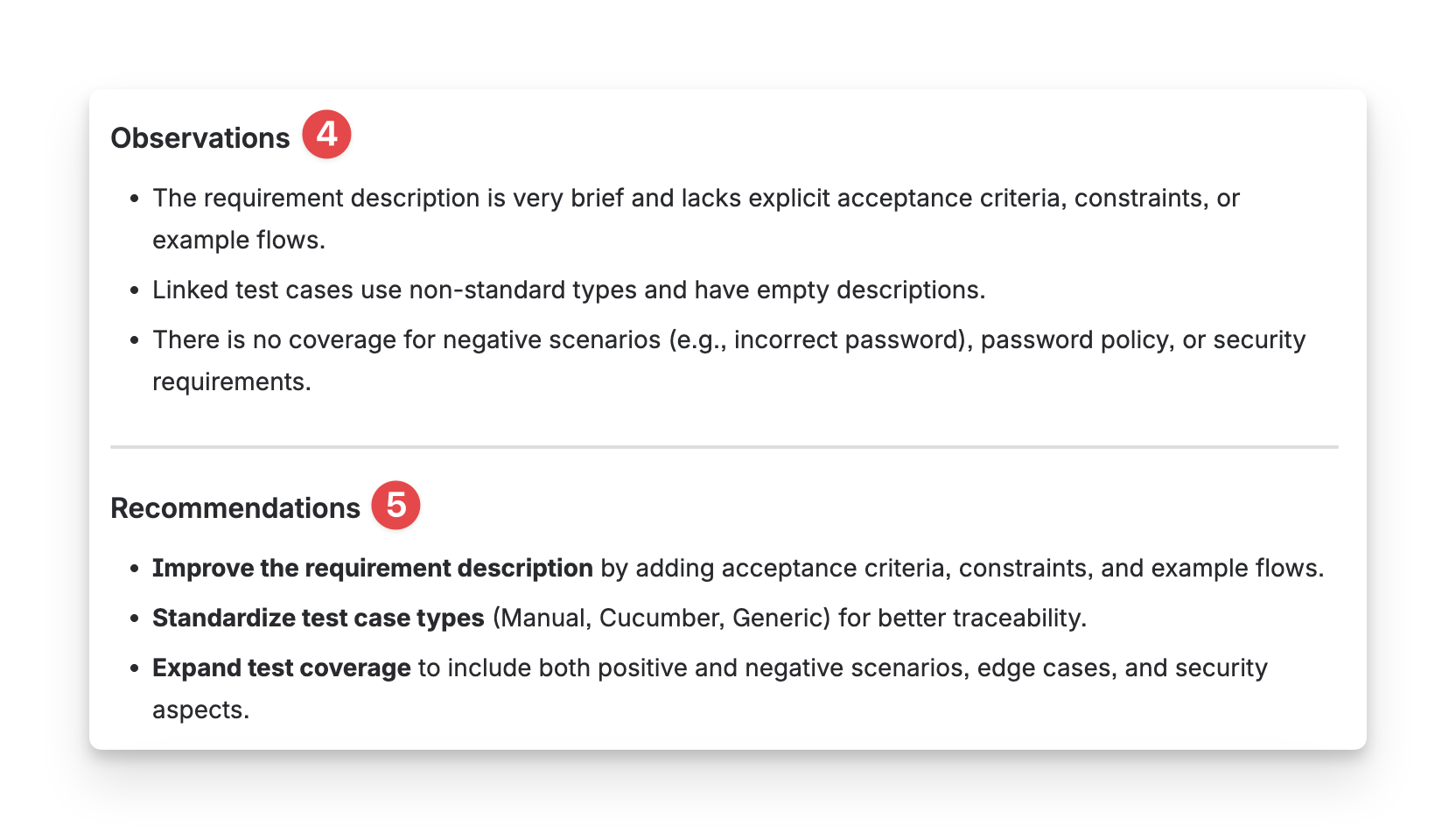
AgileTest Generator answer will be under this format:
-
Requirement Details: Jira key, summary, assignee, priority, and status.
-
Description: Requirement description in your Jira ticket.
-
Linked test cases: All test cases linked with the requirement.
-
Observation: the analysis of the requirement details
-
Recommendation: a suggestion from AI to improve your requirement.
Should you need any assistance or further AgileTest inquiries, contact our 24/7 Support Desk!