.png)
Prerequisites:
-
Rovo must be activated on the instance (Available for Cloud plans - Standard, Premium, Enterprise.
-
AgileTest must be installed on the instance → Learn how to install AgileTest.
AgileTest Generator accelerates test creation by intelligently analyzing your current requirements and generating test cases, even when requirements or test types are partially defined or missing.
Some use cases you can apply AgileTest Generator include:
1. Install AgileTest Generator
You can install AgileTest Generator with the following steps
-
Go to the Atlassian Marketplace.
-
Search for AgileTest Generator.
-
Click on the “Get App” button.
-
When you successfully install the agent, you will receive a notification.
2. How to Set up AgileTest Agent
To use the AgileTest Agent, you must grant it access permissions and allow it to use your project data within the current workspace.
Read more about API integration.
You need to get the Client ID and Client Secret of your instance.
-
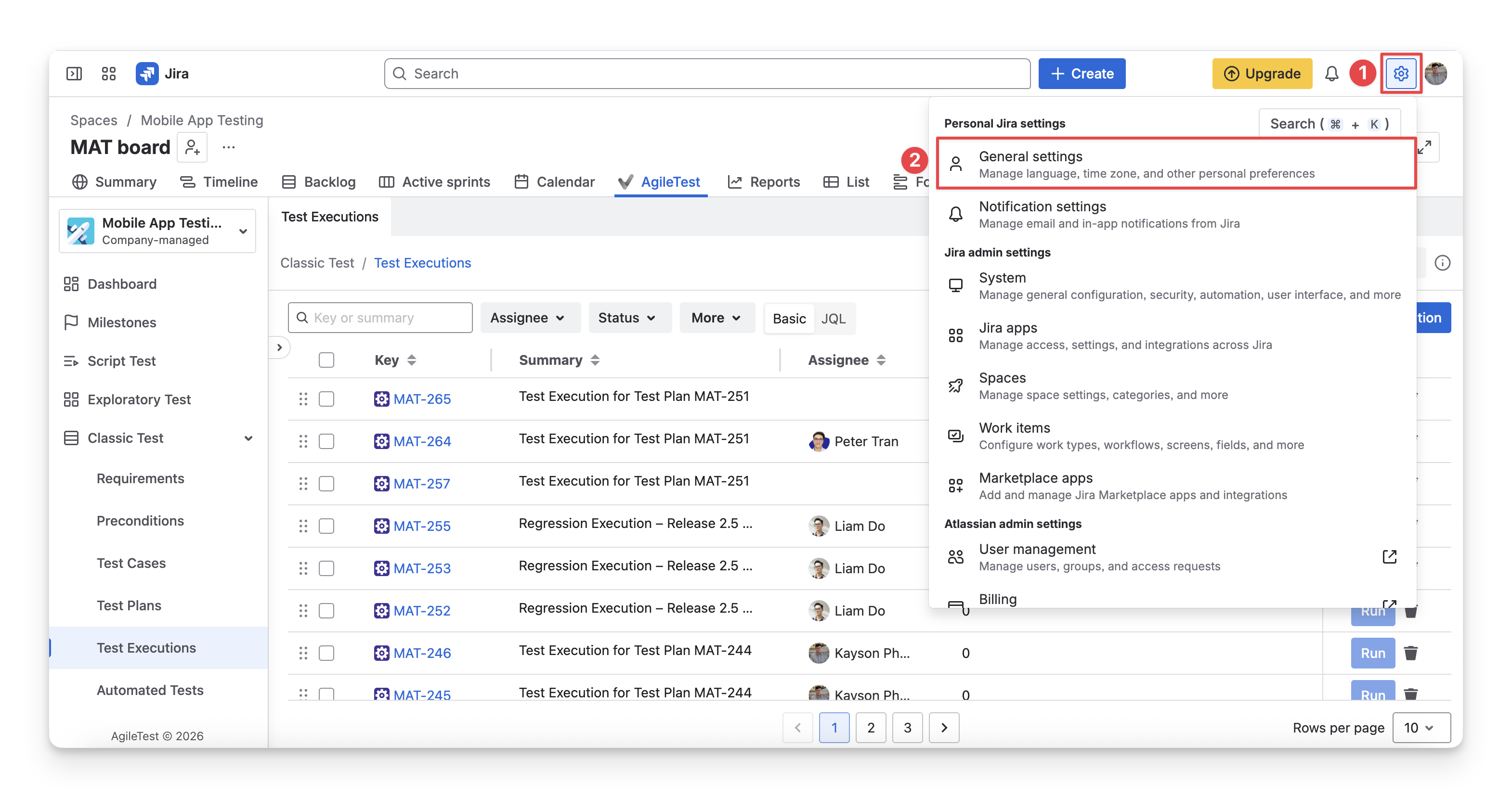
Click on Settings (top-right hand).
-
Choose “General settings”.
-
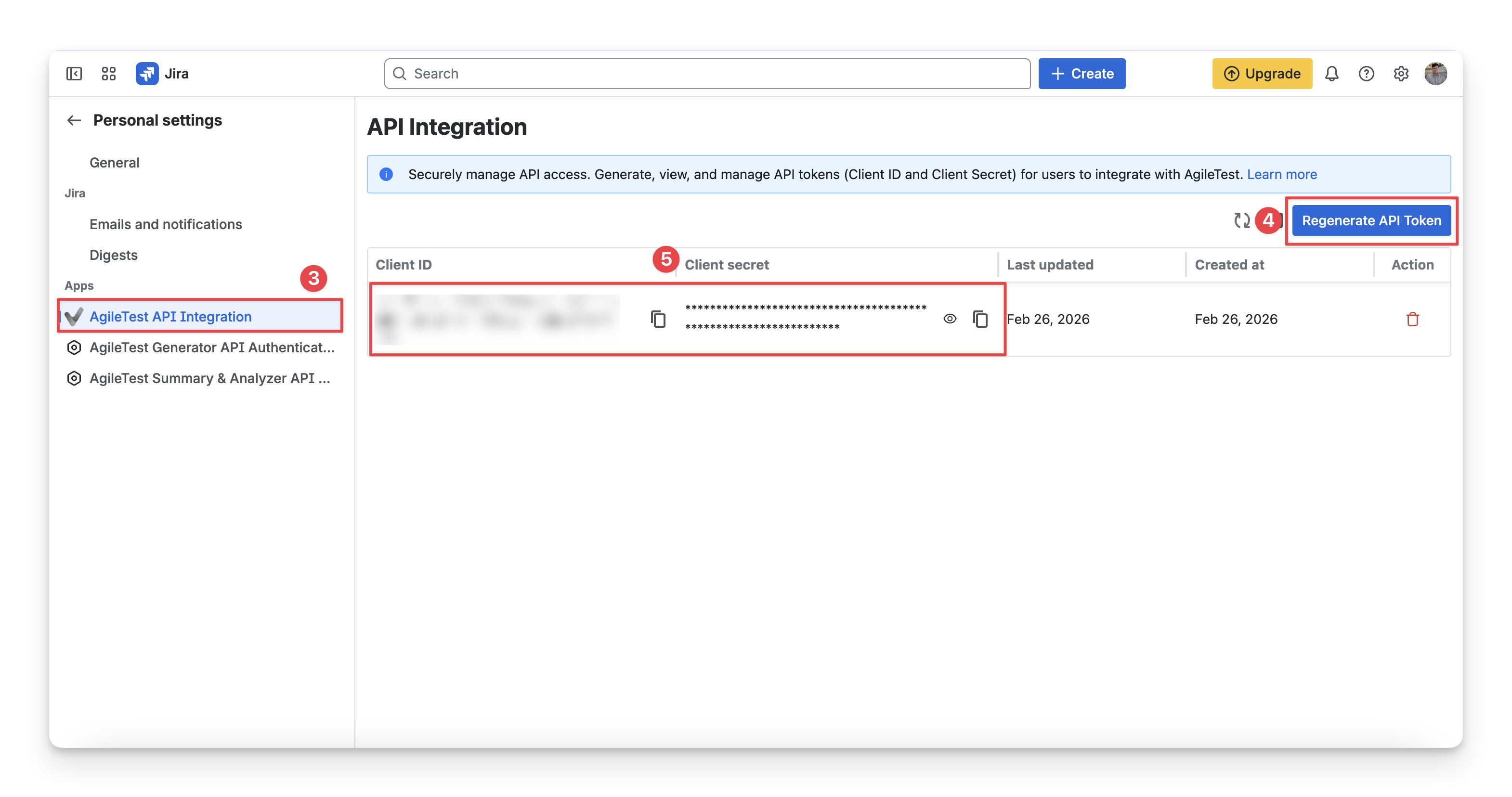
Choose “AgileTest API Integration” (left-side panel).
-
Click “Generate API token”
-
Copy the Client ID and Client Secret.
-
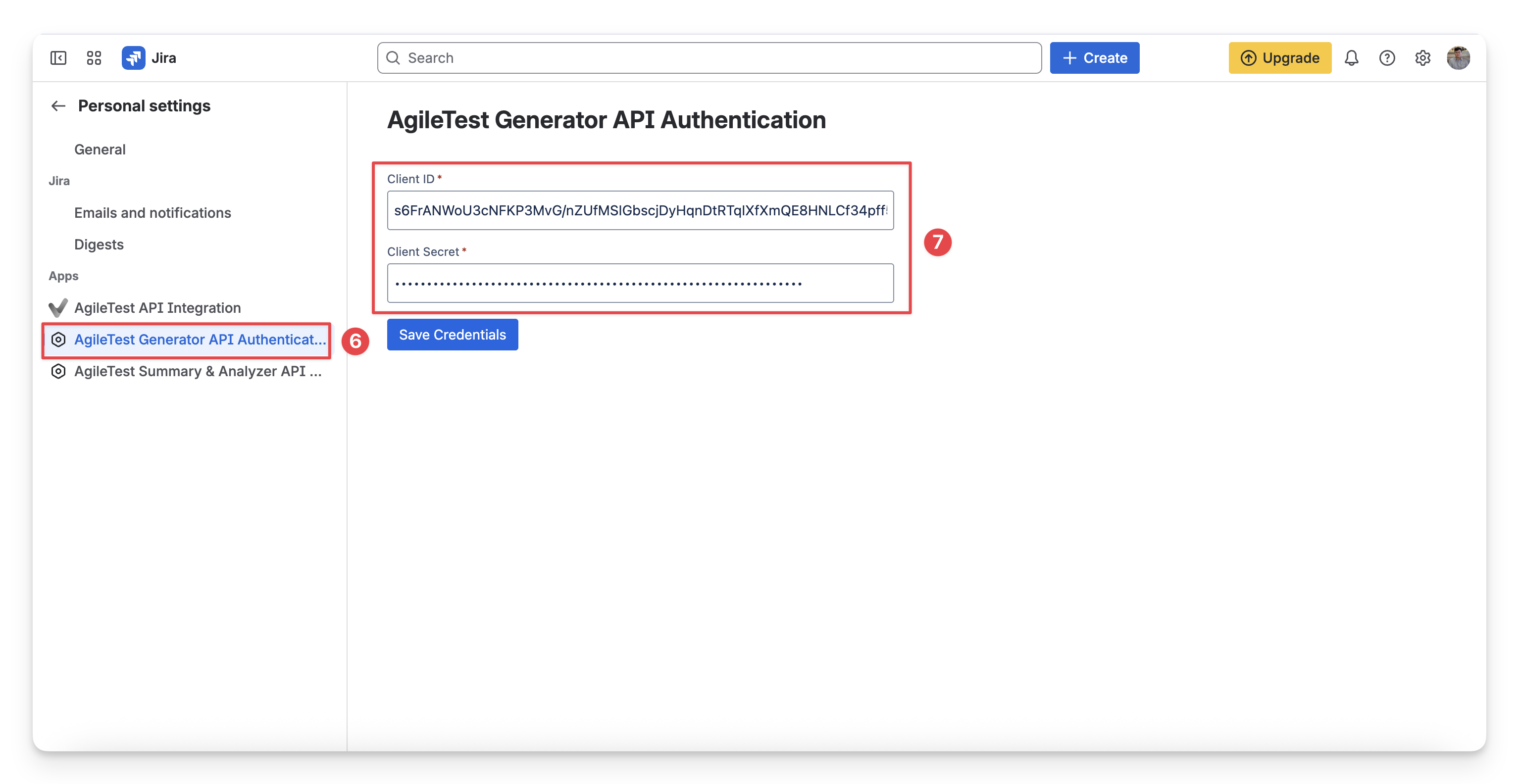
Select “AgileTest Generator API Authentication”.
-
Paste your copied Client ID and Client Secret. Click Save to complete your configuration.
This setup is one-time and only required initially.
3. Locate AgileTest Generator
You can find the AgileTest Agents by:
-
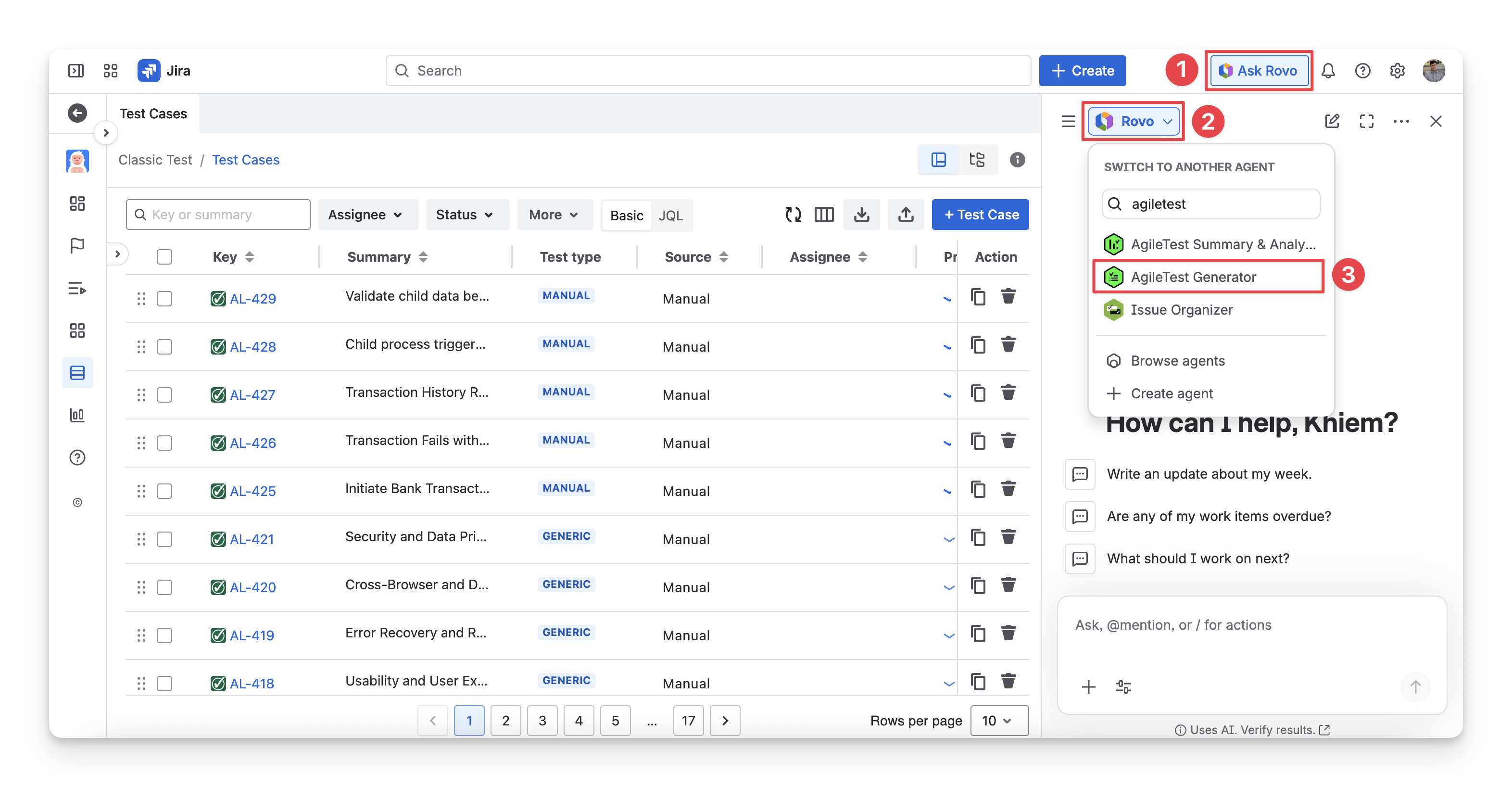
In the top corner on the right-hand side, Click the “Ask Rovo” button.
-
Choose the “Agents” section.
-
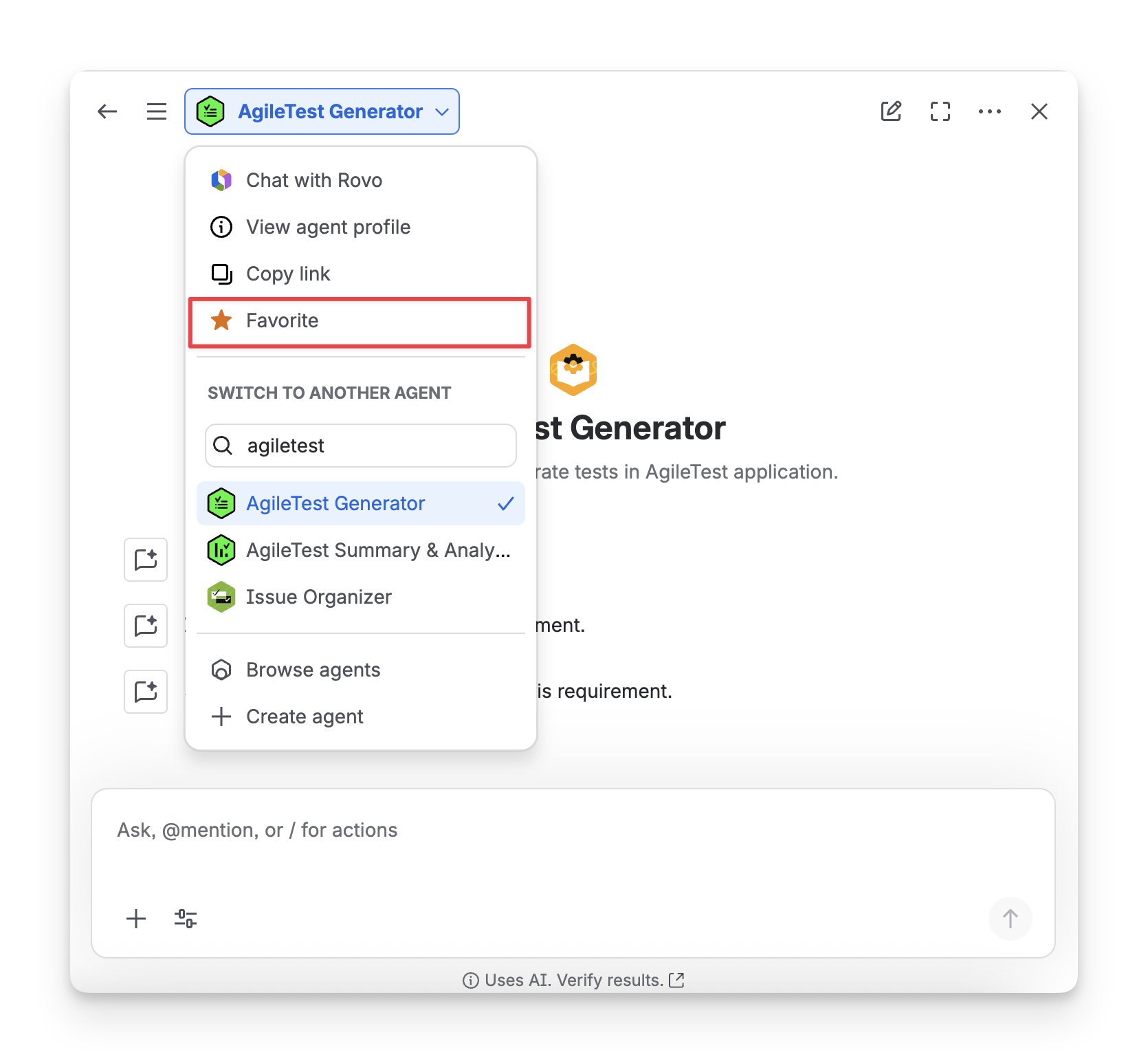
Find and select the “AgileTest Generator”.
You can also mark it as your Favourite so that you can quickly locate it later.
Tips for better output:
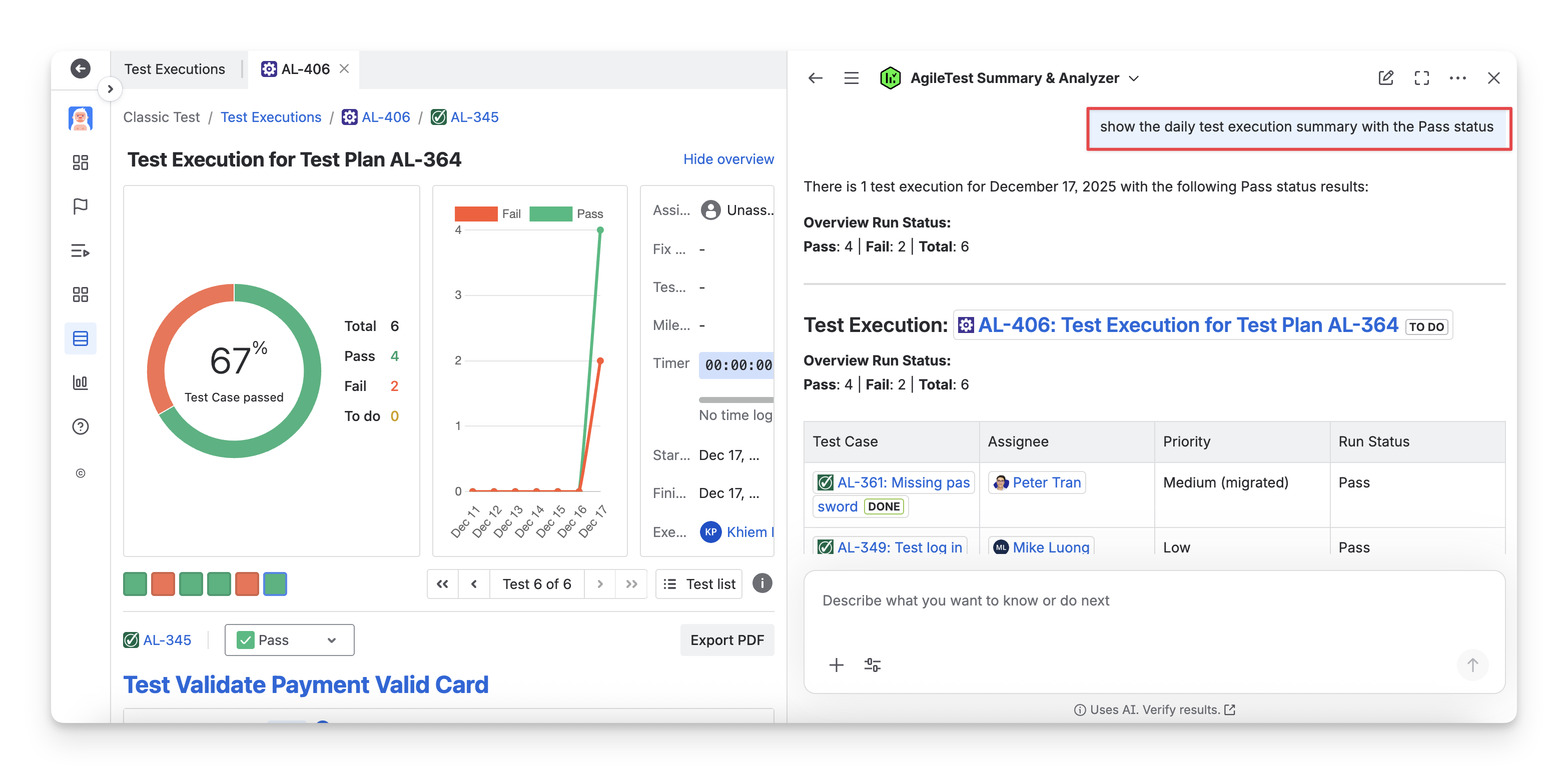
After each answer, AgileTest Agent will ask you a follow-up question if you need to filter the answer based on some output criteria, such as assignee, priority, status, etc. For each type of question you ask the agent, the result table format will be different.
You can ask the Agent to apply any filter to sort and display the results again that better match your preferences.
Should you need any assistance or further AgileTest inquiries, contact our 24/7 Support Desk!