.png)
Prerequisites:
-
Rovo must be activated on the instance (Available for Cloud plans - Standard, Premium, Enterprise.
-
AgileTest must be installed on the instance → Learn how to install AgileTest.
Test Type Ratio provides a breakdown of test cases by their test types, such as manual, automated, or imported. It helps teams analyze the distribution of testing types within a project, ensures the right balance of testing types is maintained across the project.
Read more about Test type.
AgileTest Agent only displays the test cases that belong to at least 1 sprint.
AgileTest Agent filters test cases by type—manual, automated, or imported—with or without a sprint name.
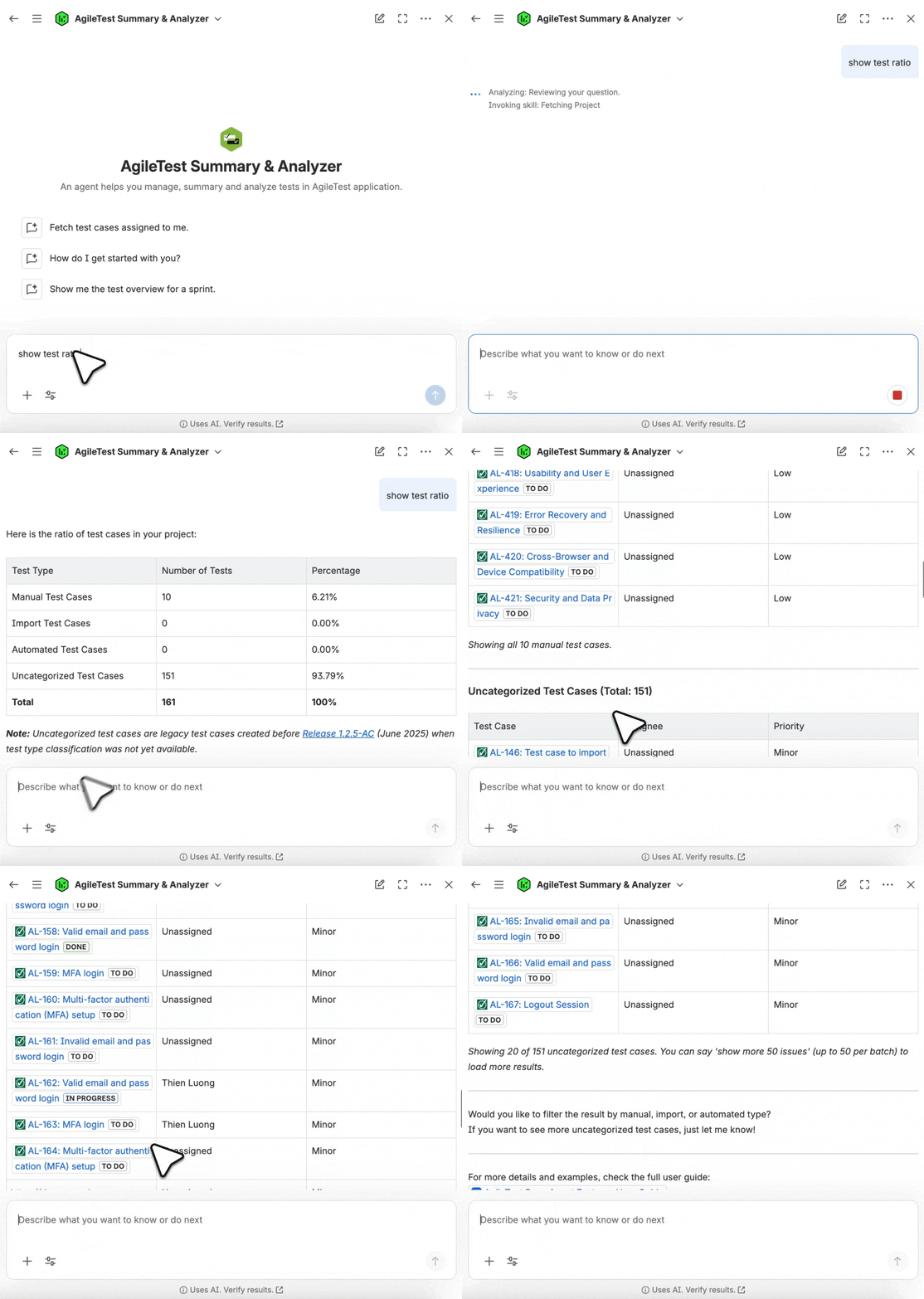
Scenario 1: Provide with No Sprint Name
To calculate the percentage of test types across all active sprints, you can give a general command to the AgileTest Agent, for example:
-
show manual vs automated test ratio -
show test ratio
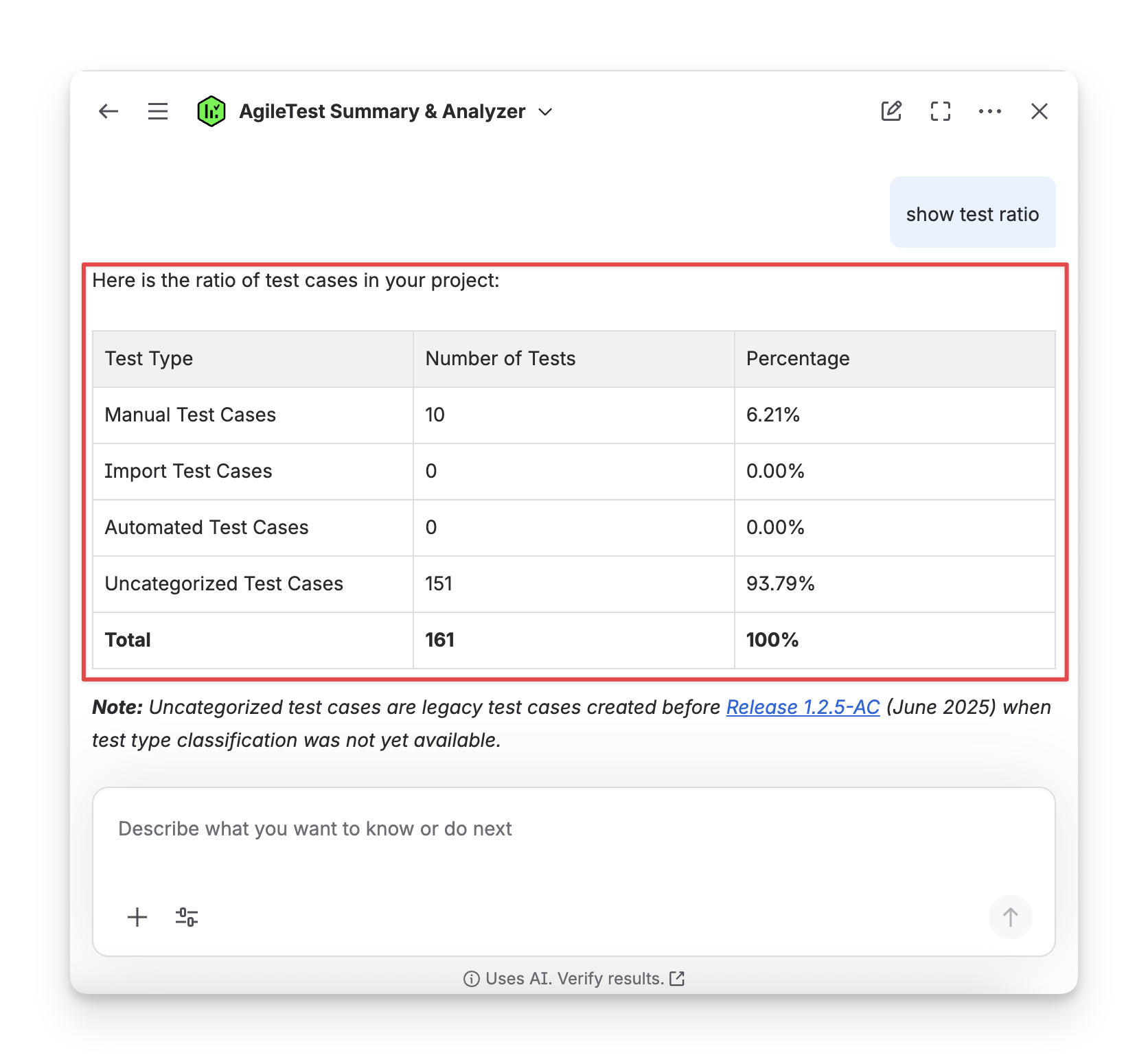
Scenario 2: Provide with A Specific Sprint Name
To display the ratio of test types for specific sprints, restrict your command, for example: show test ratio of sprint 1.
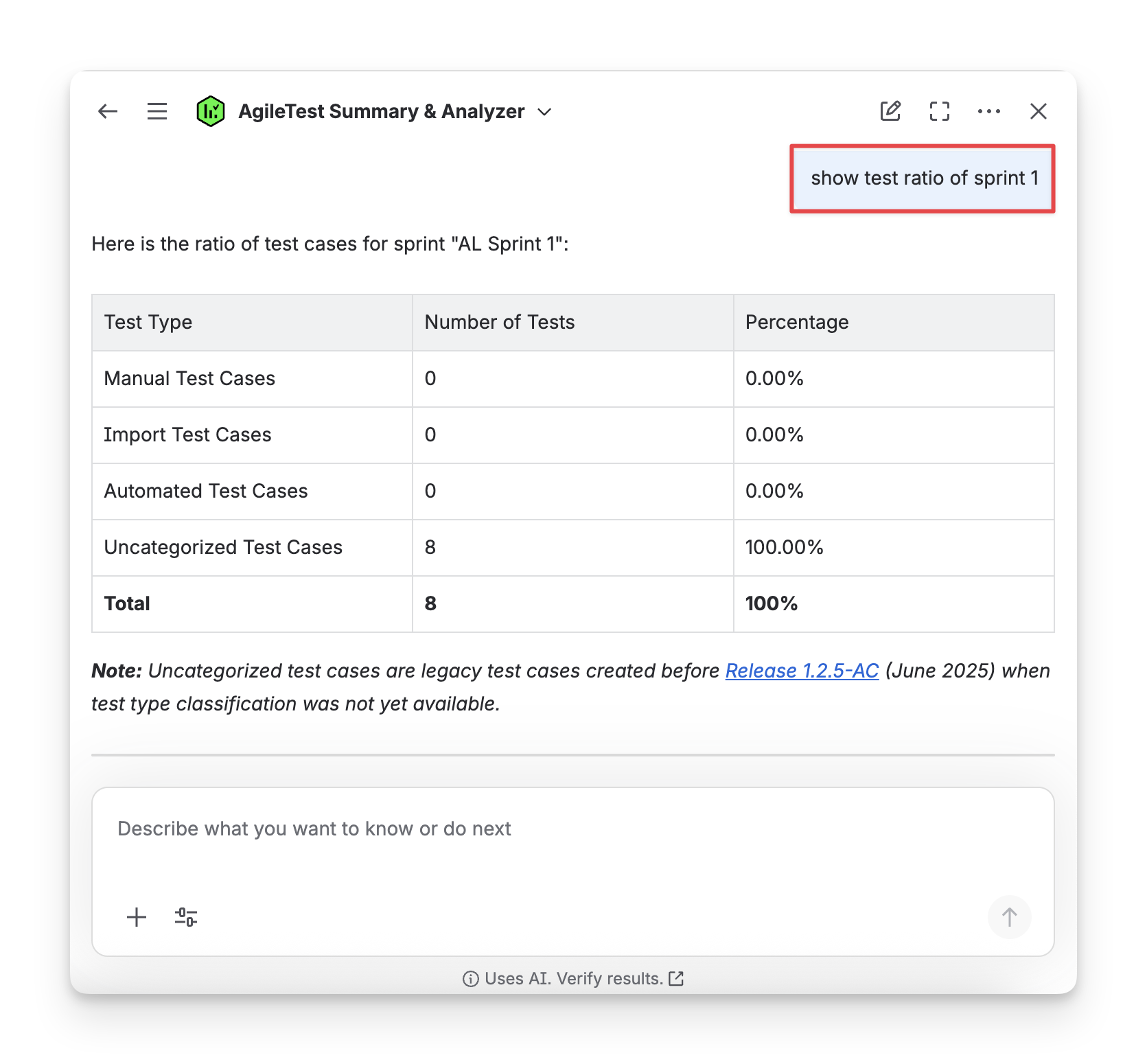
AgileTest Agent Answer Format:
The answer from AgileTest Agent will include 2 parts:
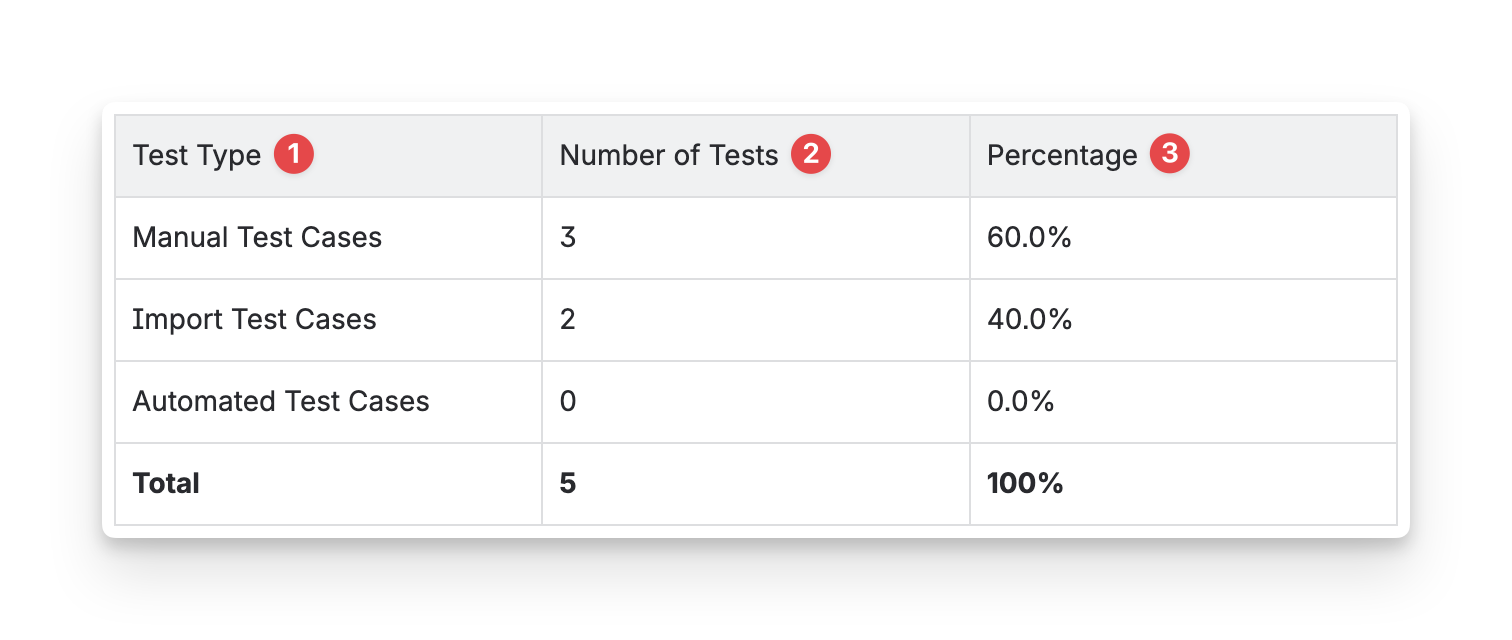
The first table shows the general data for the test type ratio:
-
Test Type: the classification of each test case, used to identify the type of test (e.g., manual, automated, or imported).
-
Number of Tests: the total count of test cases for each test type.
-
Percentage: the proportion of each test type as a percentage of the total tests.
The following tables show the breakdown details of each test type:
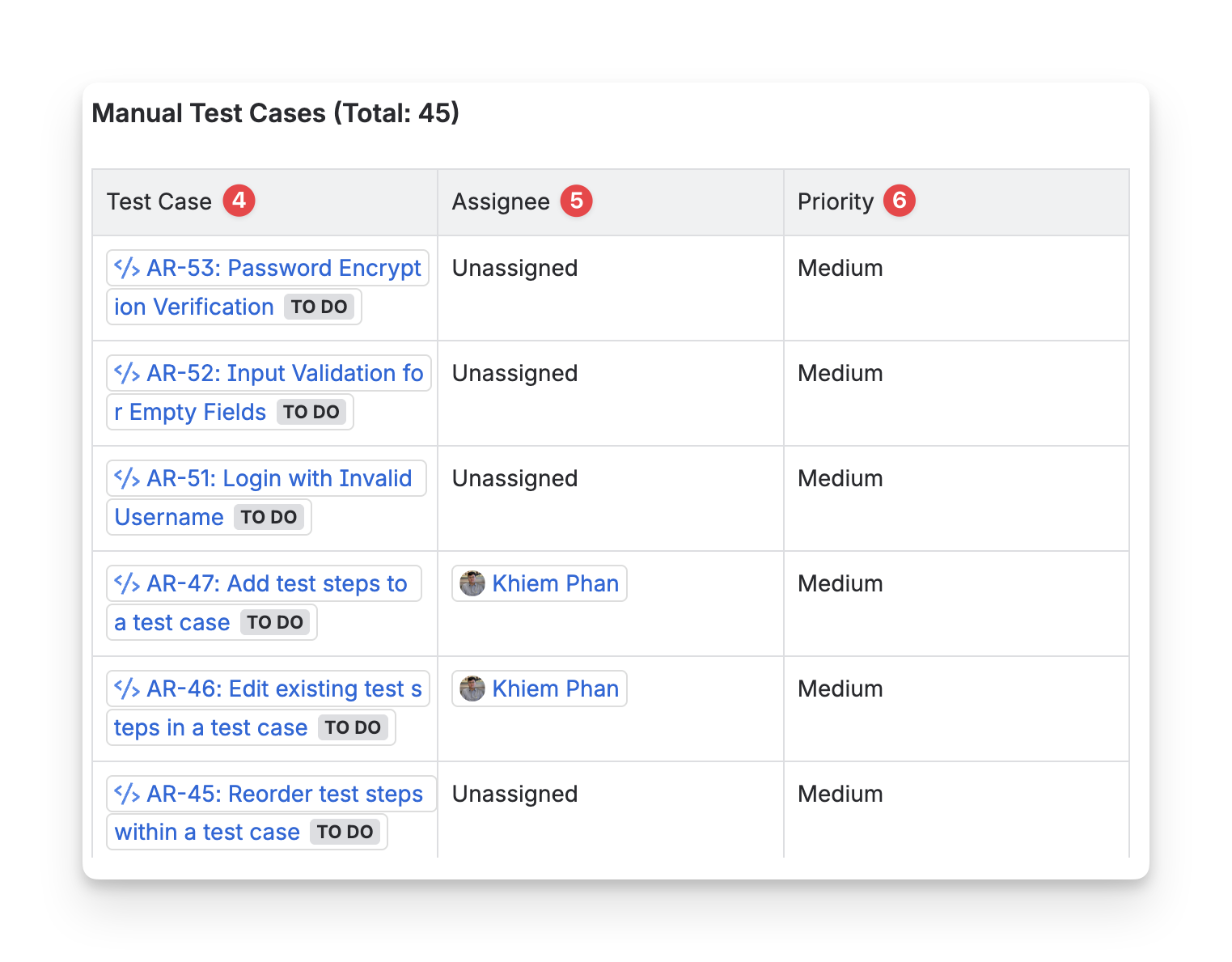
-
Test Case Key: the ID of each test case in the test execution, used to reference individual test cases and their results within the execution.
-
Assignee: the individual or team member responsible for executing the test case. This person is the one performing the testing or reviewing the results.
-
Priority: the priority level assigned to the test case, which indicates its importance or urgency. (High, Medium, or Low).
Should you need any assistance or further AgileTest inquiries, contact our 24/7 Support Desk!