.png)
Test types in AgileTest define how testing artifacts (test cases and preconditions) are written, structured, and executed. They are predefined setup that must be selected when creating a test case or a precondition. They define the structure, format, and execution behavior of the itemQA teams use test types to choose the most suitable format for designing, executing, and maintaining tests based on their testing approach.
AgileTest provides three main test types: Steps, Unstructured, and Gherkin. Each test type represents a different way of designing and documenting test cases.
Let's explore AgileTest Test Case Types in this document.
1. Test Case Types
By default, there will be 3 types of test cases available for you:
Summary Table
|
Type |
Display Name |
Description |
|---|---|---|
|
Manual |
Include all the key elements of a test case, such as actions, input data, expected results, and attachments. |
|
|
Cucumber |
Include a series of Given, When, and Then statements. |
|
|
Generic |
Include only a description text field. |
1.1 Manual Test Case
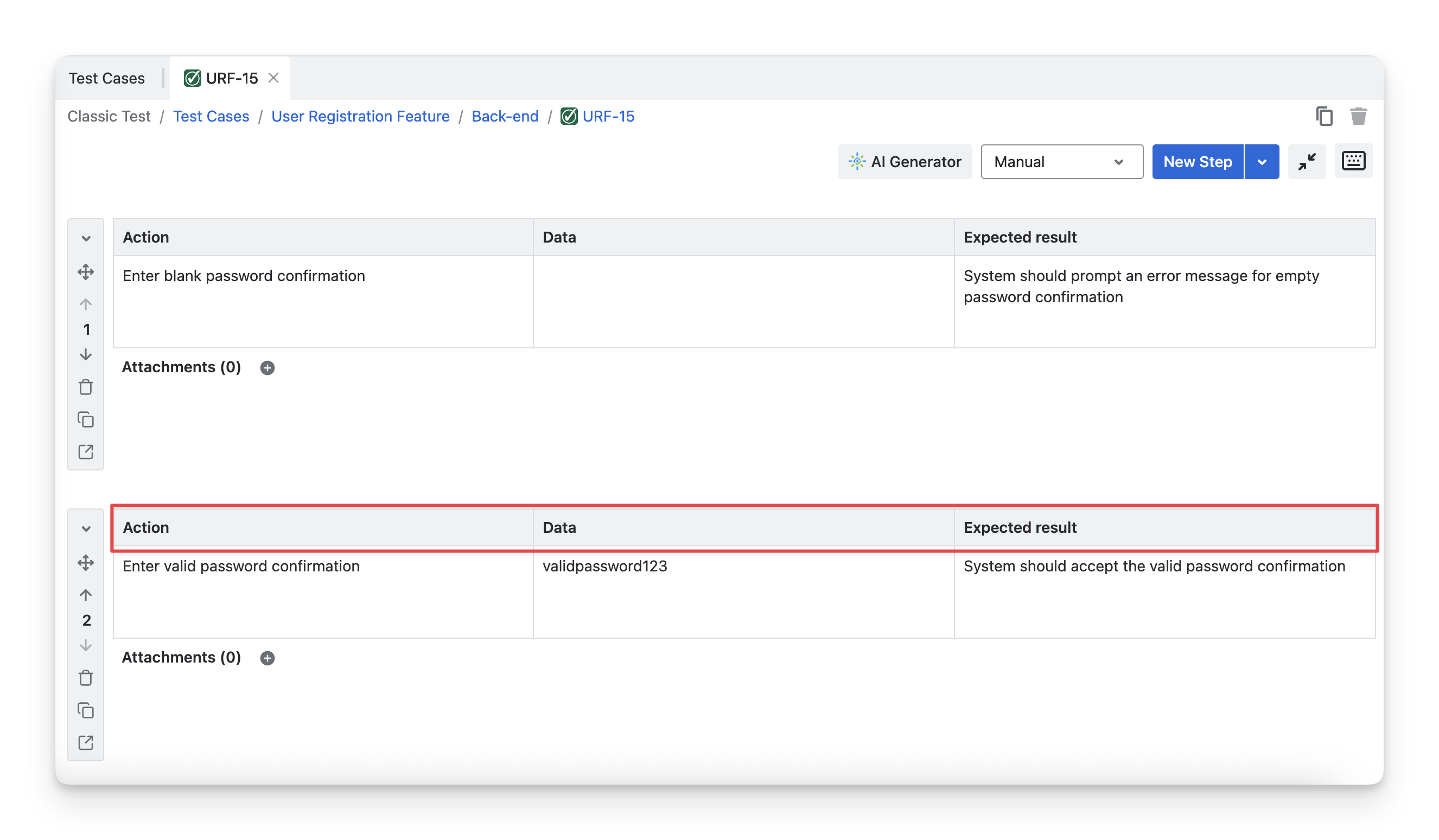
The Step-based test case type (or Manual Test Case) is used for structured, step-by-step testing. Test cases created with this type include clearly defined actions, sample data, and expected results for each step.
1.2 Cucumber Test Case
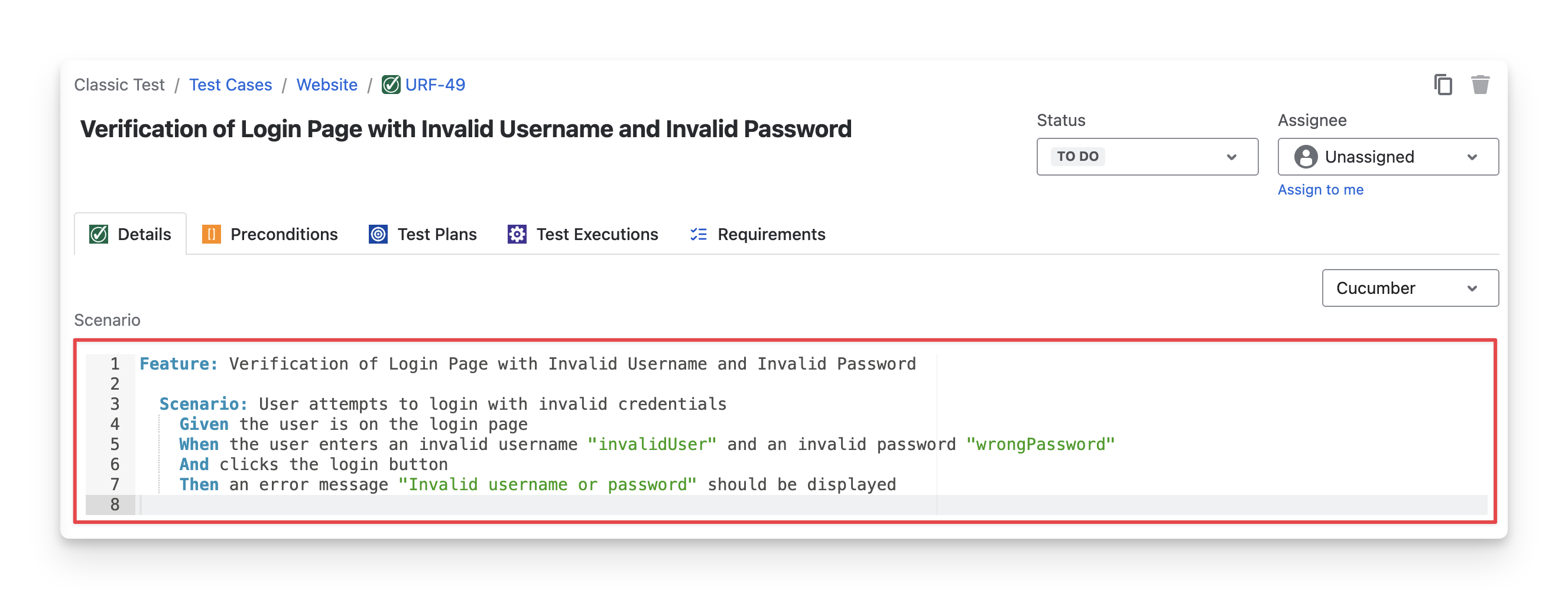
The Cucumber test case type is designed for behavior-driven development (BDD) and automated testing. Test cases are written using the Gherkin (Given–When–Then) format, making them familiar with the technical context and suitable for automation frameworks.
-
Given: Describes the initial context or setup for the scenario.
-
When: Specifies the action or event that triggers the test.
-
Then: Defines the expected outcome or result of the action.
1.3 Generic Test Case
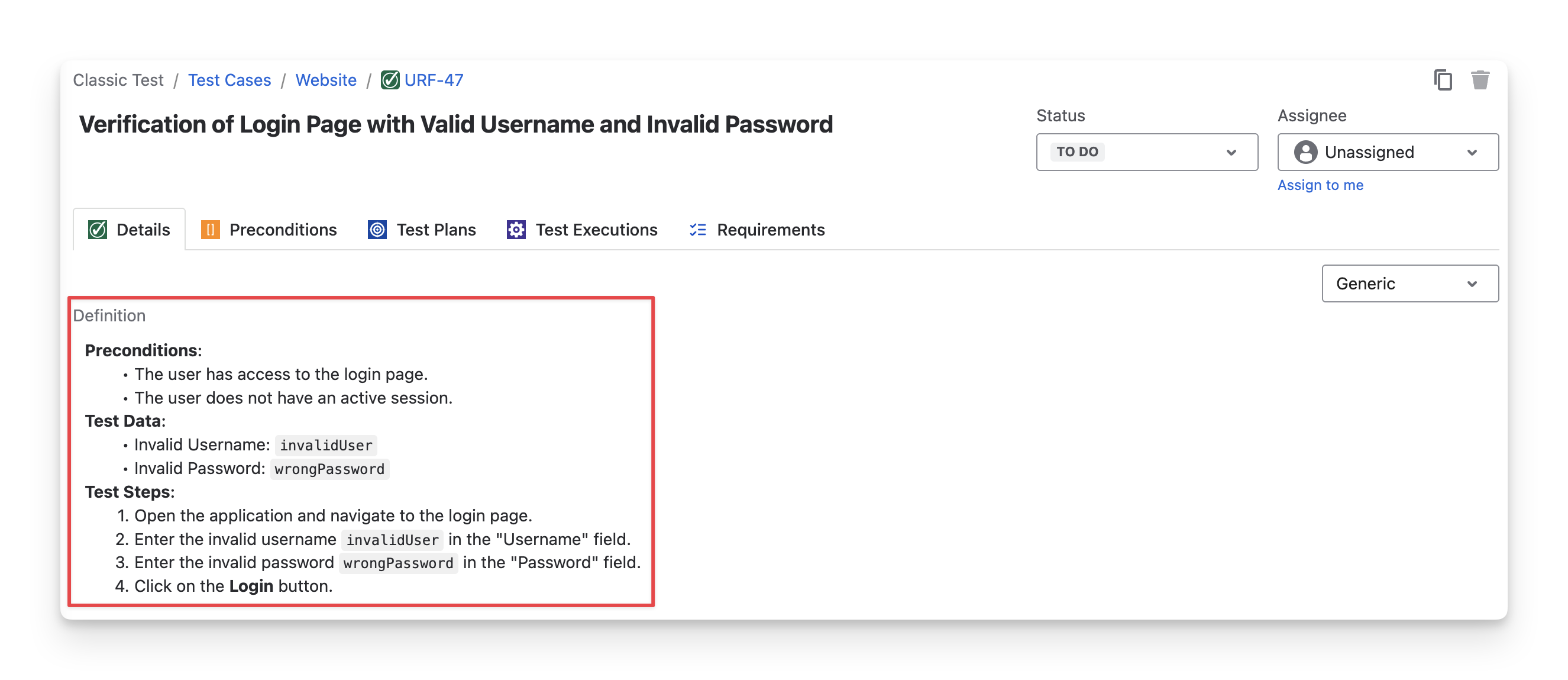
The Unstructured test case type, also called Generic test cases, supports flexible and lightweight testing. Test case details are written as free text, allowing testers to explore features without strict instructions.
When to Use Each Test Case Type?
Choosing the right test case type helps ensure your tests are easy to create, execute, and maintain throughout the testing process:
Use Step-based test cases when you need detailed, step-by-step instructions and clear expected results.
Best use for: manual testing, regression testing, and scenarios where precision and repeatability are important.
Use Unstructured (Generic) test cases when you want a lightweight and flexible approach.
Best use for: exploratory testing, early feature validation, or scenarios where strict steps are unnecessary but testing insights are still valuable.
Use Gherkin test cases when working with behavior-driven development (BDD) or automation frameworks.
Best use for: automated frameworks like Cucumber, SpecFlow, or Behave, or collaborative contexts where both technical and non-technical stakeholders need to understand the test scenarios.
2. Configure Test Type
If you want to rename the existing test types to better match your team’s terminology and testing practices, you can customize their names. As a Jira admin, you can do the following:
-
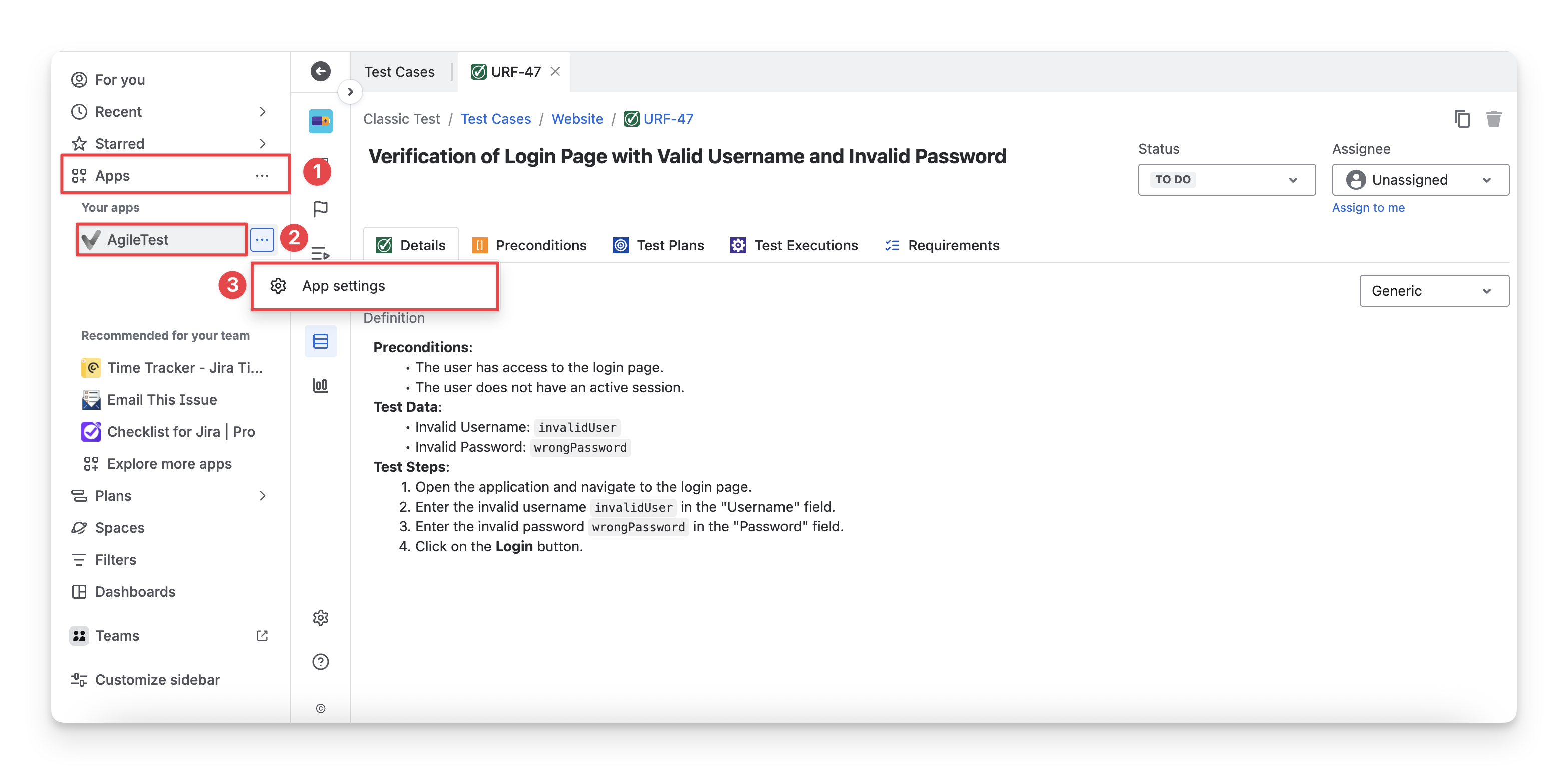
On the left-hand side Jira Menu bar, choose Apps.
-
Choose AgileTest.
-
Select App Settings.
-
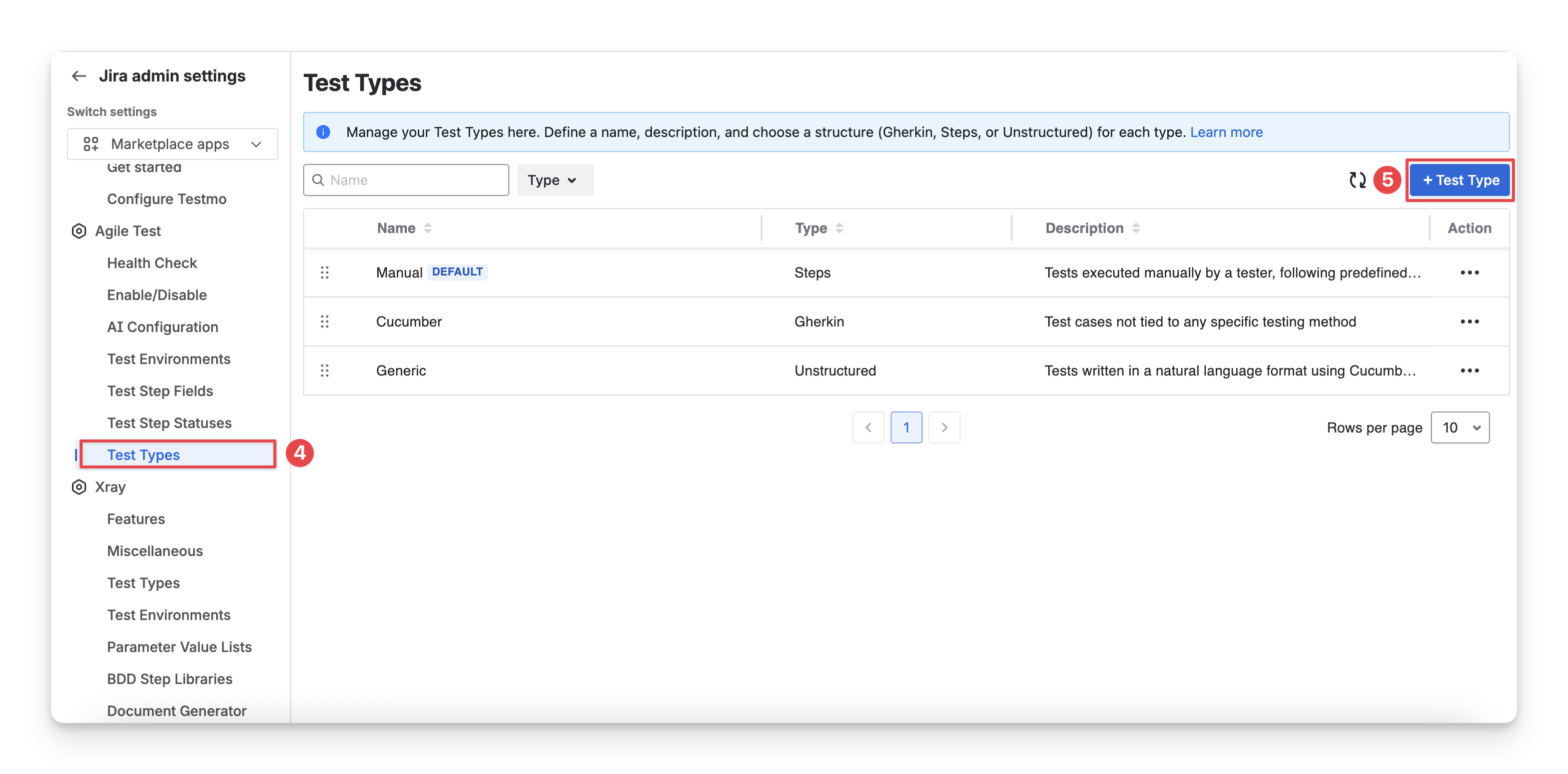
Click on the “Test Types” tab.
-
Click the “ + Test Types ” button.
-
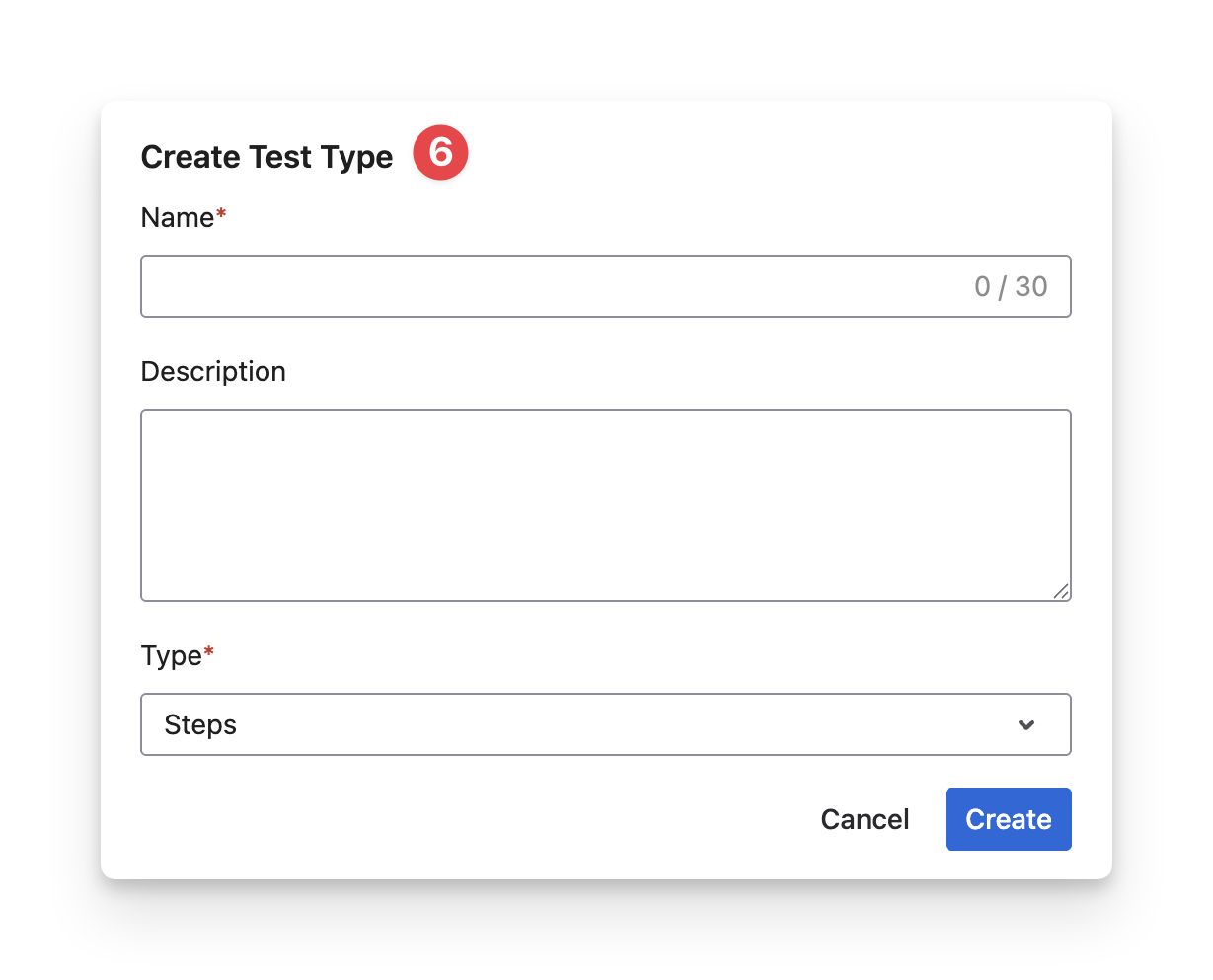
Fill in the details
-
Name: Enter the new display name you want to use for this test type.
-
Description: (Optional) Add notes or additional details to describe the purpose or usage of this test type.
-
Type: Select one of the three supported test type formats.
Should you need any assistance or further AgileTest inquiries, contact our 24/7 Support Desk!