.png)
AgileBox for Slack is an integration that brings your AgileBox for Jira activities directly into your Slack workspace. This integration streamlines your Agile workflow by providing easy access to planning poker sessions, retrospective meetings, and daily standups right from Slack.
Key Features
-
Activity Browser: View upcoming Agile activities from Jira
-
Quick Join: One-click access to active sessions
-
Smart Notifications: Automated alerts for scheduled sessions
-
Daily Standup Reports: Team updates delivered to Slack channels
Detailed Feature Guide
1. Browsing Upcoming Activities
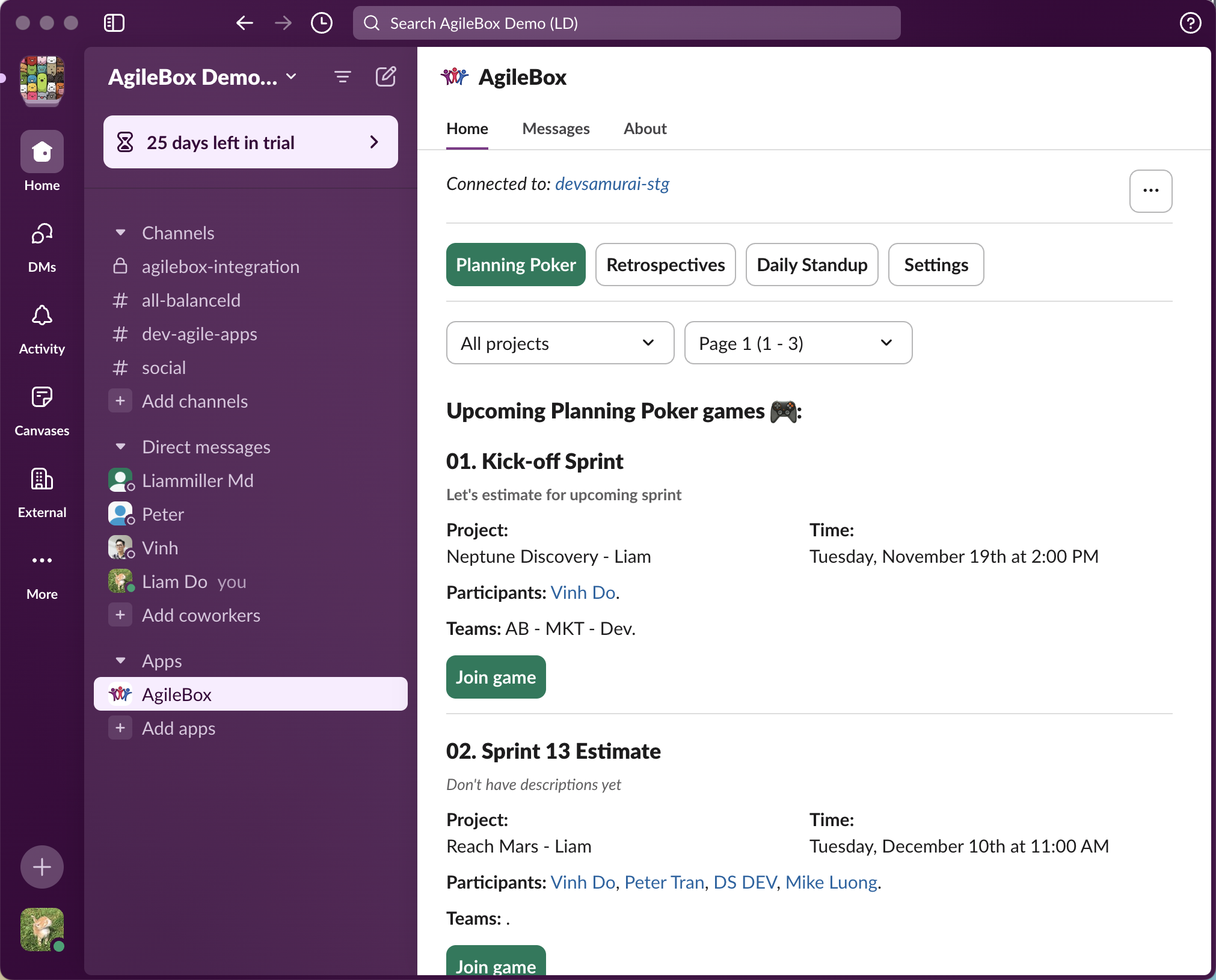
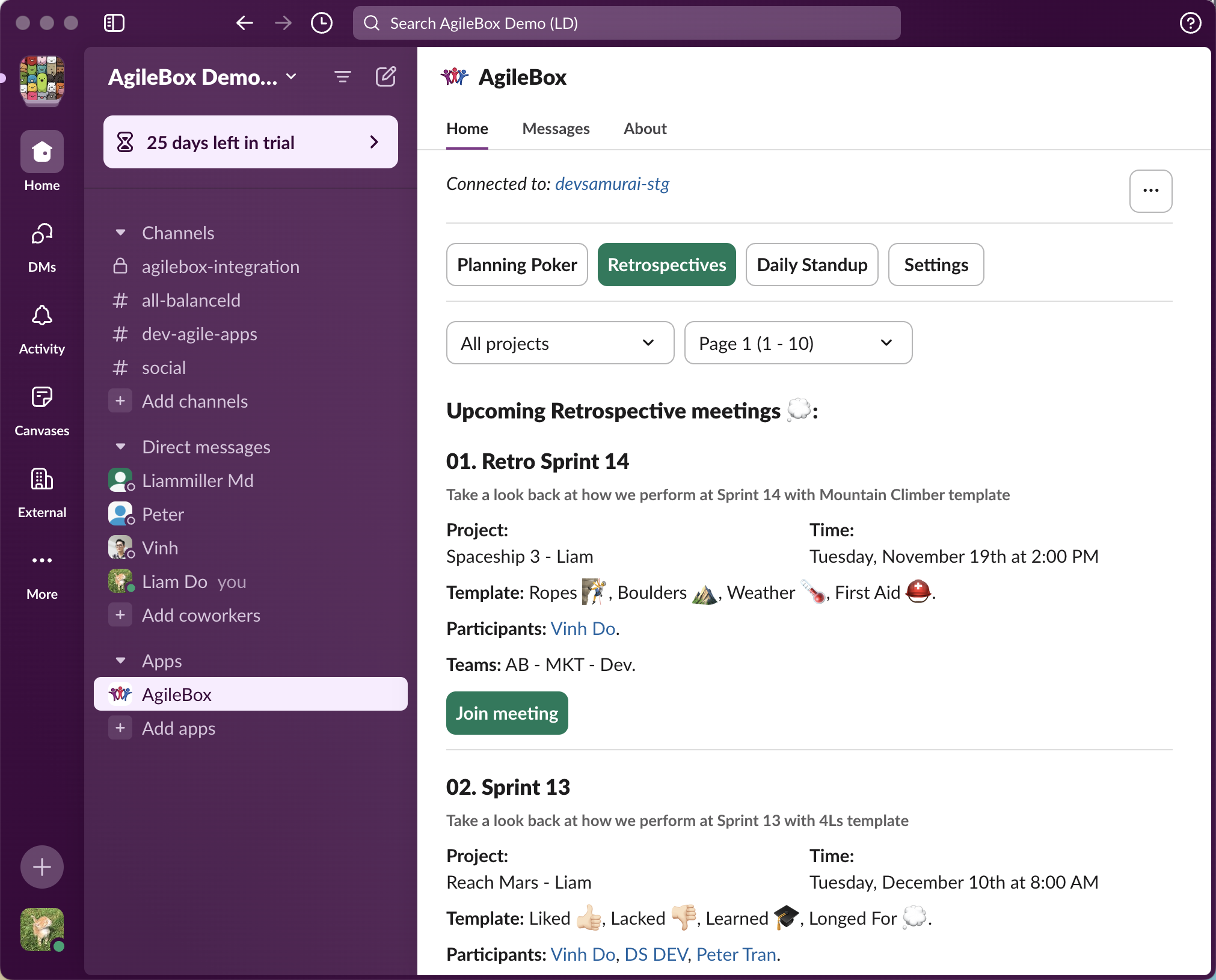
View and filter all scheduled Agile activities from your Jira instance directly in Slack.
How to Use
-
In Slack, navigate to AgileBox on the Apps section
-
Go to the Home tab
-
View the list of upcoming:
-
Planning poker sessions
-
Retrospective meetings
-
Daily standups
-
Tips
-
Use filters to focus on specific project activities
-
Activities are sorted by scheduled date and time
-
Each activity shows its Project and Time
2. Quick Join Feature
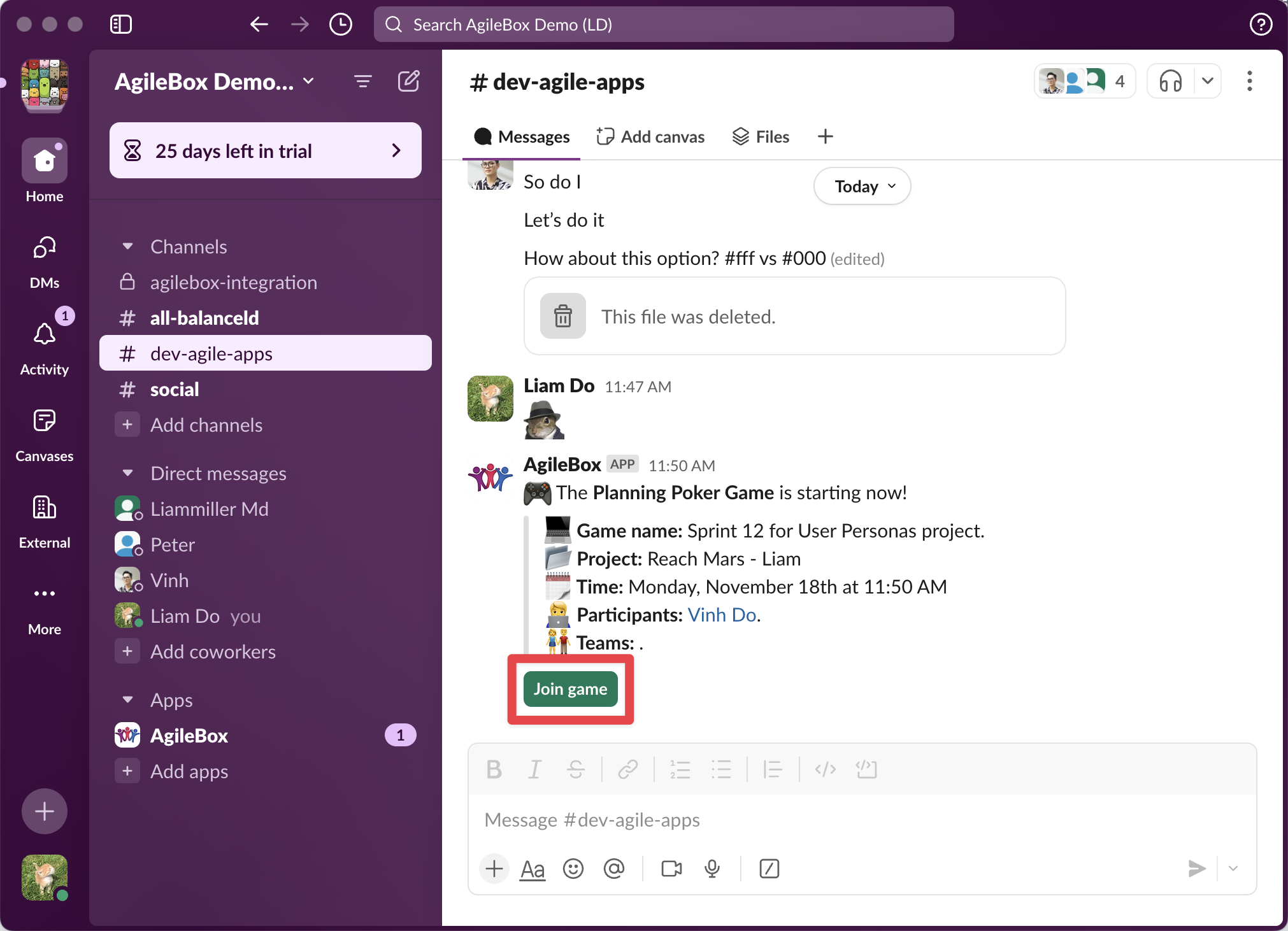
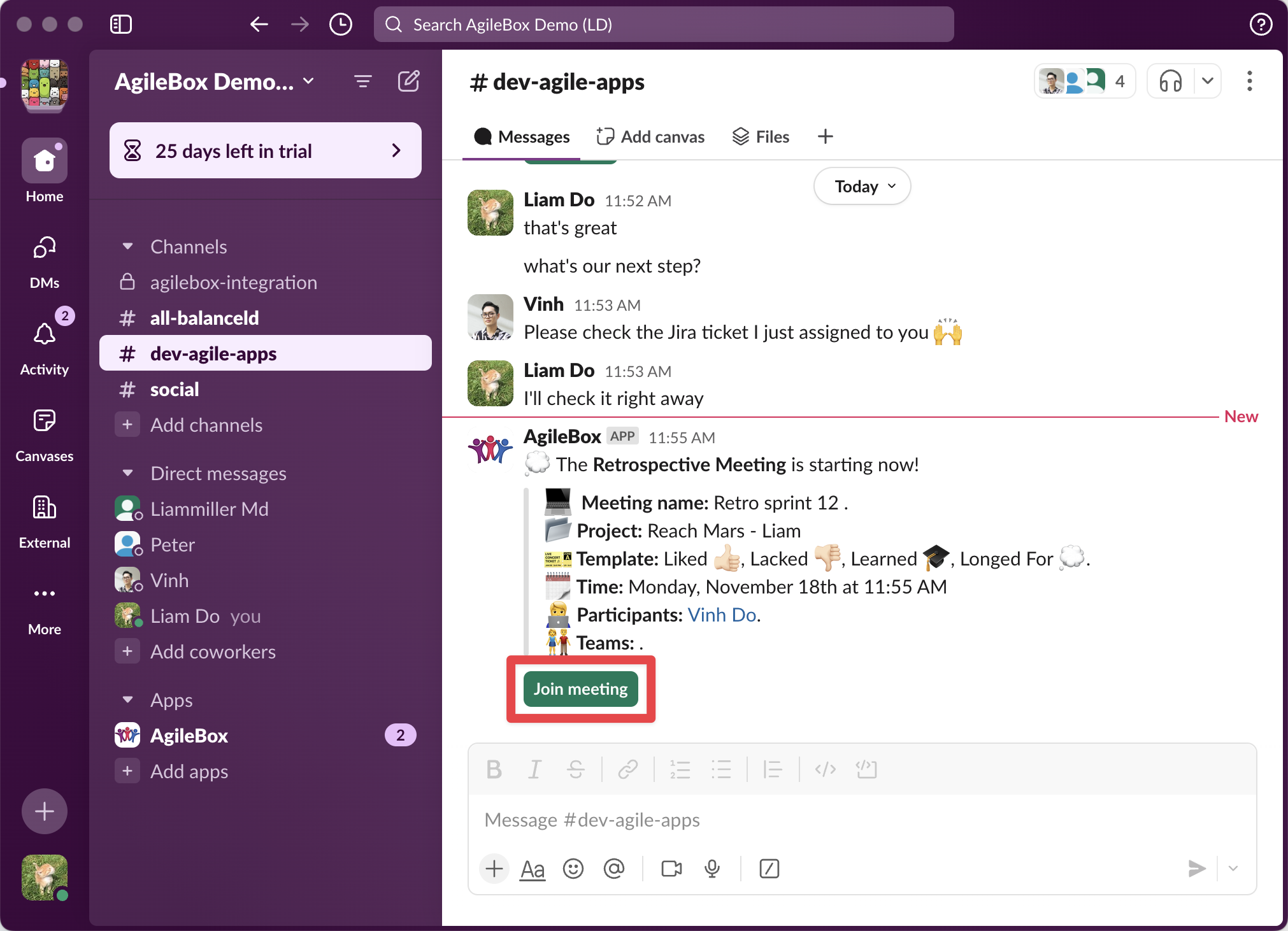
Join active sessions directly from Slack notifications with a single click.
How to Use
For Planning Poker:
-
Locate the planning poker notification in Slack
-
Click the Join Game button
-
You'll be redirected to the active session in Jira
For Retrospectives:
-
Find the retrospective meeting notification
-
Click the Join Meeting button
-
Access the retrospective session in Jira instantly
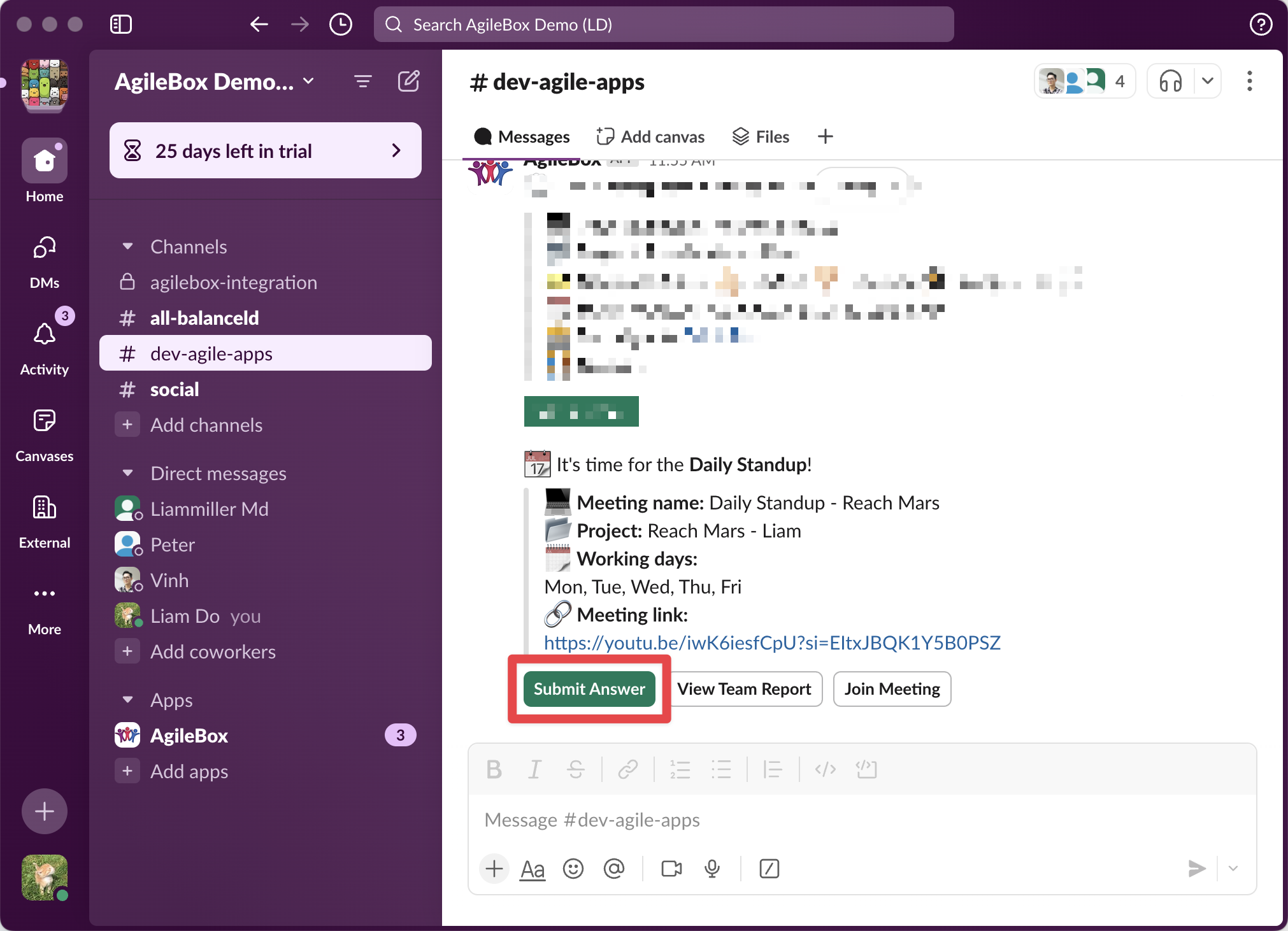
For Daily Standups:
-
Find the daily standup notification in Slack
-
Click the Submit answer button to be redirected to the active daily standup submission form in Jira
-
Click the Join Meeting button to be redirected to your team’s meeting link
Tips
-
Keep notifications enabled to receive join prompts
-
Links open in your default browser
3. Notifications System
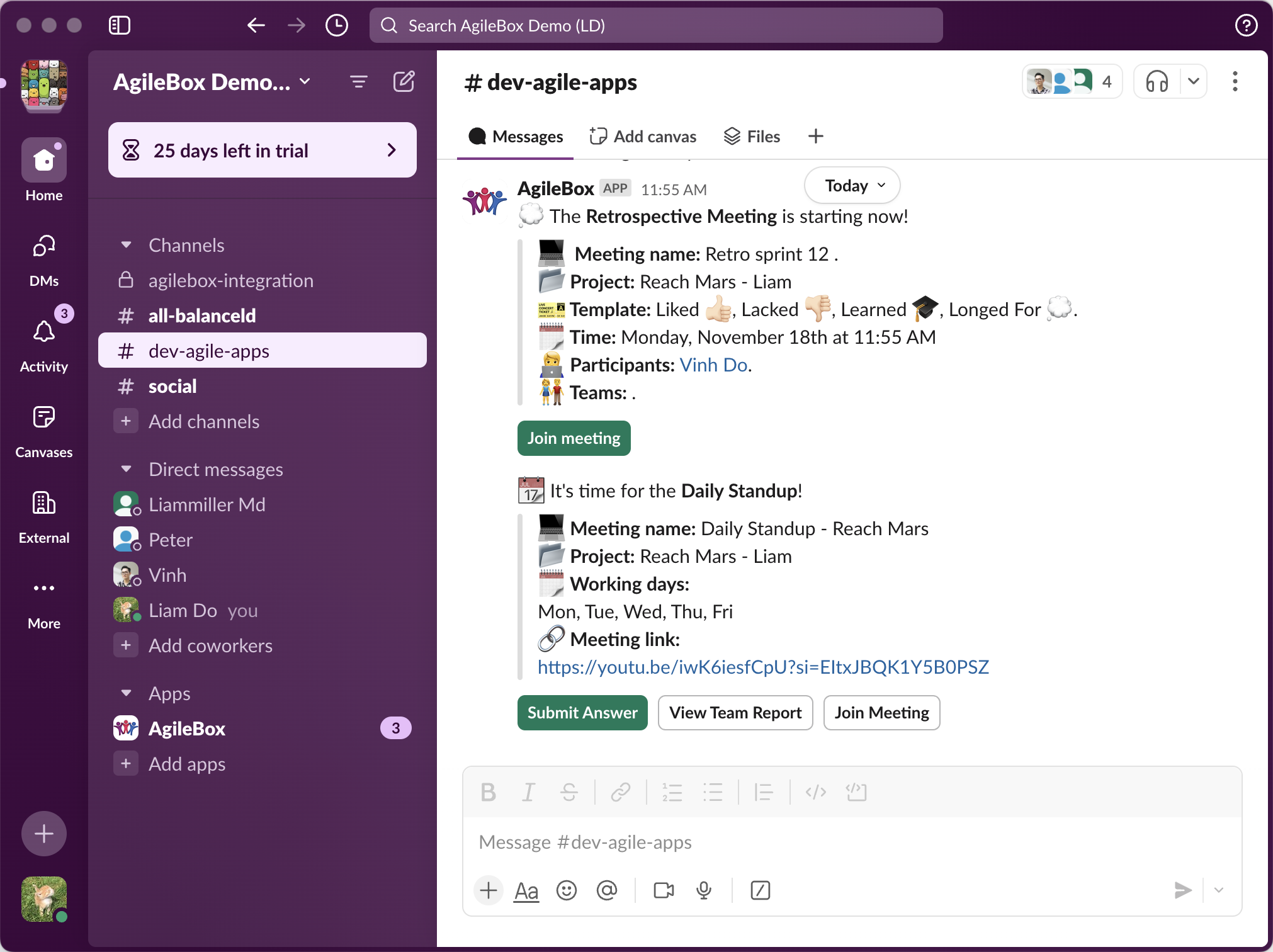
Receive automated notifications for all scheduled Agile activities in your Slack workspace and channels.
Configuration Steps
-
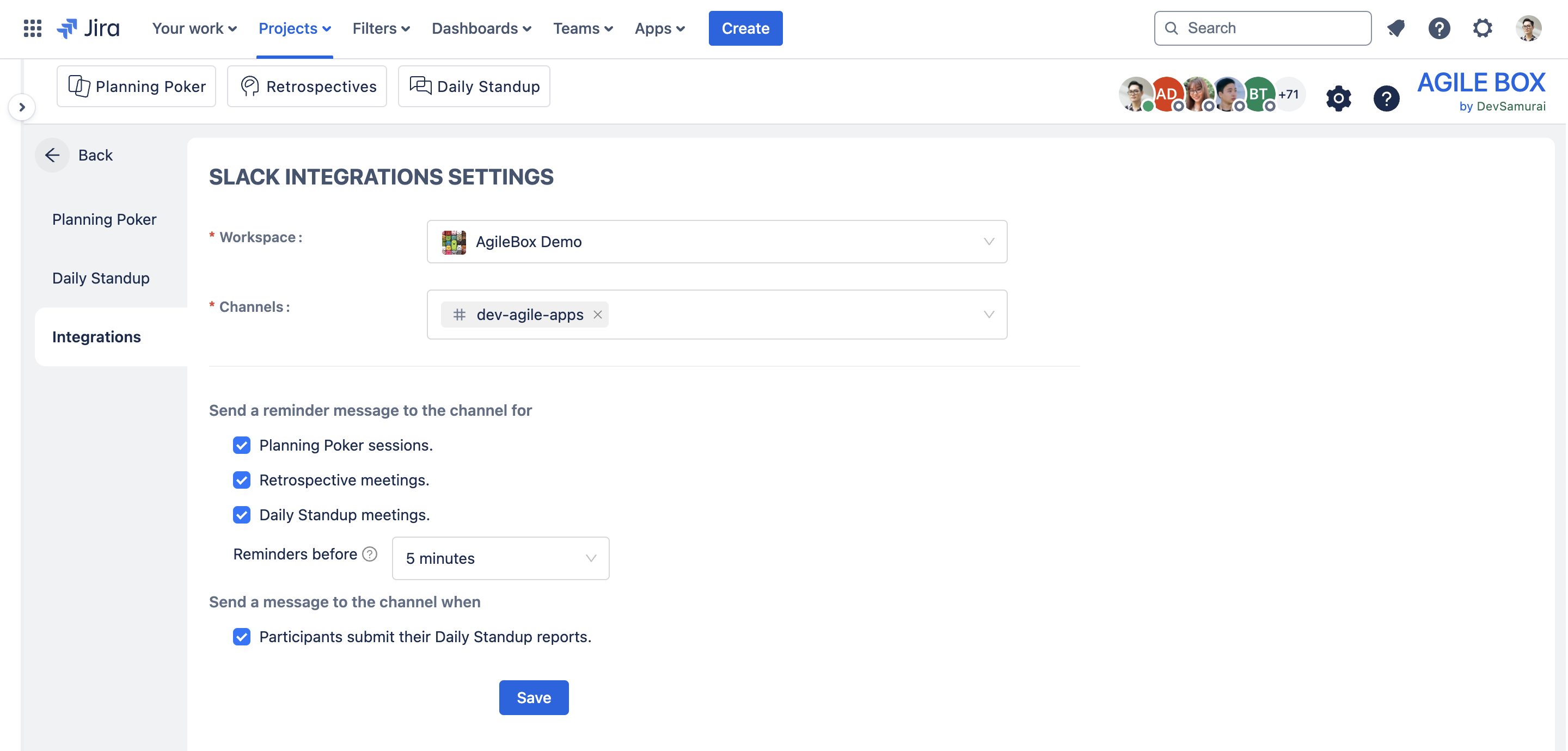
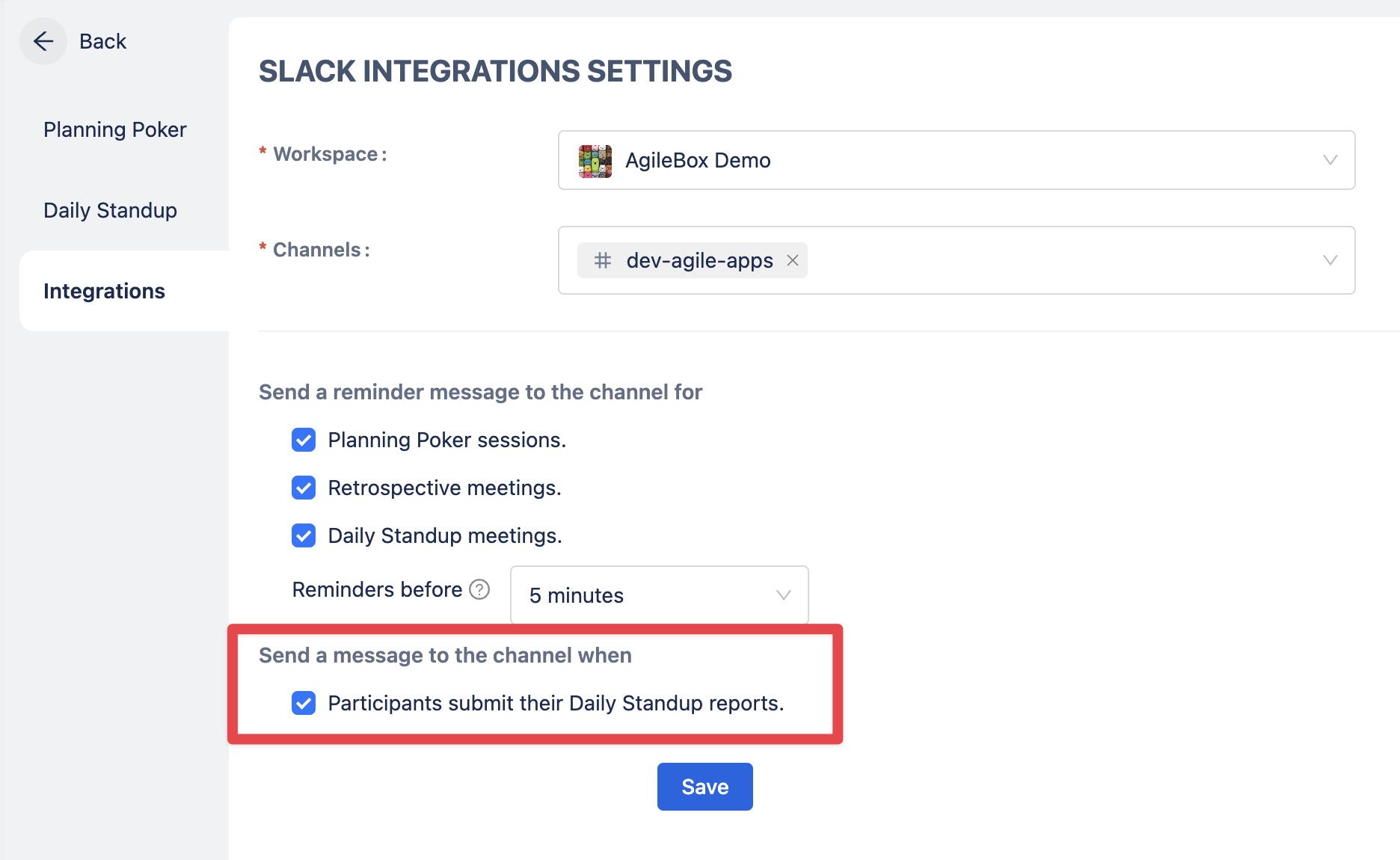
Go to the Jira project and access AgileBox → Admin setting (gear icon) → Integration
-
Select notification preferences in the below section:
-
Planning poker sessions
-
Retrospective meetings
-
Daily standup meetings
-
-
Select the notification timing in the Reminders before section
-
Choose notification channels in the Channels selection option:
-
Public channels
-
Private channels
-
Notification Types
-
Session Start Alerts: Sent when scheduled sessions begin
4. Daily Standup Reports
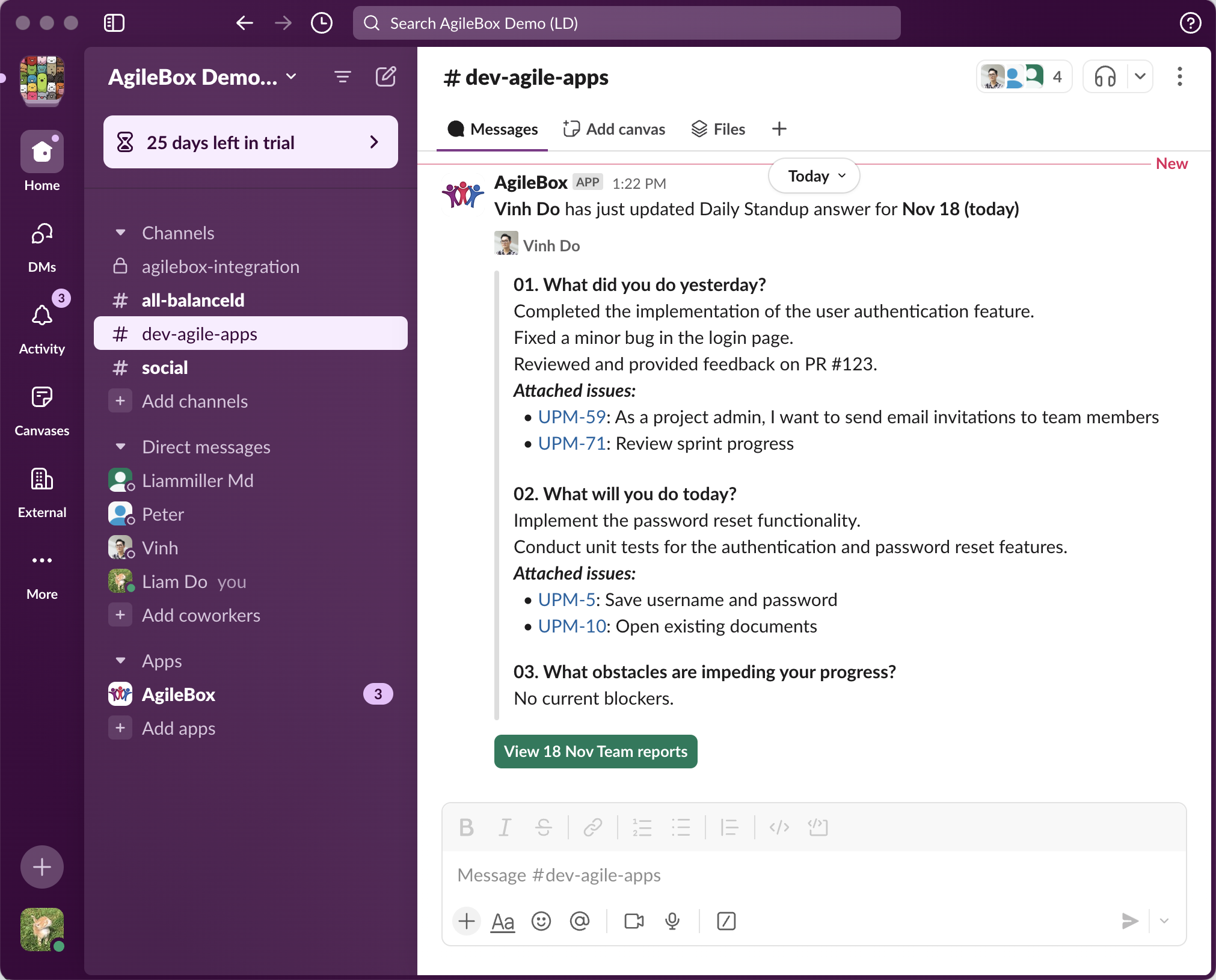
Receive and review team member updates from daily standups in designated Slack channels.
Setup Process
-
Go to the Jira project and access AgileBox → Admin setting (gear icon) → Integration
-
Select target channels for reports
-
Turn on the team submission option on the Notification preferences option
Report Features
-
Individual member updates
-
Attach Jira issues (redirect to issues in Jira)
-
View other members' reports by clicking the View Team Reports buttons