.png)
ProScheduler provides Public REST APIs service that enables programmatic interaction with TeamBoard applications. To access these APIs, each user must first generate a valid token.
Important: Always keep your access token secure, as they are sensitive credential. Please do not share them publicly or expose them to unauthorized team members.
How to generate tokens for access to TeamBoard data?
You can generate access tokens for TeamBoard data from your Jira personal settings. Follow these steps:
-
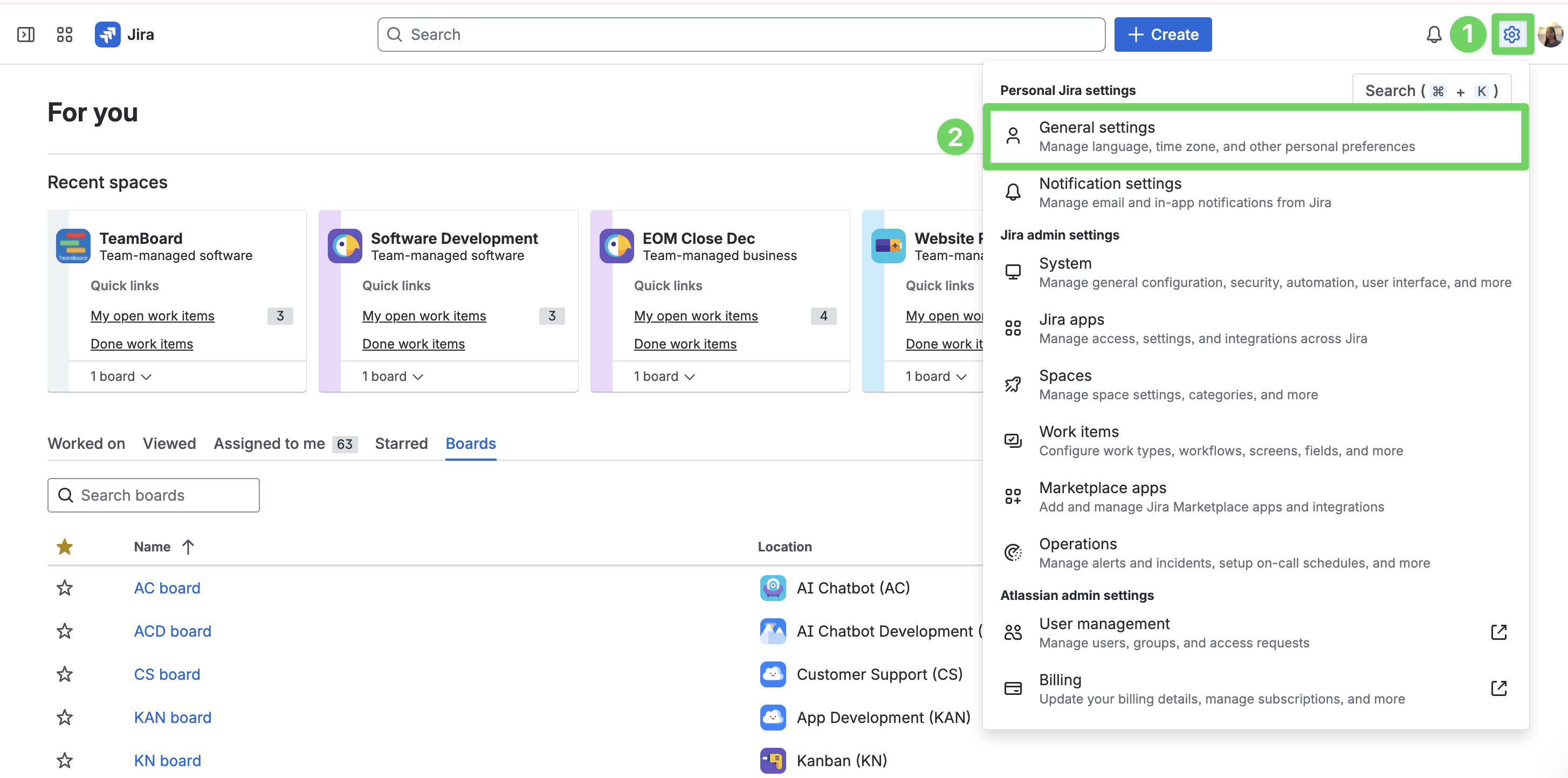
Click the Settings icon next to your profile picture in Jira.
-
Select General settings from the dropdown menu.
-
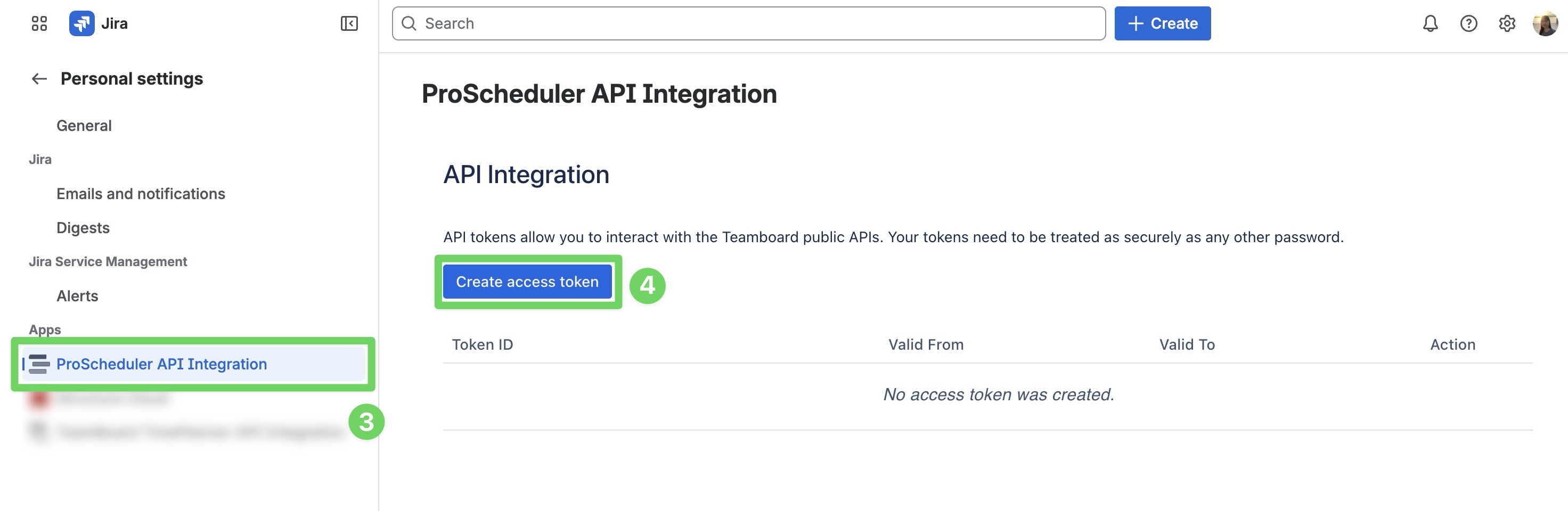
In the left-hand menu, select ProScheduler API Integration.
-
Click Create access token in the upper-left corner.
-
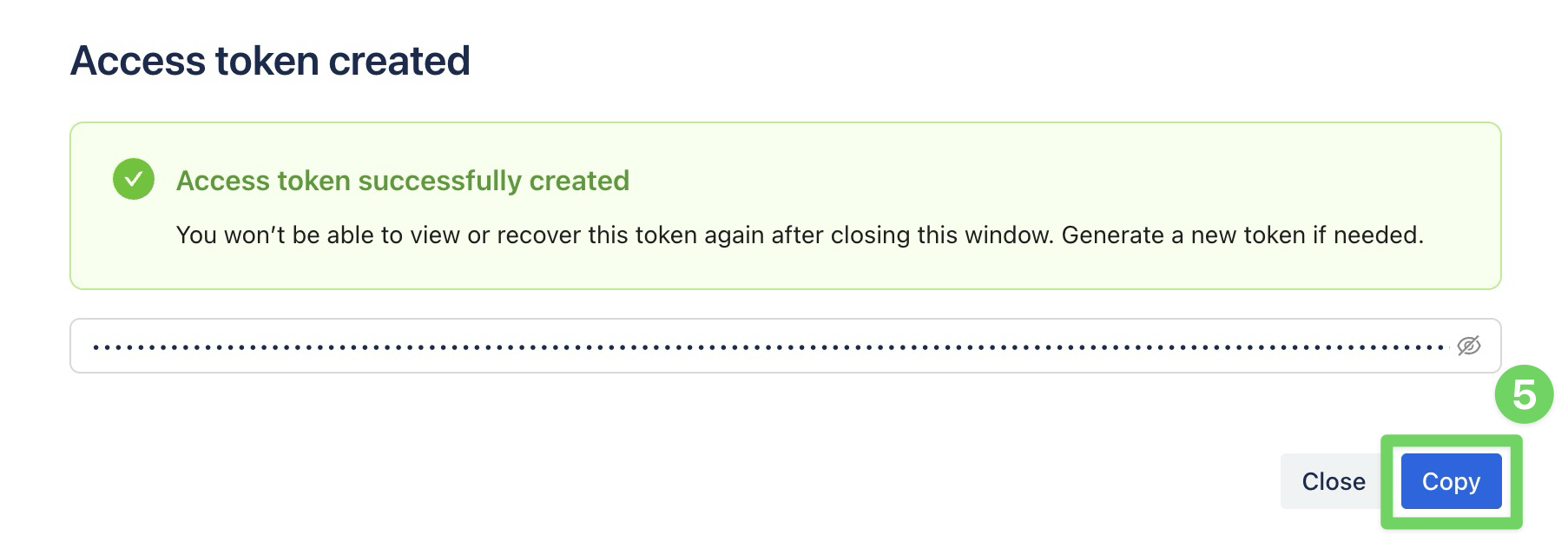
Copy the token immediately and store it in a secure place.
The access token will expire after one year. To continue interacting with the TeamBoard application, you will need to regenerate a new token
How to delete an access token?
You may revoke an access token at any time. Revoking immediately removes access for all integrations using that token.
Revoke a token in the following cases:
-
If the token has been compromised or shared unintentionally.
-
If you want to replace it with a new token before the current one expires.
-
If you no longer need to use the token to interact with TeamBoard.
To revoke an access token, please follow the instructions below:
-
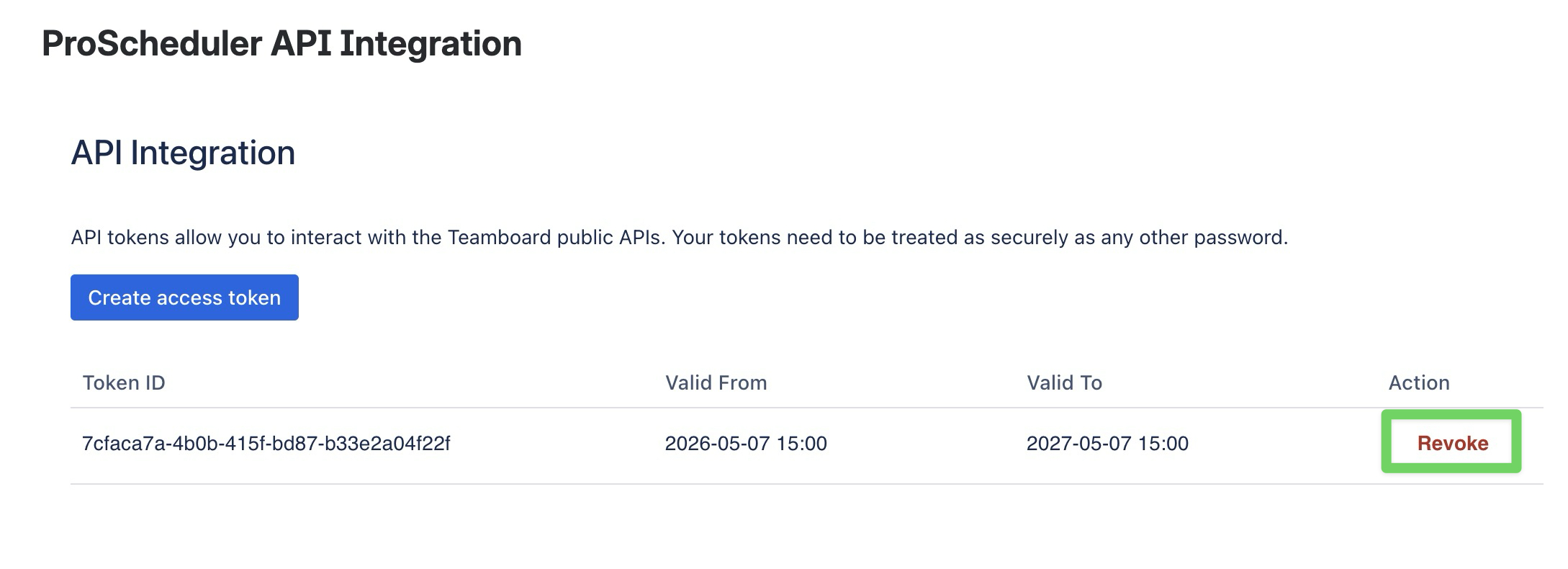
In the API integration page, click on Revoke button.
-
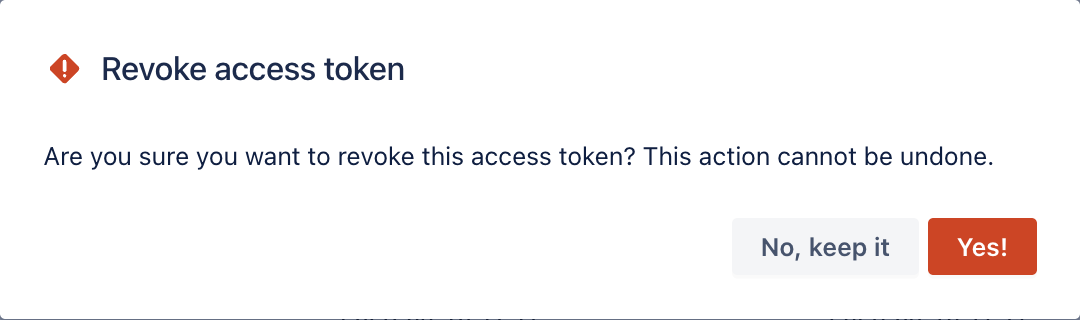
Click Yes in the confirmation pop-up dialog.