.png)
The Portfolio Board feature offers users a versatile way to create, manage, and work with Story Maps in their Jira instance.
Accessing Portfolio Boards
-
Navigate to the Portfolios section on the ProductGo Homepage.
-
Browse through all available Portfolio Boards in your Jira instance.
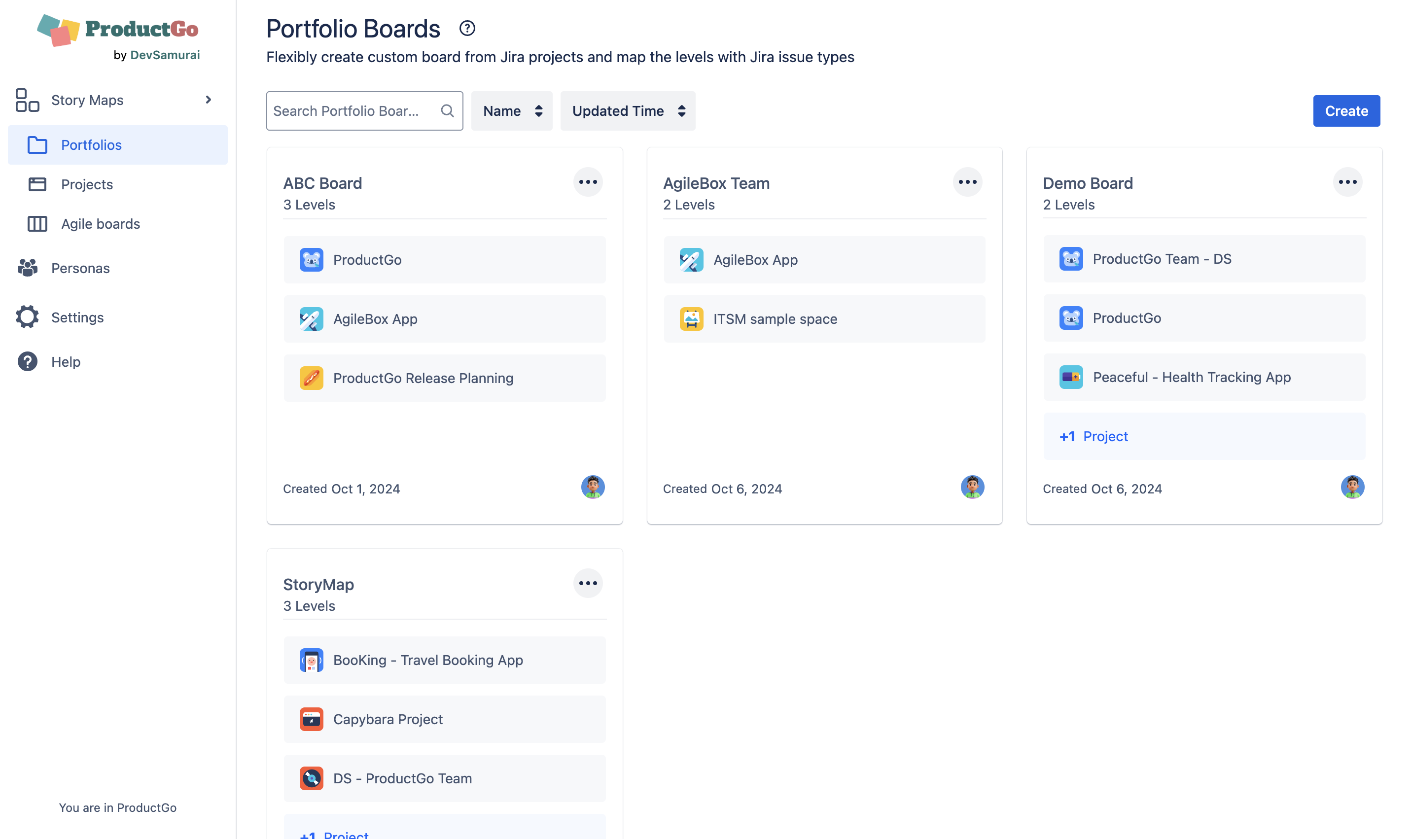
Overview of Board Information
Before selecting a specific Portfolio Board, users can quickly review key details:
-
Board Name: The name of the board for easy identification.
-
Hierarchy Levels: Displays whether the board has 2 or 3 hierarchy levels.
-
Associated Projects: The Jira projects linked to the board.
-
Created Date: The date the board was created.
-
Creator: The name of the user who created the board.
Filtering and Searching
To efficiently find the desired board, users can:
-
Filter Boards: By Name or Updated Time.
-
Search Boards: Use the search function to locate boards by their name.

For detailed instructions on setting up and using the Portfolio Board feature, refer to the dedicated guide: Portfolio board