.png)
 Story Points cannot be set. It is not on the appropriate screen, or unknown.
In classic projects, firstly, you must have JIRA Admin permissions (in case you don't have these permissions, please contact your JIRA administrator who can assist you).
You can control which screens the custom field will appear on when an issue is created, edited or transitioned through workflow. Follow these steps to add the custom field to the project screen:
-
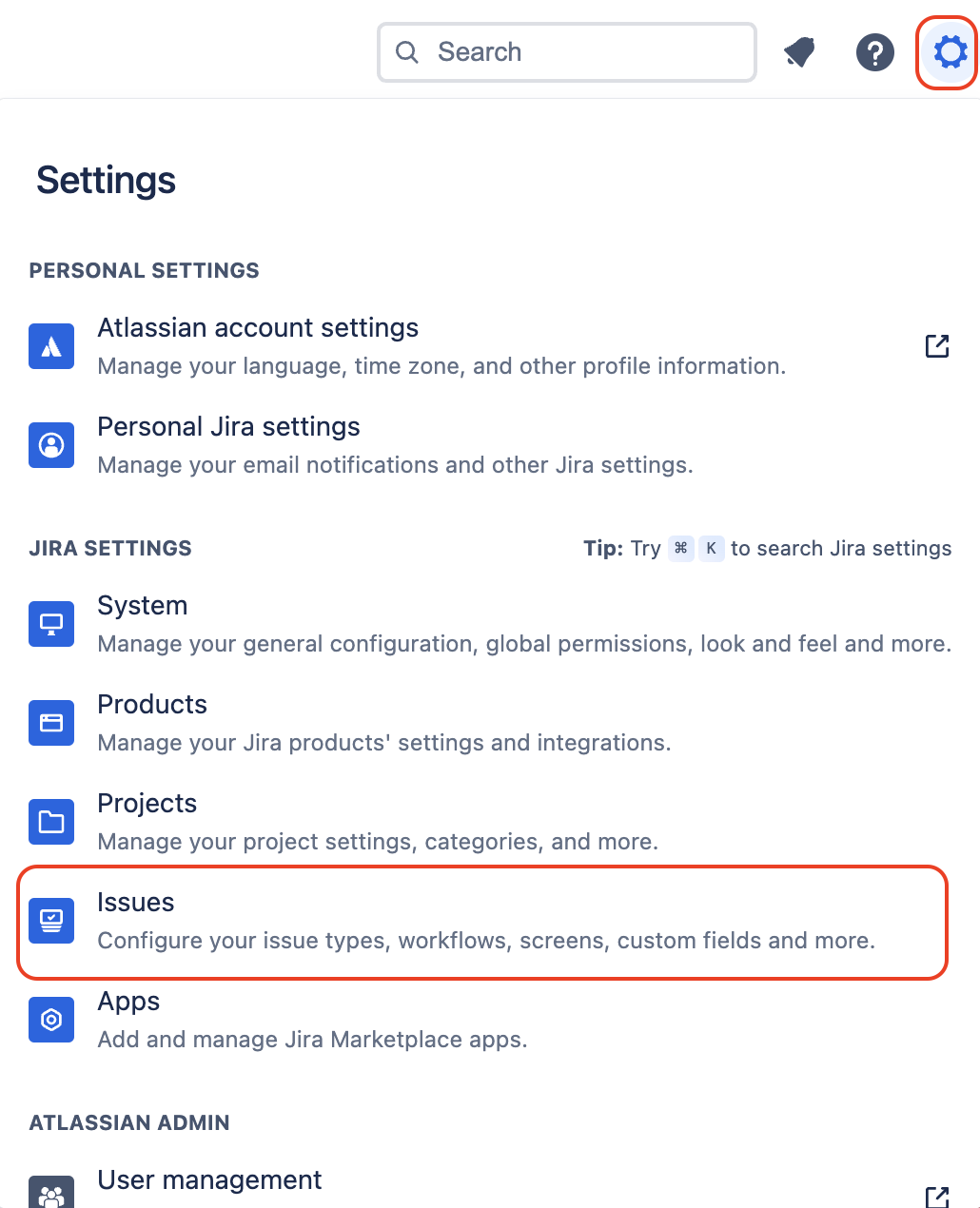
Go to Issue settings
-
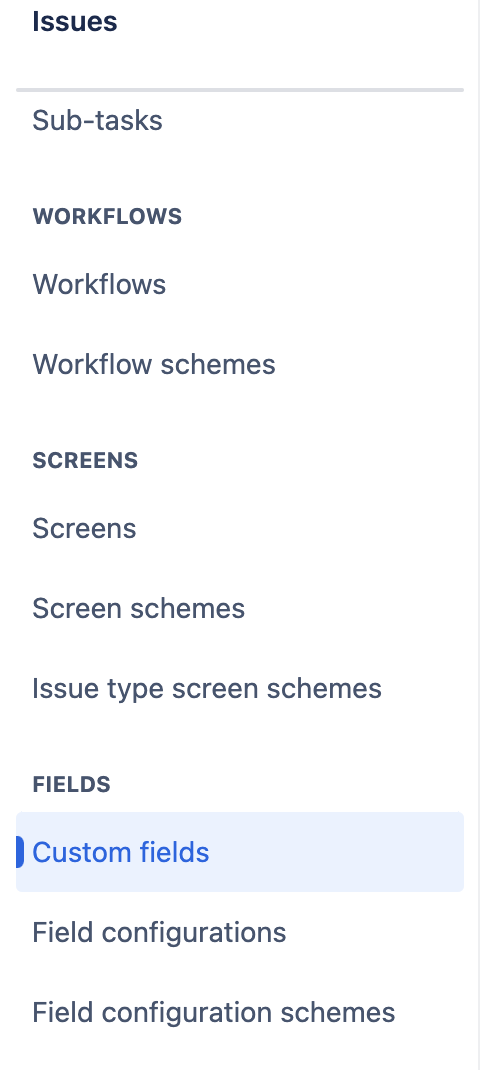
Under FIELDS, choose Custom fields
-
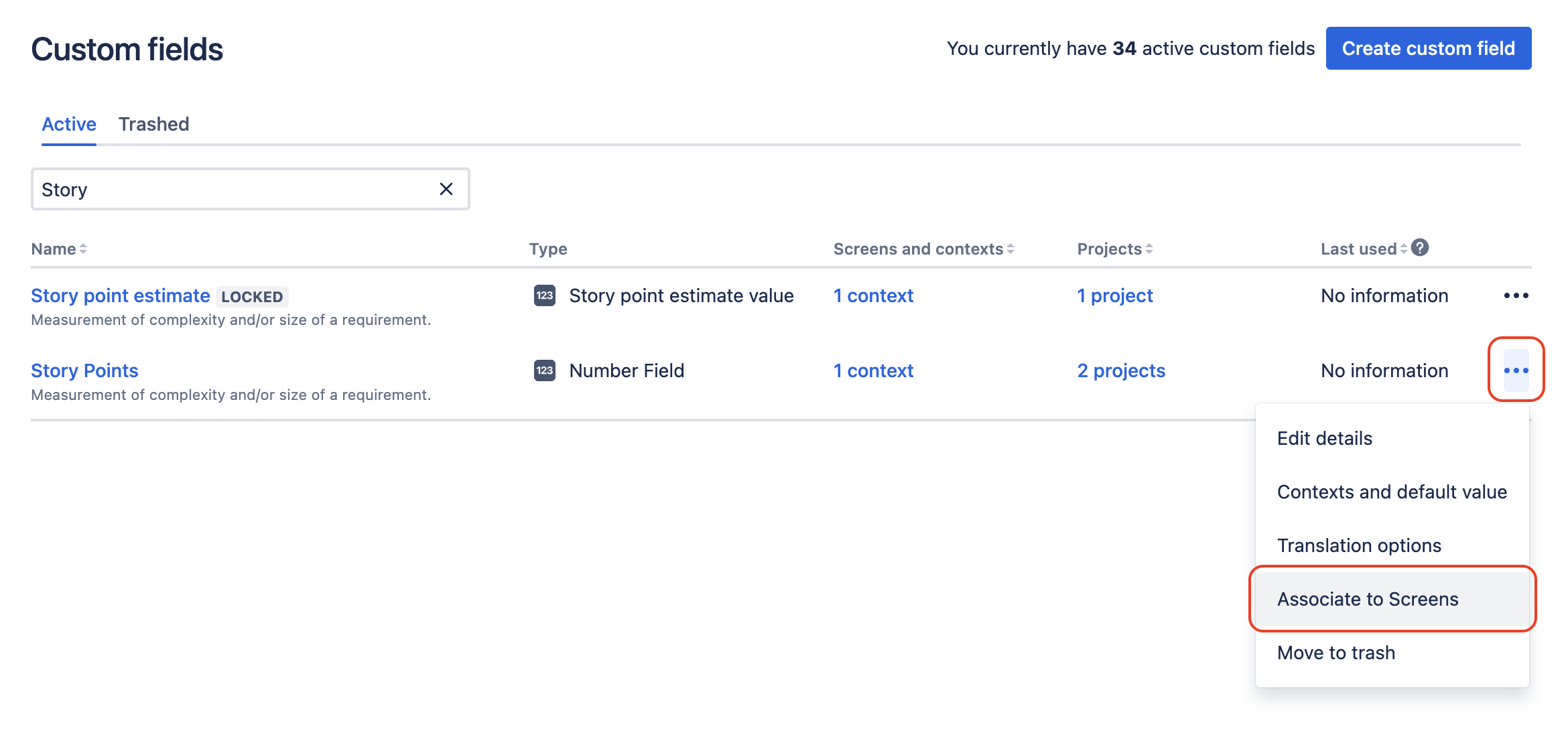
Find the custom field and click … > Associate to Screens (Alternatively, you can click a field's contexts link and then click Screens > Associate this field to screens).
-
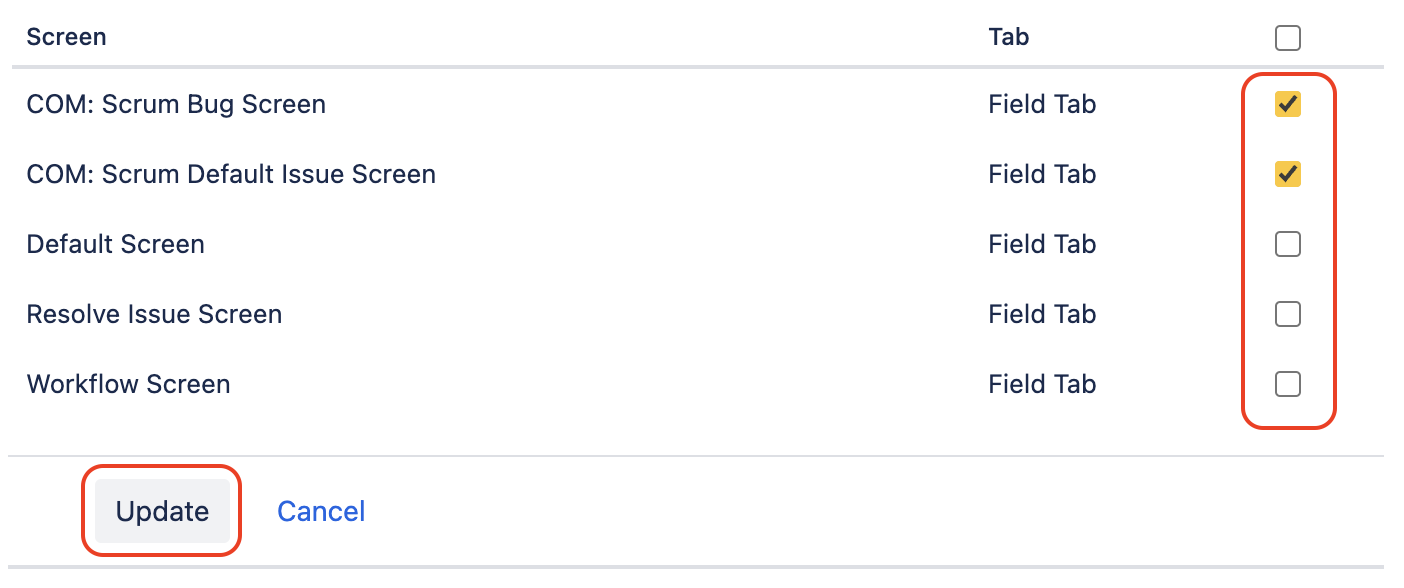
Check the screens on which you want to display this custom field and click Update.
Board does not have a Story points field.
To fix this problem, you need to contact the Jira Admin to create and enable this field. (On classic project)
📌 Note: In Company-managed projects (classic projects), field-based estimation must be “Story Points.”