.png)
In this guide, we will walk you through executing your first test case using AgileTest. You can learn how to assign test status, attach your findings, and track the results with reports.
1. Execute Your First Test Cases
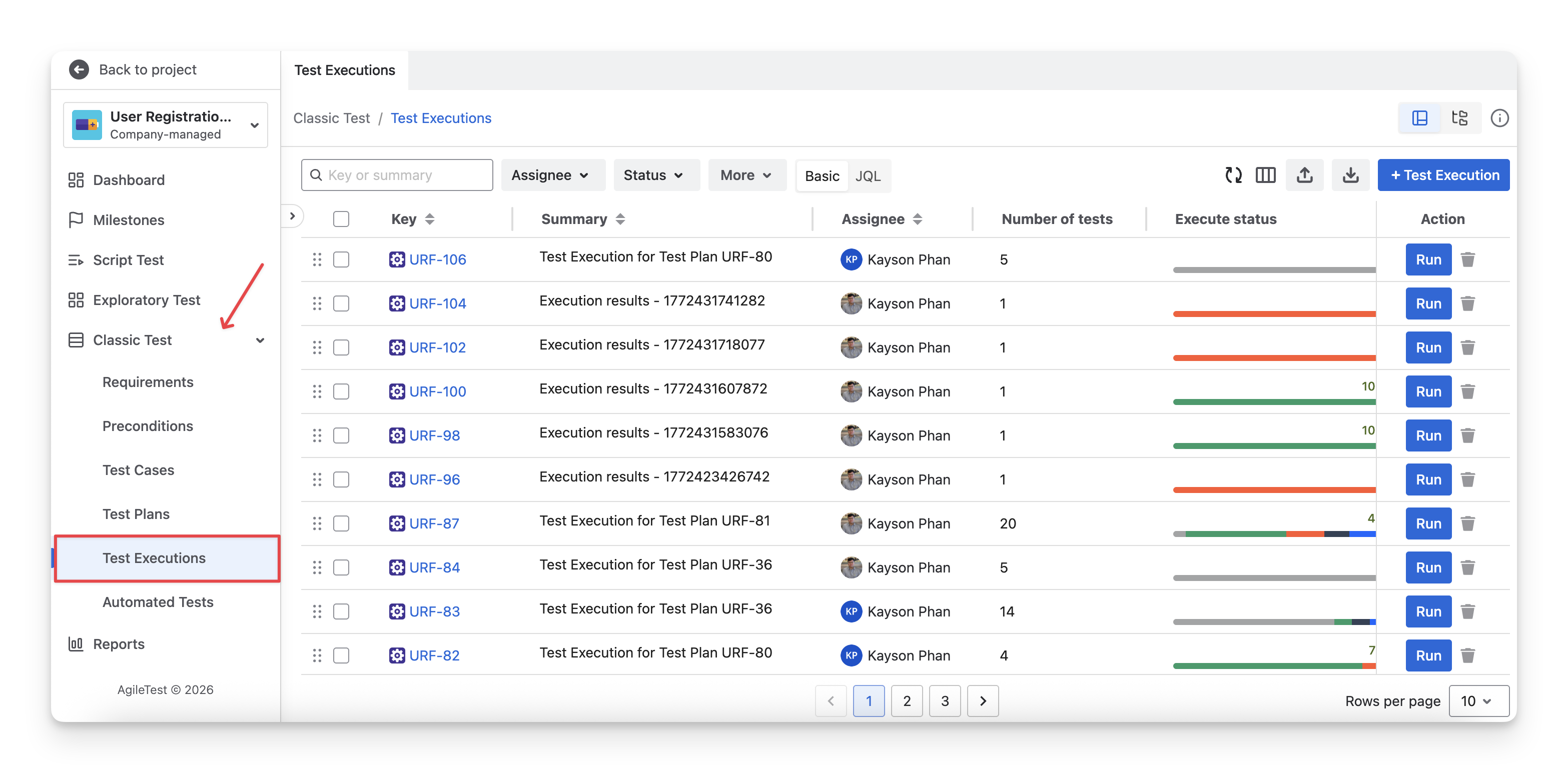
Navigate to the Classic Test section → Select Test Executions, and you can find those executions you have prepared.
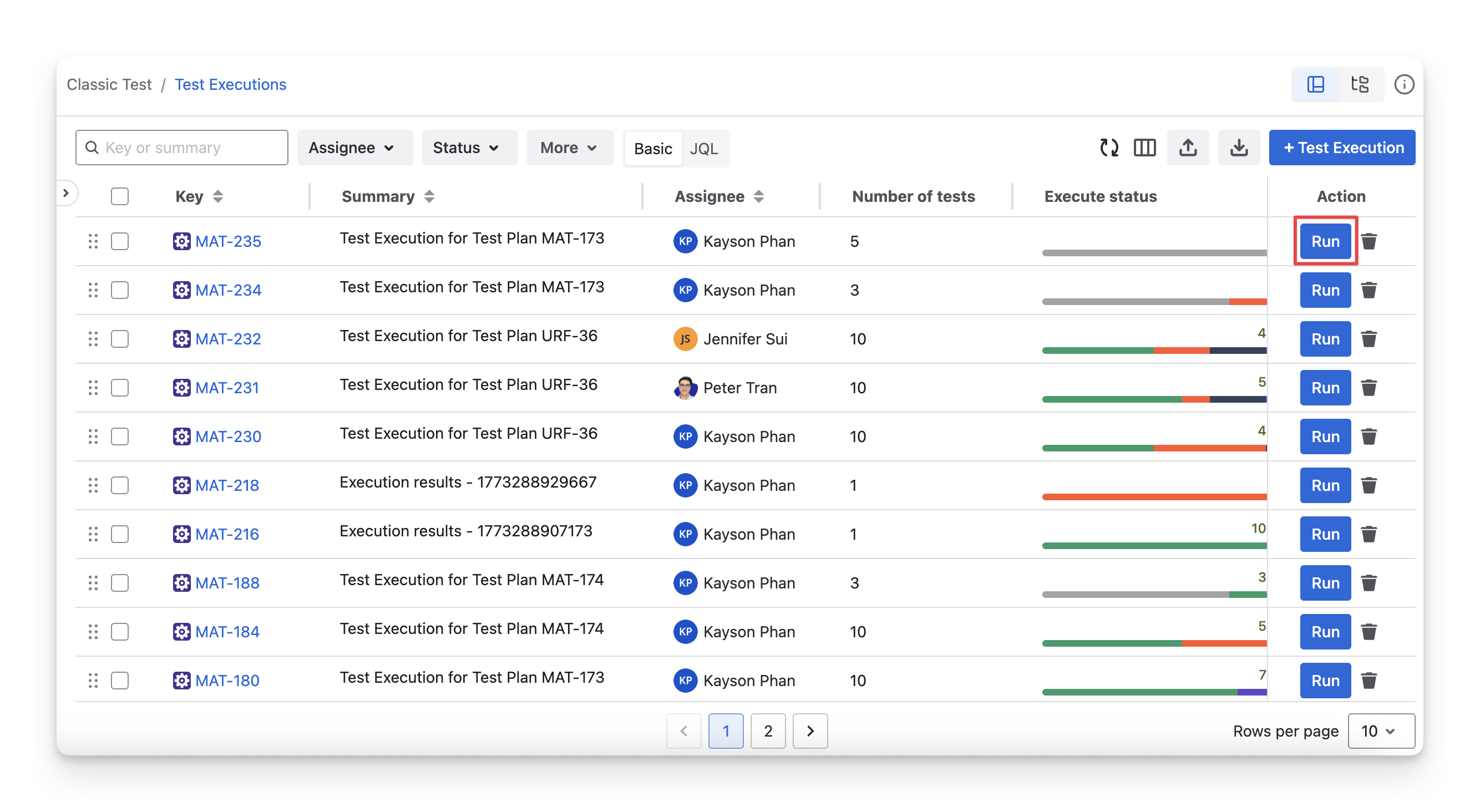
Click on the “Run” button of the test executions on the list, and you will be redirected to the Execute screen.
Learn more: Execute Screen.
In this screen, you can assign the test status to each test case or test step.
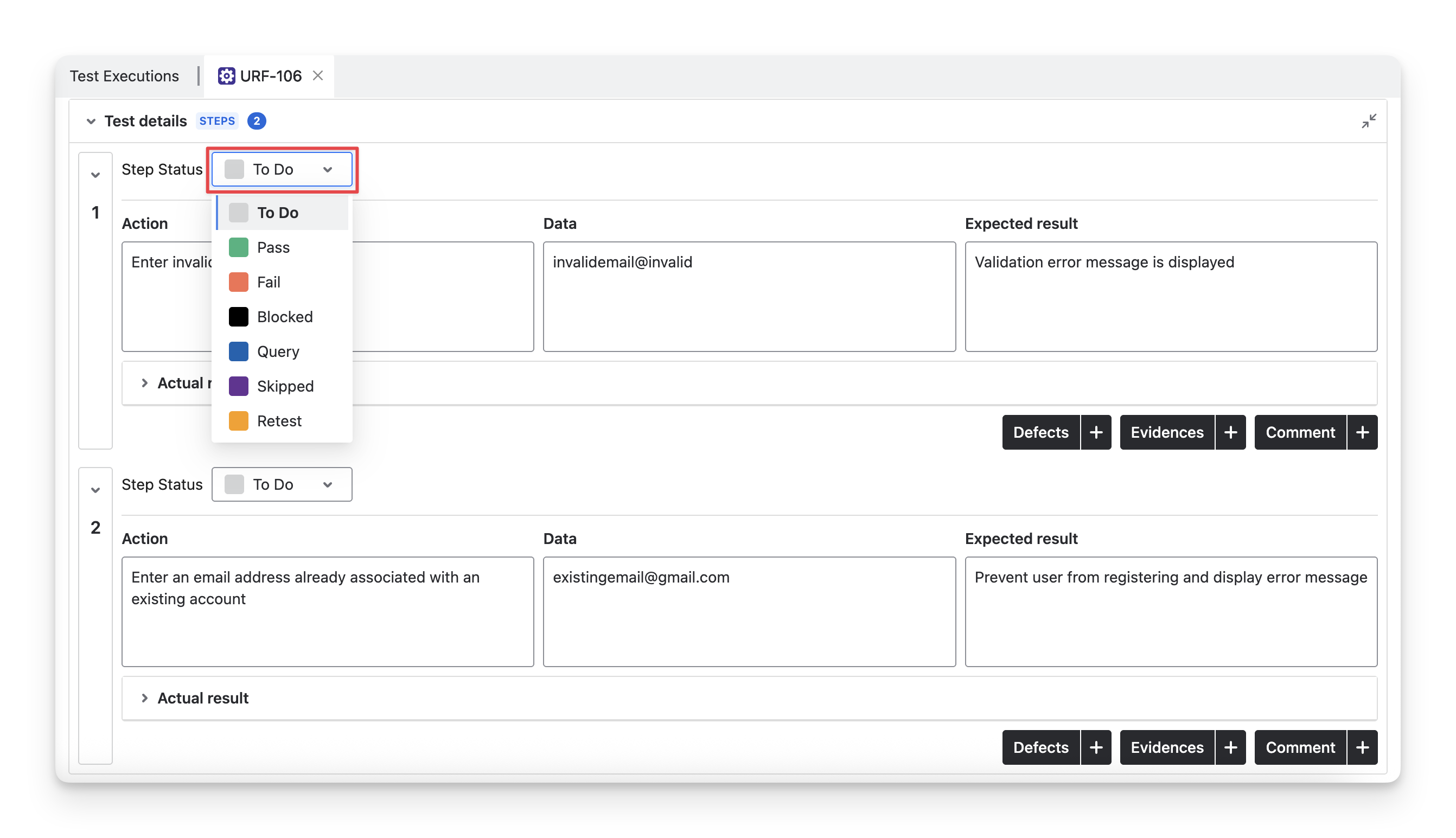
On each test step in an executed test case, you can attach any evidence, add comments, or even create Defects.
2. View Your Test Report
After executing your test cases, all your test results can be viewed in the Reports section.
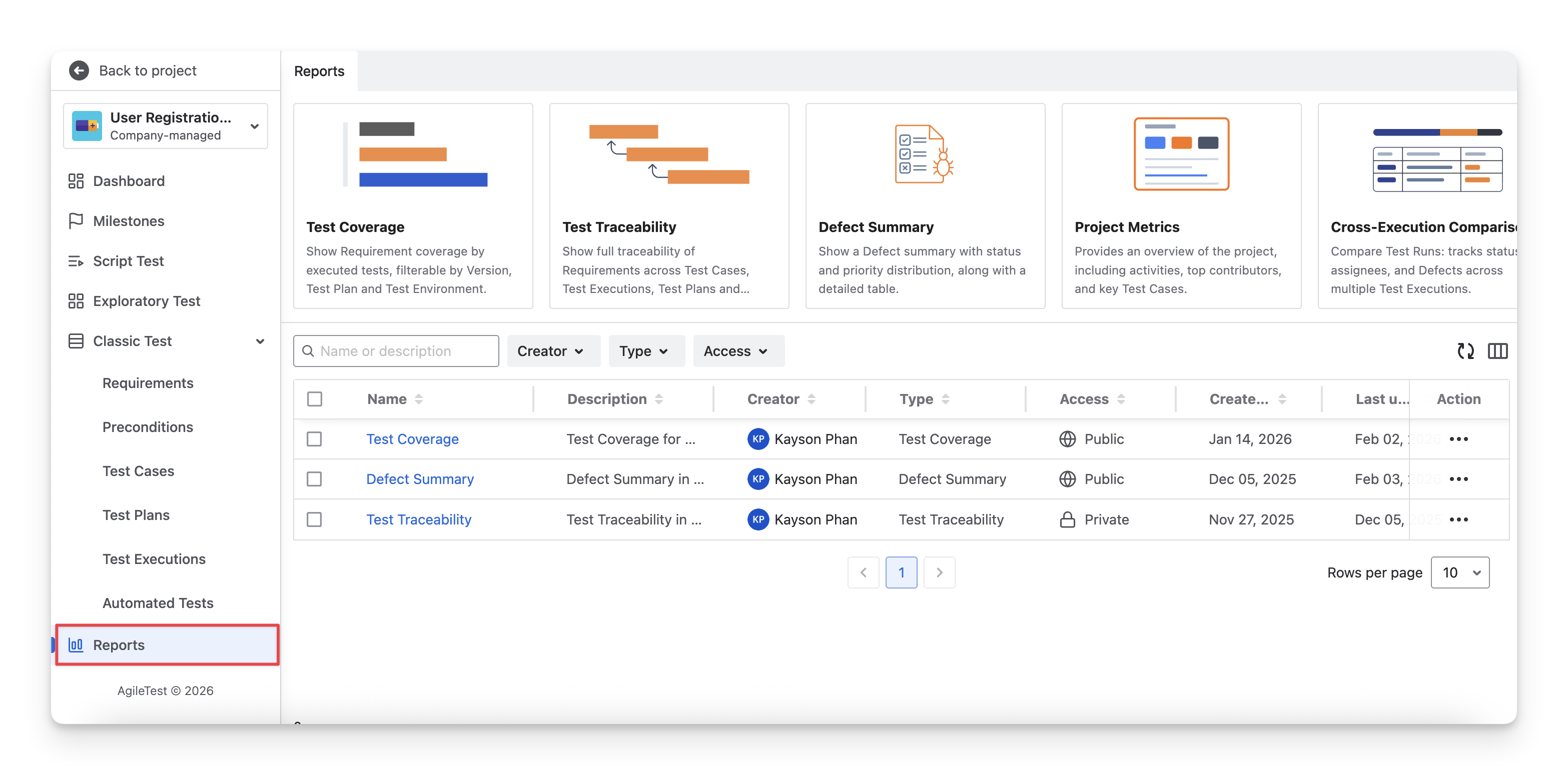
AgileTest currently has 6 types of reports
-
Test Coverage Report: Track requirement status based on linked test cases to monitor coverage and identify gaps.
-
Test Traceability Report: Visualize forward traceability relationships between requirements, test cases, test plans, test executions, and defects.
-
Defect Summary Report: Get an overview of defects by status, severity, and trends to assess product quality.
-
Project Metrics Report: View key project metrics and top contributors to track progress and support planning.
-
Cross-Execution Comparison Report: Compare results across executions to identify trends and recurring failures.
-
Defect Traceability Report: Track backward traceability relationships between defects with test cases, test plans, test executions, and requirements to understand impact and identify root causes.
Learn more about AgileTest reports.
You’ve completed your first test execution in AgileTest. You can now track results, monitor defects, and use reports to gain insights into your product quality.
Should you need any assistance or further AgileTest inquiries, contact our 24/7 Support Desk!