.png)
Installation
There are 2 ways to install the app
Install from Jira instance Apps settings
-
Go to the Apps settings
-
Choose Explore more apps section
-
Search for the AgileBox (Agile Planning Poker, Retrospectives, Daily Standup for Jira) app
-
Install and try the app for free in 30 days by clicking the Try it now button
Install from Atlassian Marketplace
-
Access to Atlassian Marketplace
-
Search for the AgileBox (Agile Planning Poker, Retrospectives, Daily Standup for Jira) app
-
Install and try the app for free in 30 days by clicking the Try it now button
Accessing AgileBox
There are 2 ways to access the app from your Jira instance
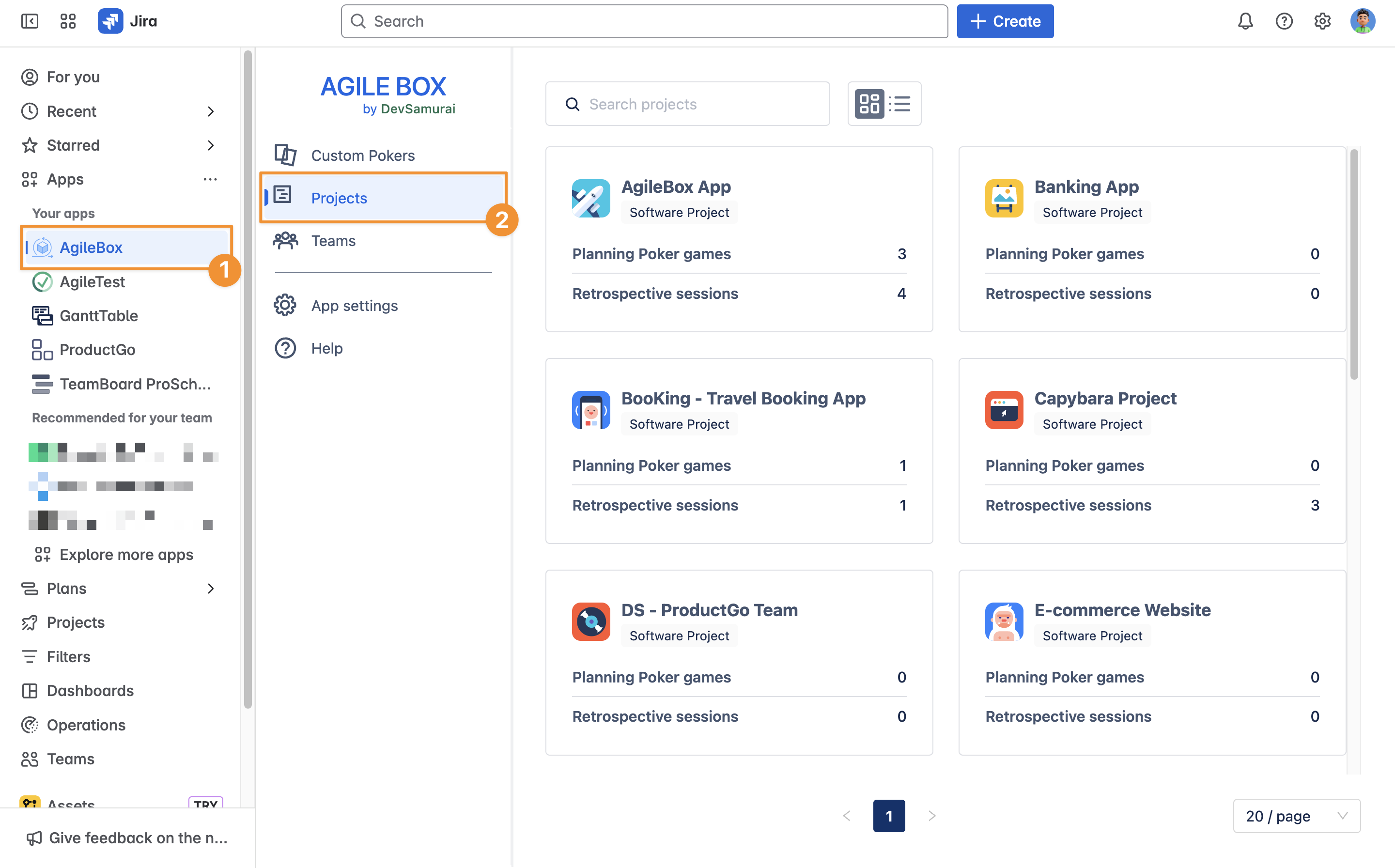
From the Apps home page
Click on Apps, and find the AgileBox in the dropdown list.
Find your projects from the Projects section
From the project menu bar
To open the board, click the AgileBox button in the More options menu on your menu bar.
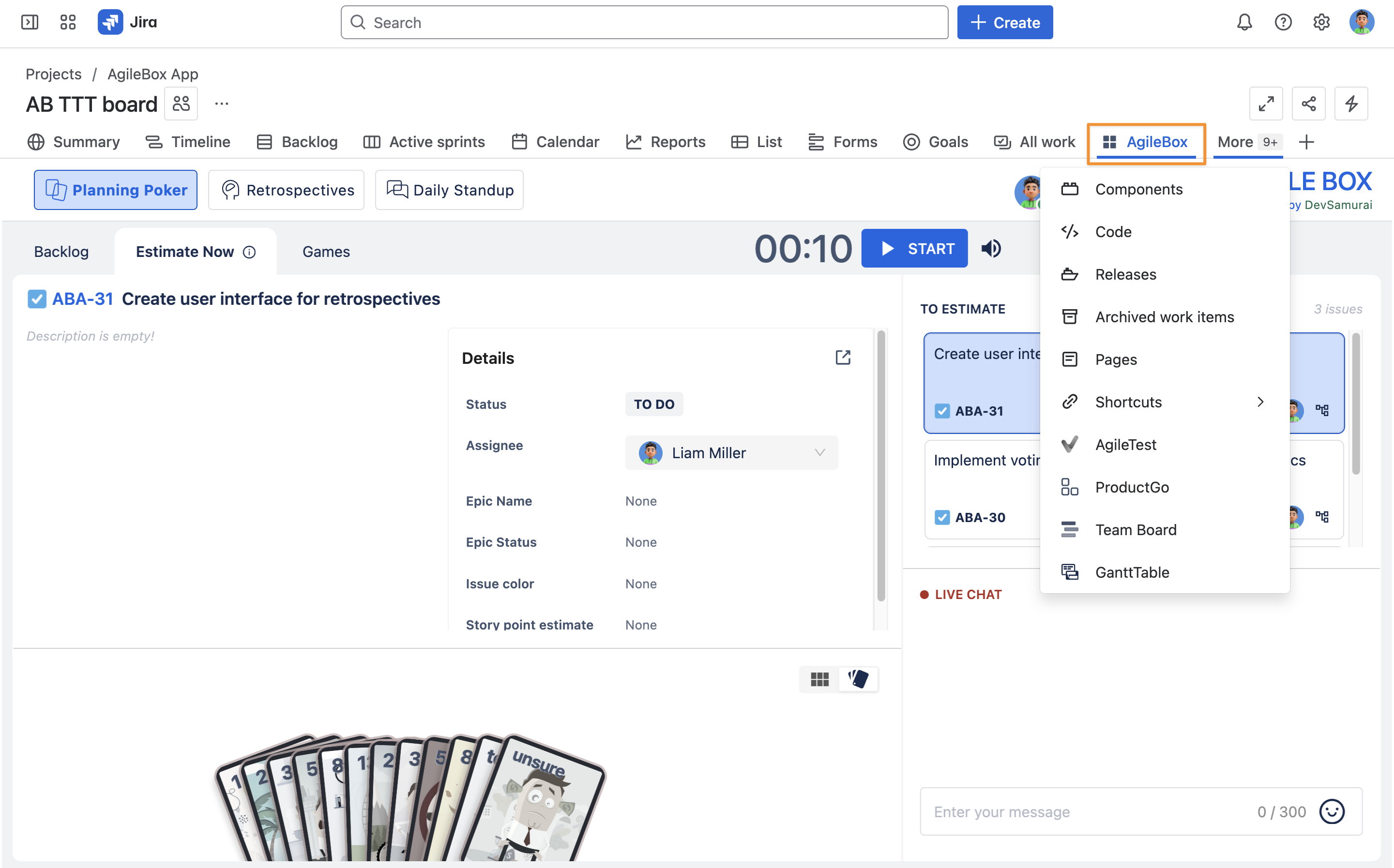
With the new Jira navigation, you can drag and drop the AgileBox button to your preferred spot on the menu bar for quicker access.