.png)
Navigating the main page
To access the main page of AgileBox, go to Apps → AgileBox
This is where users can browse and access projects, custom pokers, and teams in the current Jira instance.
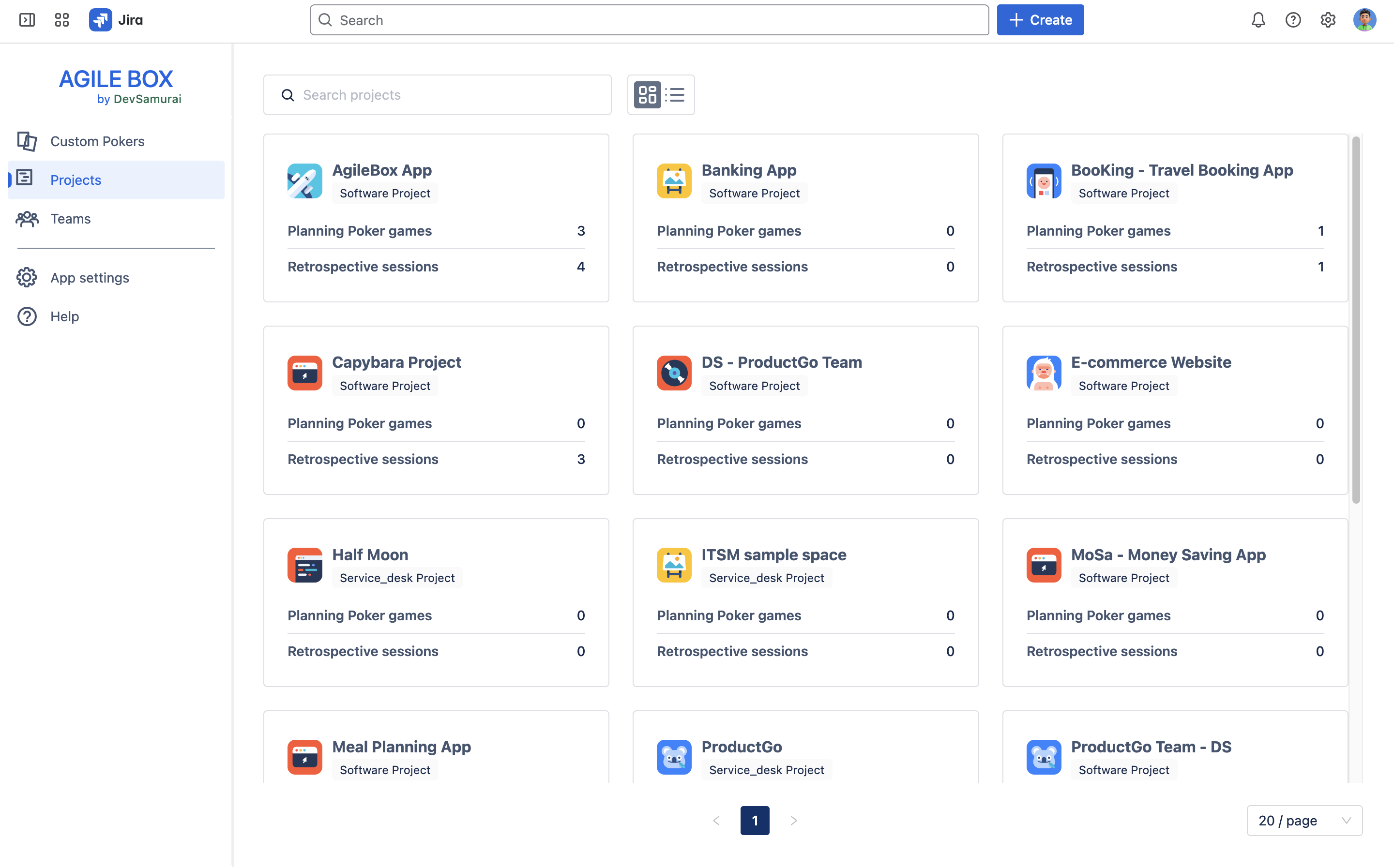
Key Sections on the AgileBox main page
Custom Pokers
This section lets you create Planning Poker sessions that can be used across multiple projects.
Projects
Get a quick overview of your projects in Jira, showing how many Planning Poker sessions and Retrospective meetings are available for each. This snapshot helps you browse and quickly access AgileBox across projects.
Teams
Create and manage AgileBox-specific teams here. These teams are used exclusively within AgileBox features and are separate from Jira’s built-in teams.
See more details:
System settings
This setting is only visible to the admin role.
This includes the configurations to edit:
-
App enable/disable
-
Permission
-
Fibo decks
-
T-shirt decks
-
Custom decks
-
Fields display
-
Custom retrospective templates
See: System settings for more details.
Help
Find solutions to common issues and learn more about AgileBox with our Help Center