.png)
Goals, Steps, Epics, and Swimlanes
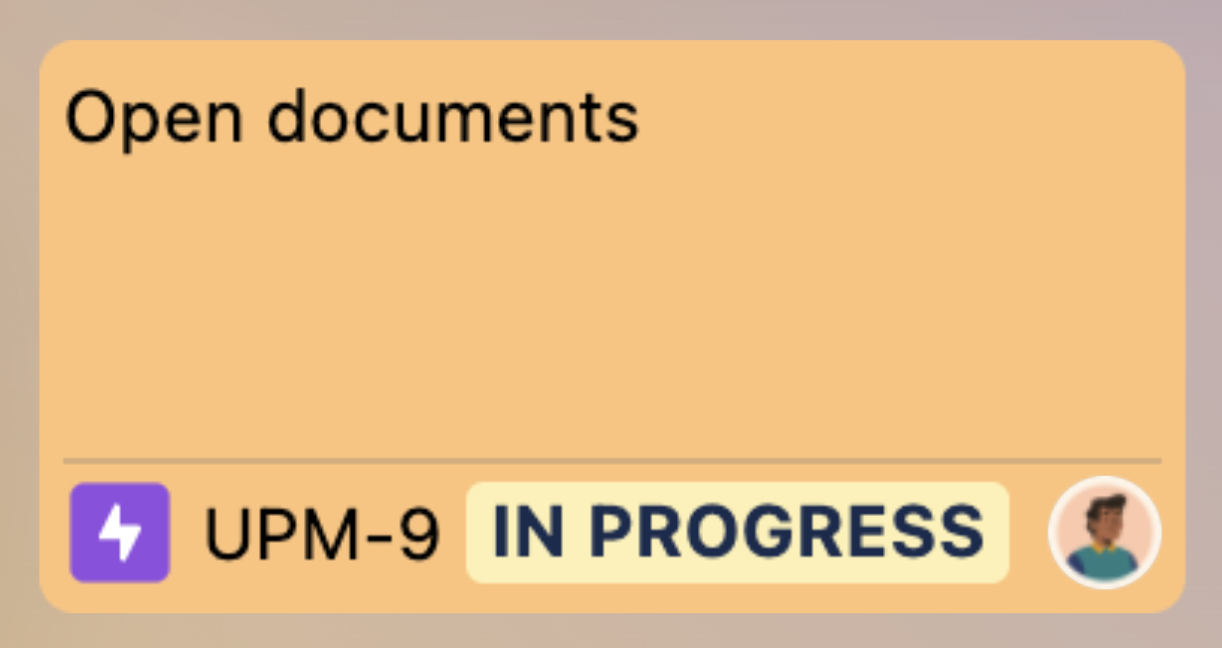
In the Portfolio Board, Goals, Steps, and Stories share a unified interface, each displaying key details:
-
Issue name
-
Issue type
-
Issue key
-
Status
-
Assignee
You can drag and drop issues freely between Goals, Epics, and Stories, making it easy to organize and adjust your portfolio as needed.
Create a card
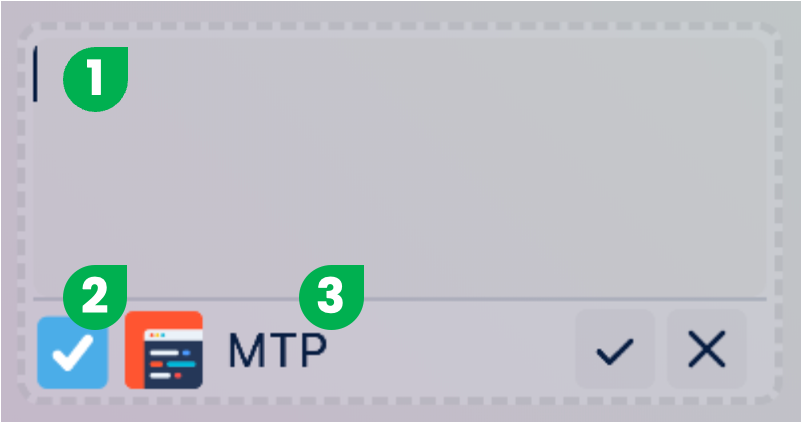
To add a new card, go to the area where stories are listed. Hover over the list and click the + button that appears.
-
Enter the card name
-
Select the issue type
-
Choose the project for the card
Swimlanes
To create a new swimlane, scroll to the end of the swimlane list and click the Add new swimlane button.
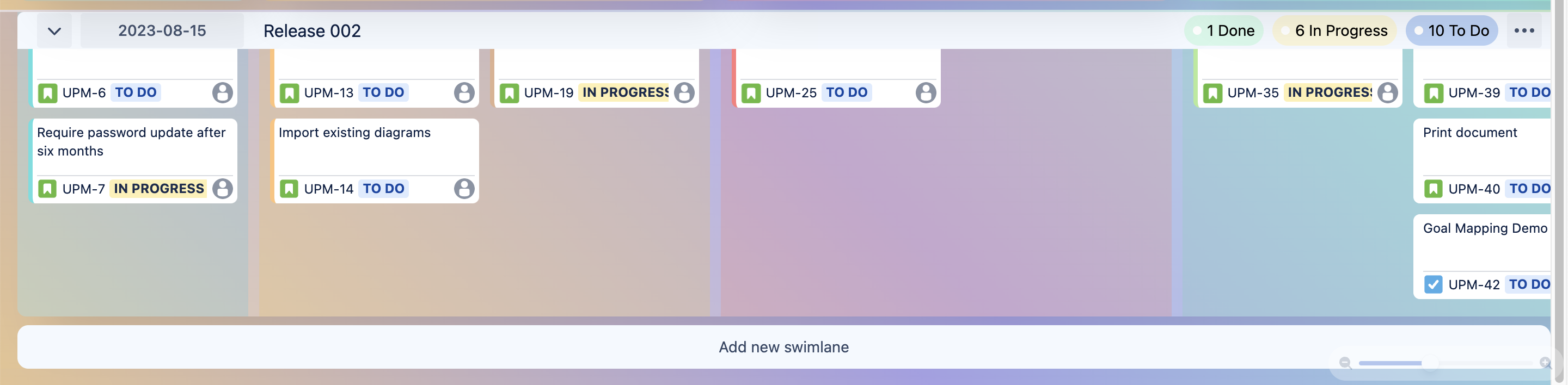
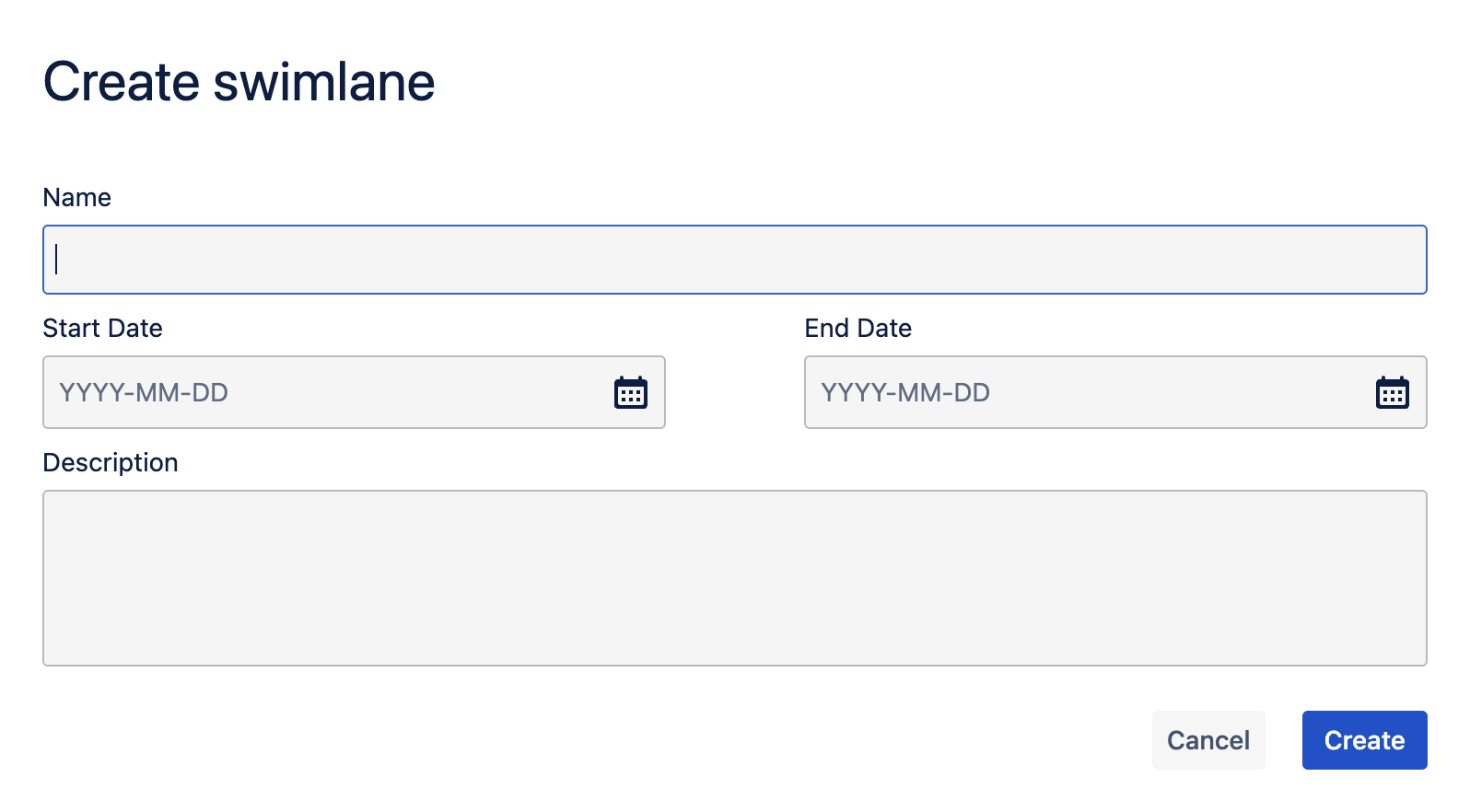
A dialog will open where you can enter:
-
Swimlane name
-
Start Date
-
End Date
-
Swimlane Description
Swimlanes help organize your portfolio board by grouping work items into timeboxed segments like releases or sprints, making it easier to track and manage progress across multiple projects.