.png)
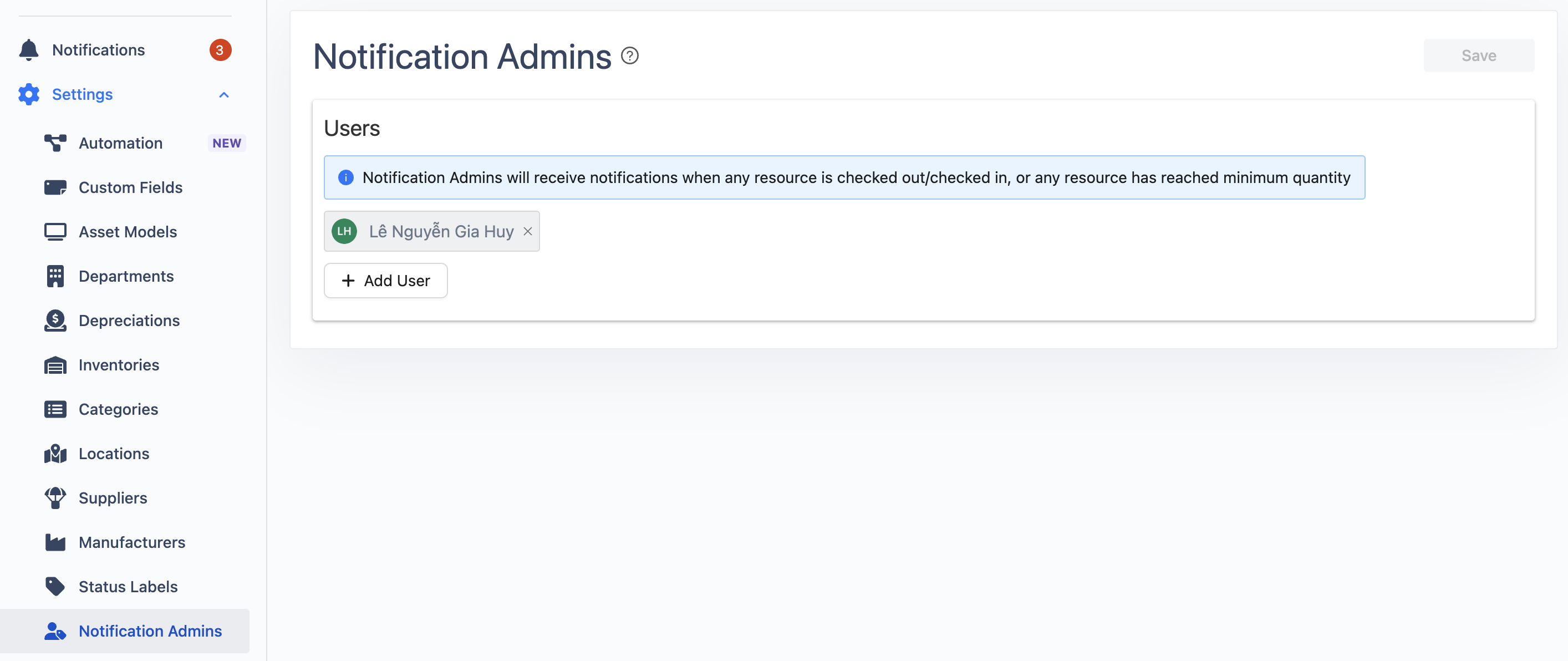
Notification Admins are authorized users who will receive alerts for key resource events, such as when resources are checked out or checked in, when a resource reaches its minimum quantity, or when it is approaching its expiration date.
Manage Notification Admins
Go to Notification Admins section to add/remove users to/from Notification Admins.
Types of Notifications
Admins will receive notifications in the following scenarios:
-
Assets
-
An asset is checked out or checked in.
-
An asset is overdue for return.
-
-
Accessorys
-
An accessory is checked out or checked in.
-
An accessory item is overdue for return.
-
Any accessory has reached its minimum quantity.
-
-
Licenses
-
A license is checked out or checked in.
-
A license has reached its expiration date.
-
-
Consumables and Components
-
A consumable is checked out.
-
Any consumable or component has reached its minimum quantity.
-
-
Asset Booking
-
A new asset booking has been submitted.
-
An asset booking is overdue for approval.
-
Settings for Notification Admins
To enable/disable notifications, the Notification Admins can:
-
From Settings, go to Preferences.
-
Navigate to the Notifications tab.
-
Set up the notifications accordingly.
