
PlanCore’s Team Timesheets bring a team’s recorded work into one view, making it easier to review hours across members and projects. Access depends on your role:
-
Team Admin or App Admin: Can review timesheets for every team.
-
Team Leader: Can review the teams they lead.
Open a team timesheet
-
Go to Timesheets.
-
Choose the Team tab.
-
Select a team and the period you want to inspect.
Team timesheet overview
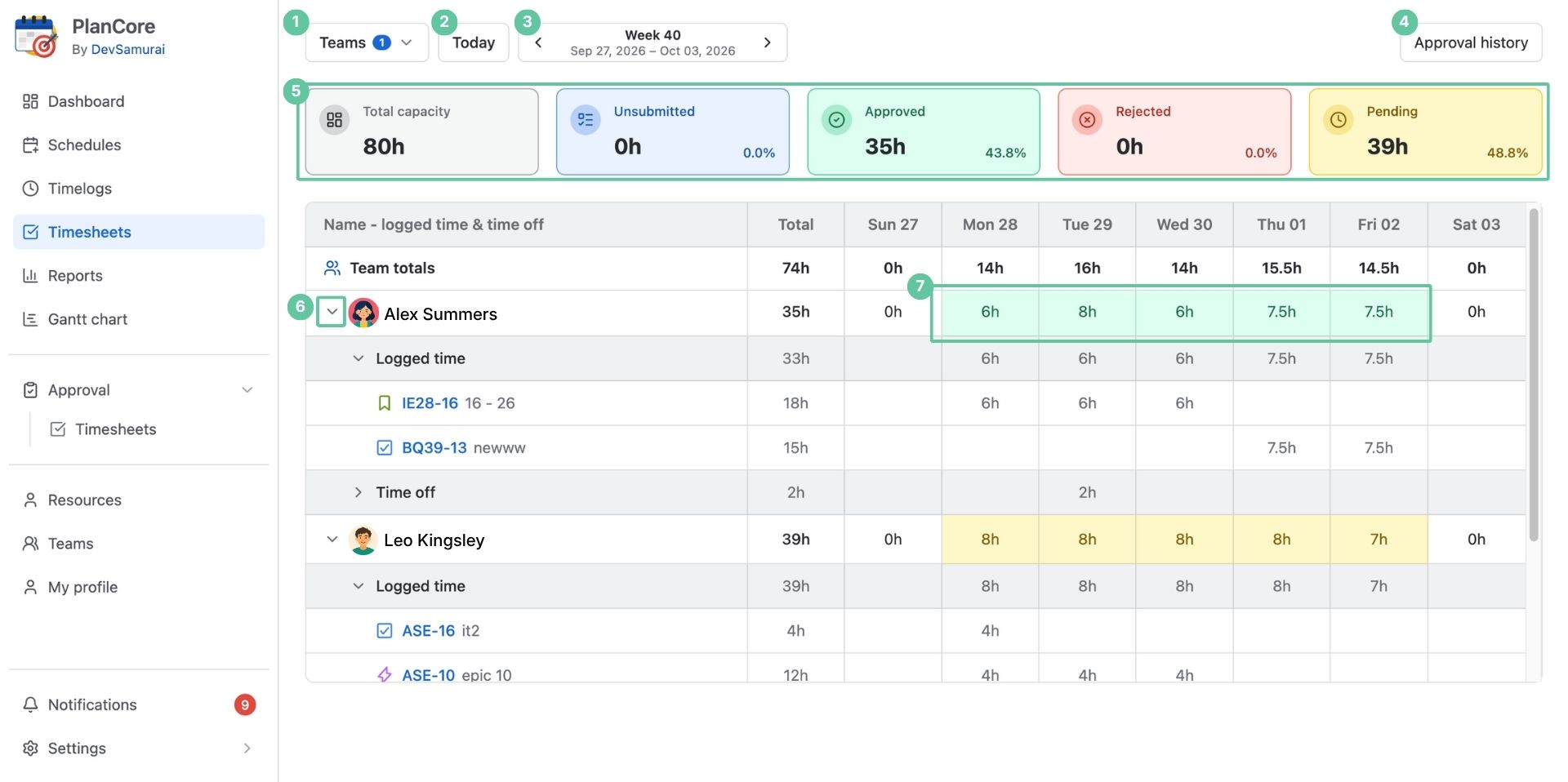
Use the controls and summaries below to narrow the view and understand the team’s time.
|
Element |
What it does |
|---|---|
|
Choose which team’s member timesheets to display. The available teams reflect your access rights. |
|
Quickly go to today’s timesheets. |
|
Focus on a week, a month, or a custom span of dates. |
|
Open the record of timesheet submissions and review decisions. |
|
See hours grouped as Total, Unsubmitted, Approved, Rejected, and Pending for the selected period. |
|
Expand or collapse recorded work and leave to review the relevant entries. |
|
Review each member’s logged-time and time-off totals, with a day-by-day breakdown. |
Understanding the status totals
|
Status |
Meaning |
|---|---|
|
Total |
All hours recorded within the chosen date range. |
|
Unsubmitted |
Recorded hours that have not been sent for approval. |
|
Approved |
Hours accepted by the approver. |
|
Rejected |
Hours returned after review and needing correction or resubmission. |
|
Pending |
Submitted hours still awaiting an approver’s decision. |
Review team approval history
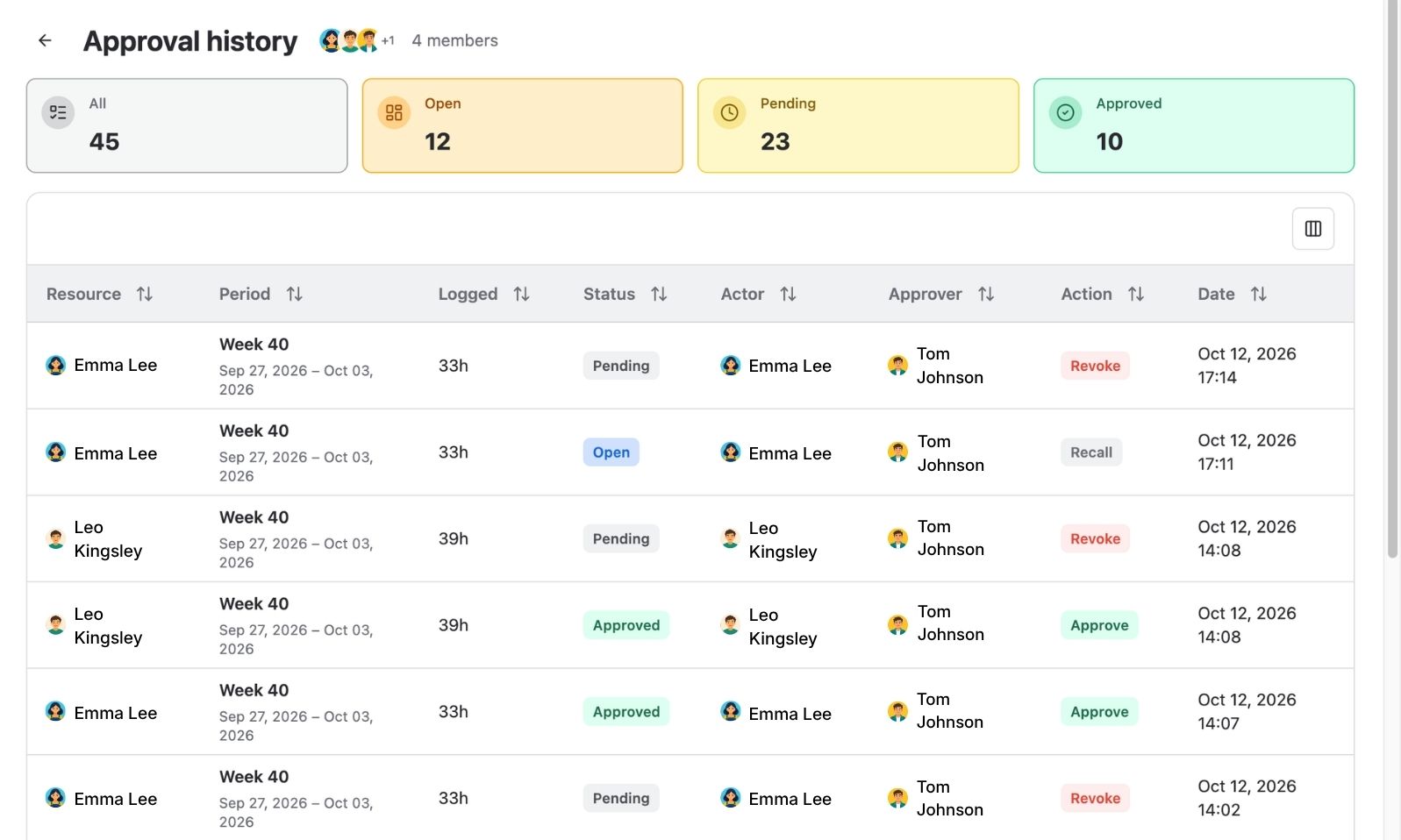
Open Approval history to follow submissions, approvals, and rejections for team members. The history includes these fields:
|
Field |
What it shows |
|---|---|
|
Period |
The week or other date interval covered by the timesheet. |
|
Logged |
The member’s recorded hours for that period. |
|
Status |
Open: Not submitted yet, or rejected and awaiting resubmission. Approved: Accepted by the approver. Pending: Submitted and awaiting review. |
|
Actor |
The person who performed the recorded action. |
|
Members |
The team member whose timesheet is involved. |
|
Approver |
The person assigned to accept or reject the timesheet. |
|
Action |
Whether the timesheet was submitted, approved, or rejected. |
|
Date |
When that action took place. |