
Timesheets in PlanCore bring time entries and their review status together in one place. Use them to check your own recorded hours or get a broader view of how work is distributed across a team. Entries may relate to Jira issues, scheduled events, or other activities.
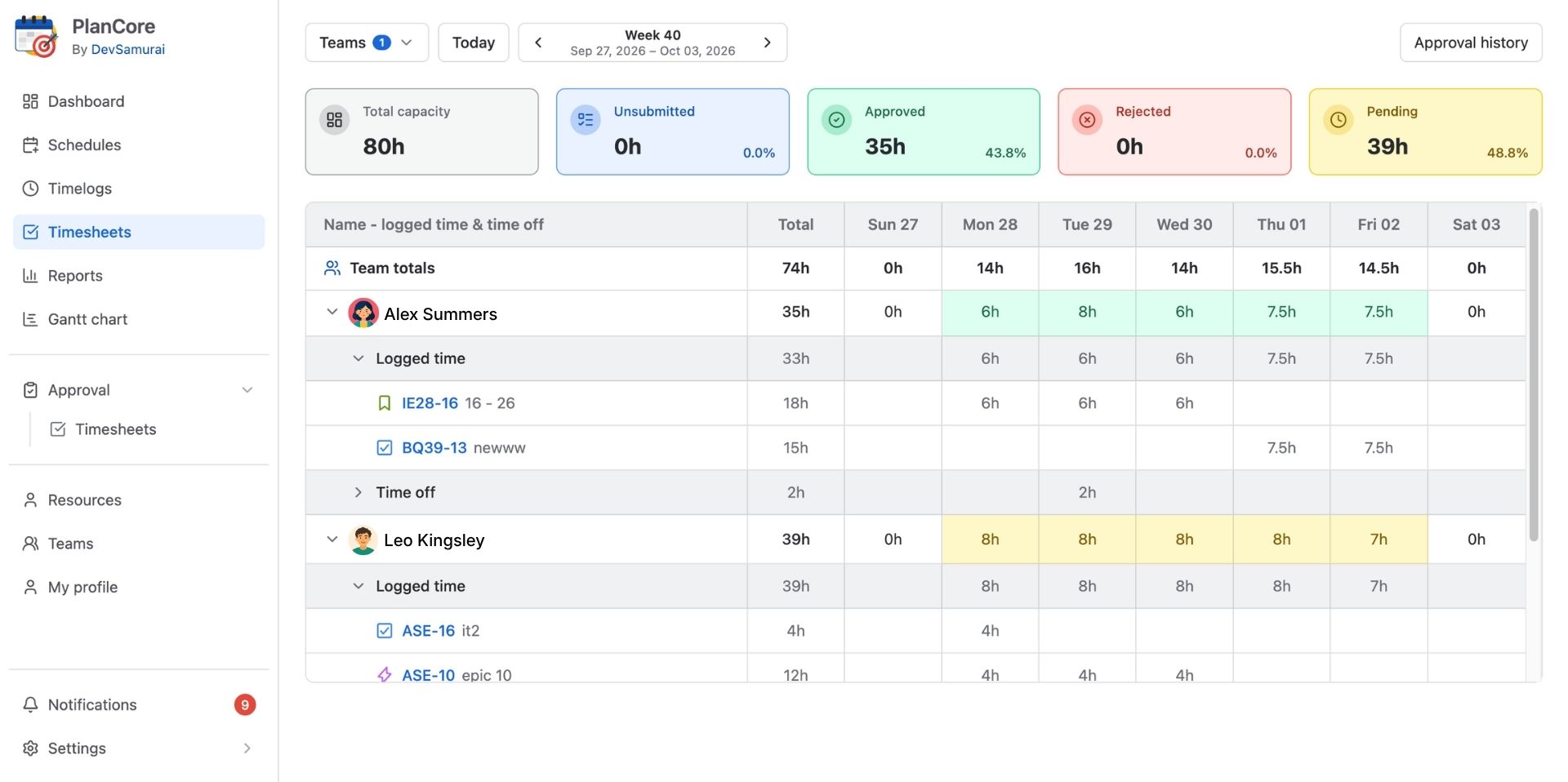
Open Timesheets
-
Open PlanCore.
-
Choose Timesheets from the left-hand navigation.
Choose a view
-
Member timesheet: Review your individual time entries, see where your hours have gone, and check the approval status of submitted work.
-
Team timesheets: Switch to the team view to compare members’ recorded hours and statuses and understand the team’s overall workload.
Who can see team timesheets?
-
Team admins and app admins can access timesheets across all teams.
-
Team leaders can access timesheets for teams they lead.
Available views and actions may depend on your PlanCore role and your organization’s configuration.