.png)
Context:
You need to customize the test step fields to capture additional details beyond the default settings.
Analyze Problem:
In your testing process, the default test step fields (action, sample data, and expected results) may not fully capture all the information needed.
By customizing these fields, you can enhance the clarity and accuracy of your test documentation, making it better suited to your team’s specific requirements.
Solution:
AgileTest can support you in modifying these test step fields to match your testing preferences.
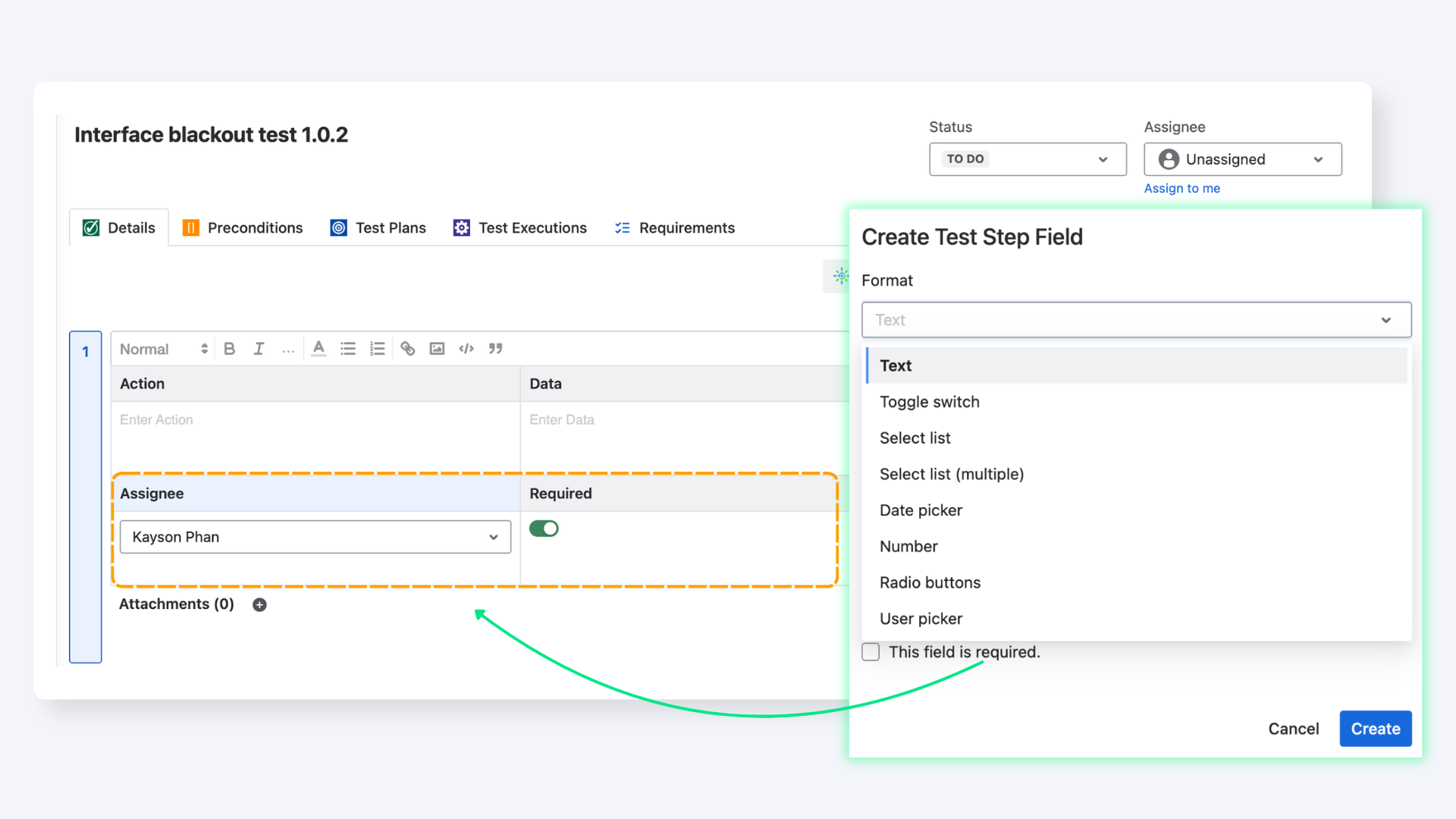
To do this, follow these steps:
-
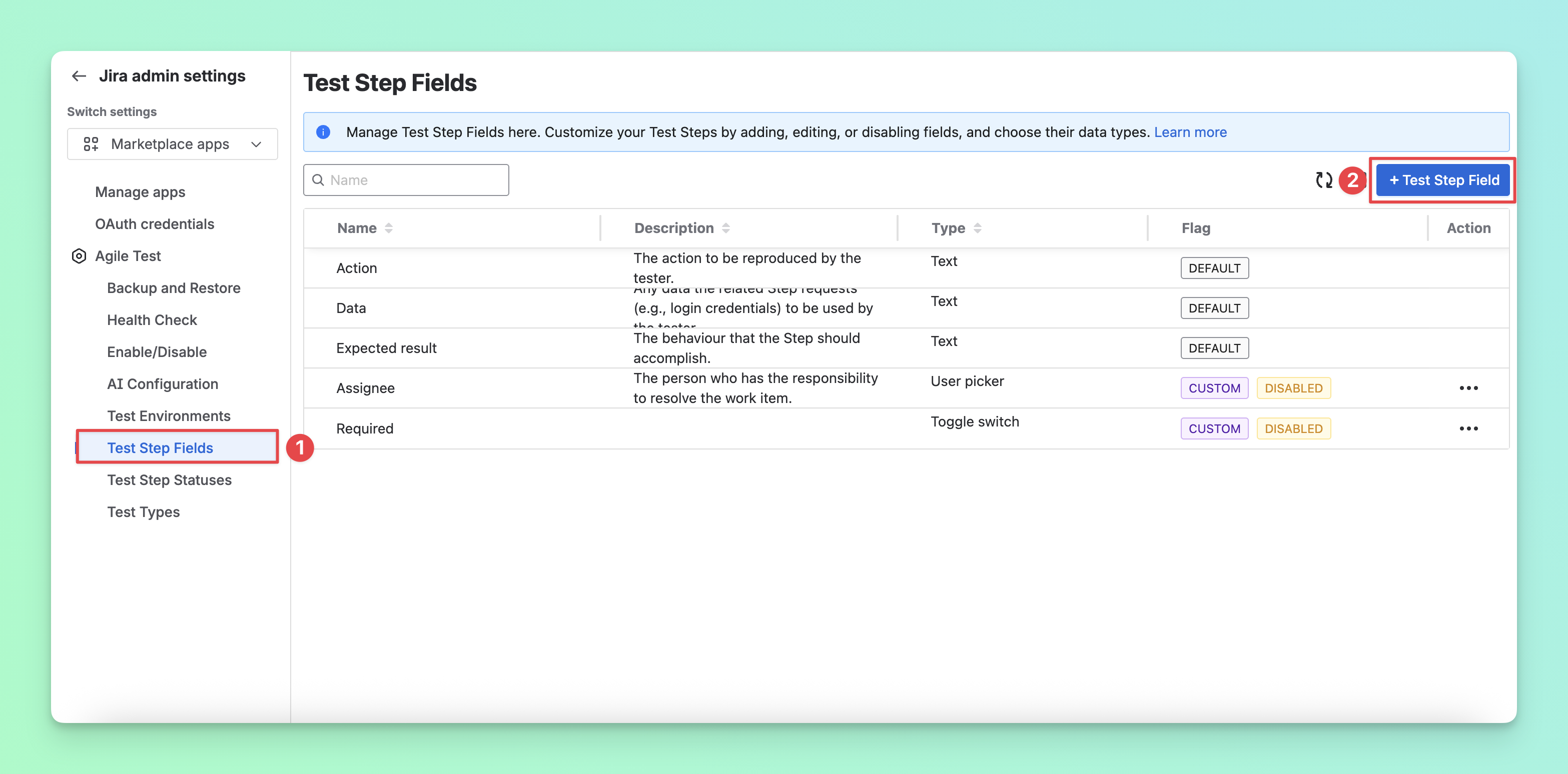
Navigate to the Test Step Fields through the Global page.
-
Select the “+ Test Step Field” to create a new field. Here you can configure the name and format of the custom field.
-
After finishing the setup, you can move back to your Test Case section.
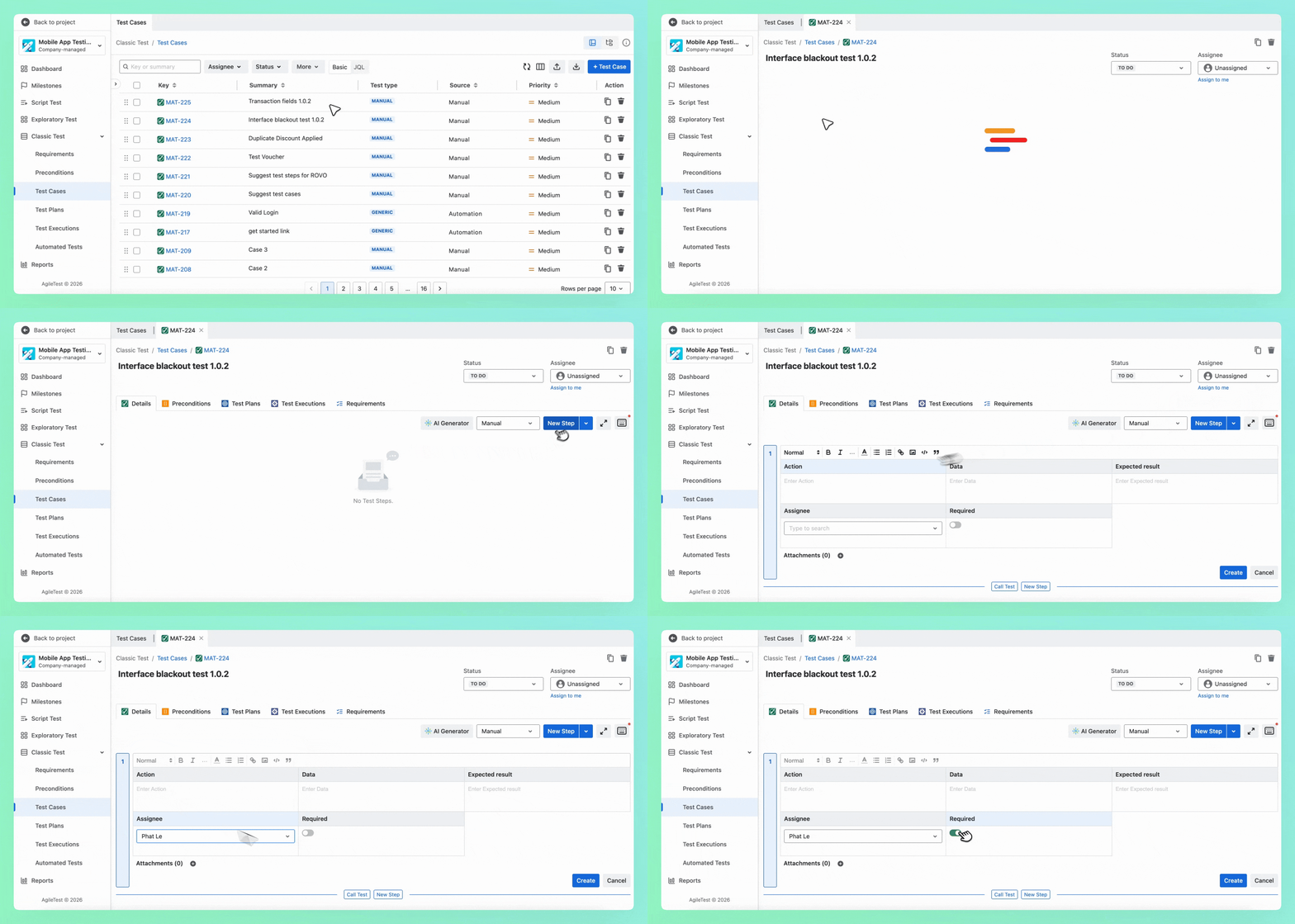
🎊 Now you're ready to personalize your test steps for more efficient testing!.
Should you need any assistance or further AgileTest inquiries, contact our 24/7 Support Desk!