.png)
Context:
During test execution, test cases are often executed multiple times, especially when failures need to be re-verified after fixes.
Analyze Problem:
You want to rerun the failed test cases in your previous execution to re-check after fixes. Unfortunately, without a clear way to separate failed test cases from other statuses, teams may struggle to focus on what needs validation. This can lead to re-running unnecessary test cases or missing critical ones that require follow-up verification.
Solution:
To avoid re-running unnecessary test cases, you can use the Test Plan feature to filter and focus on failed test cases for follow-up executions.
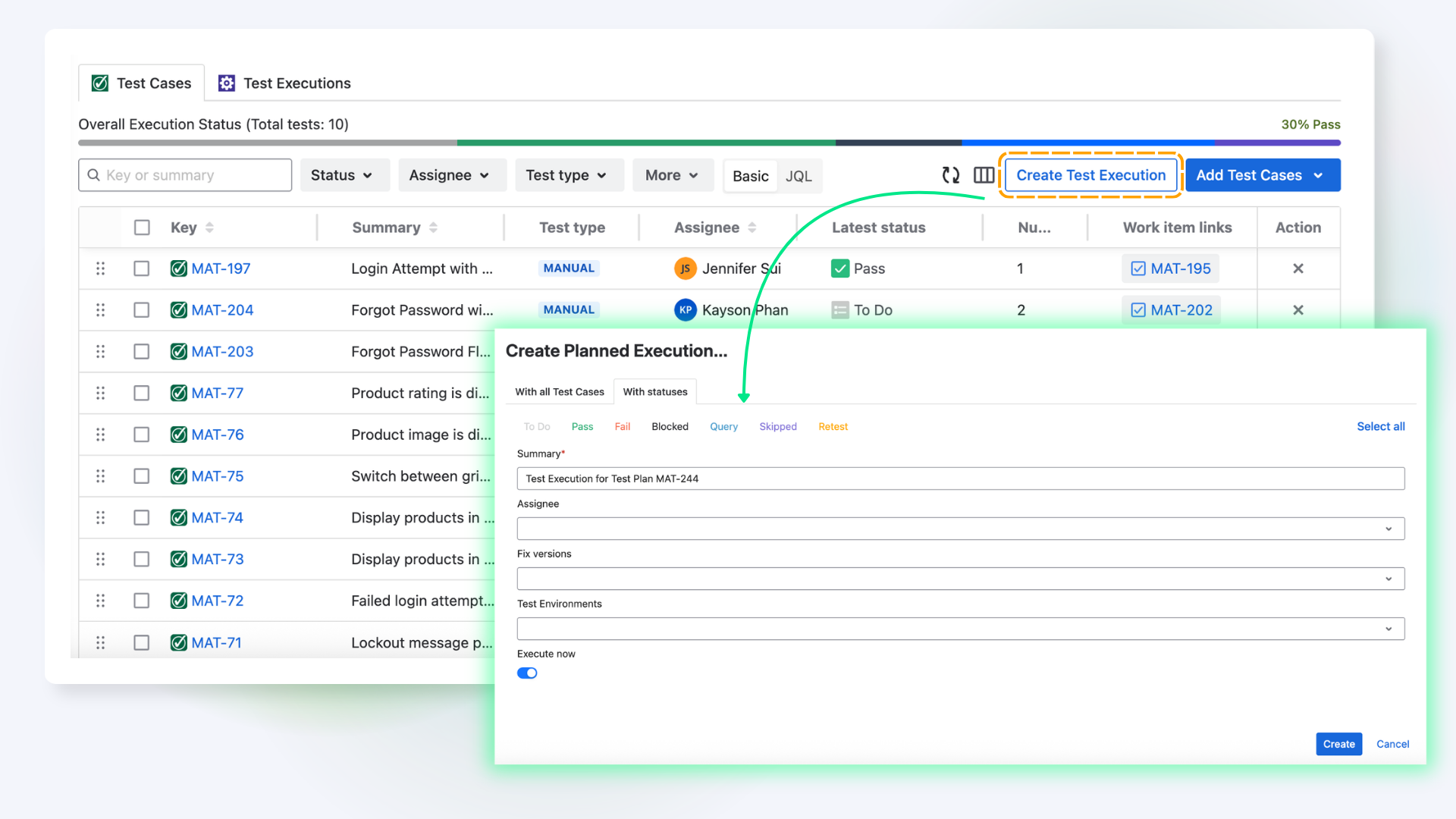
To do this, follow these steps:
-
Navigate to the Classic Test → Choose Test Cases section. This is where your team prepares test cases in advance.
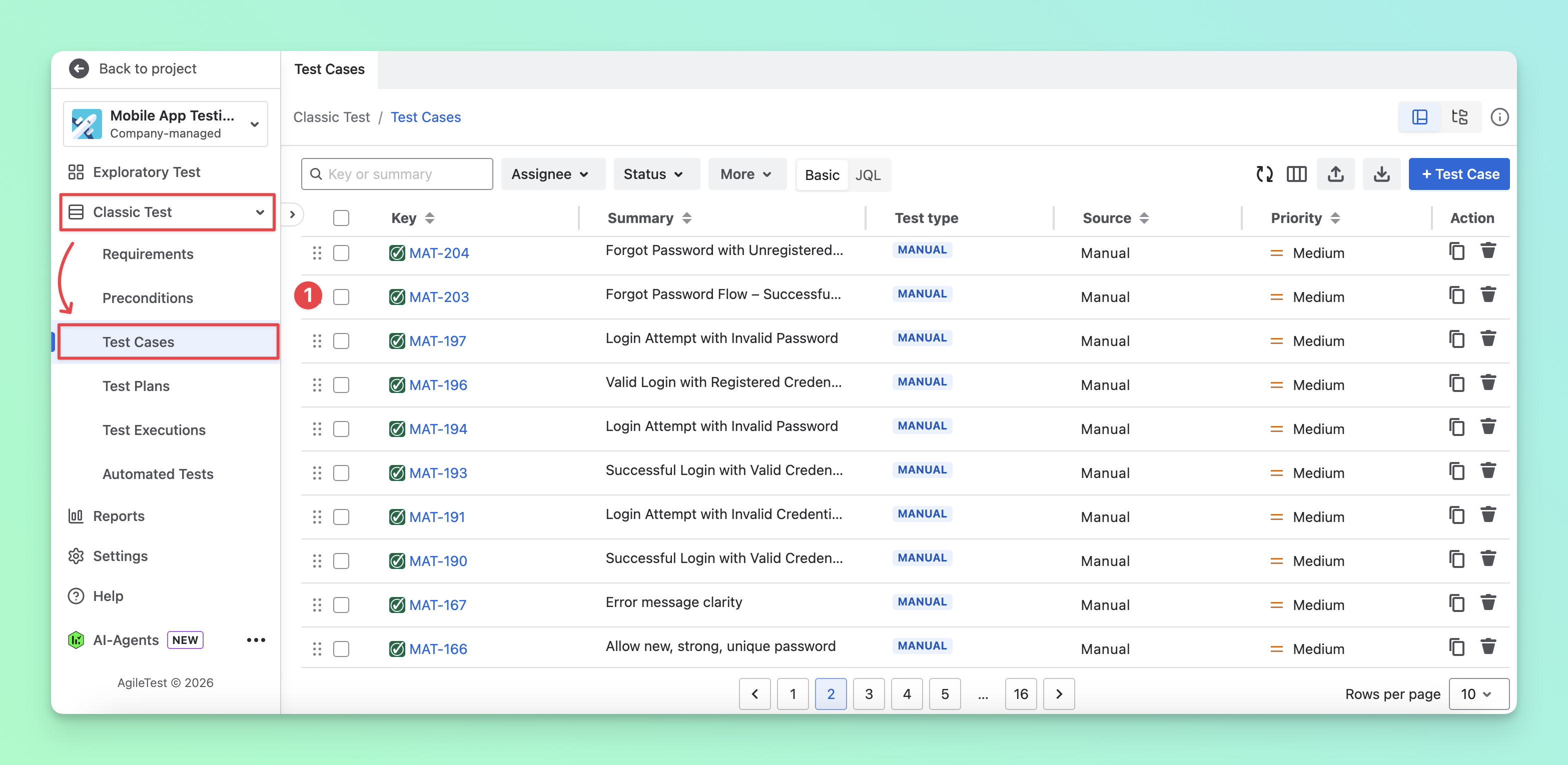
Learn more about different approaches to preparing test cases
-
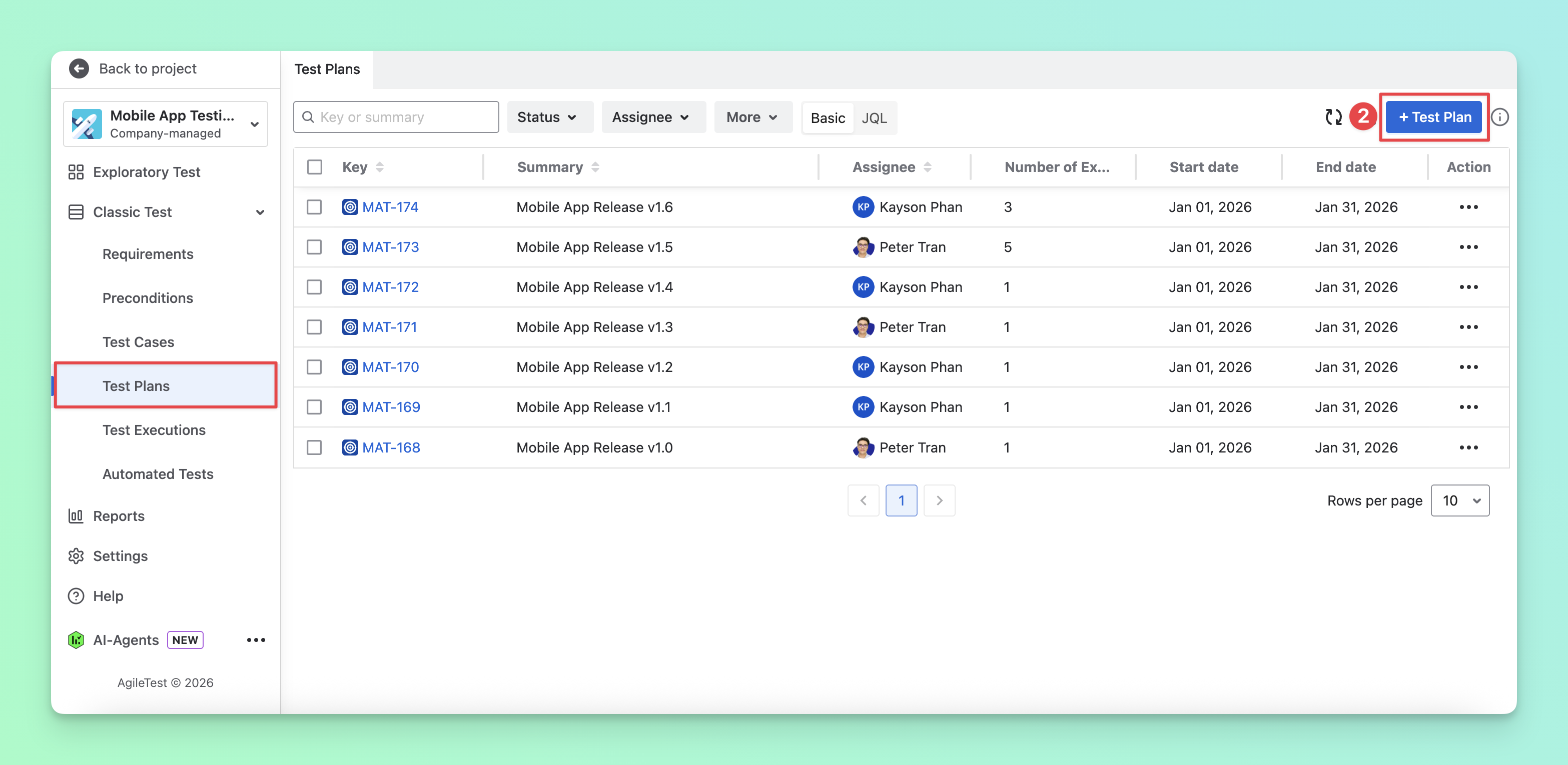
Go to the Test Plan section and create a test plan to gather all test cases in one place and avoid missing any.
-
Select the Test Case tab, then add your test cases to the plan.
-
Navigate to the Test Execution tab and create your first execution.
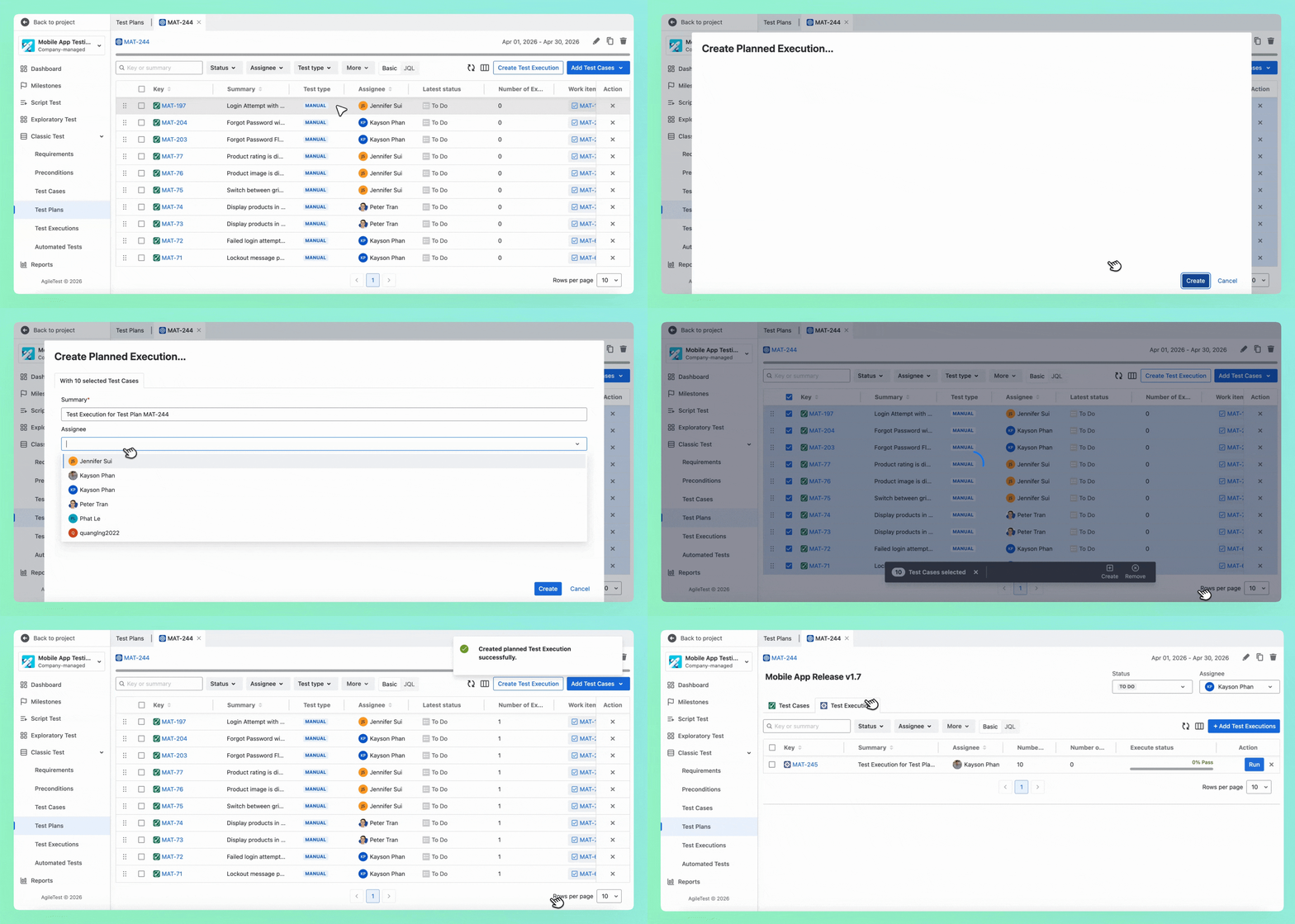
-
Click the Run button to execute your test cases. You can update the execution status, add comments or evidence, and link defects to each test case.
-
After executing these test cases, go back to the Test Plan section → Test Case tab. From there, you can create a new test execution based on the previous Fail status.
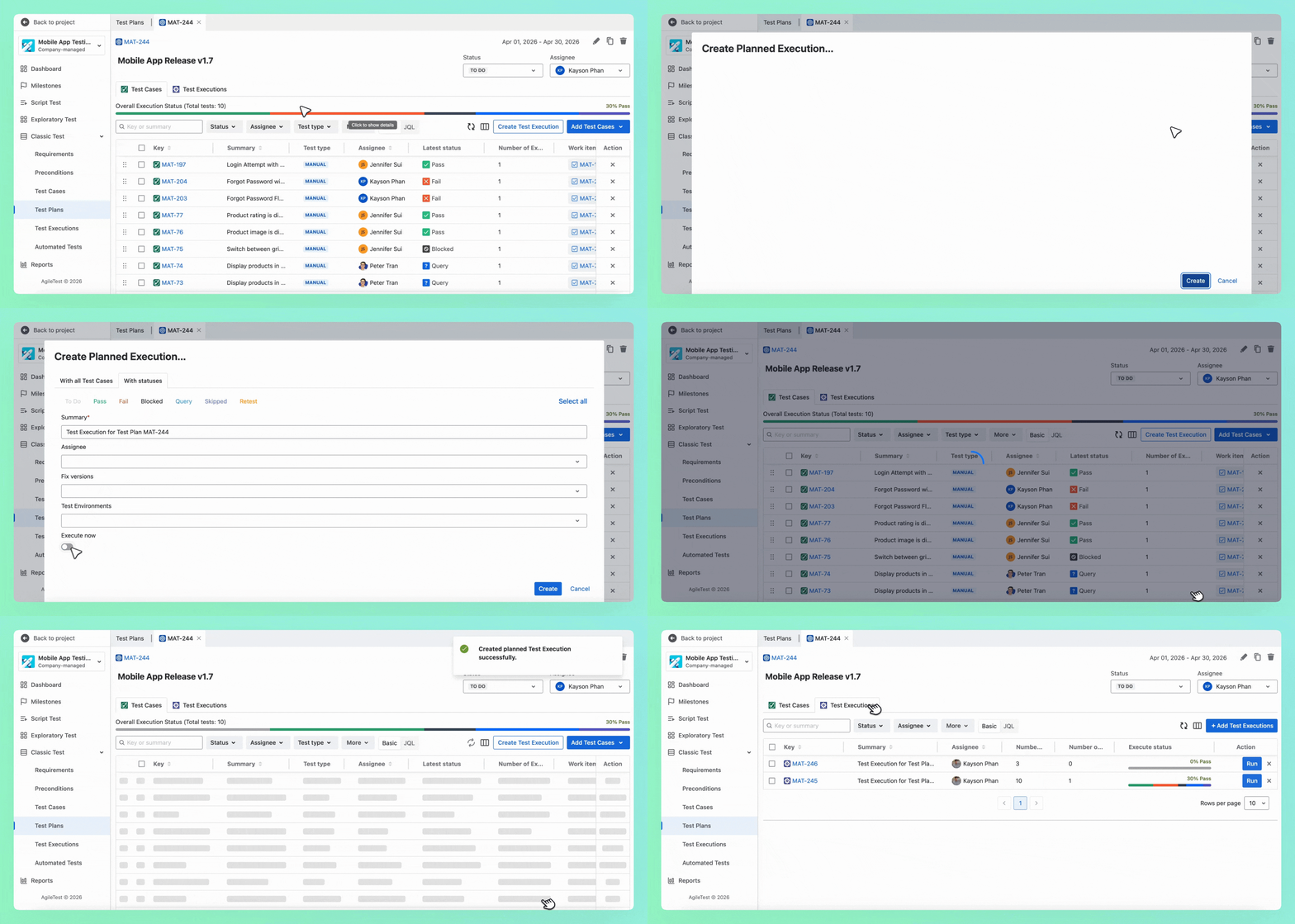
This approach can also be used to create new executions based on any execution status ( pass query Blocked Retest Skipped )
🎊 That’s how you can effectively focus on failed test cases and manage follow-up executions using AgileTest.
Should you need any assistance or further AgileTest inquiries, contact our 24/7 Support Desk!