.png)
Context:
As a team leader or manager, you may need to compare the status of the same test cases across different executions. This helps ensure consistency, enables cross-checking of results, and highlights discrepancies in execution status.
Analyze Problem:
You want to compare test case statuses in multiple executions. However, reviewing each execution individually means you have to switch between multiple browser tabs, making it hard to compare results, identify inconsistencies, or understand overall test progress.
Solution:
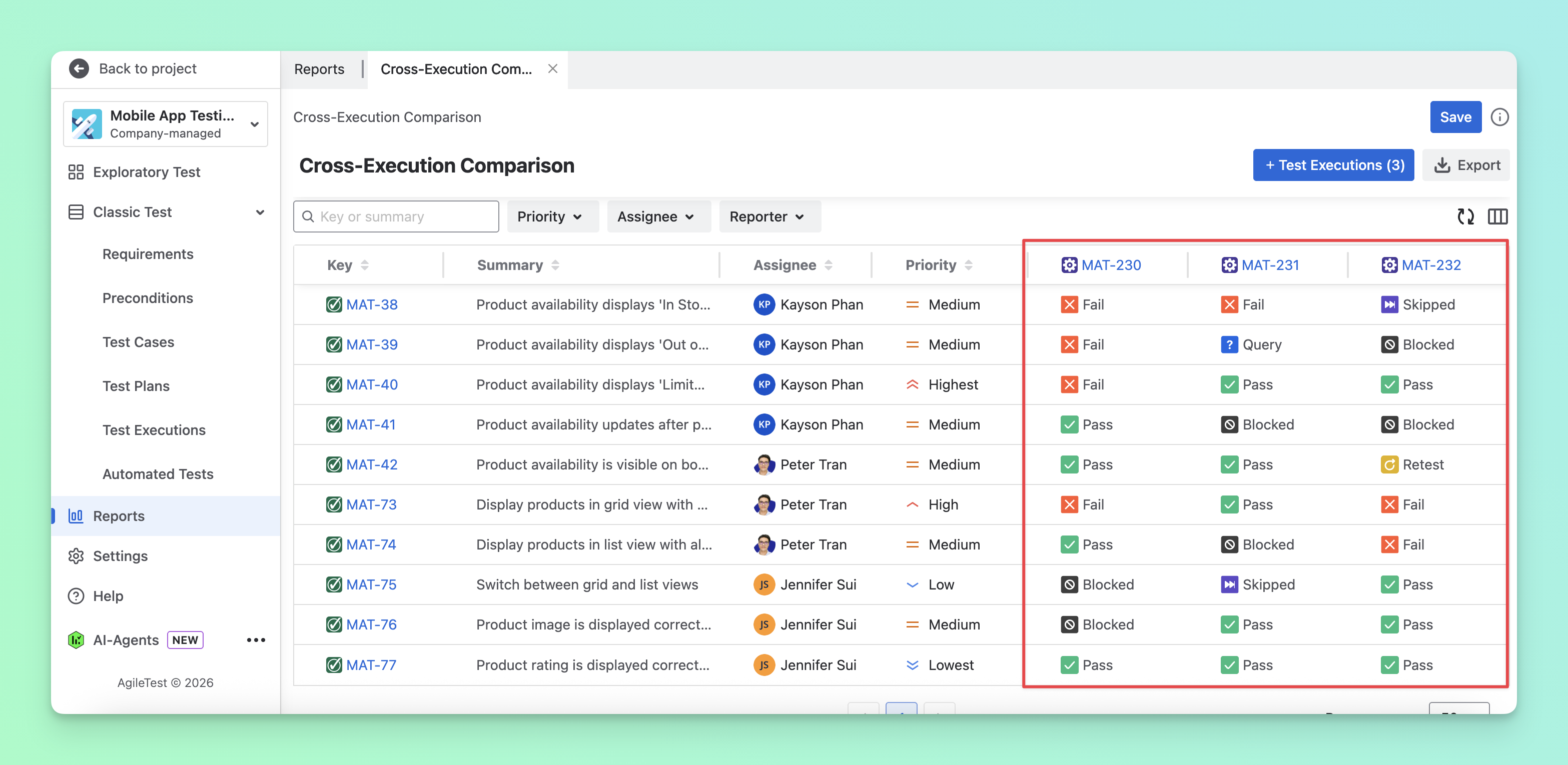
To solve the difficulty of comparing results across multiple executions, you can use the Cross-Execution Comparison report to view and compare execution results in a single, consolidated view.
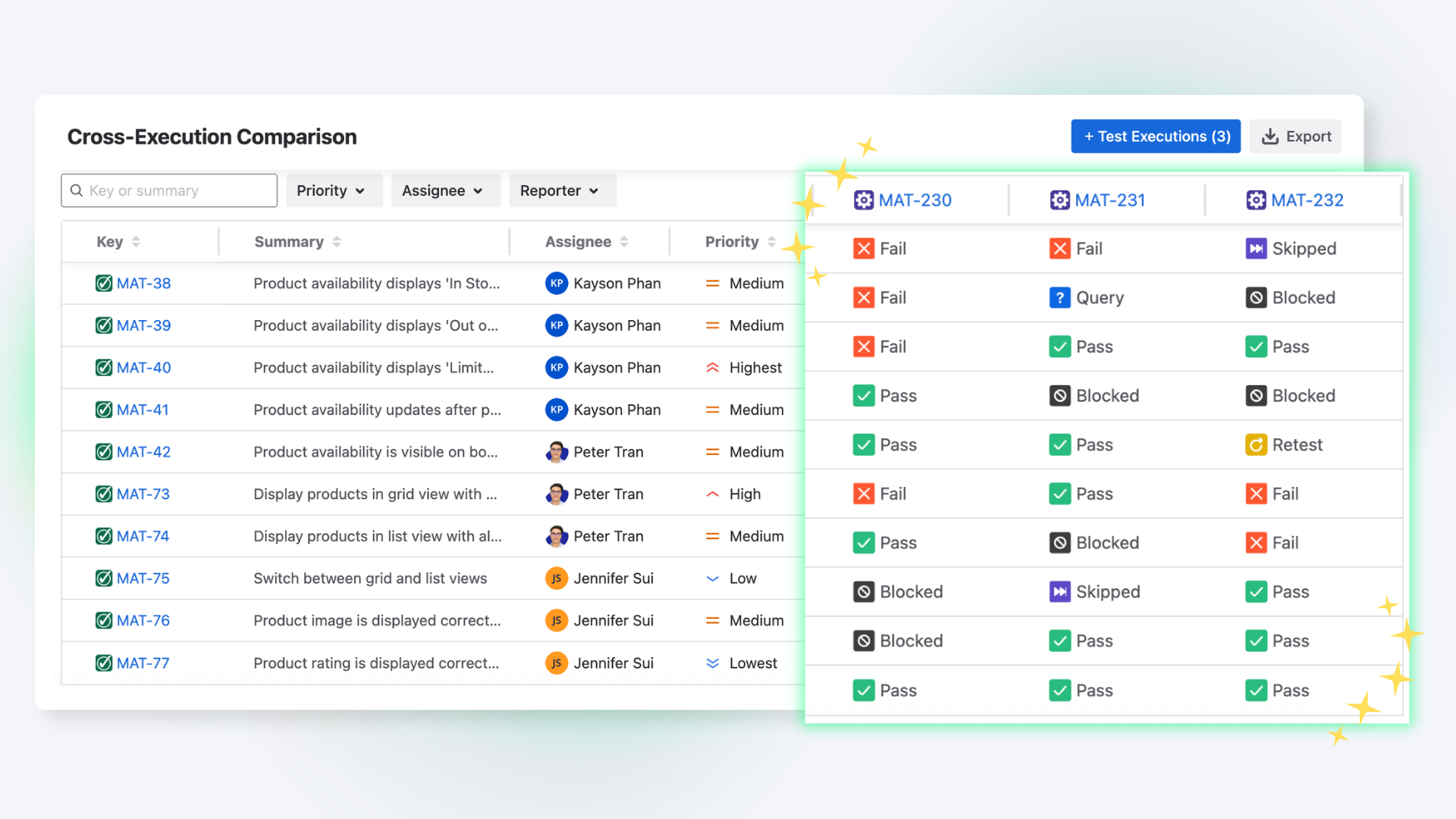
To do this, follow these steps:
-
Navigate to the Classic Test → Choose Test Cases section. This is where your team prepares test cases in advance.
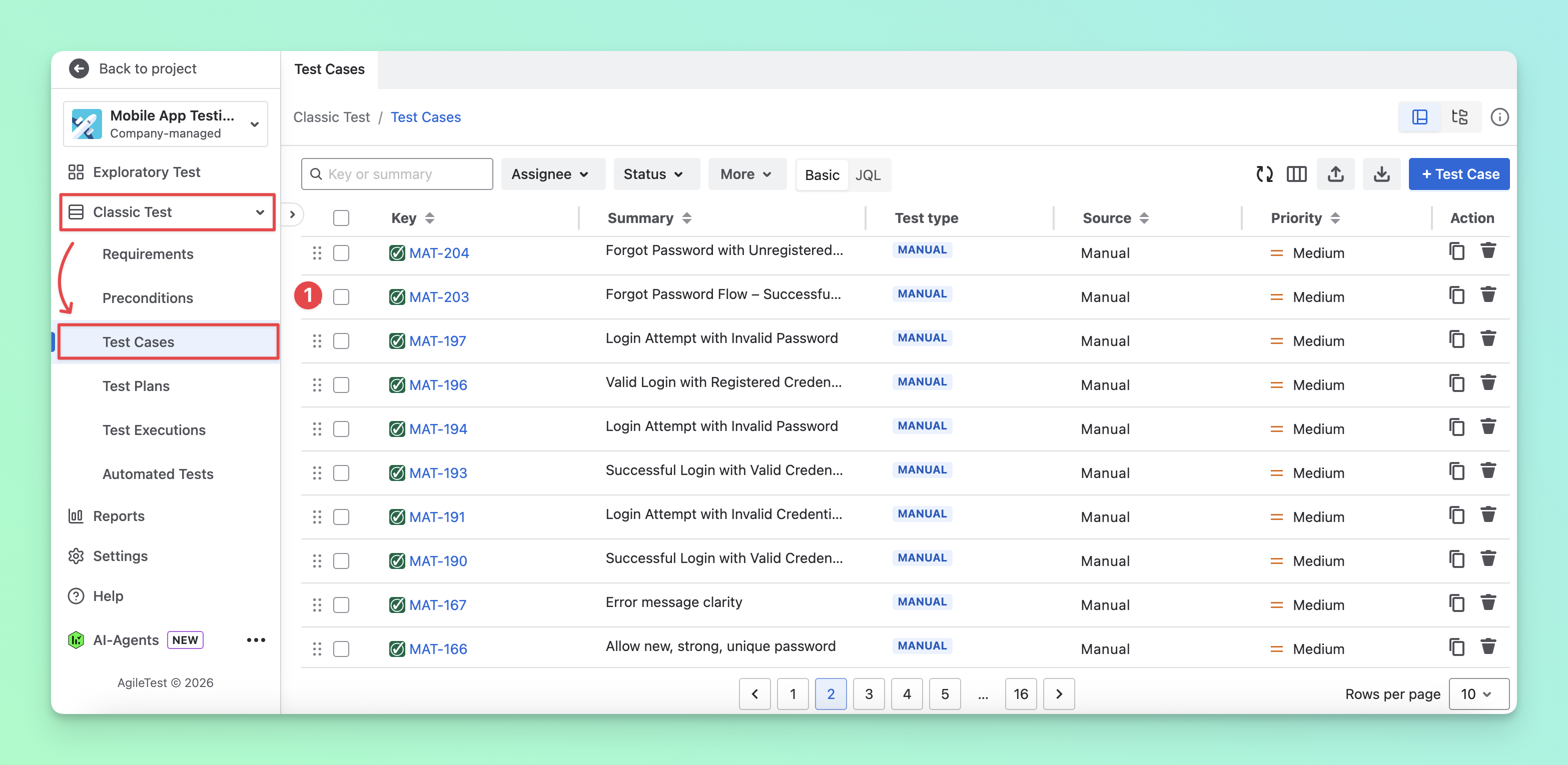
Learn more about different approaches to preparing test cases
-
Open the Folder tab and organize your test cases into folders. This makes it easier to select all test cases in a folder when creating test executions later.
-
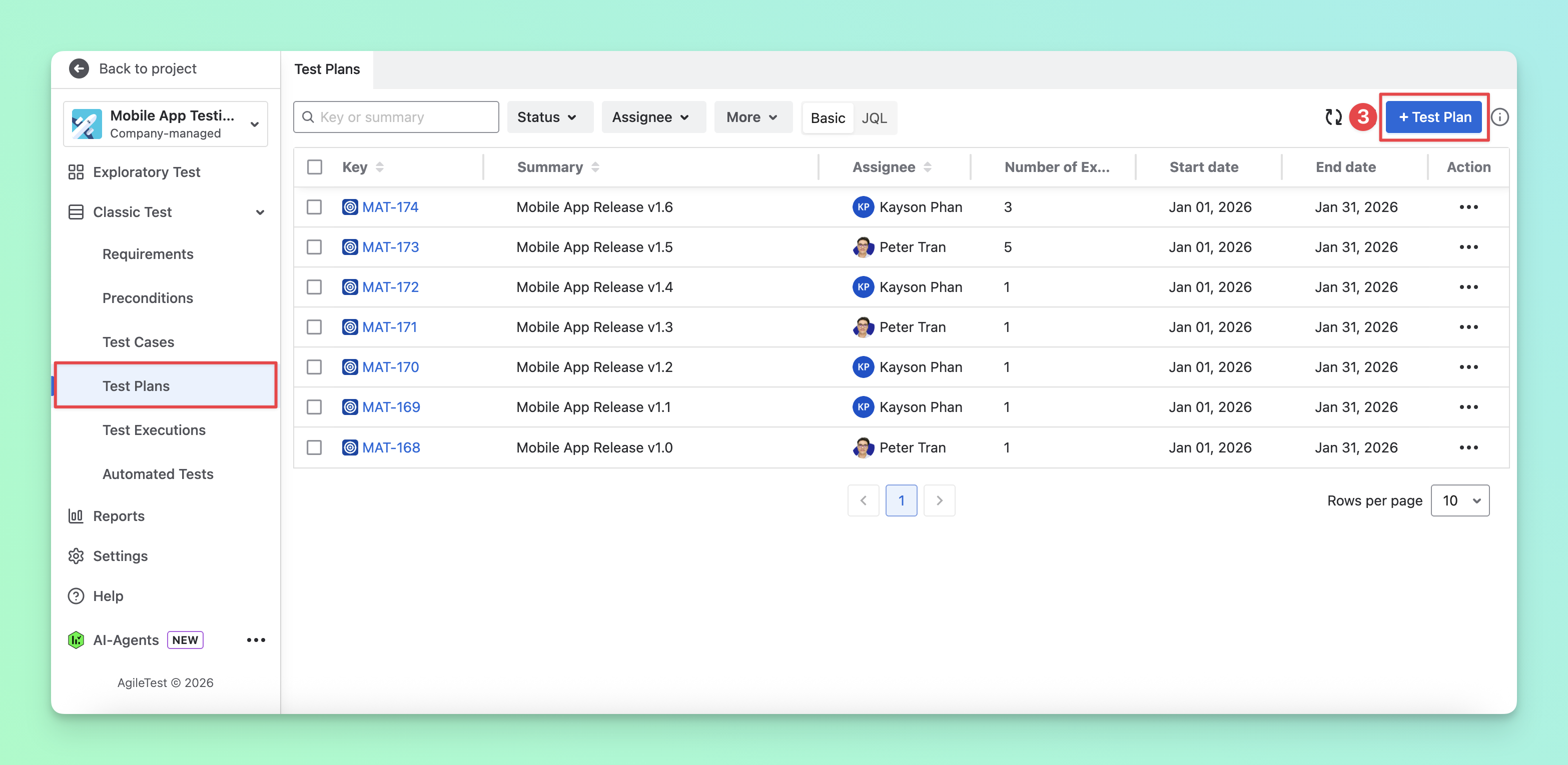
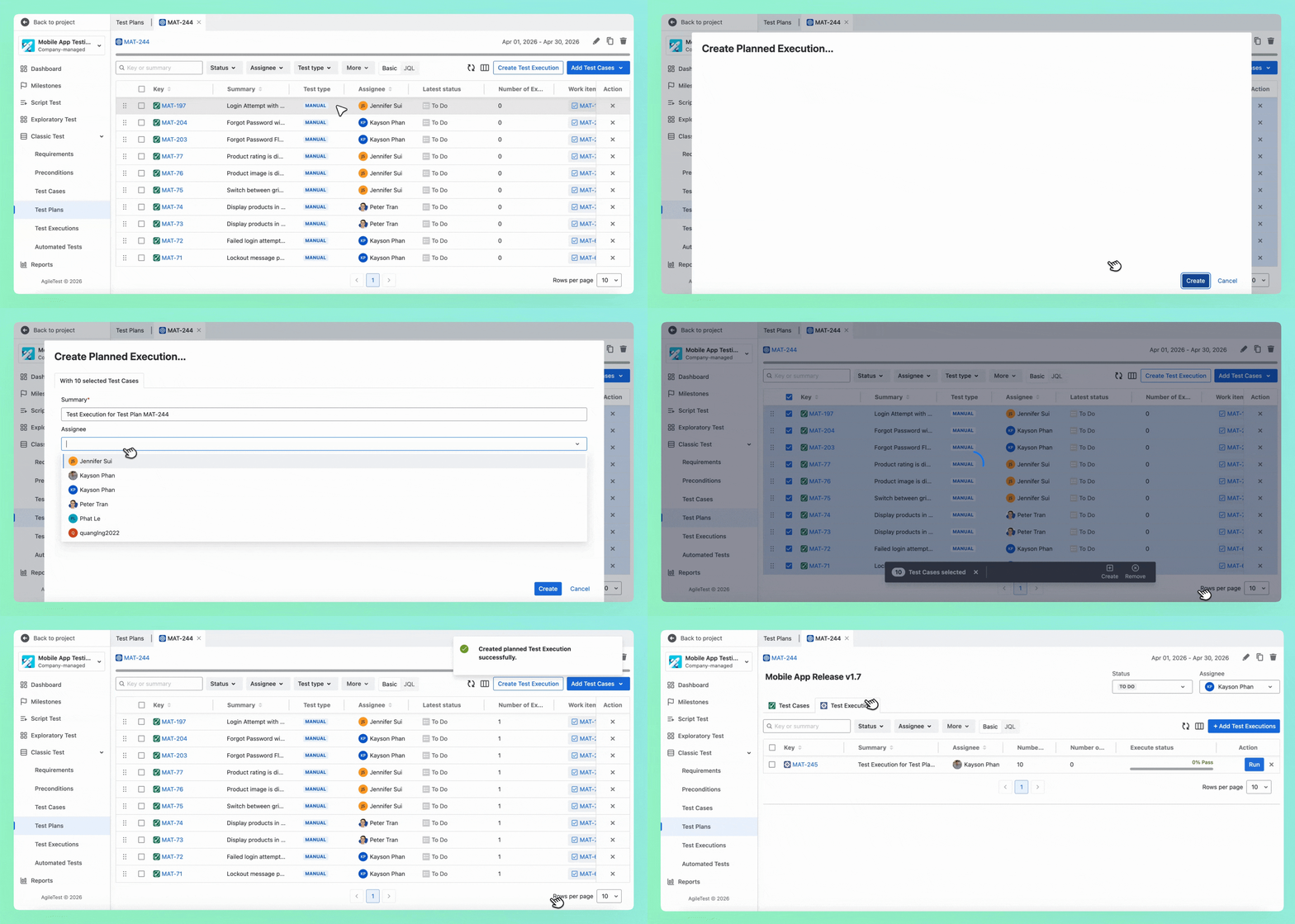
Go to the Test Plan section and create a test plan to gather all test cases in one place and avoid missing any.
-
Select the Test Case tab, then add your folder of test cases to the plan.
-
From these test cases, navigate to the Test Execution tab, and you can create as many test executions as you want and assign them to team members.
-
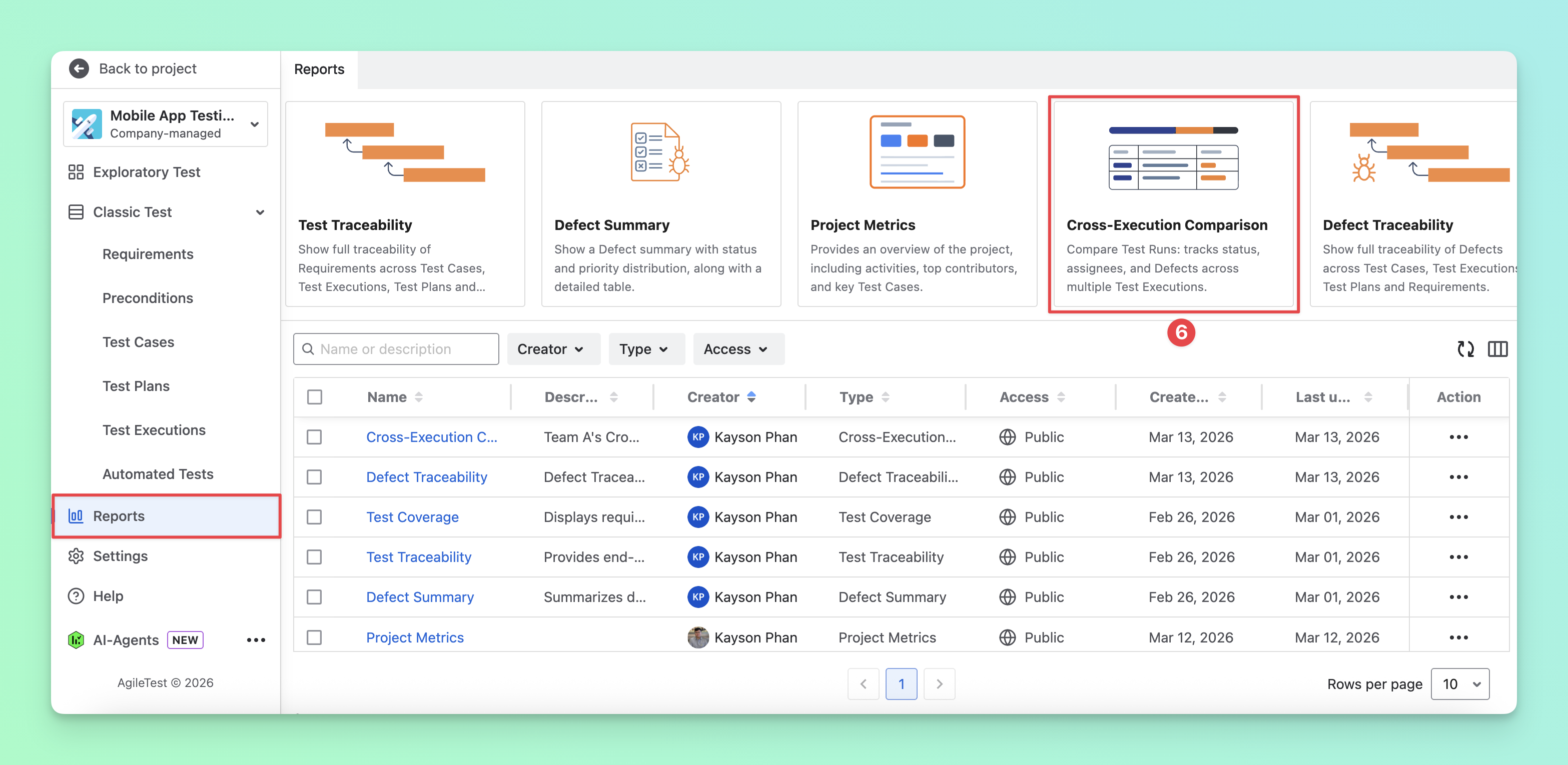
After your team executes these test executions, you can go to the Report section and select the Cross-execution comparison report.
-
Add test executions you want to compare the results.
-
The test executions are displayed side by side in the report. You can track the status of the same test cases across executions, making it easier to identify inconsistencies, spot problematic test cases, and evaluate team performance more effectively.
🎊 That’s how you can effectively track execution status across multiple executions using AgileTest.
Should you need any assistance or further AgileTest inquiries, contact our 24/7 Support Desk!