.png)
Context:
You want to reuse and map existing requirements from other projects into the current one.
Analyze Problem:
Requirements are often distributed across multiple Jira projects, especially when teams manage shared products, modules, or business initiatives separately.
Without cross-project mapping, teams may need to duplicate requirements manually, leading to inconsistent data, extra maintenance effort, and reduced visibility between development and testing teams.
Solution:
AgileTest supports mapping requirements from up to 3 projects into the current project, allowing you to reuse existing requirements while maintaining clear traceability across projects.
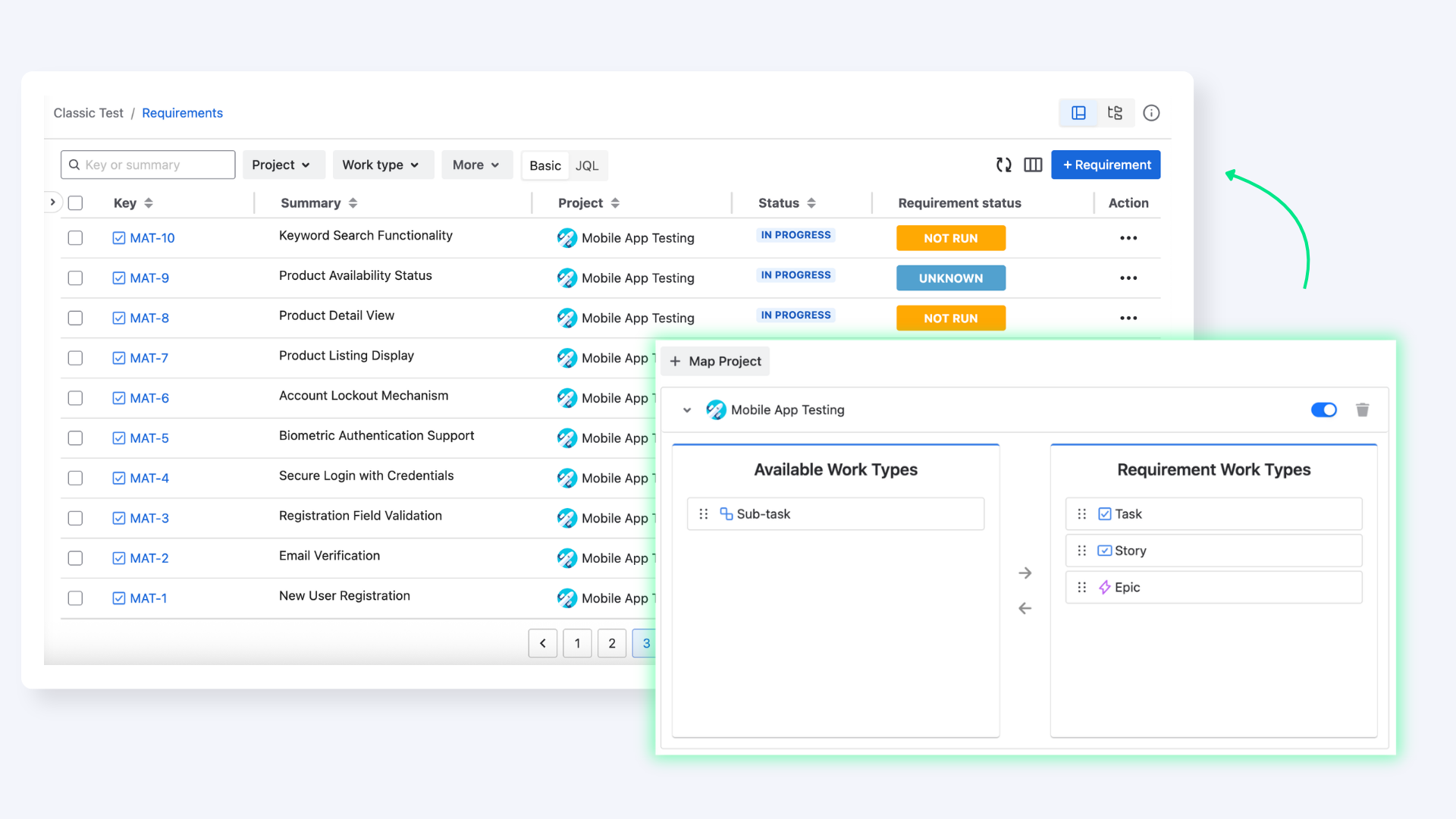
To do this, follow these steps:
-
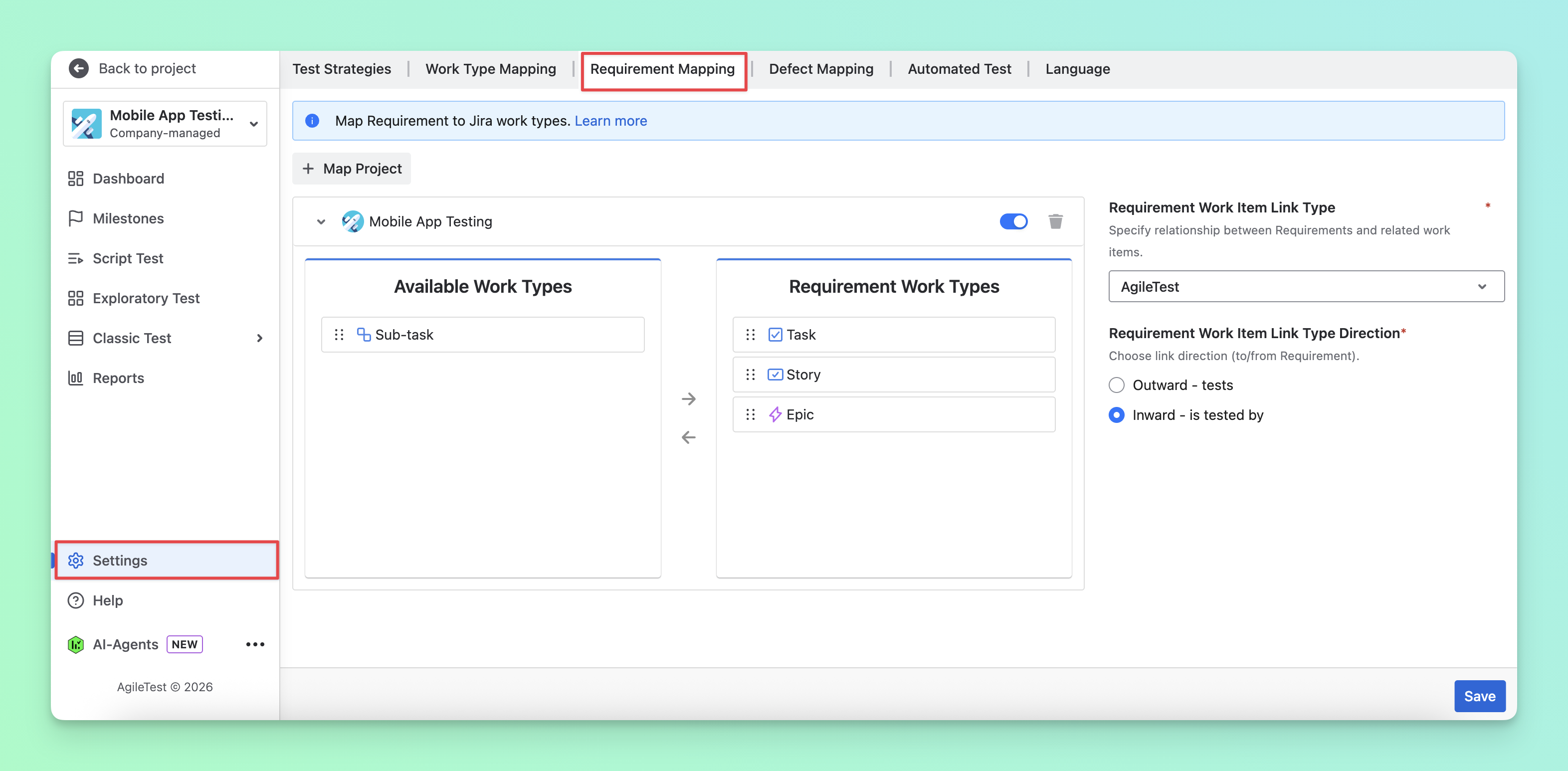
Navigate to the Settings sections → Choose the Requirement Mapping tab.
-
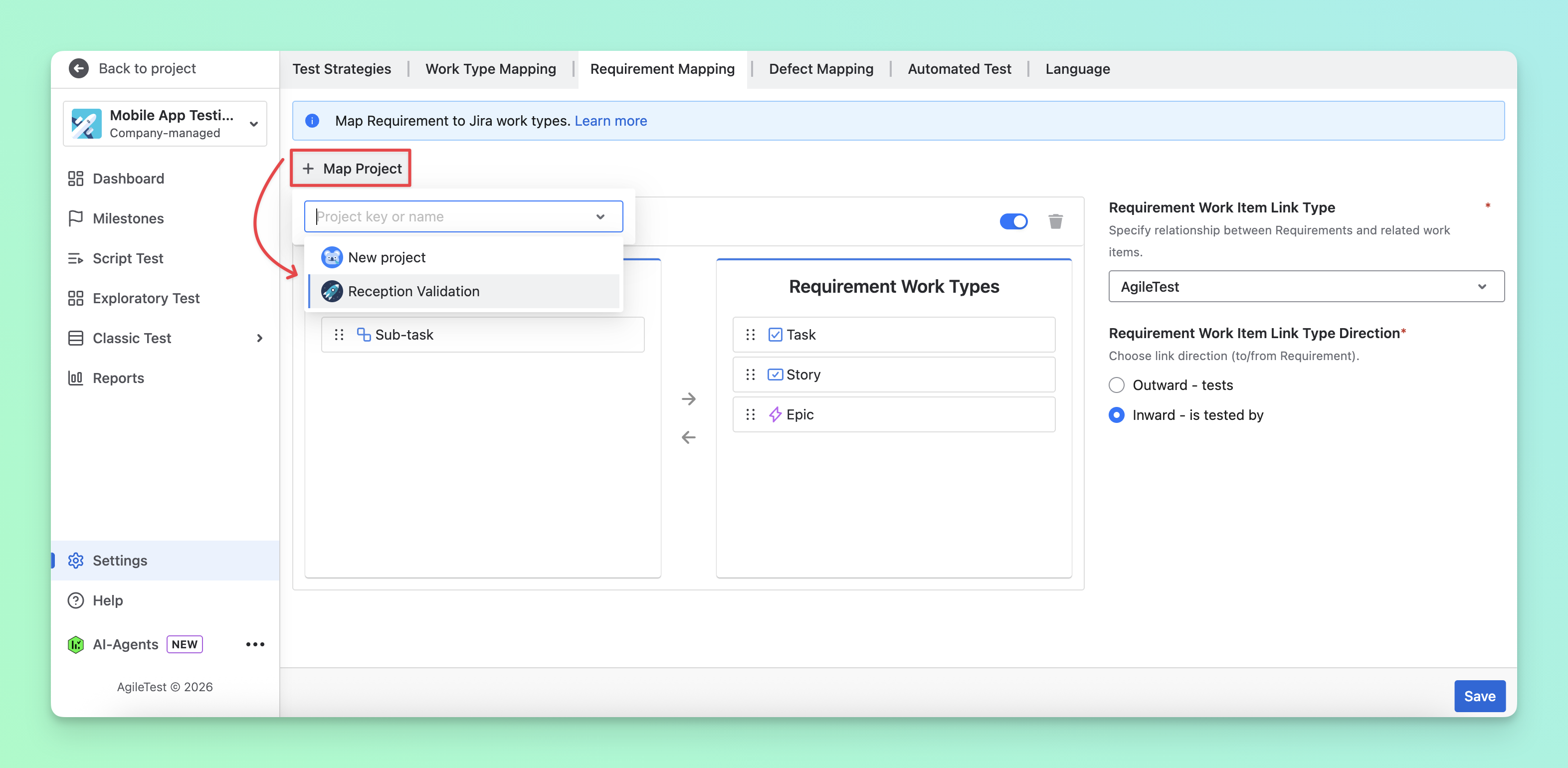
Click on the “+ Map Project” button. Here, you can select up to 3 projects you want to map.
-
Drag and drop the work type you want to use for requirements. Your selected work types will map your work items of this type on your Jira board into AgileTest requirements.
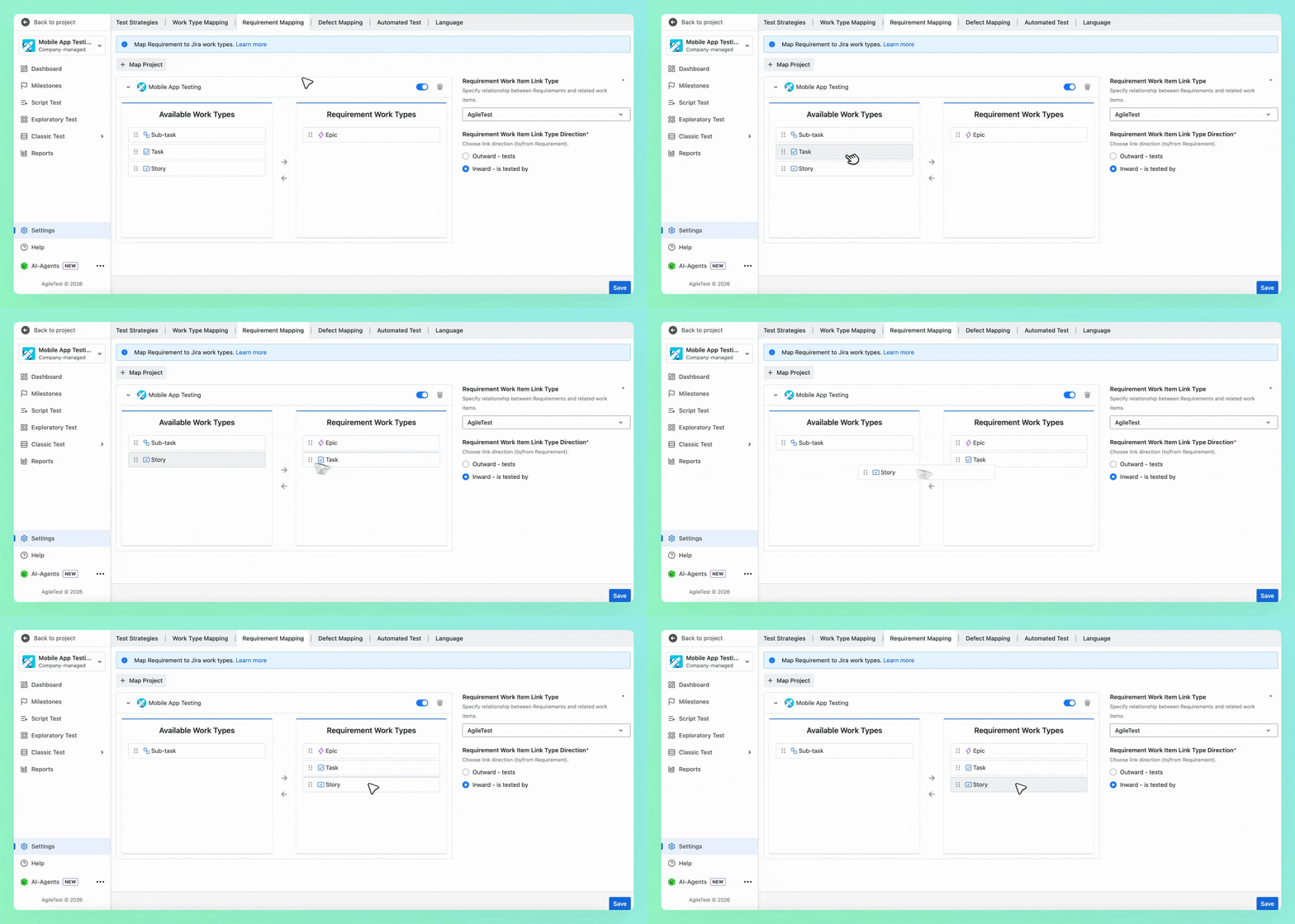
-
Click the “Save” button. Requirements from all your mapped projects will be displayed in the Classic Test → Requirements section.
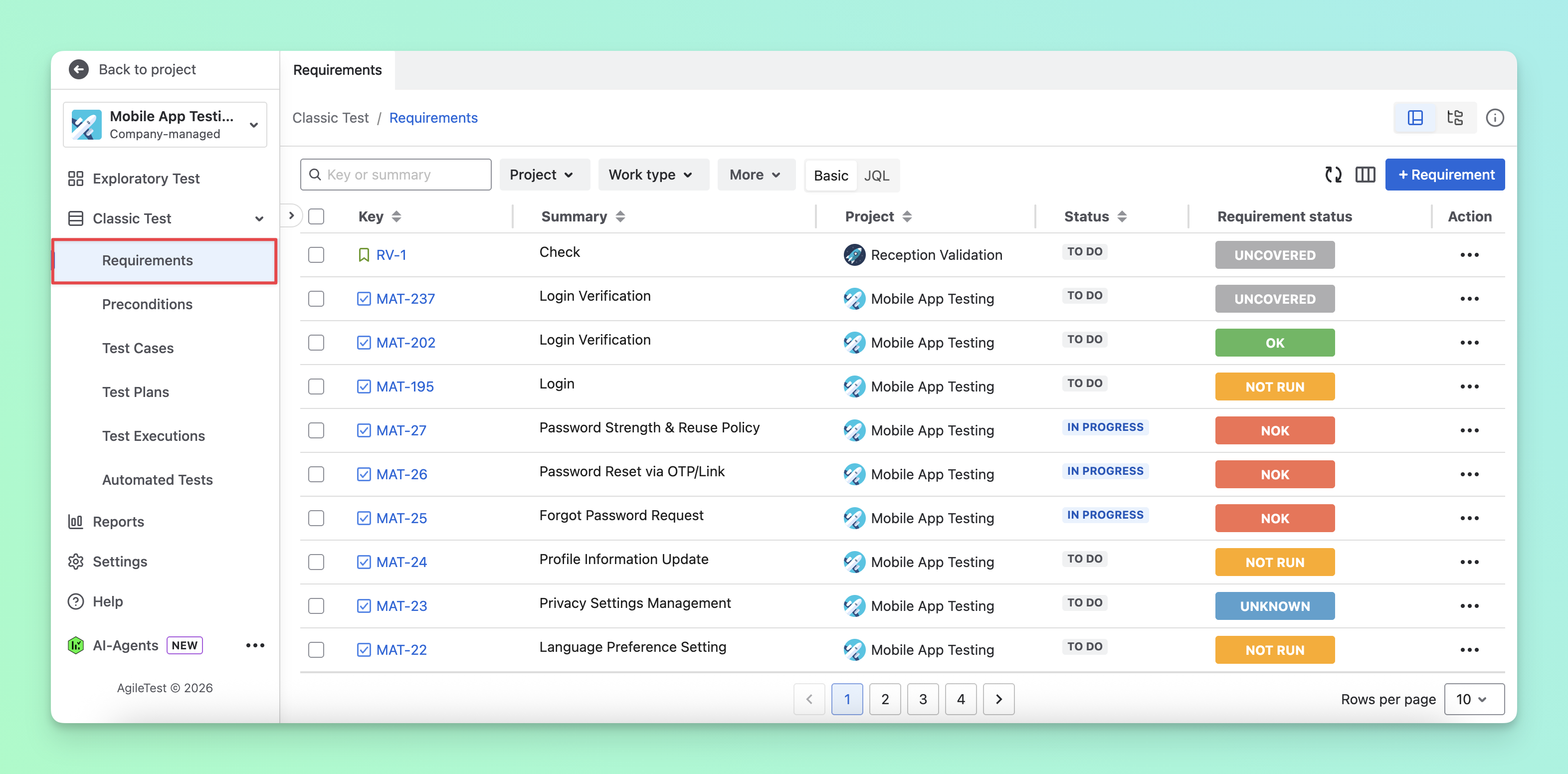
🎊 Now you're ready to map requirements from other projects for better traceability and more efficient test management!
Should you need any assistance or further AgileTest inquiries, contact our 24/7 Support Desk!