.png)
Context:
You have a list of test items that need to be executed regularly. The goal is to enhance the process by turning these items into a reusable format, allowing for quick execution without the need to prepare detailed test cases each time.
Analyze Problem:
Creating detailed test cases with step-by-step action and data can be time-consuming, especially when you only need a quick validation of certain items. You may also not need to document findings during each test execution; instead, just verify whether the test item passes or fails.
Solution:
AgileTest’s Script Test feature lets you quickly check key items without the need for detailed steps or result documentation. It’s ideal for fast checks like smoke tests or simple daily verifications, saving you time while ensuring important functionality works.
.png?cb=c9700253fc57f6e5e5774febd471ac2f)
To do this, follow these steps:
-
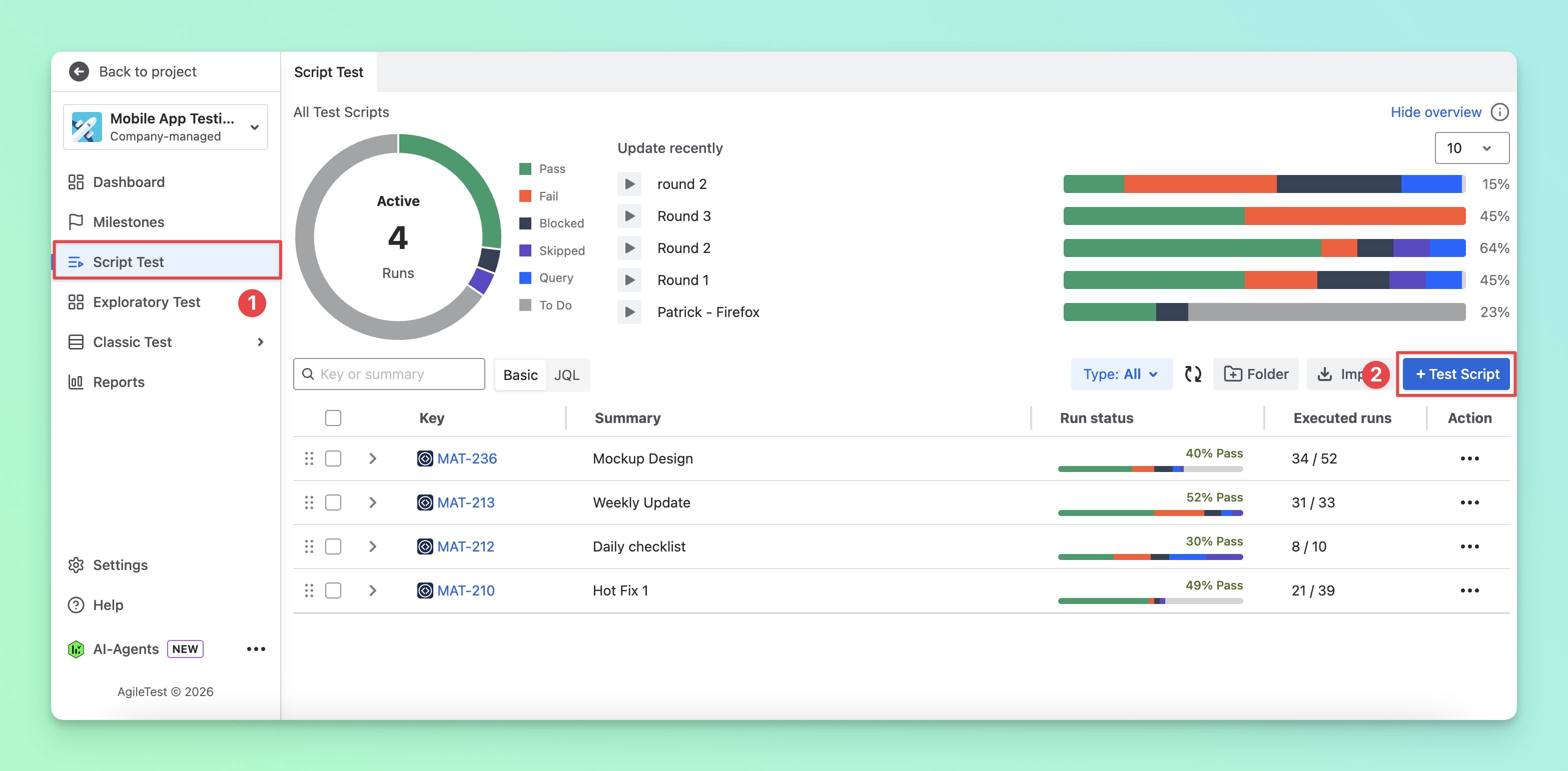
Navigate to the Script Test section.
-
Click on the “Test Script” button to create a new test script.
-
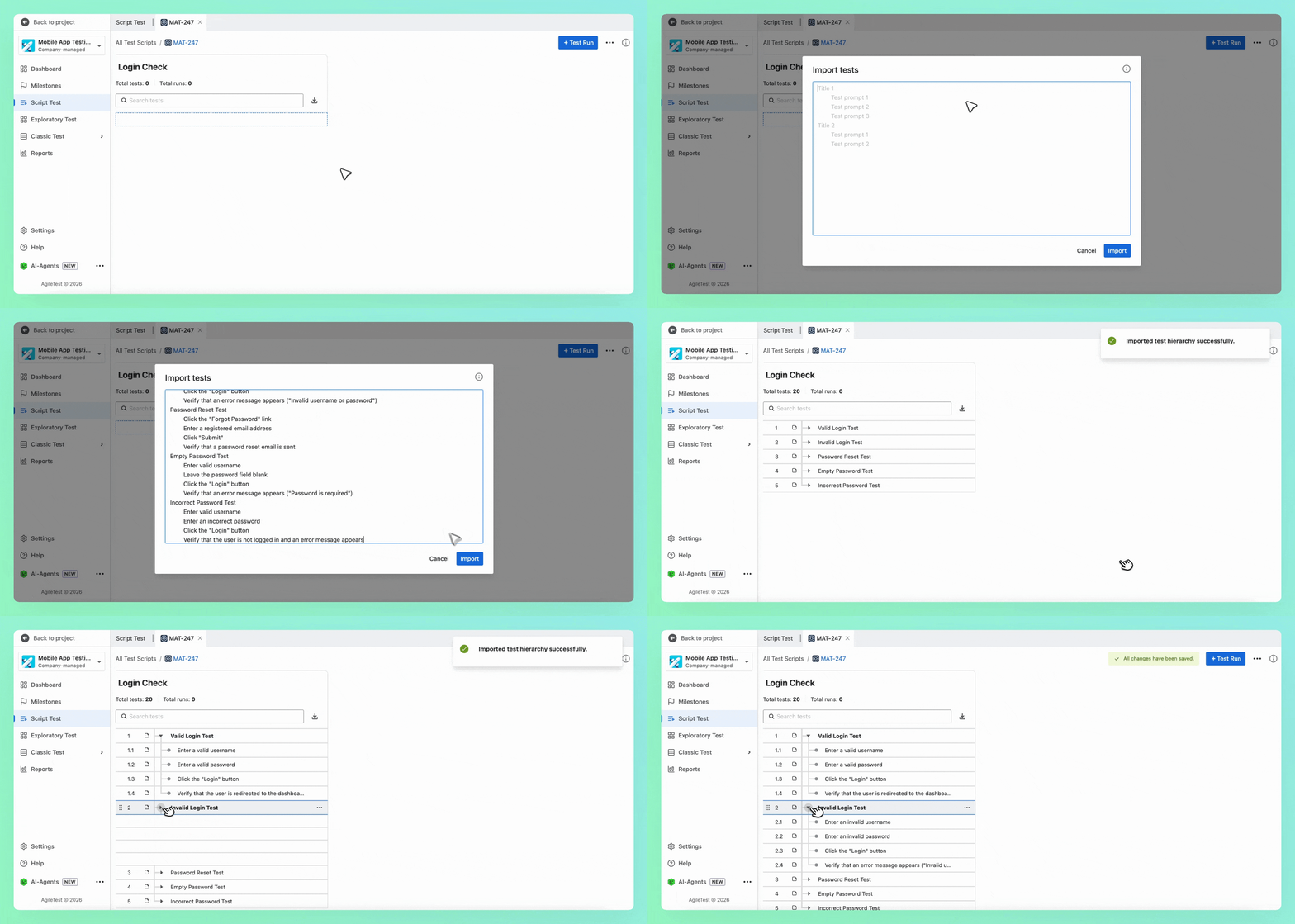
Import your notes to create the test checklist. You can use the [Tab] syntax to separate the main and sub-items.
-
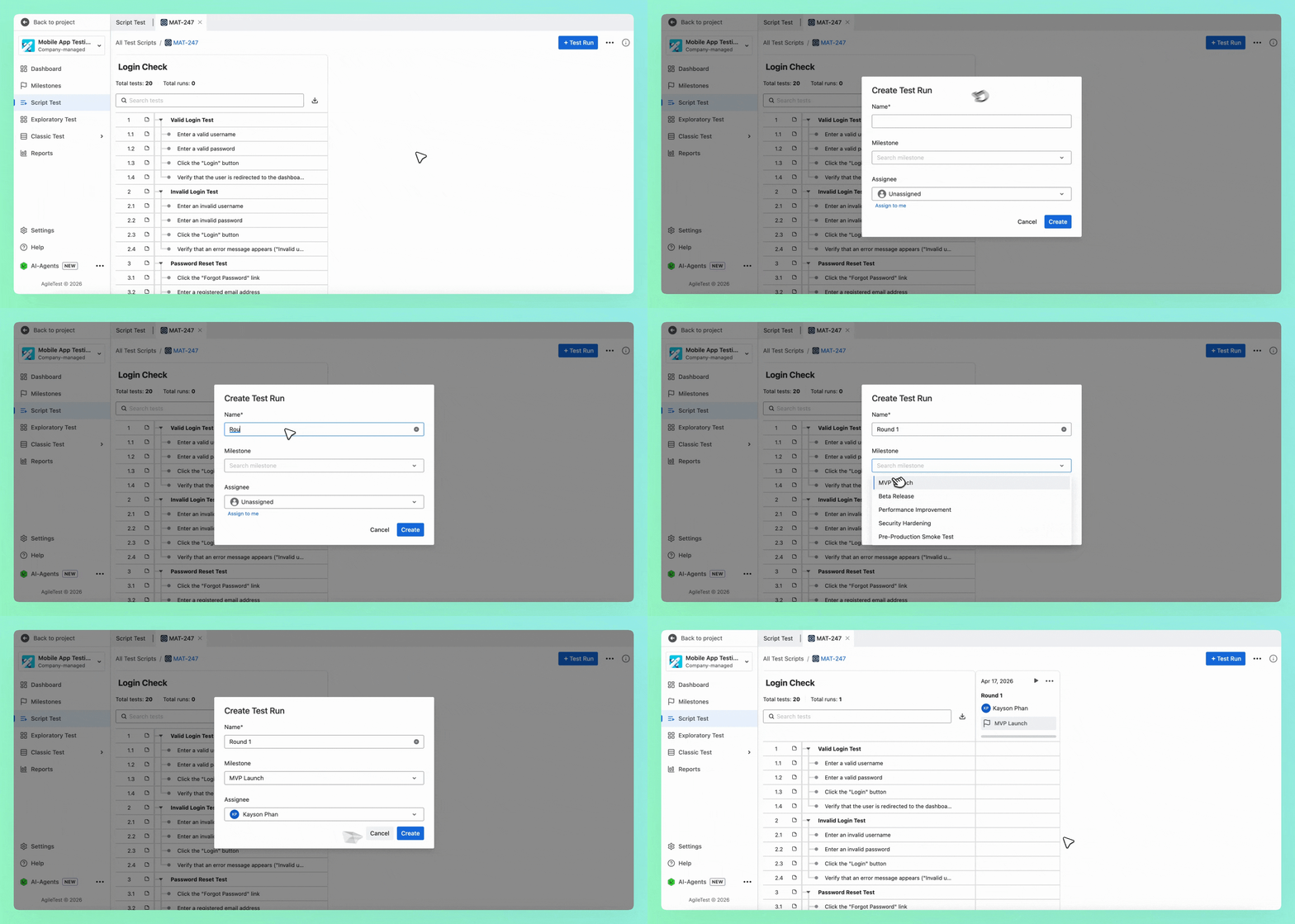
Click on the “+ Test Run” button to create a test run and assign it to your team members.
-
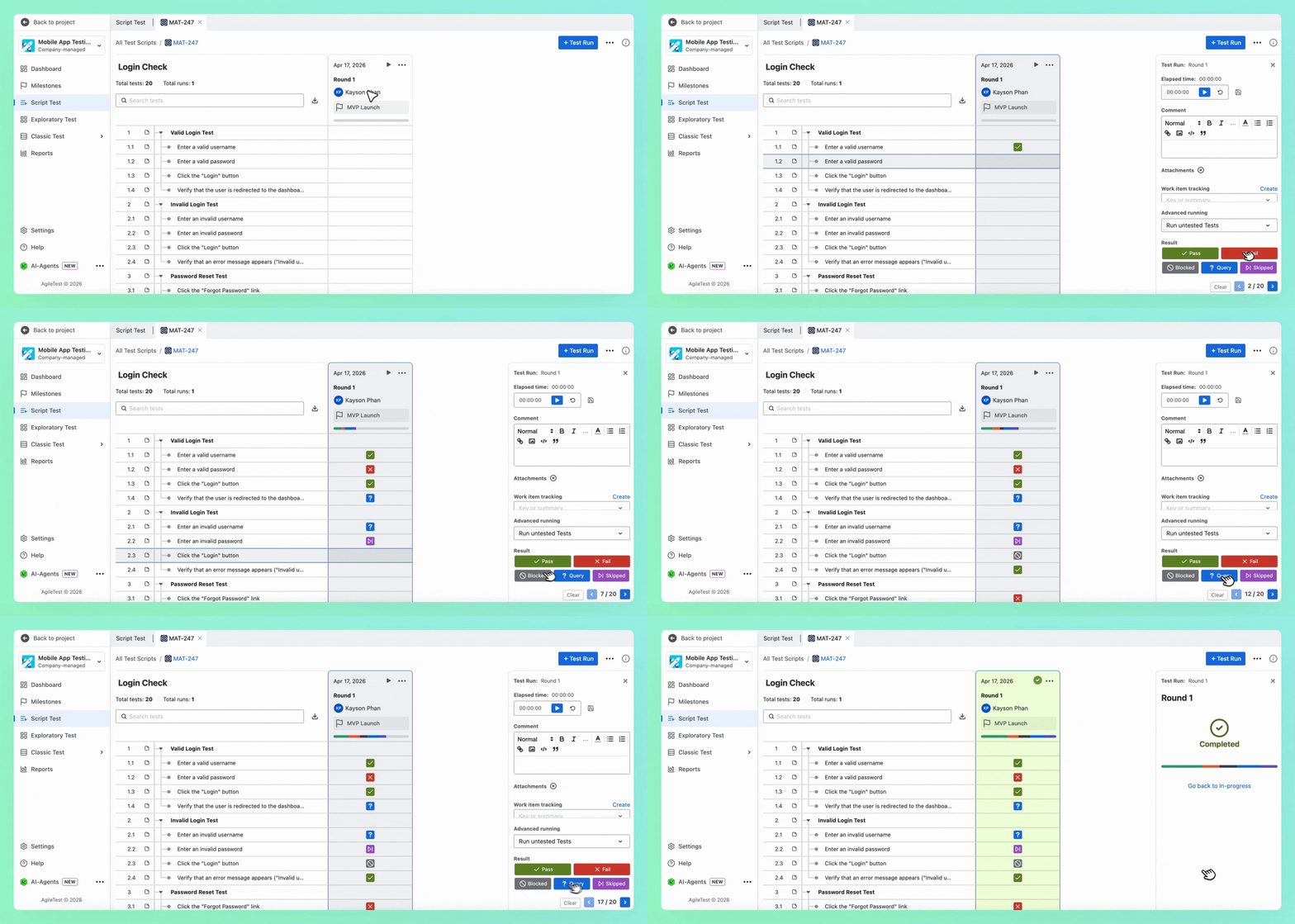
Now, click the “Run” button, and you can assign the status for each test run item.
-
Repeat step 5 to create another run when you need to double-check your list of test items.
🎊 That’s how you can record your daily tests with checklists using AgileTest.
Should you need any assistance or further AgileTest inquiries, contact our 24/7 Support Desk!