.png)
Overview
The Loans page provides administrators with a comprehensive overview of all assets that have been checked out. From this page, administrators have the ability to manage, search for, and check-in specific assets that have been loaned out.
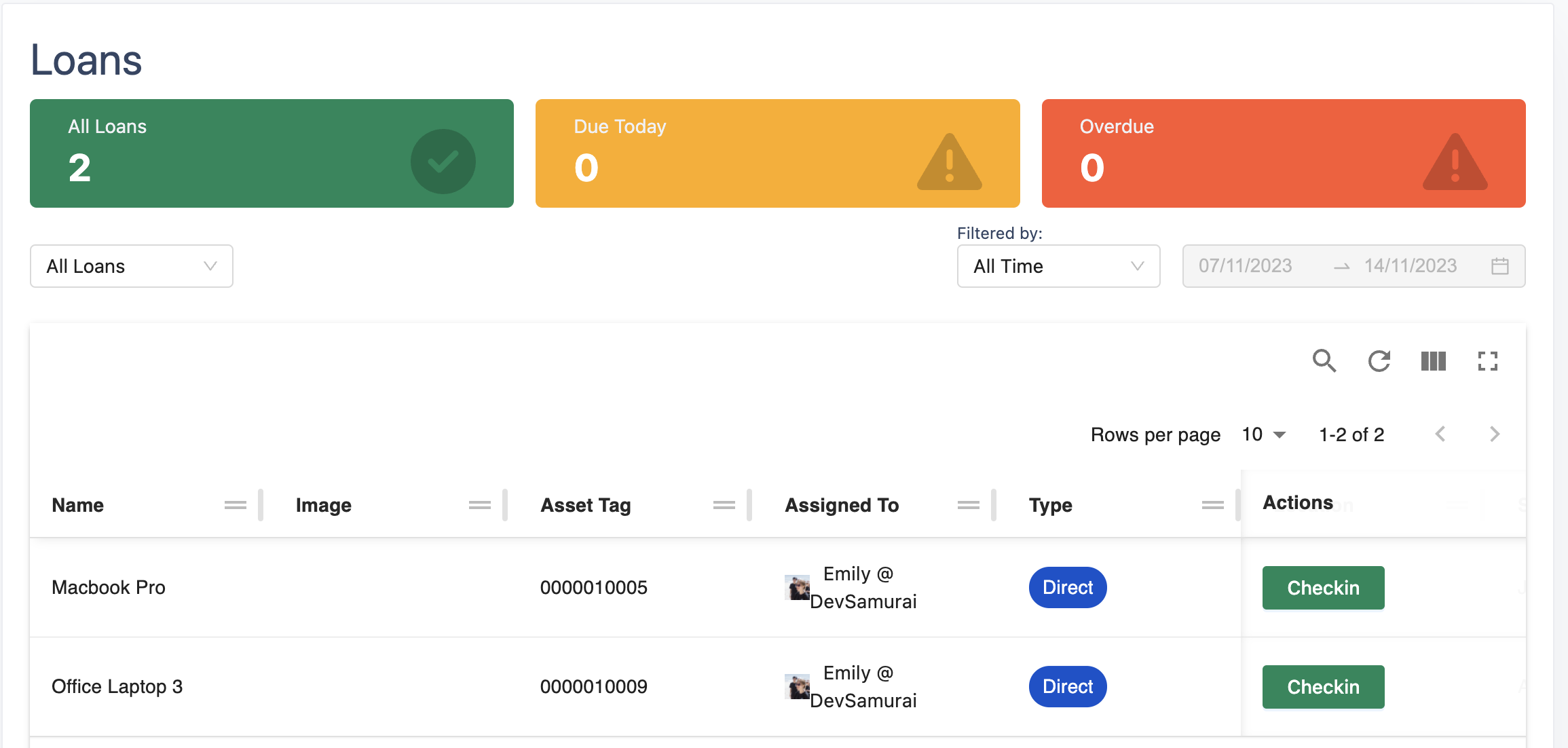
Checkout types
There are 2 types of checkouts: Direct and Booking
-
A Direct checkout asset is an item that has been loaned out and checked out directly, without going through the Reservations or approval process. (Example: Assets checked out via Assets, Assets assigned in Jira Issues, etc.)
-
A Booked asset refers to an item that has been approved and checked out through the Reservations as a loaned item.
Loan sections
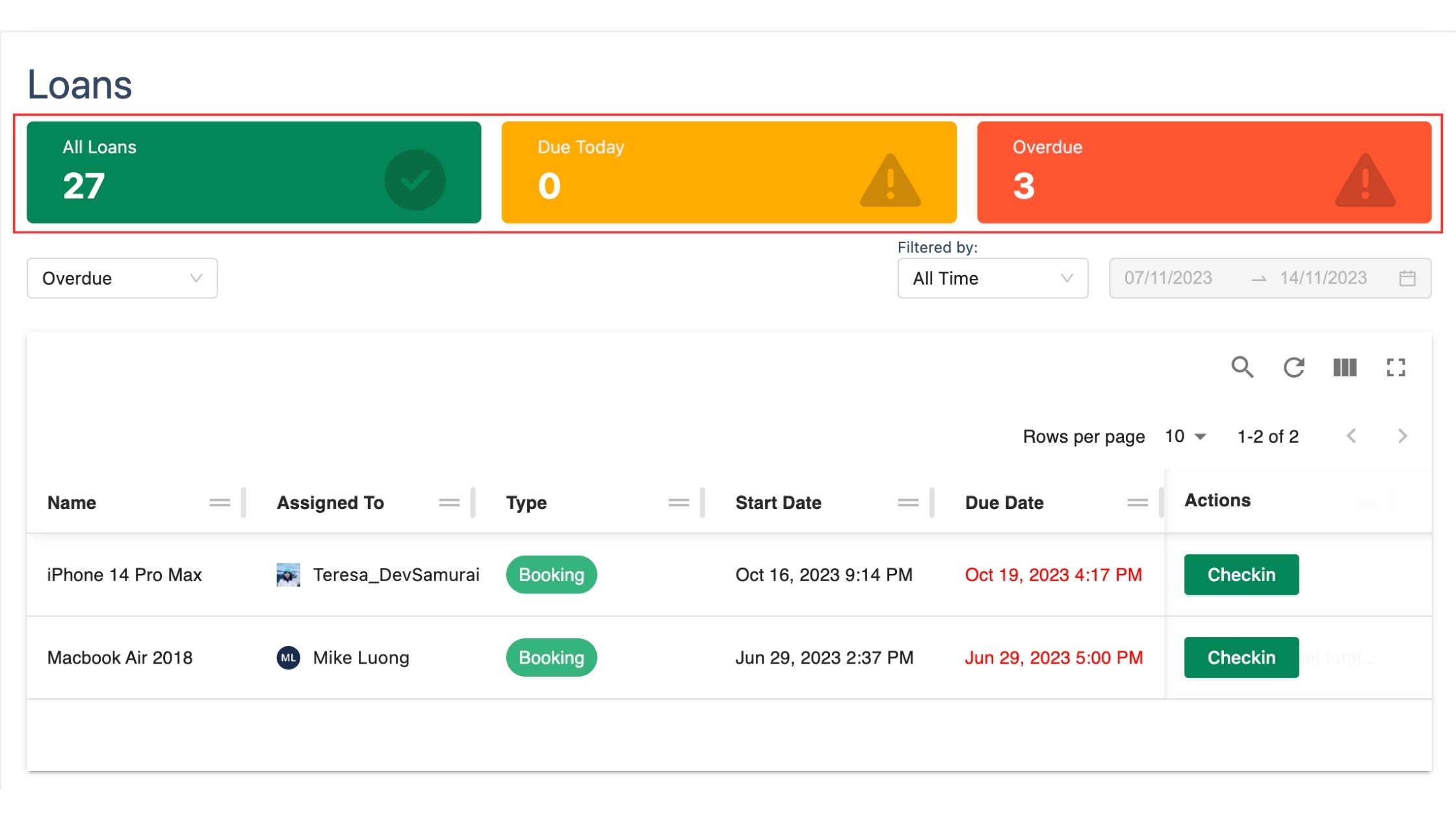
Within the loans table, you have the ability to easily navigate and browse checked out assets by accessing the All Loans, Due Today, and Overdue sections
-
Loans displays all the checked-out assets.
-
Due today shows all assets that are scheduled to be checked in within the current day.
-
Overdue lists out overdue assets to check them in.