.png)
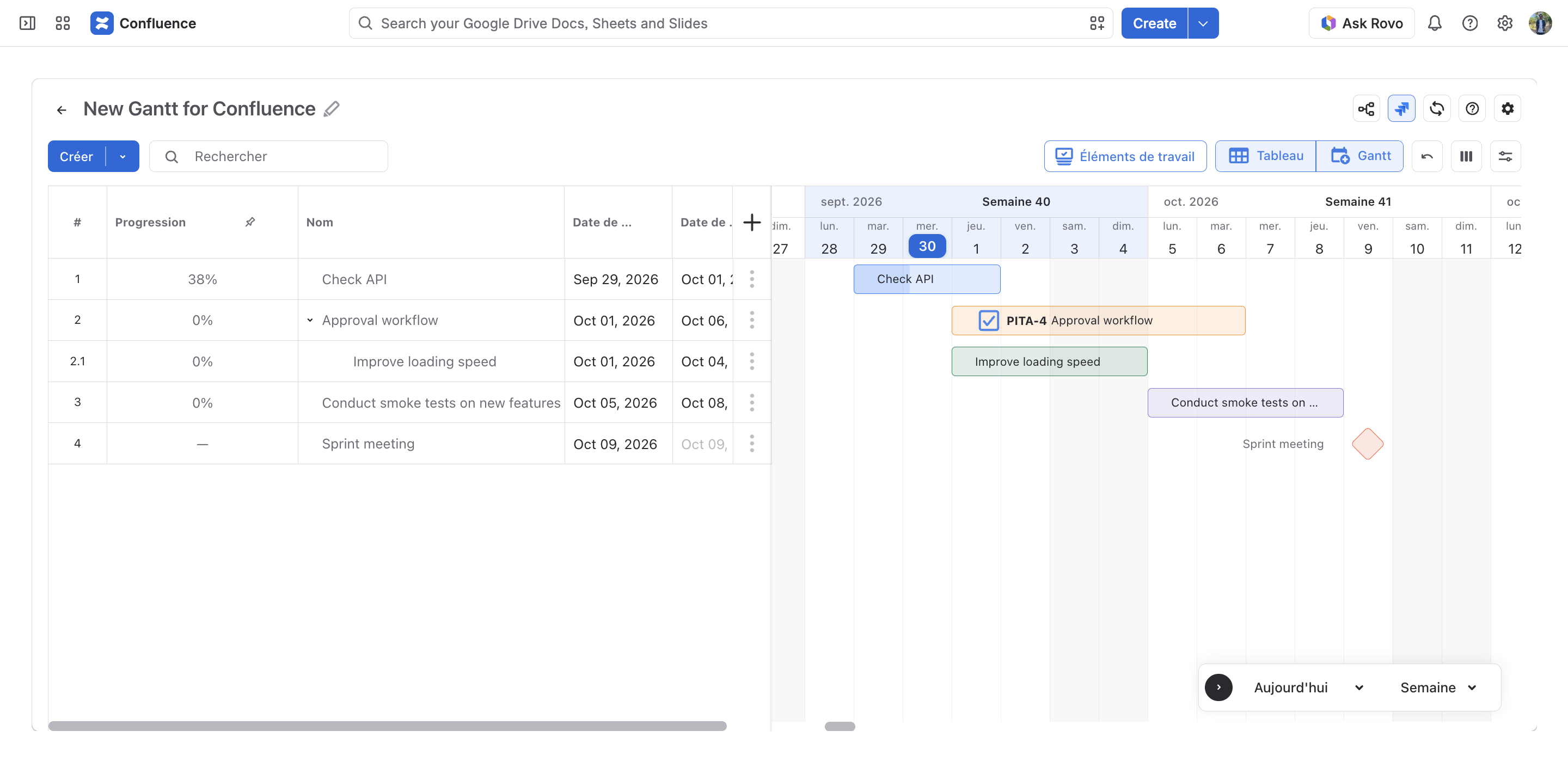
ConfluPlan supports translating the app to your preferred language.
Currently, ConfluPlan supports these languages:
-
German 🇩🇪
-
Spanish 🇪🇸
-
French 🇫🇷
-
Japanese 🇯🇵
-
Korean 🇰🇷
-
Chinese 🇨🇳
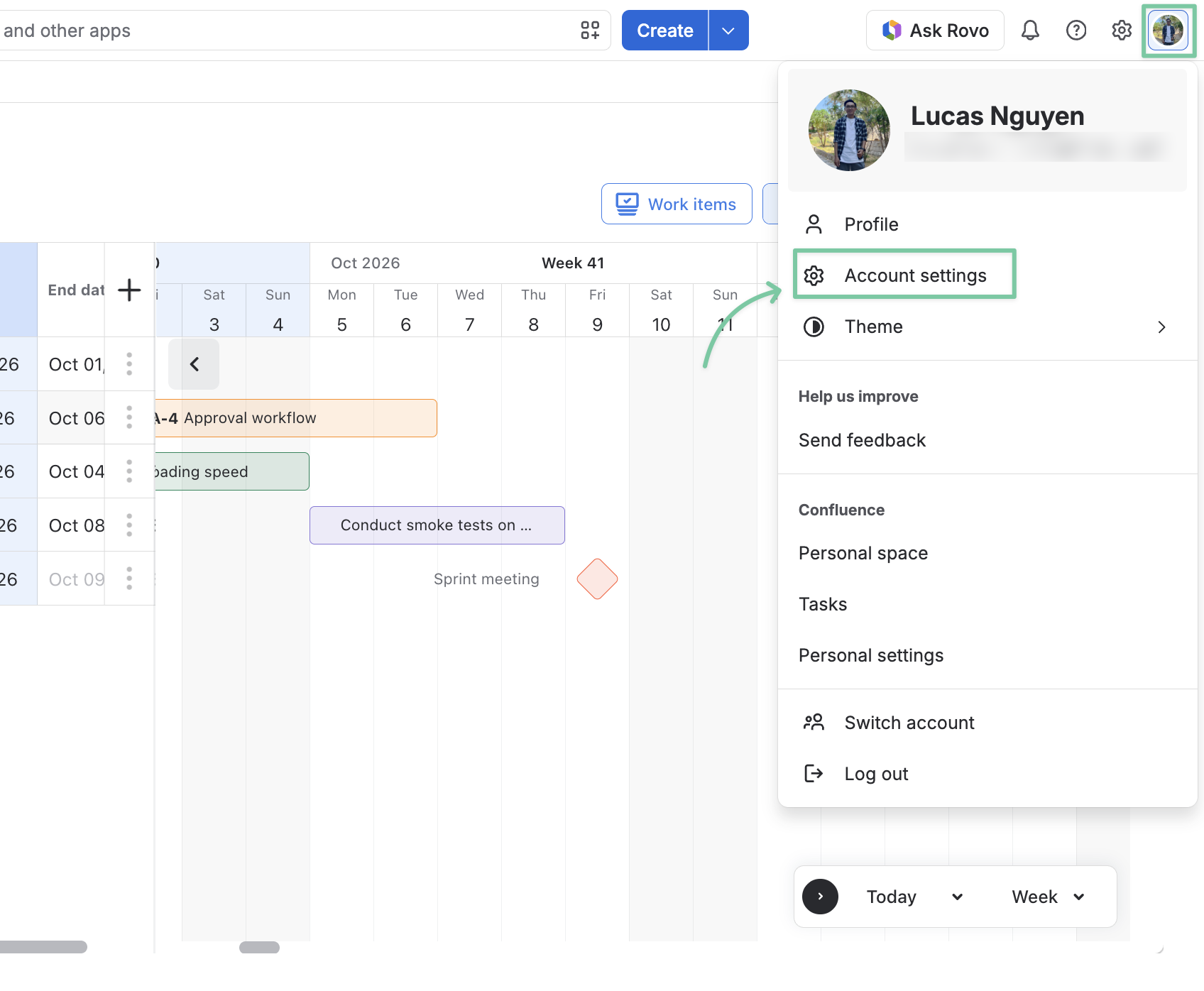
To switch languages, go to your Account profile in the top right corner and choose Account settings
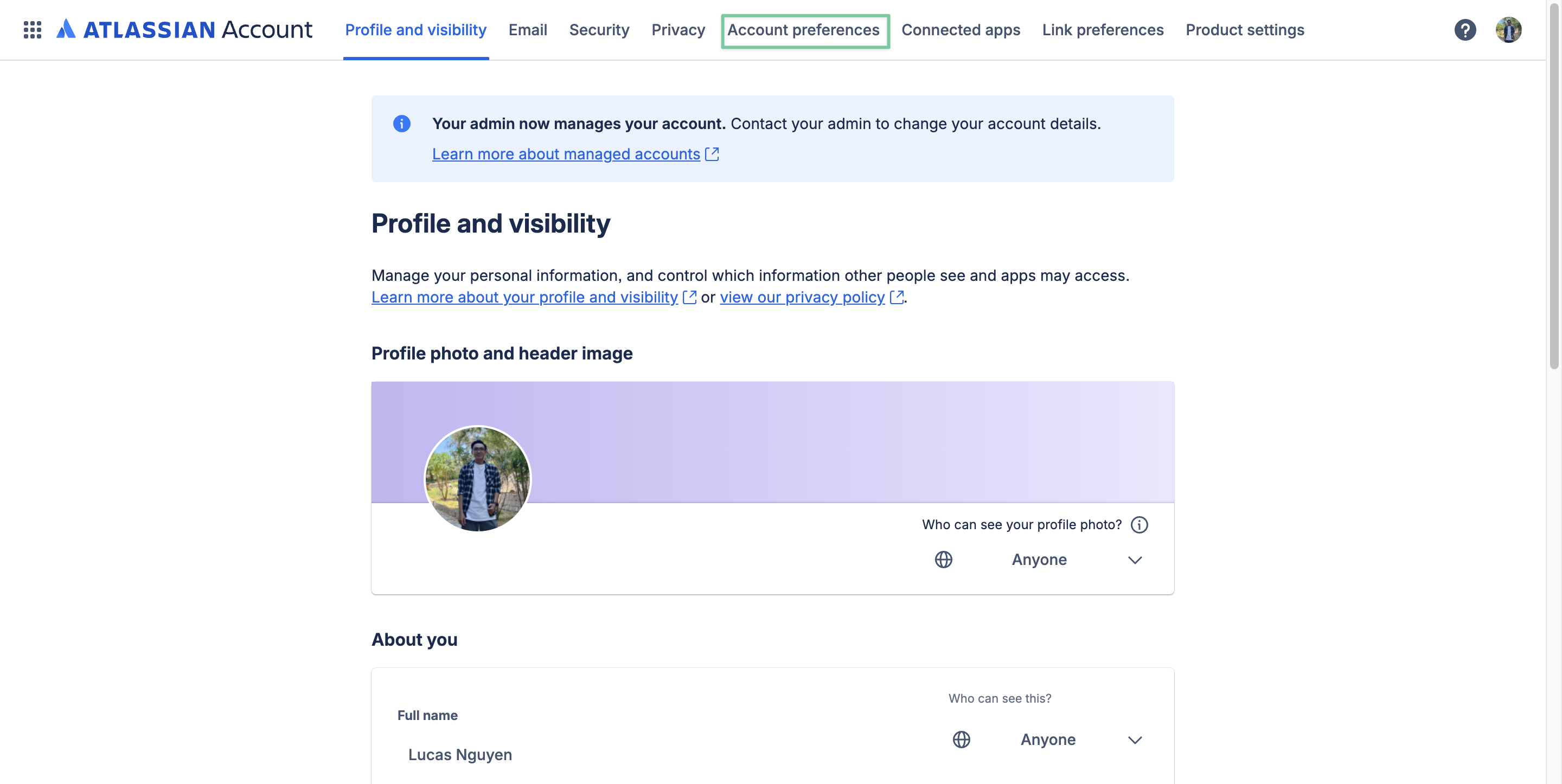
You will be redirected to your Atlassian Account; choose Account preferences.
Then, select one of the supported languages.
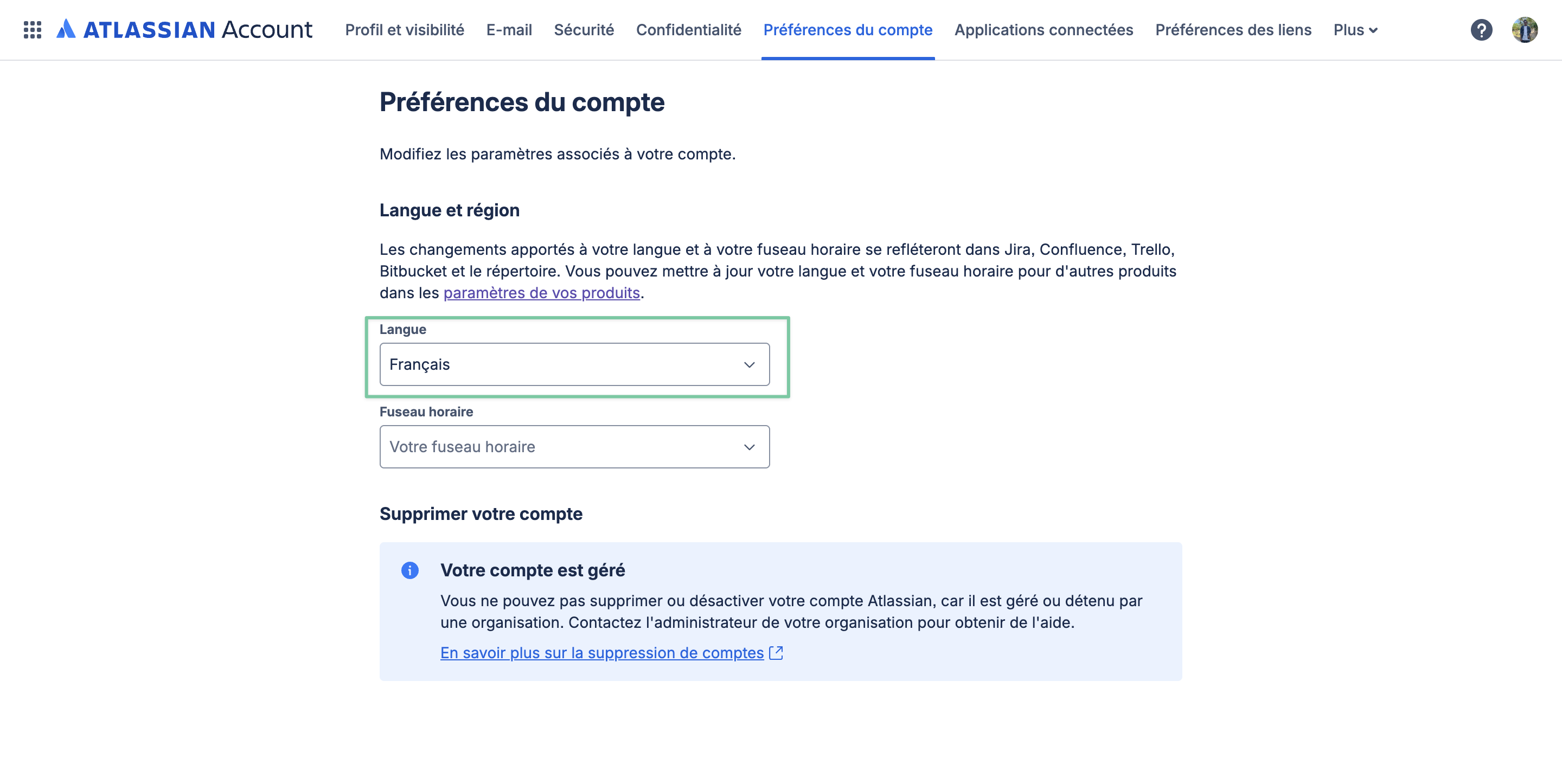
After that, refresh the ConfluPlan page to let the app apply your preferred language.