.png)
Bulk Custody Verification allows organizations to confirm asset assignments efficiently by sending verification requests to multiple users at once. This ensures accountability and helps maintain accurate asset records.
Key Notes
✔️ Only assets assigned to users can be verified.
✔️ Unassigned assets are automatically disabled from selection.
✔️ Assignees receive an email notification to verify their custody after sending out the verification requests.
Steps to Send Bulk Custody Verification
-
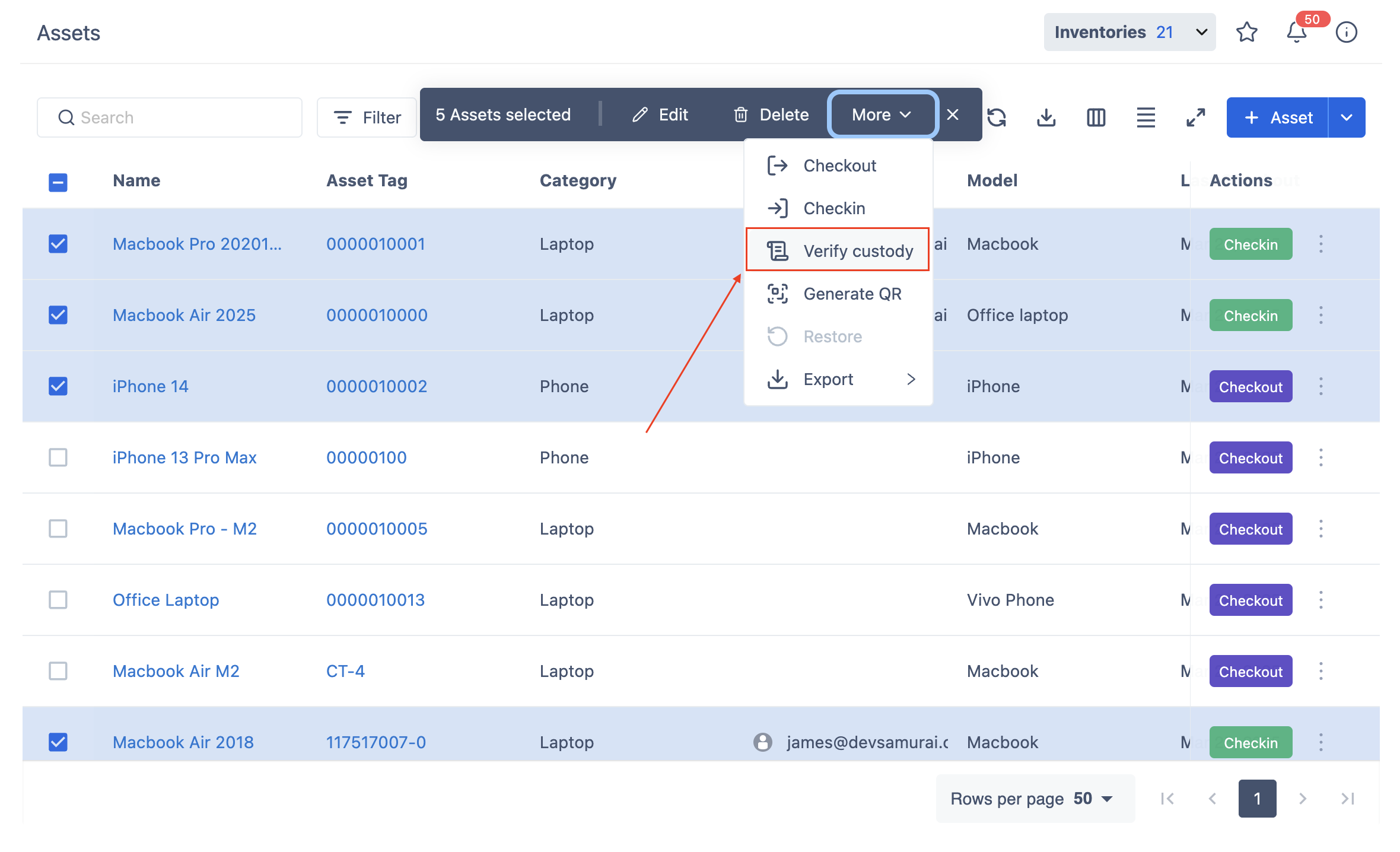
Select Multiple Assets
-
Navigate to the Assets page.
-
Select multiple assets that you want to verify custody for.
-
Click More > Verify Custody to proceed.
-
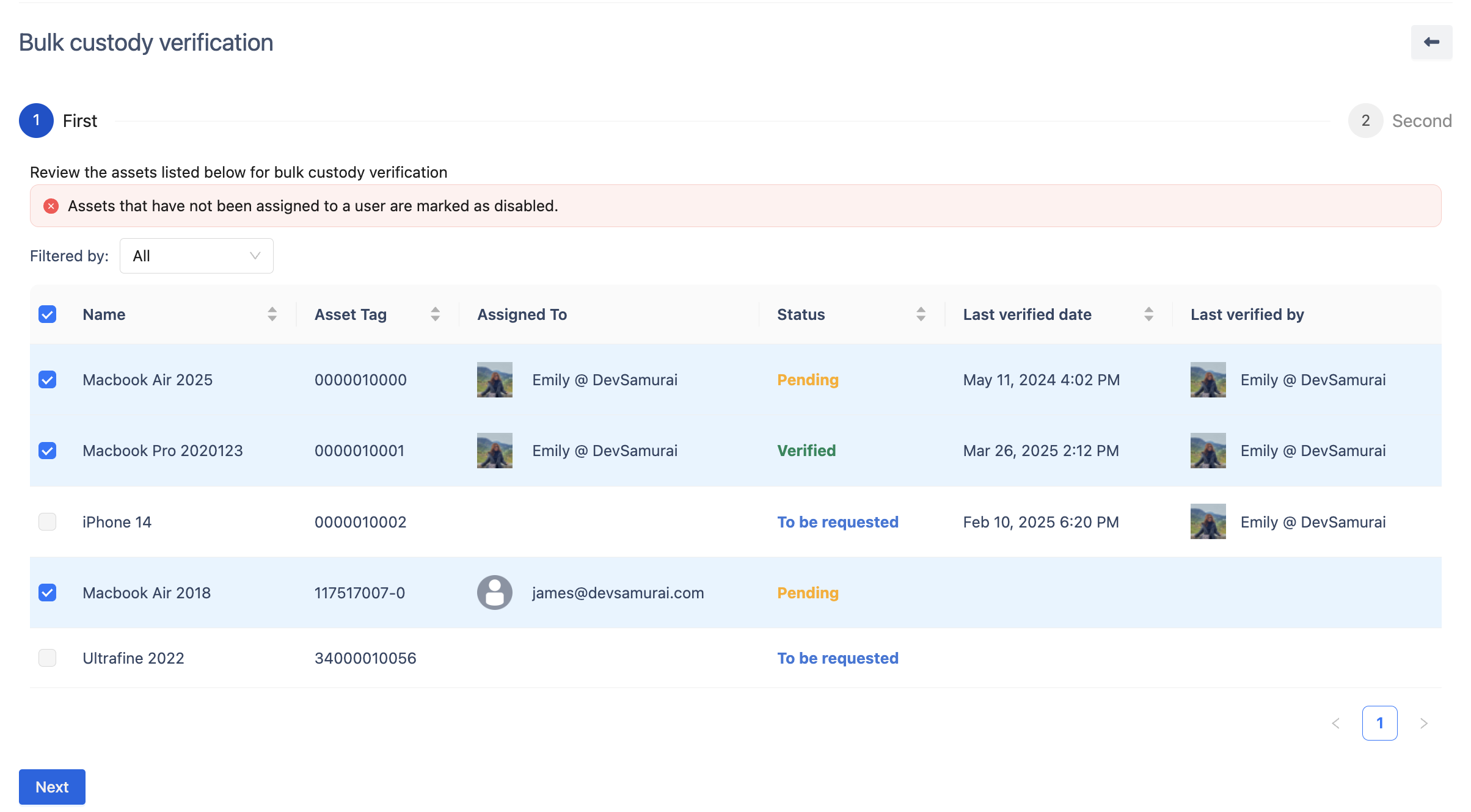
Review the Custody Verification List
-
The system will display the selected assets along with key details:
-
Asset Name & Tag – Identifies the asset.
-
Assigned To – Displays the current user assigned.
-
Status – Shows the verification progress:
-
Verified – Custody has been confirmed.
-
Pending – The verification request has been sent but not confirmed.
-
To be requested – No verification request has been sent yet.
-
-
Unassigned assets will be disabled automatically.
-
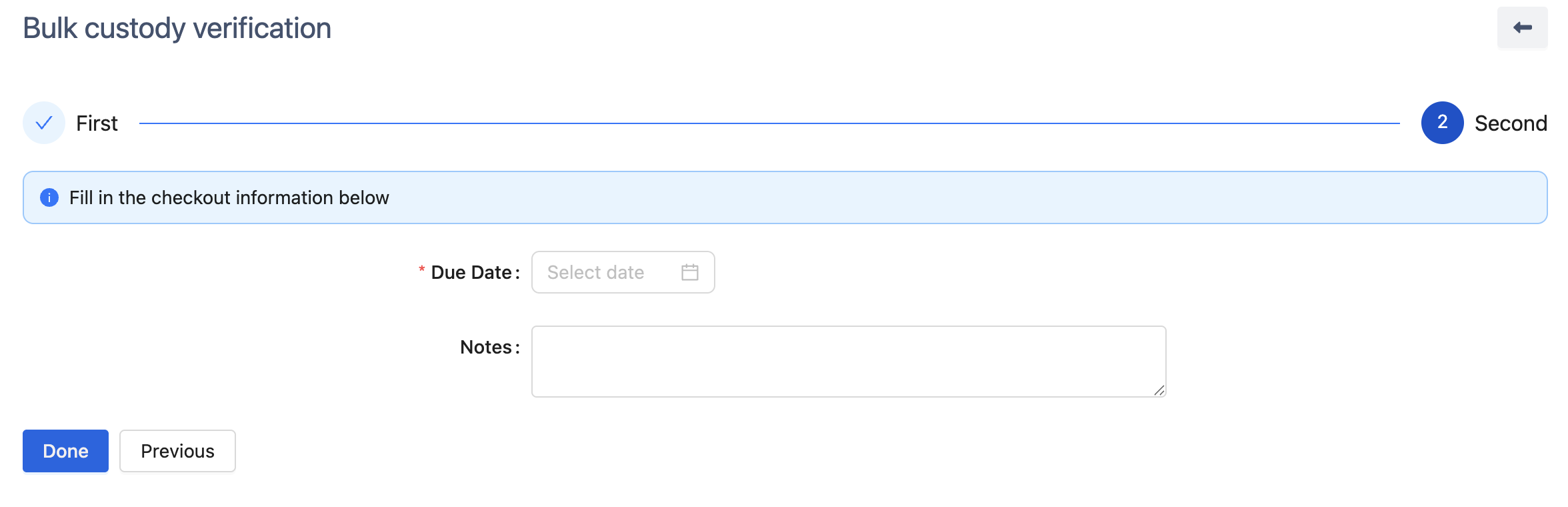
Set Verification Due Date
-
Click Next to proceed.
-
Enter a Due Date for the verification request.
-
(Optional) Add Notes if necessary.
-
Click Done to finalize the process.