.png)
ProductGo makes it easy to share your roadmap with your team or stakeholders by exporting it as an image. Exporting lets you capture your current roadmap view—including tasks, milestones, and timelines—for presentations, reports, or record-keeping.
How to Export
-
Choose your preferred time range and display mode (such as Weeks, Months, or Quarters) before exporting.
-
Click the Export button in the roadmap view.
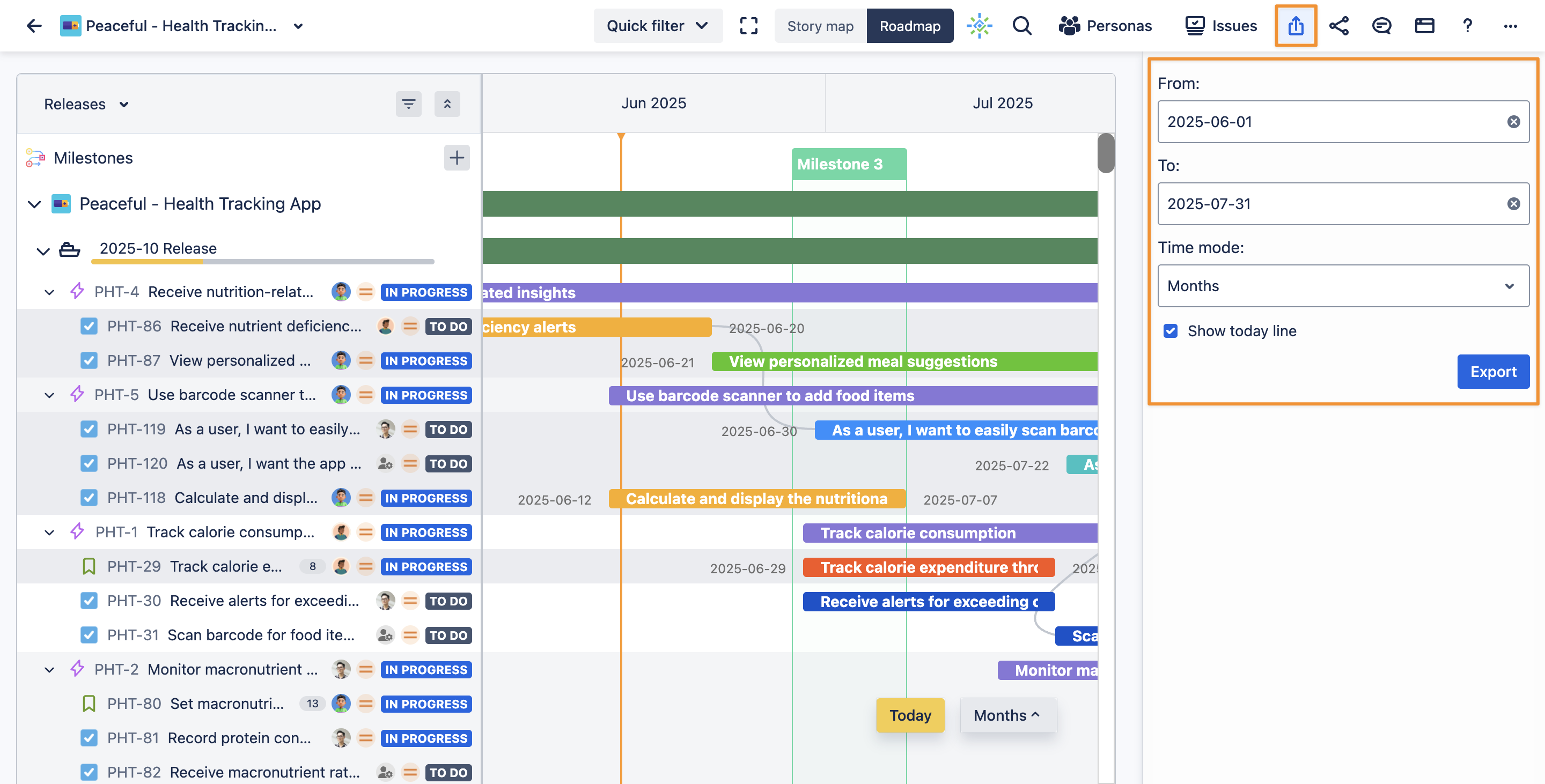
You can adjust the visible timeframe to focus your export on a specific period, ensuring the exported image matches exactly what you want to share.
What’s Included
Your exported image will show all visible roadmap elements, including:
-
Task bars (Goals, Epics, Stories, Subtasks)
-
Milestones
-
Dependencies
-
Timeline with date markers
This makes it simple to communicate plans, track progress, or archive your roadmap at any point in your project.