.png)
The History tab provides a record of all import runs executed through Asset Importer. It allows administrators to review when imports were performed, who triggered them, which data source was used, and the overall results of each run. This section is useful for auditing, troubleshooting, and validating past import activities.
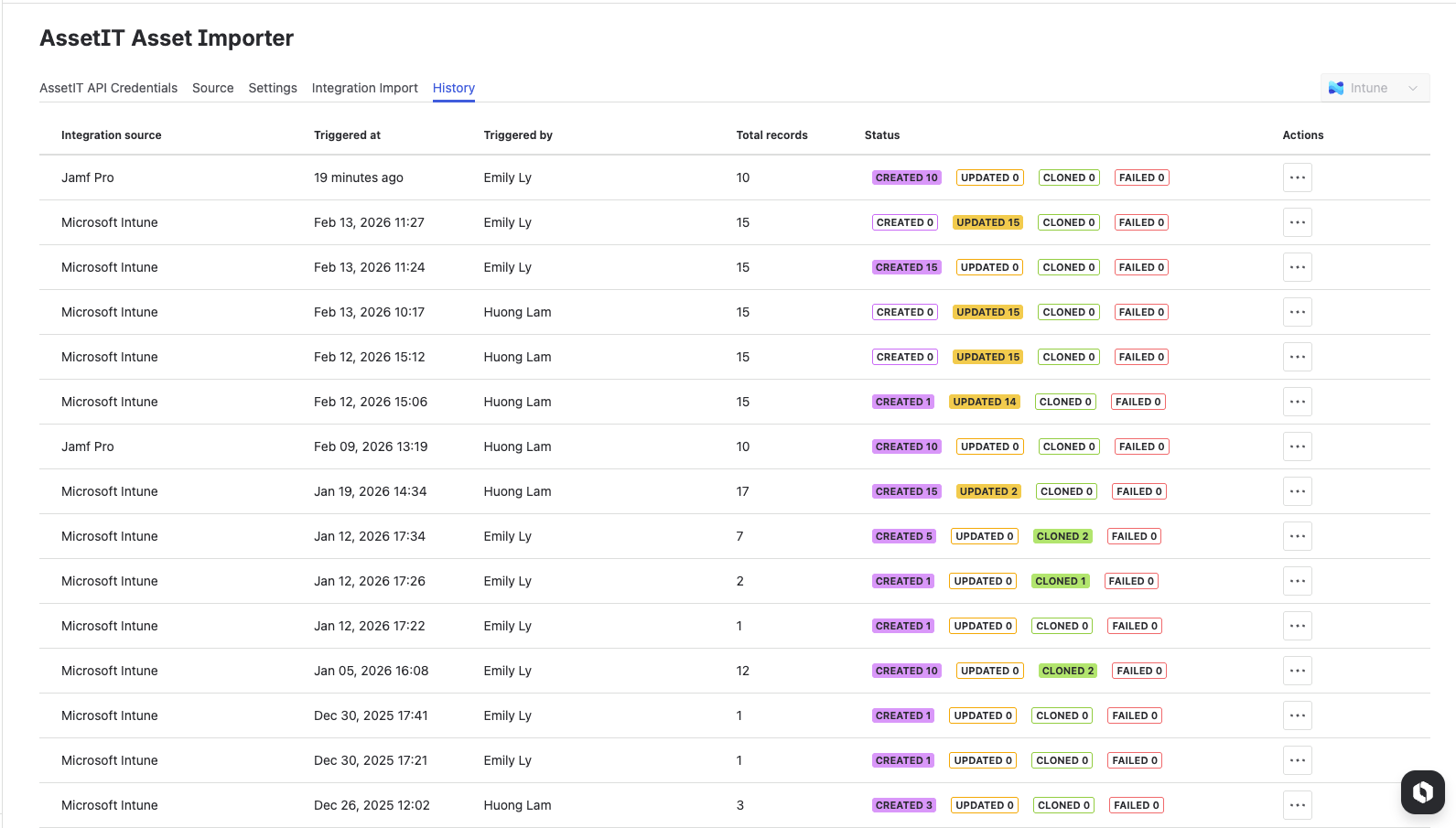
The table includes the following information:
-
Integration source: The connected data source used for the import (for example, Microsoft Intune or Jamf Pro).
-
Triggered at: The date and time the import was executed.
-
Triggered by: The user who initiated the import.
-
Total records: The number of asset records processed during the import.
-
Status: A summary of the import results:
-
Created: Number of new assets created in AssetIT
-
Updated: Number of existing assets updated
-
Cloned: Number of assets created as duplicates based on the selected duplicate-handling option
-
Failed: Number of records that could not be processed
-
-
Actions: Additional options for the selected import run.