.png)
To use AssetIT Asset Importer, you must have AssetIT installed in your Jira instance.
If you haven’t installed it yet, you can get AssetIT here: Install AssetIT
Only the Jira app administrator can install and use AssetIT Asset Importer.
Install AssetIT Asset Importer
-
Log in to your Jira instance as an admin.
-
Click the Apps dropdown and choose the “Find new apps” option.
-
Search for Asset Importer by DevSamurai and click on the app tile.
-
Click “Try It Free” to start installing your app.
-
You're all set!
Find AssetIT Asset Importer in your Atlassian app list
To locate Asset Importer after installing it on your Jira site:
-
On the left-side bar of your Jira environment, find Apps > More actions (…), then click Manage apps.
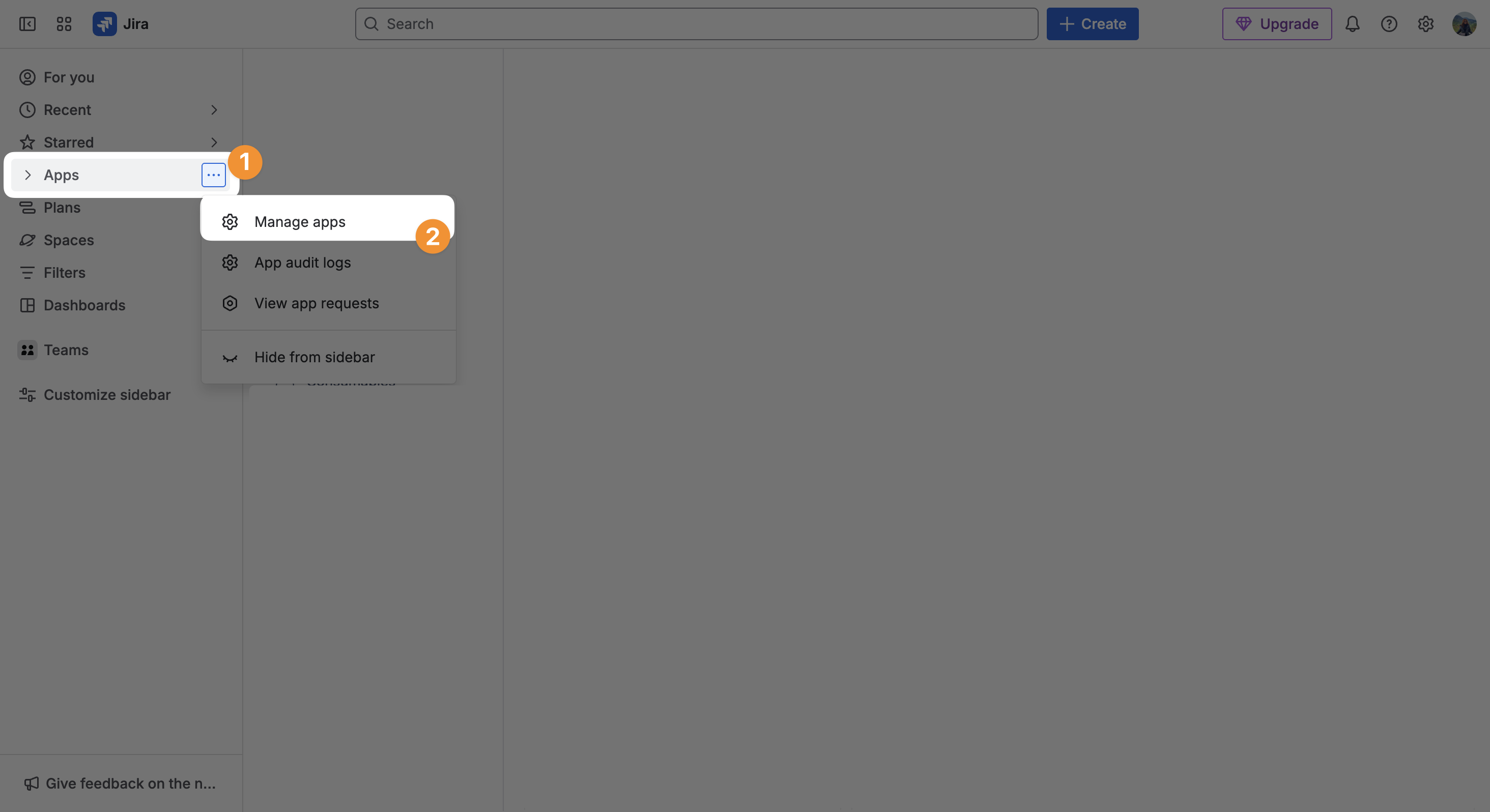
-
You will find Asset Importer on the left side, under the Marketplace Apps menu.
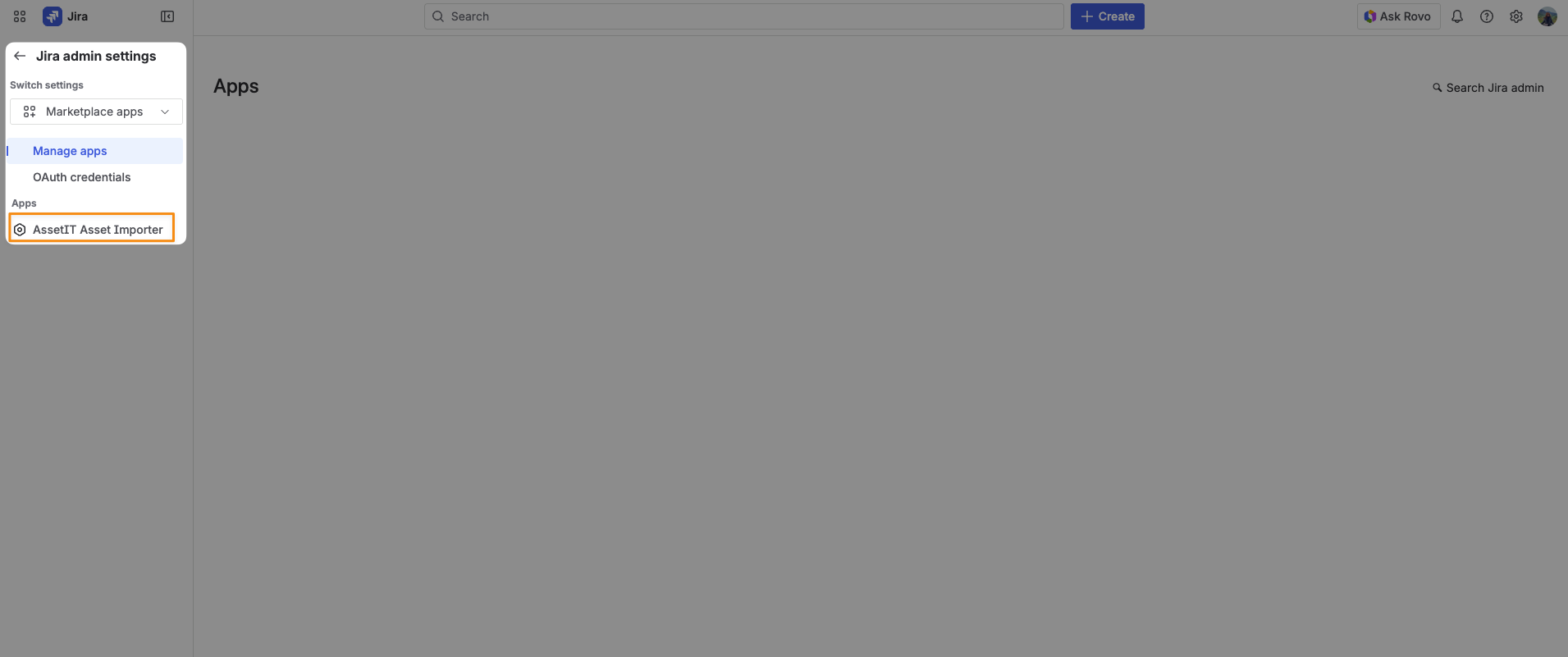
You will now be able to configure and import data from external systems to AssetIT.