.png)
The Settings tab defines how Asset Importer handles imported devices and how newly created assets are configured in AssetIT. These settings apply to assets created or updated during the import process.
In this step, you configure:
-
How duplicates are handled
-
Which asset tag format is assigned to imported assets
-
Which status is applied to imported assets by default
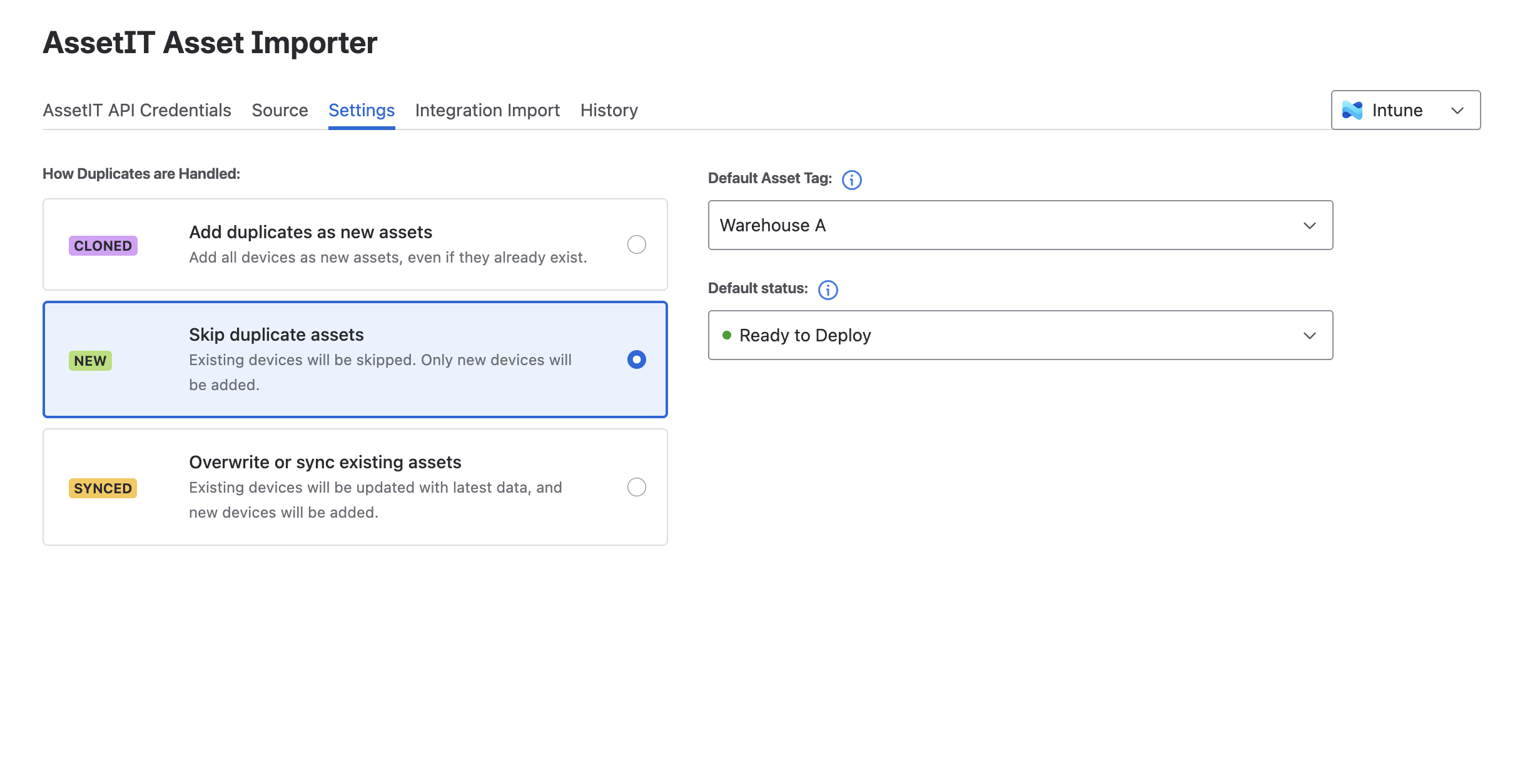
How Duplicates are Handled
This setting determines how Asset Importer handles devices that already exist in AssetIT.
Select one of the following options:
Ignore duplicate assets
When Ignore duplicate assets is selected:
-
Devices that already exist in AssetIT are skipped
-
Only devices that have not been imported before are created as new assets
Use this option if you want to import only newly detected devices and leave existing assets unchanged.
Overwrite or sync existing assets
When Overwrite or sync existing assets is selected:
-
Existing assets are updated with the latest data from the source
-
Devices that do not yet exist in AssetIT are created as new assets
Use this option if you want Asset Importer to keep existing assets up to date while also importing new devices.
Create new assets
When Create new assets is selected:
-
A new asset is created for every imported device
-
Existing assets are not updated
-
If a device already exists in AssetIT, a new asset is created by cloning the existing one
Note: This option may result in multiple asset records for the same physical device.
Use this option if you want to create a separate asset record for every import, regardless of whether the device already exists.
Default asset tag
The Default Asset Tag setting determines which asset tag format is assigned to newly imported assets.
-
Select one of the existing asset tag formats configured in AssetIT
-
The selected format is applied to all assets created during the import
Learn more about Asset Tag in AssetIT ->
Note for Jamf Integration:
Since Jamf also supports asset tags, if you are importing assets from Jamf that already have an asset tag, AssetIT Asset Importer will prioritize keeping the asset tag from Jamf rather than assigning the default asset tag from AssetIT. This ensures that the asset's original tag remains intact during the import.
Default status
The Default status setting defines the initial status assigned to imported assets.
-
Select one of the available statuses from AssetIT
-
The selected status is applied to all newly created assets during the import
Next Steps: