.png)
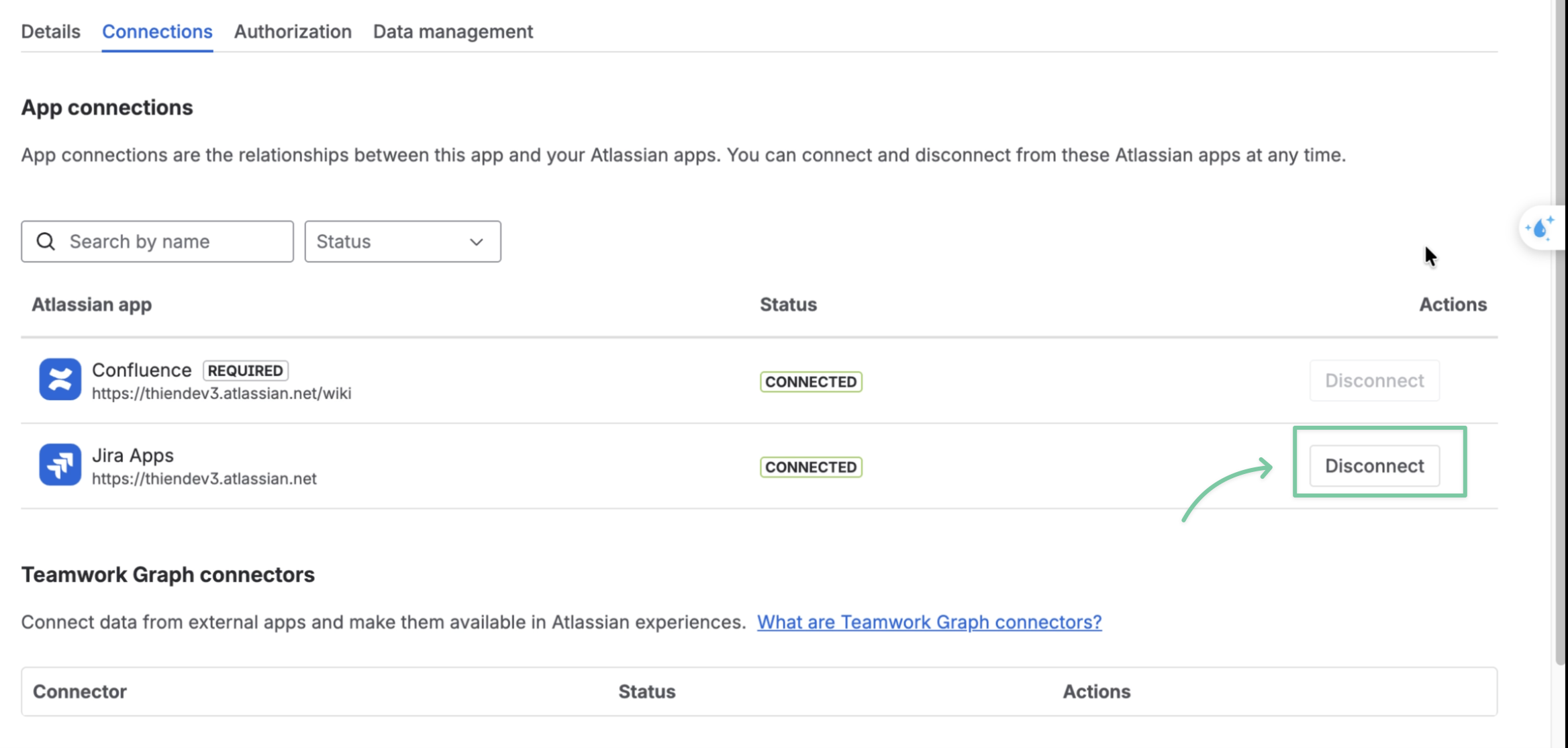
To enable the Jira integration feature, you will need to install the ConfluPlan app first, then enable it in your Jira instance on the Manage apps page.
Only the Jira admins can access the Manage apps page. Please contact your admin to make changes to the settings.
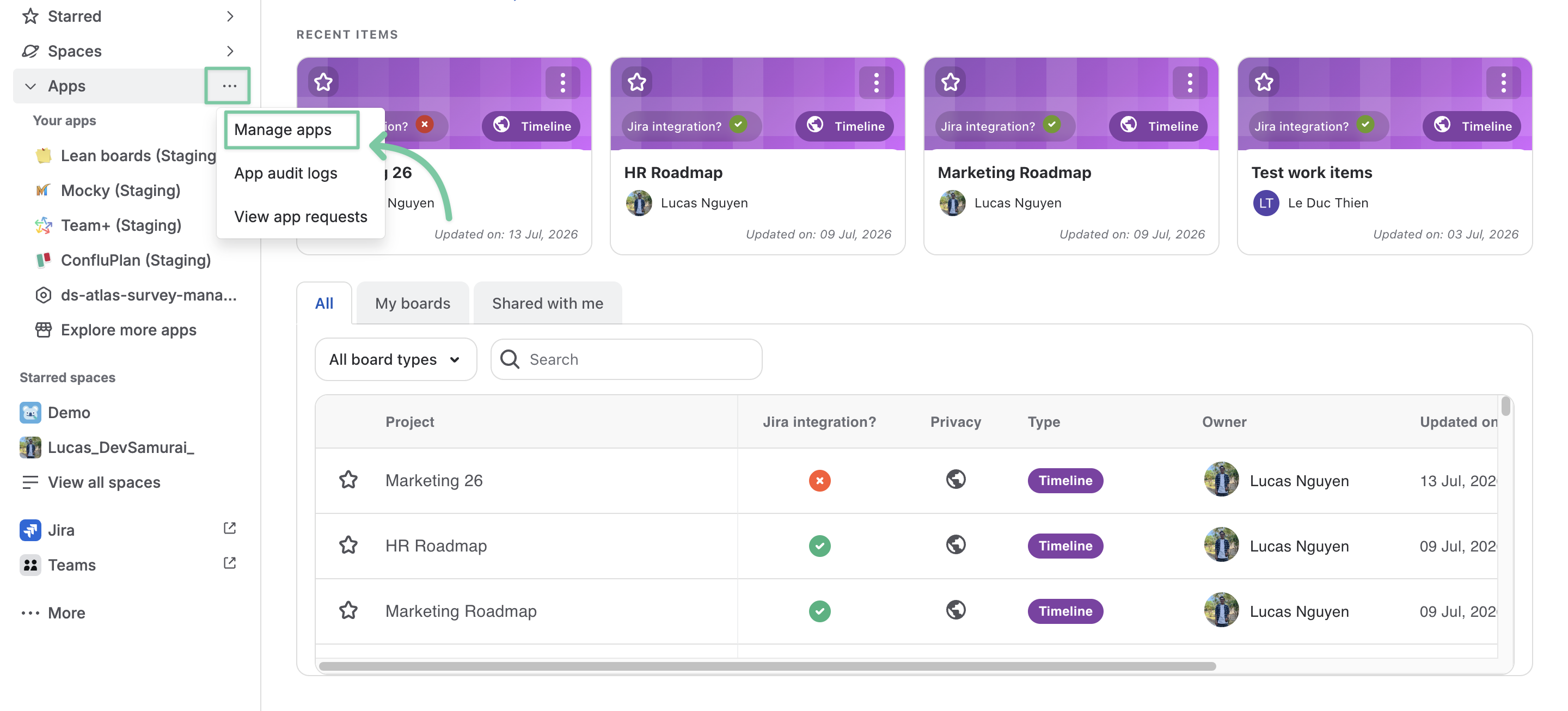
From the left sidebar menu, locate the Apps tab, click the ··· icon for more actions, and choose Manage apps.
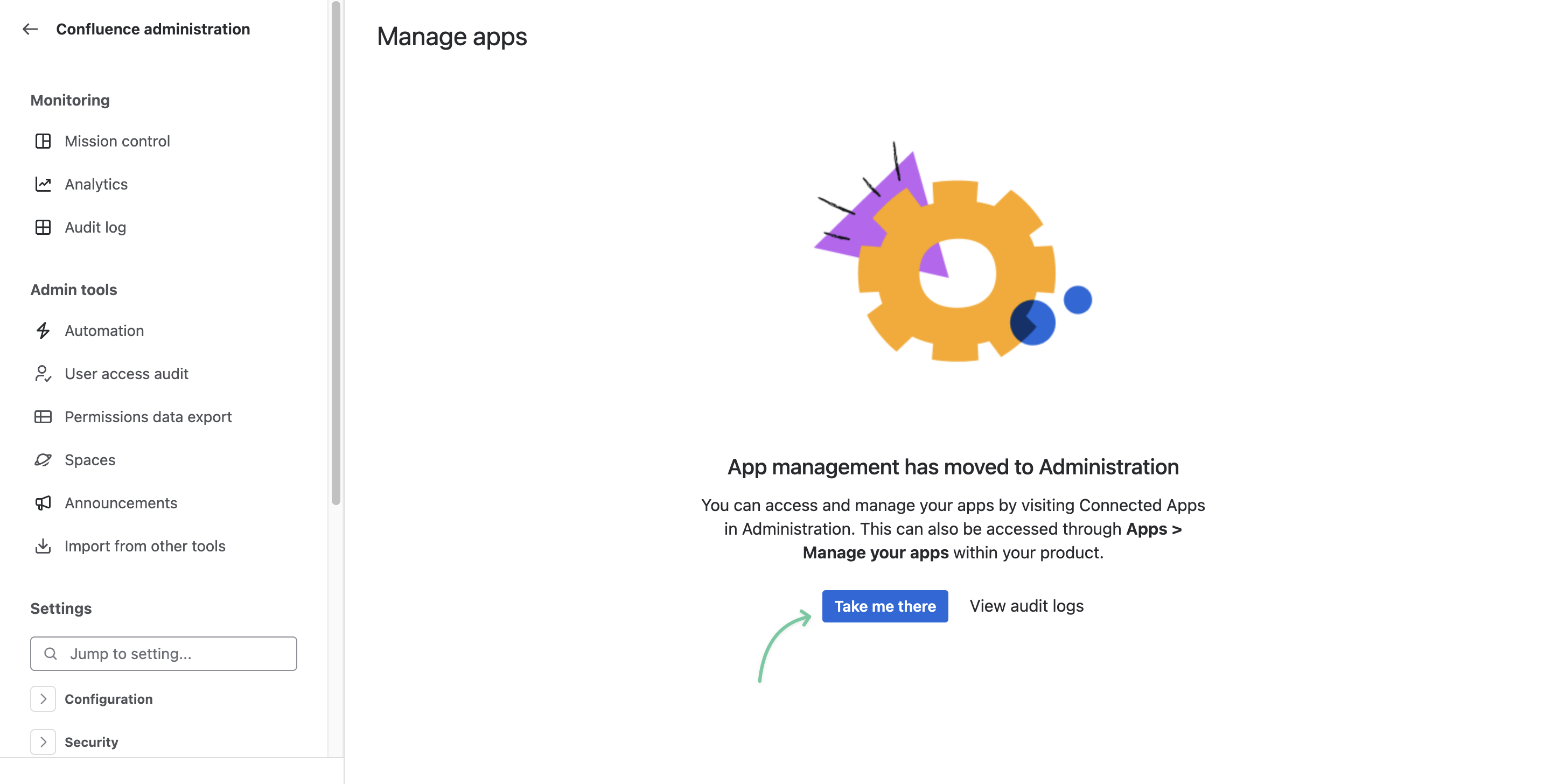
Next, click Take me there.
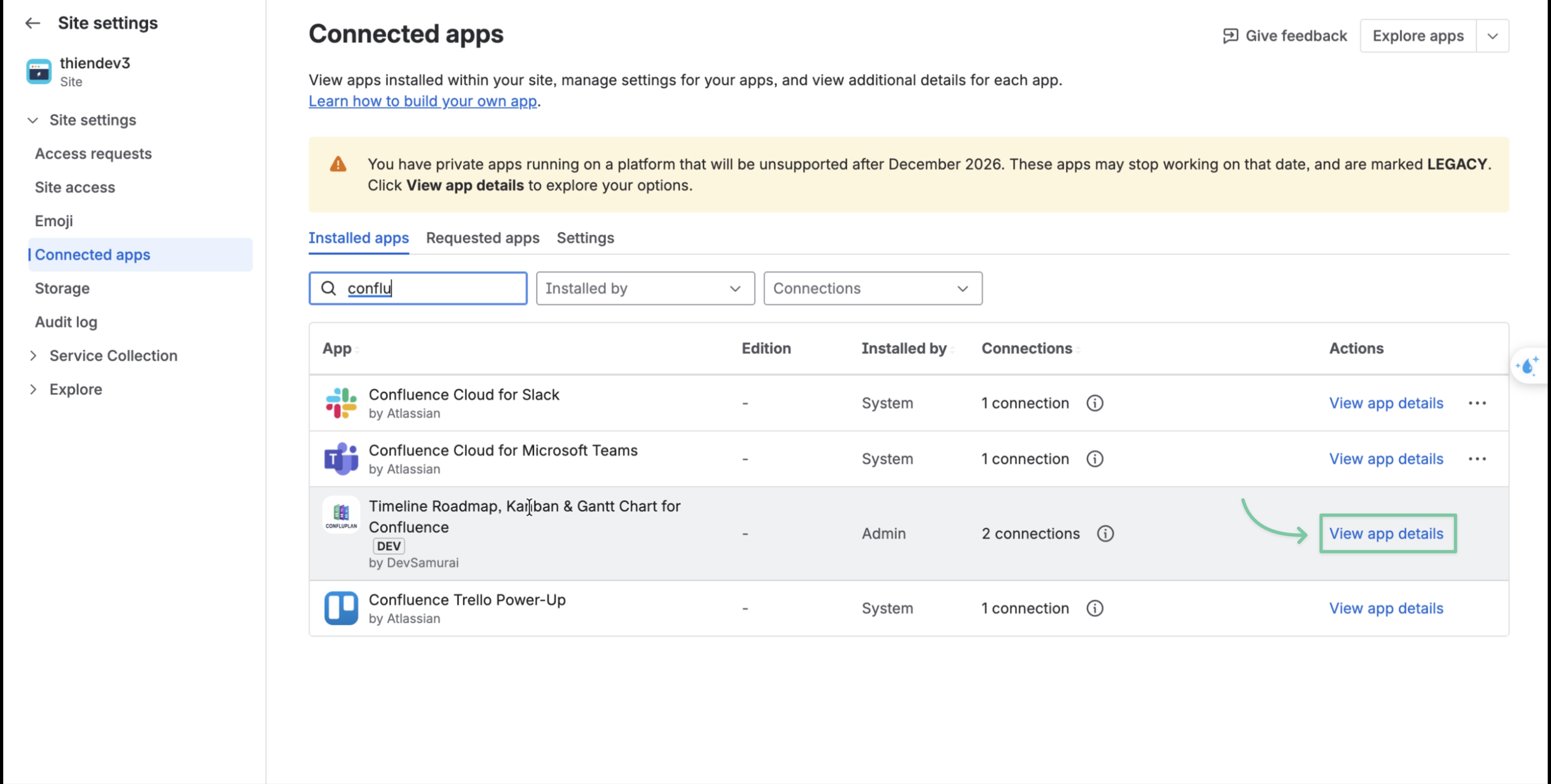
In the Connected apps page, search for ConfluPlan and click View app details.
Now, locate the Jira app row and click the Connect button to enable Jira integration.