
Only users with the App Admin role can change the leave settings in PlanCore. Use these settings to define leave types and allocate days off to employees.
Configure leaves and vacation days
In PlanCore, go to Settings → Leaves. Configure the following areas:
-
Leave types: define the categories of leave and their rules.
-
Allocations: set the default annual allowance and any custom allowances for employees or teams.
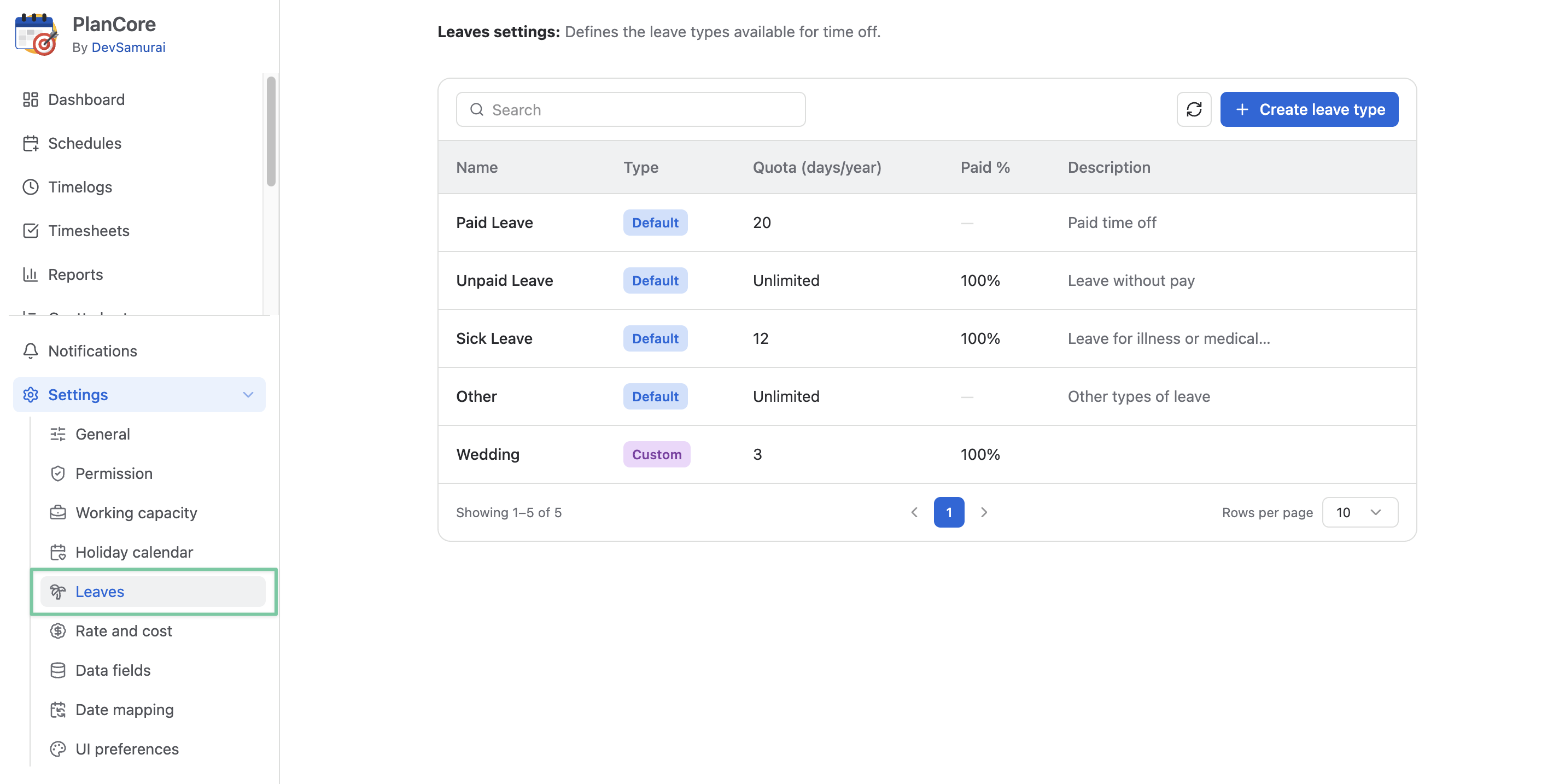
Leave types
Leave types categorize requests, such as paid, unpaid, or sick leave. Review the existing types before adding one for a specific purpose.
-
Label: The name shown for the leave type.
-
Description: A short explanation of when it is used.
-
Pay percentage: The percentage of pay applicable during this leave.
-
Allocation target: Whether the leave counts against the employee’s allocated leave balance.
Create a leave type
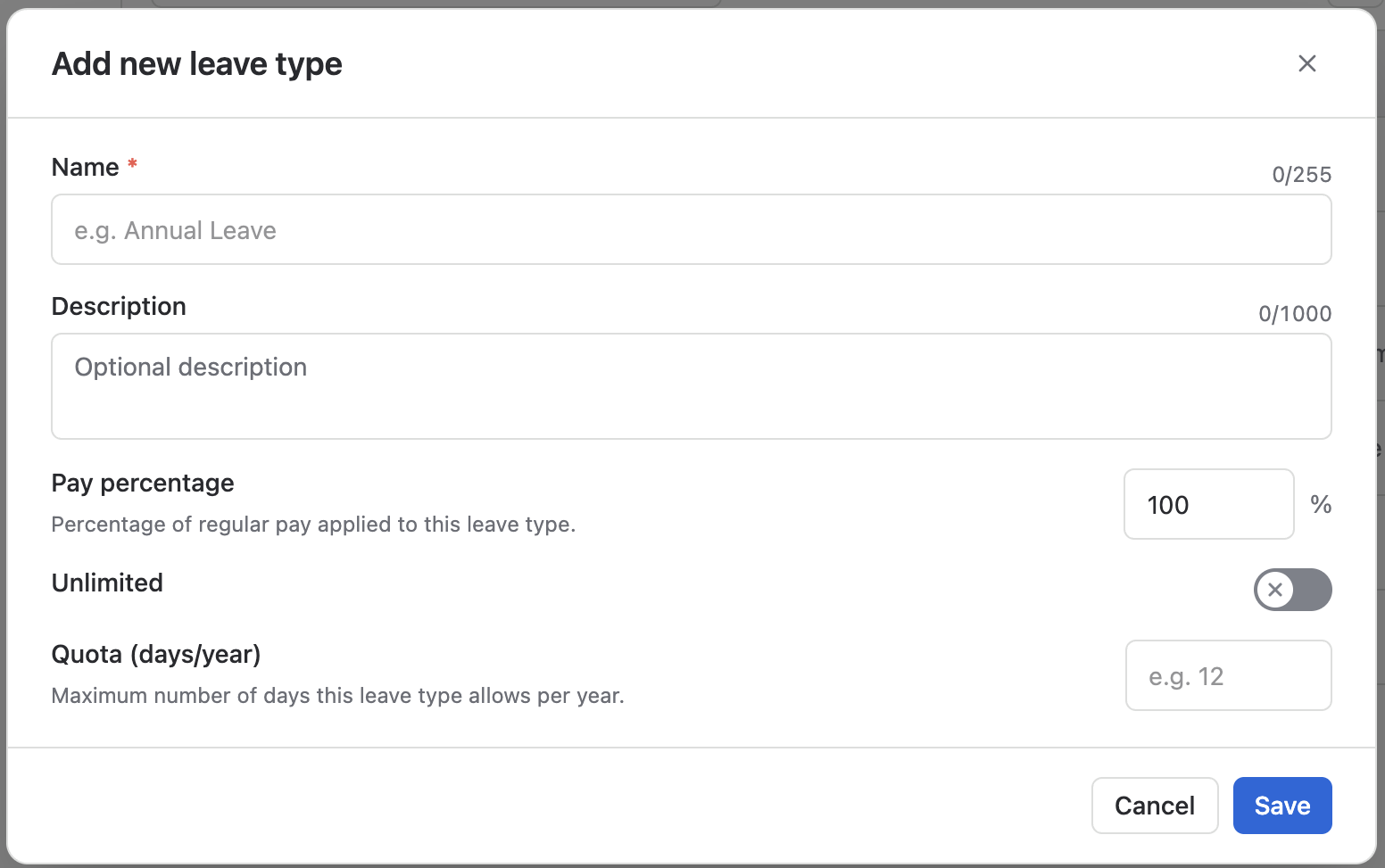
-
Select + Create leave type.
-
Enter a Name and, if useful, a Description.
-
Enter the Pay Percentage (for example, 100% for fully paid leave).
-
Toggle Unlimited quota. When disabled, users must input the number of allocation days for this leave type
-
Input the Quota (days/year) for the maximum number of days this leave type is allowed per year.
-
Save the leave type.
To update a leave type, select it and edit its details. You can delete a custom type using the Delete action; you can't delete default leave types.