
Only App Admins and Billing Admins have permission to configure or update these rates. To grant these permissions, please refer to the PlanCore permission settings.
The Rate and Cost feature in PlanCore allows administrators to define and manage billing rates across resources, resource groups, projects, and project groups. By setting up rates properly, you can ensure accurate cost planning, billing, and reporting.
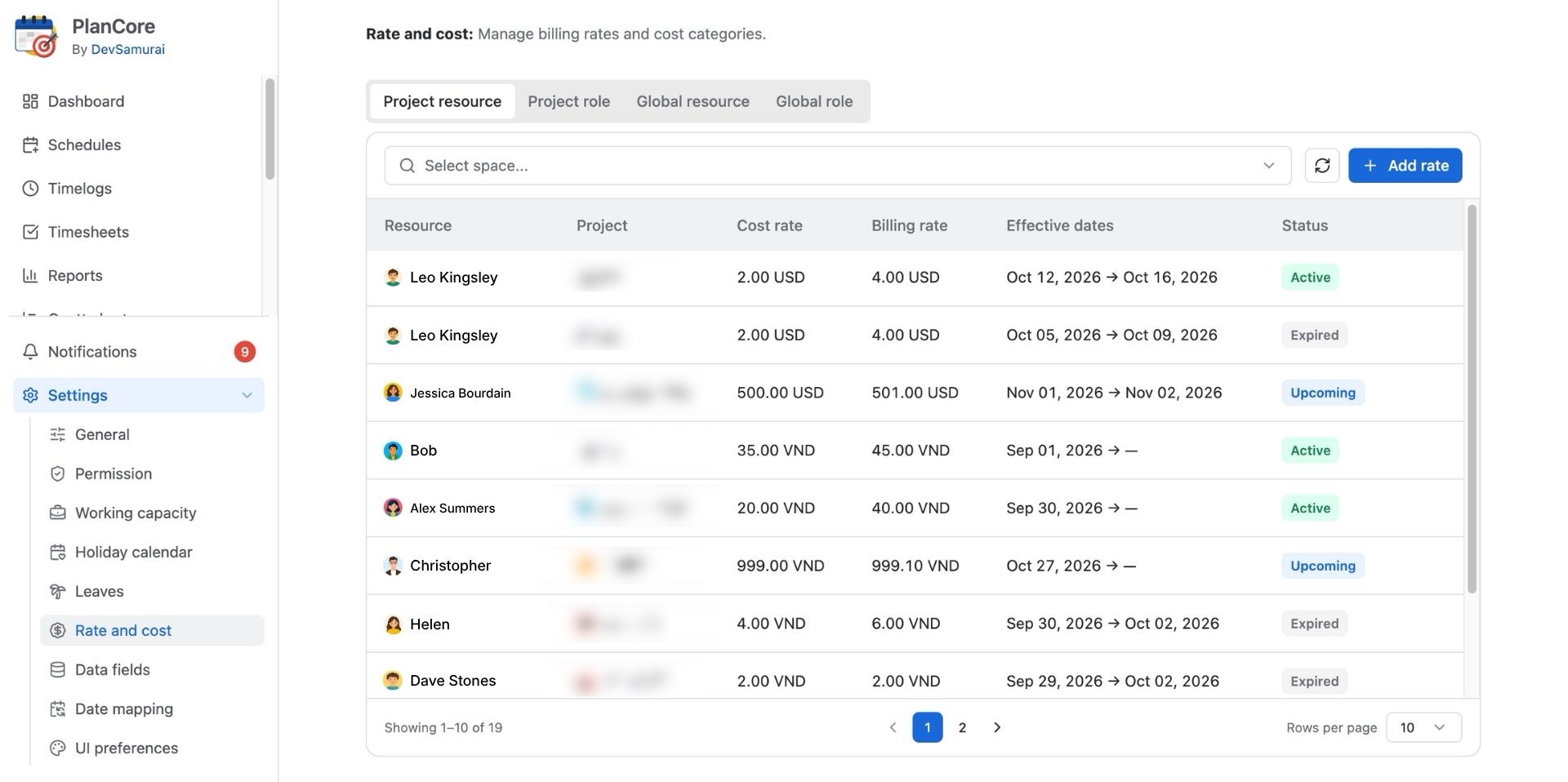
In PlanCore, users can set values for both Cost and Billing rates.
-
Cost rate: Internal cost used for margin and profitability calculations
-
Billing rate: External rate charged to customers
How to Configure Rate and Cost
Navigate to :setting: Settings from the left sidebar, then choose Rate and Cost to get started.
From the Rate and Cost page, review and configure the available rate settings based on how your organization tracks planning costs, billable rates, and project financials.
There are 4 main settings you can configure:
-
Project Resource: define rates for specific resources within a project to support project-specific cost and billing calculations.
-
Project Role: configure rates by project role so users assigned to the same role can share the appropriate project-level rate.
-
Global Resource: set default rates for individual resources that can be applied across projects.
-
Global Role: configure default rates by role for use across projects when project-specific rates are not required.