.png)
Release Date:
Plan modal UI, Jira custom field grouping, and holiday indicators
This release improves the Plan Modal UI, supports grouping reports by Jira custom fields, and adds holiday indicators to the Timelog and Timesheet pages.
Improvements
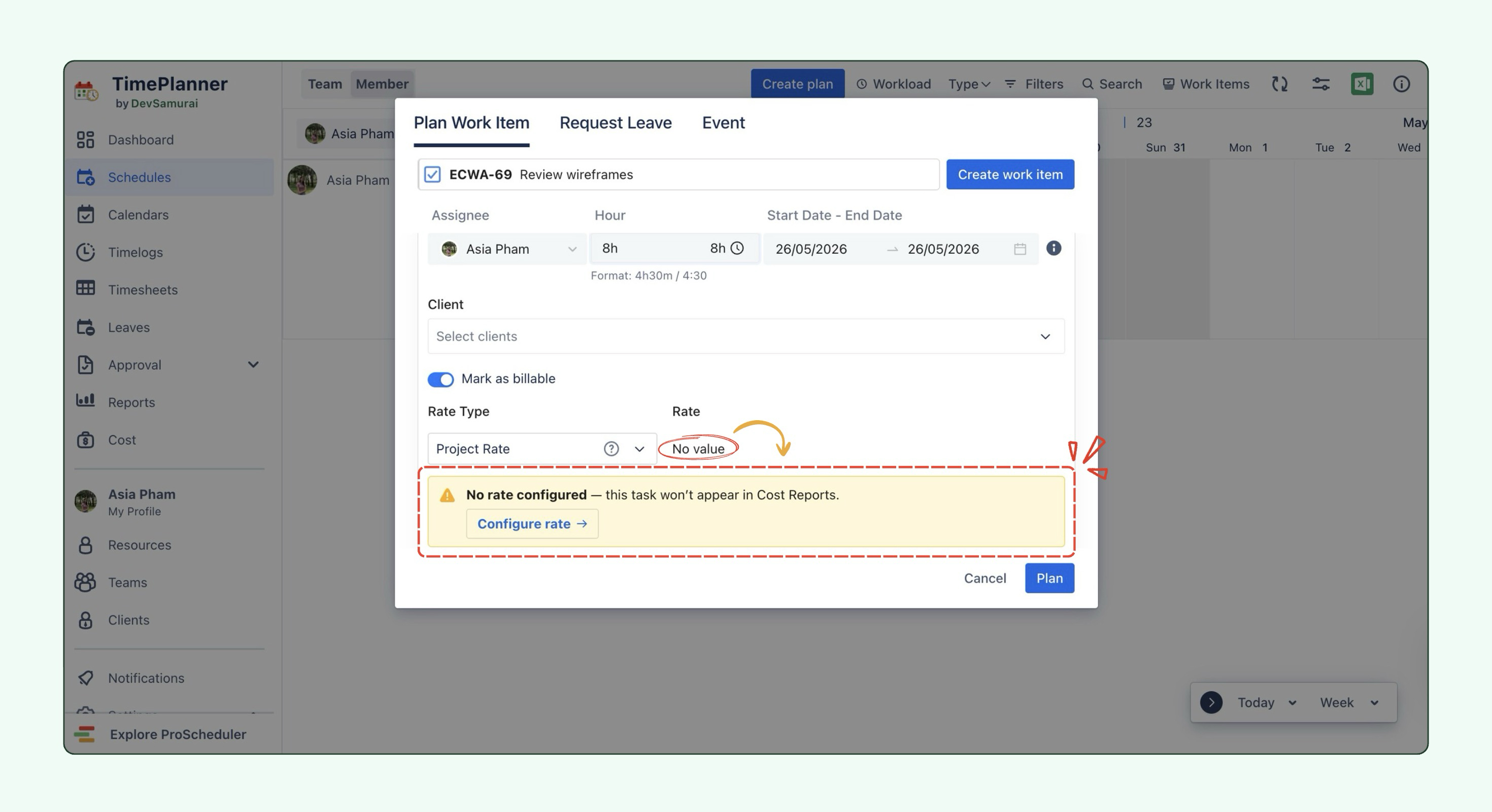
Improved rate visibility in Plan Modal
-
When a planned task does not have a rate set, the Plan Modal now shows a clear “No rate configured” warning below the Rate section.
-
This helps users quickly see that the task has no cost value yet and may not be included in cost calculations or Cost Reports.
-
Users with billing permissions can click “Configure rate” to go directly to the relevant Rate and Cost settings tab and set up the missing rate.
Support grouping by Jira custom fields in Reports
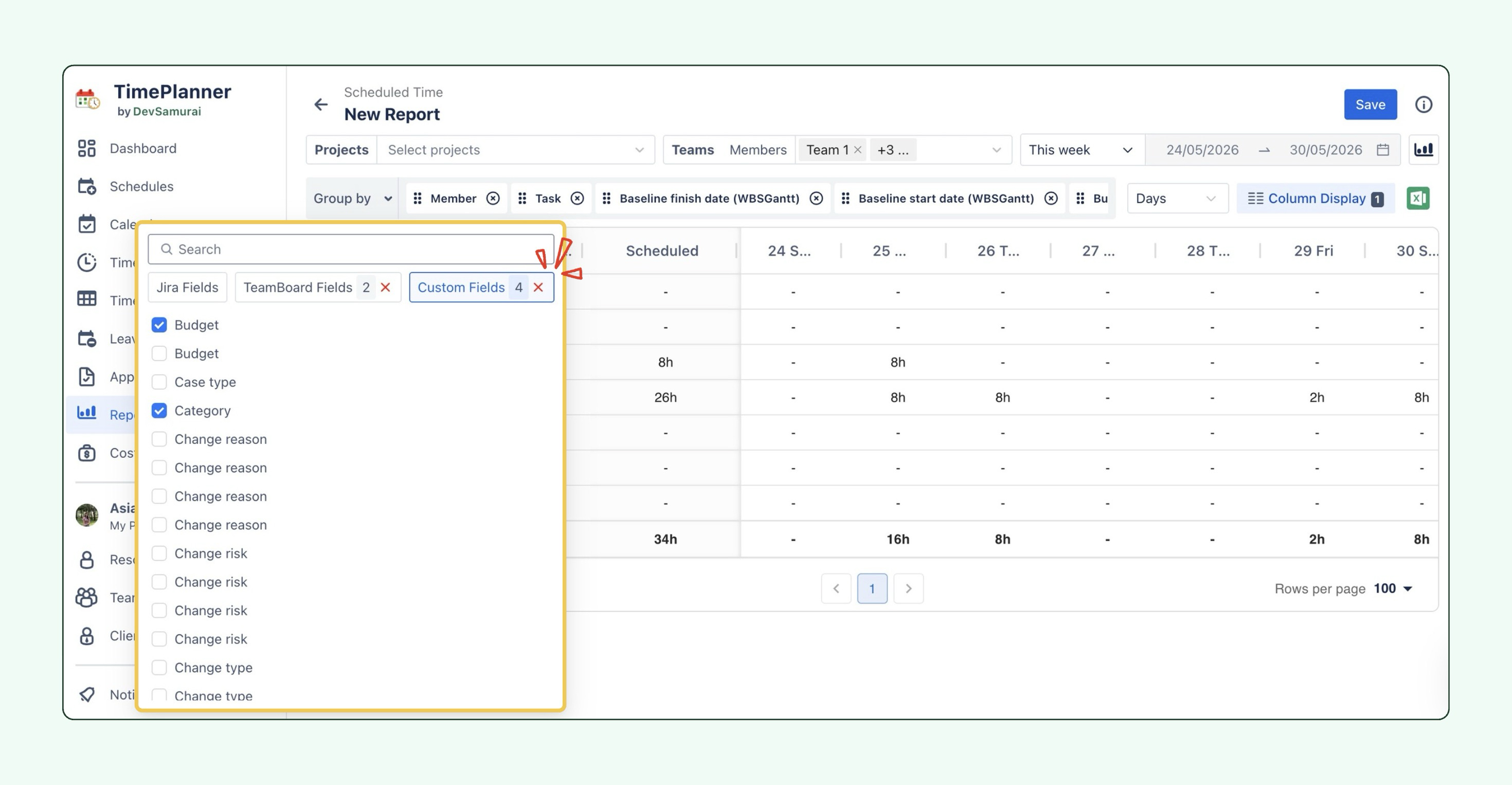
Reports now support grouping data by Jira custom fields in Hierarchy View mode. This gives users more flexibility to organize and analyze report data based on the custom fields already used in Jira.
Added holiday indicators to Timelog and Timesheet pages
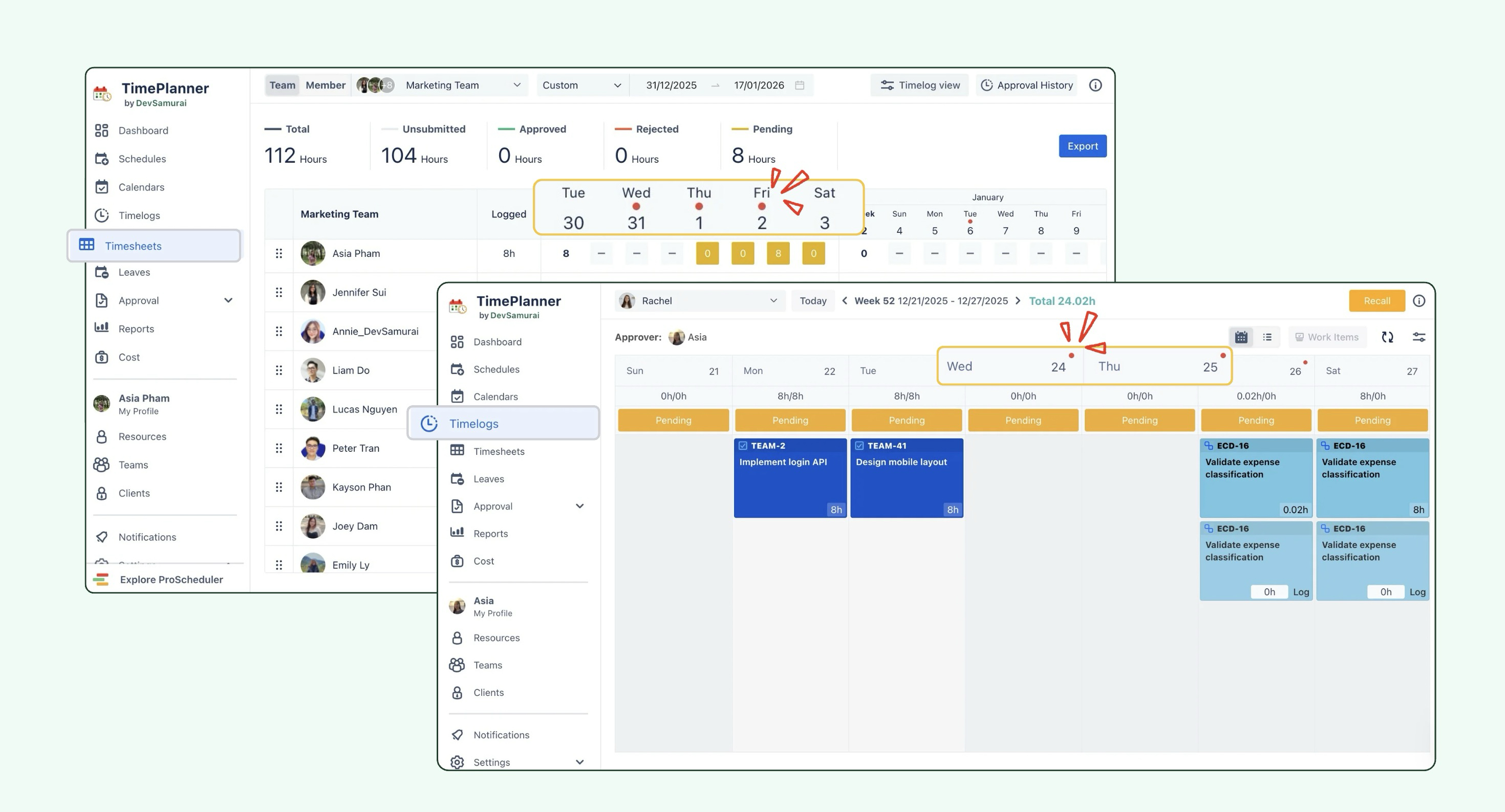
The Timelog and Timesheet pages now display holiday indicators, making it easier to identify holidays at a glance. This helps users log and review time more accurately by clearly highlighting days affected by holidays.
Added Quarterly and Yearly repeat options
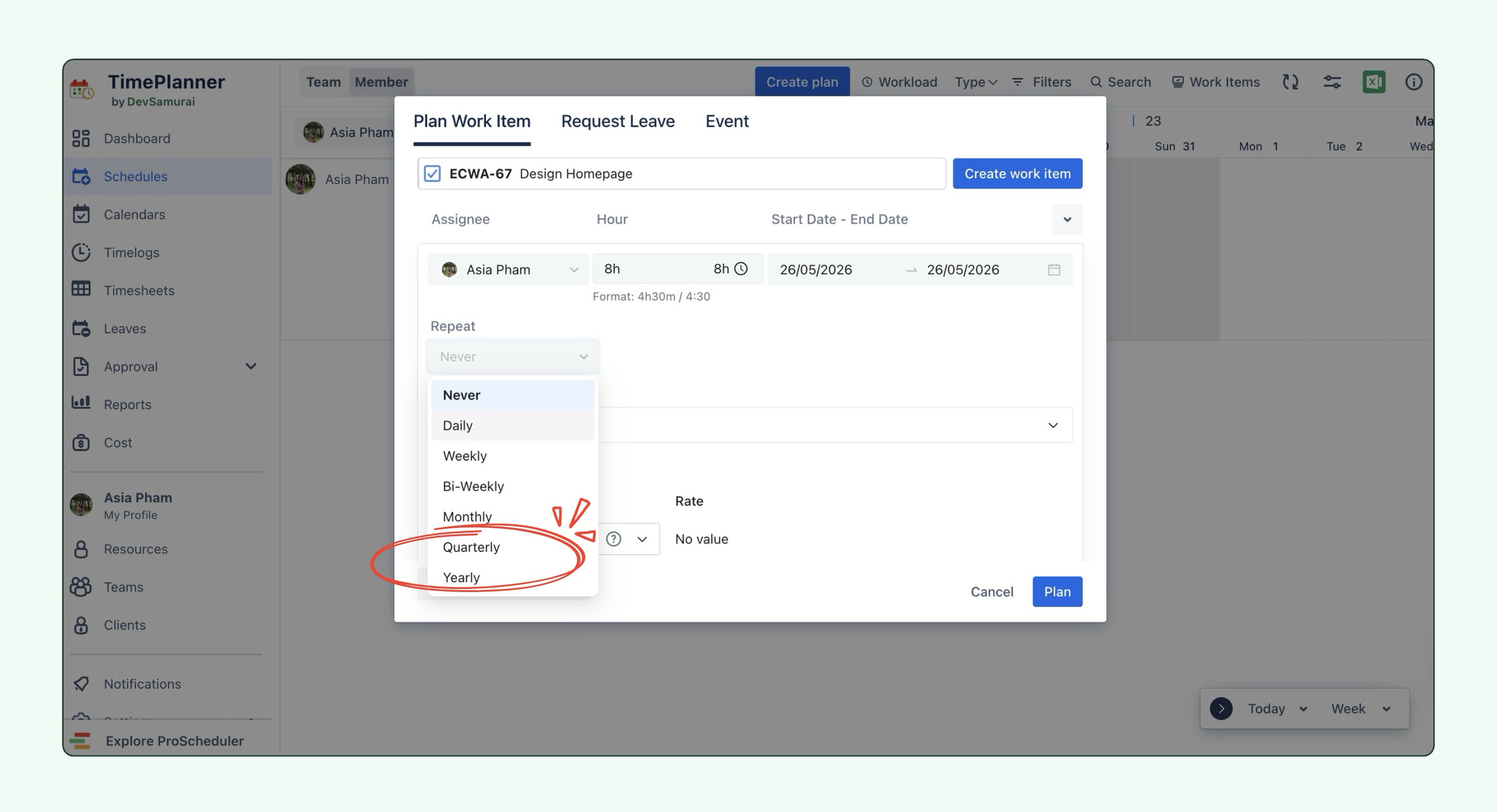
TimePlanner now supports additional repeat options when planning work items. Users can select Quarterly or Yearly from the Repeat dropdown, making it easier to schedule recurring work for longer time periods.
Bug Fixes
-
Added API support for migrating tasks from one project to another.
-
Fixed an issue where worklogs on the Timelogs page were shifted one day before the selected logged date.
-
Fixed an issue where TimePlanner did not update logged time for restricted Jira work items.
-
Fixed an issue where worklog notes were not saved.
-
Fixed an issue where users could not search for members when adding them to a team.
-
Fixed an issue where users could not create a leave request if the selected date range included an already approved leave date.
📘 Help Center
If you have any questions, please don't hesitate to contact us through our support desk. Our team is available 24/7 to assist you.
If you're enjoying our app, we'd appreciate it if you could leave us a positive review. ⭐⭐⭐⭐ Your feedback is valuable and means a lot to us!