.png)
Release Date:
TimePlanner’s New UI and Working Capacity by Date Range
Explore TimePlanner’s new UI, Working Capacity by date range, and the latest improvements and bug fixes for smoother planning and time tracking.
🚀 What’s New
🌟 UI refinements across the entire app
We’ve made UI refinements across TimePlanner to provide a cleaner, more consistent experience throughout the app.
These updates improve layouts, navigation, visual styling, and overall usability across key TimePlanner features.
Want to explore what has changed? Learn more about TimePlanner’s new UI.
🌟 Working capacity by date range
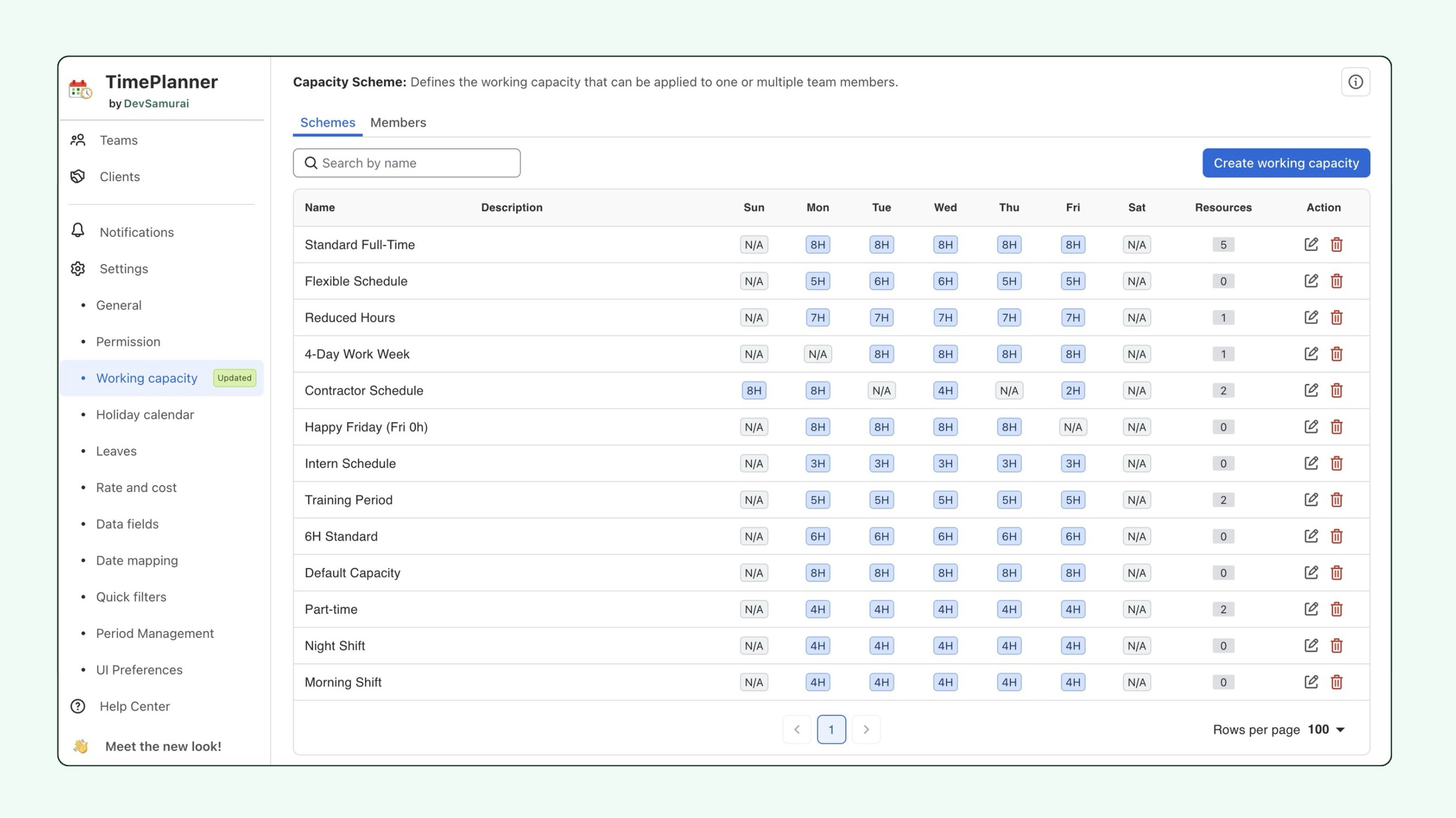
Previously, each member could have only one working capacity scheme applied across their entire history. If you changed a member’s capacity, the change could also affect past capacity calculations.
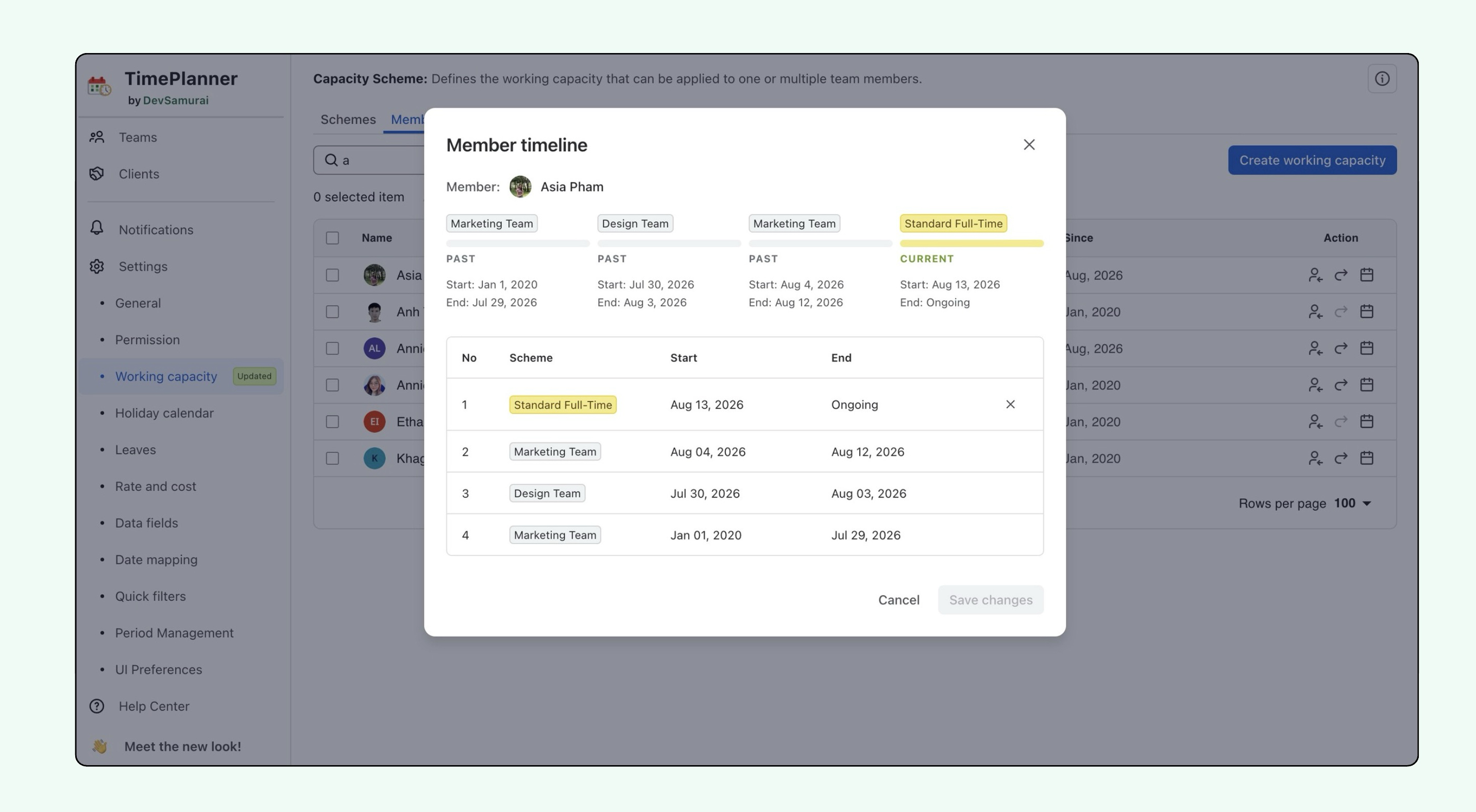
Working capacity can now change over time. You can assign different capacity schemes to the same member for different periods, with each assignment recorded in a capacity timeline.
For example, a member could work:
Nora Baker
-
6h/day Jan 01, 2026 → Feb 28, 2026
-
4h/day Mar 01, 2026 → May 31, 2026
-
2h/day Jun 01, 2026 → Ongoing
TimePlanner uses the capacity scheme that applies to each date range, so past, current, and future capacity can reflect the member’s actual working schedule for that period.
You can also open the Member timeline to review past, current, and future capacity assignments, including when each period starts and ends.
Want to explore what has changed? Learn more about 'Working Capacity by date range'.
🌟 Prevent time logging on non-working days
We’ve added a new Prevent logging time on non-working days setting to give admins more control over when members can log time.
-
When enabled, members are restricted from logging time on weekends and holidays defined as non-working days.
-
When disabled, members can continue logging time on those days.
This helps teams keep timesheets aligned with their configured working capacity and holiday calendars.
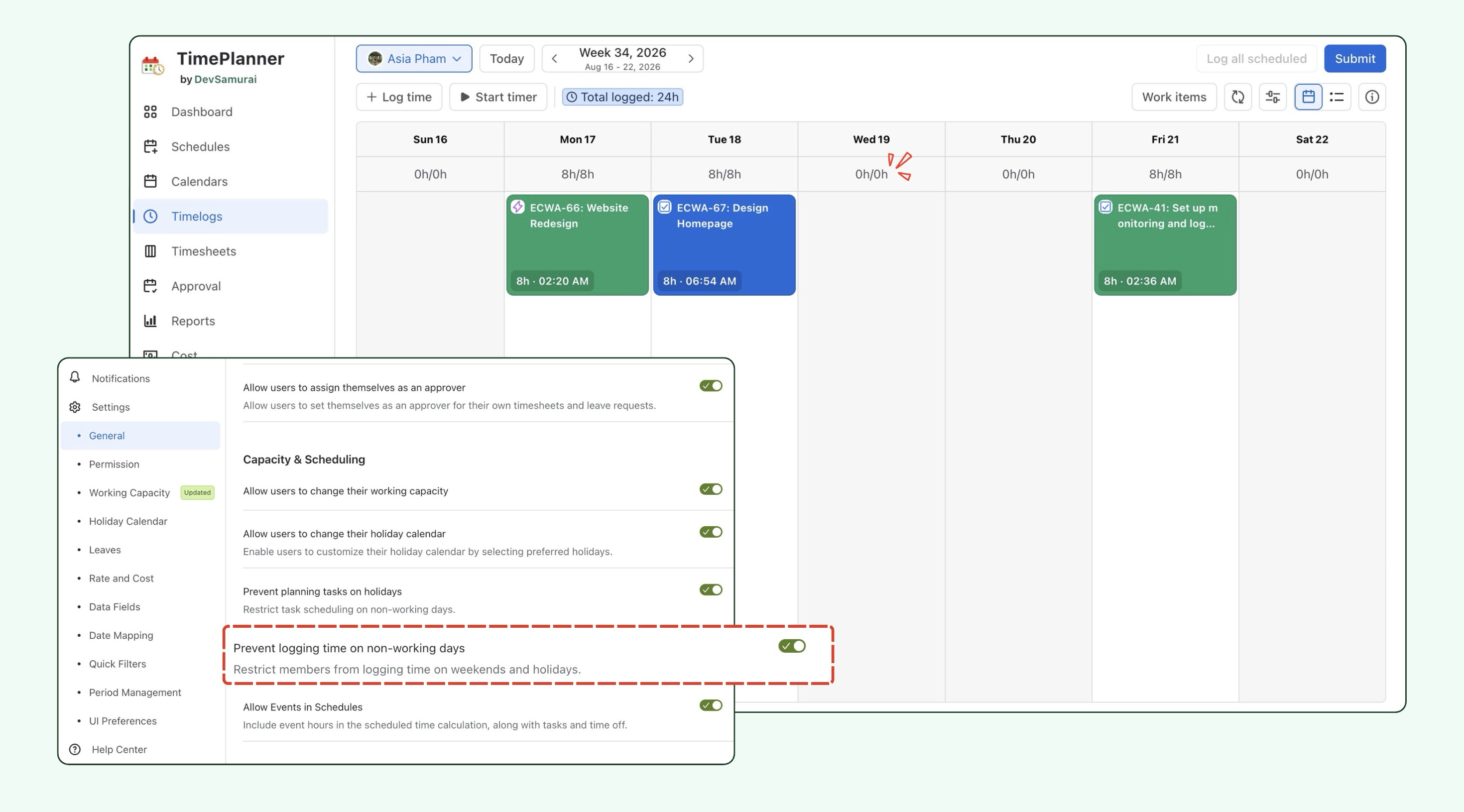
Note: A non-working day is any day when the member has no working capacity, including weekends or holidays.
🌟 Log all scheduled tasks at once
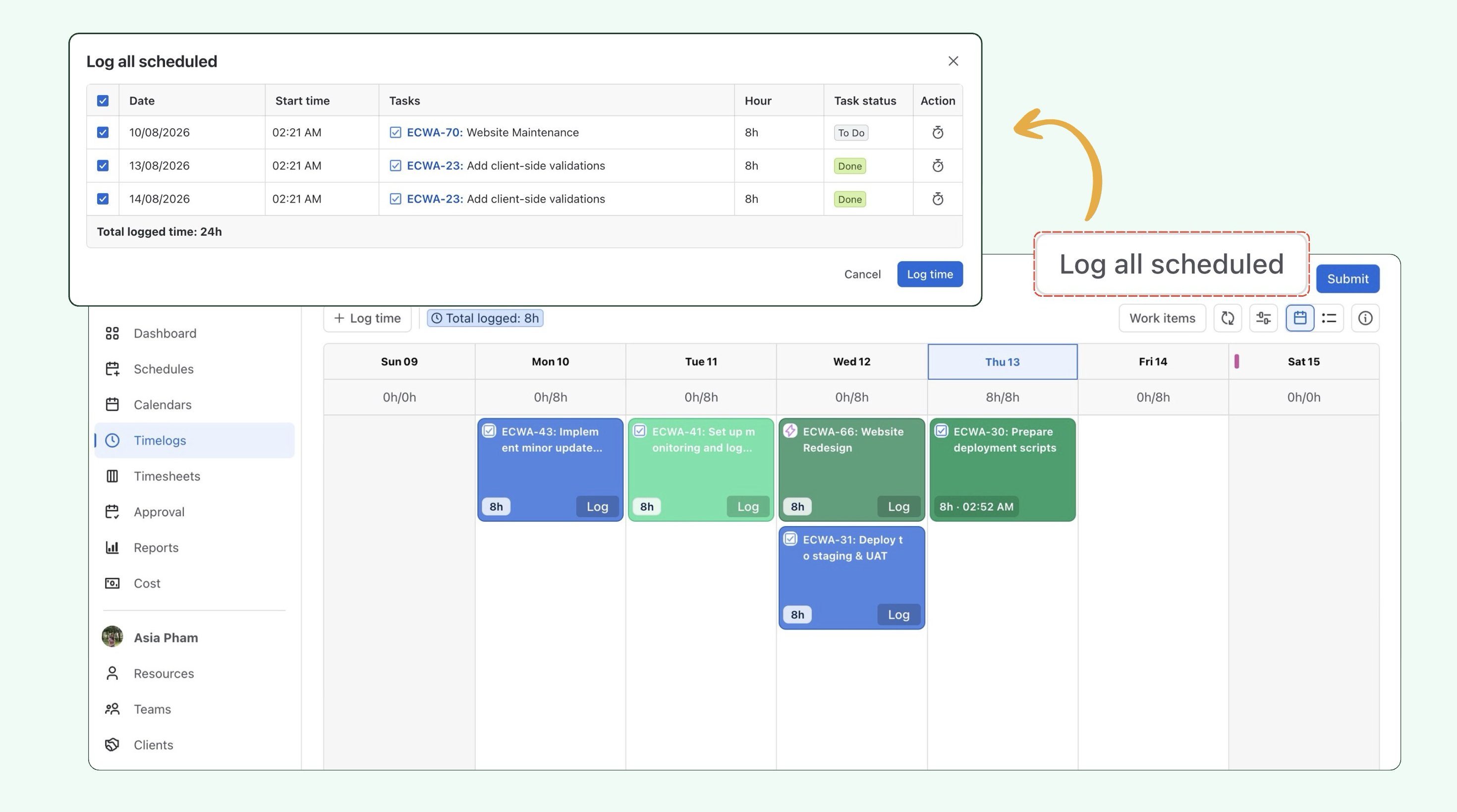
We’ve added a new Log all scheduled action in the Timelog view, making it faster to bulk log time for multiple scheduled tasks.
Select Log all scheduled to open the bulk logging modal. All eligible scheduled tasks are selected by default, and you can deselect any tasks you do not want to include before confirming.
This makes it much faster to record time for multiple scheduled tasks instead of logging them one by one.
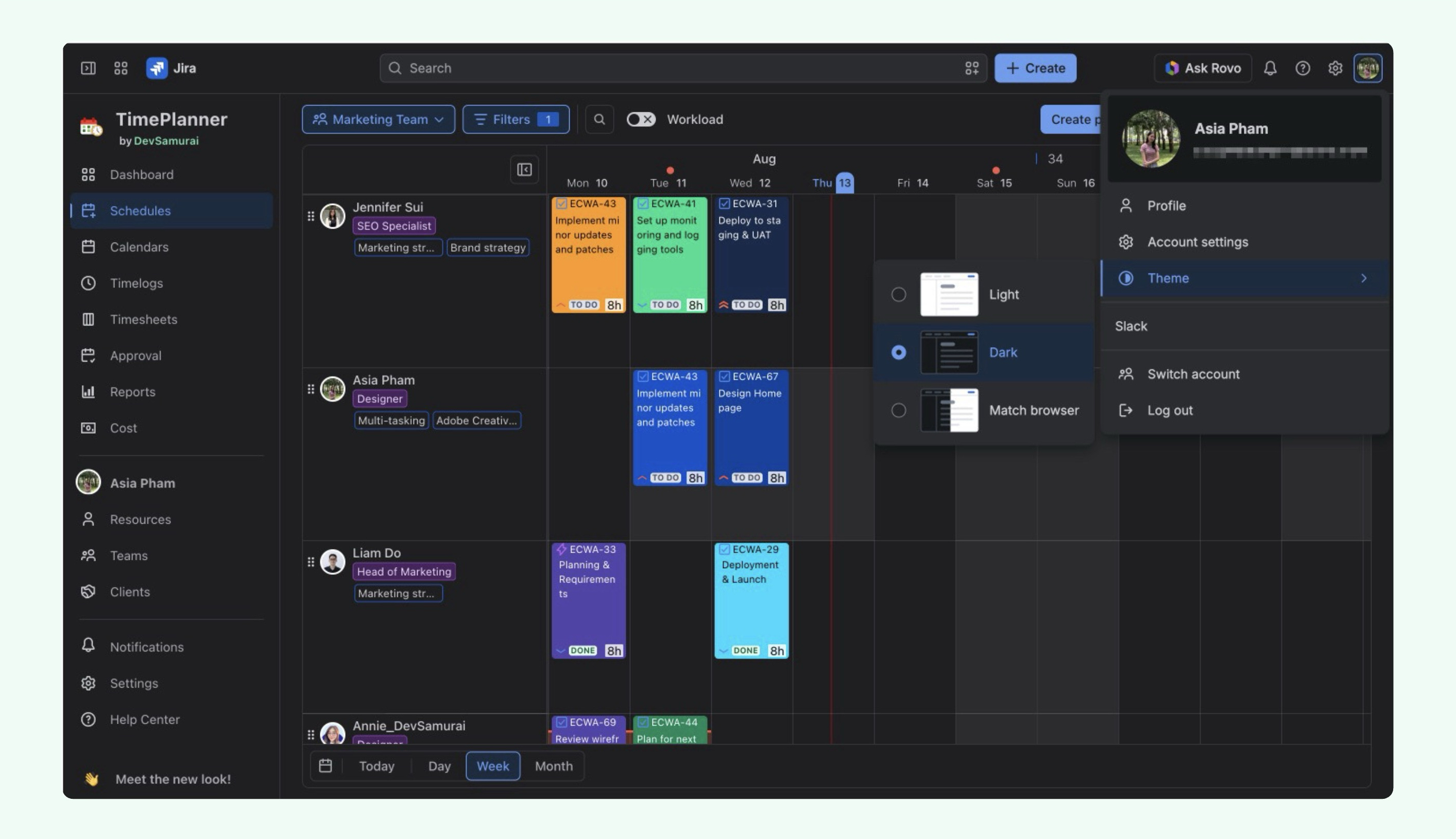
🌟 Dark mode interface
TimePlanner now supports Dark mode, providing a more comfortable viewing experience in low-light environments.
The interface automatically adapts to your selected Jira theme, so you can switch between light and dark modes without changing any settings in TimePlanner.
🌟 New Team Leaves report
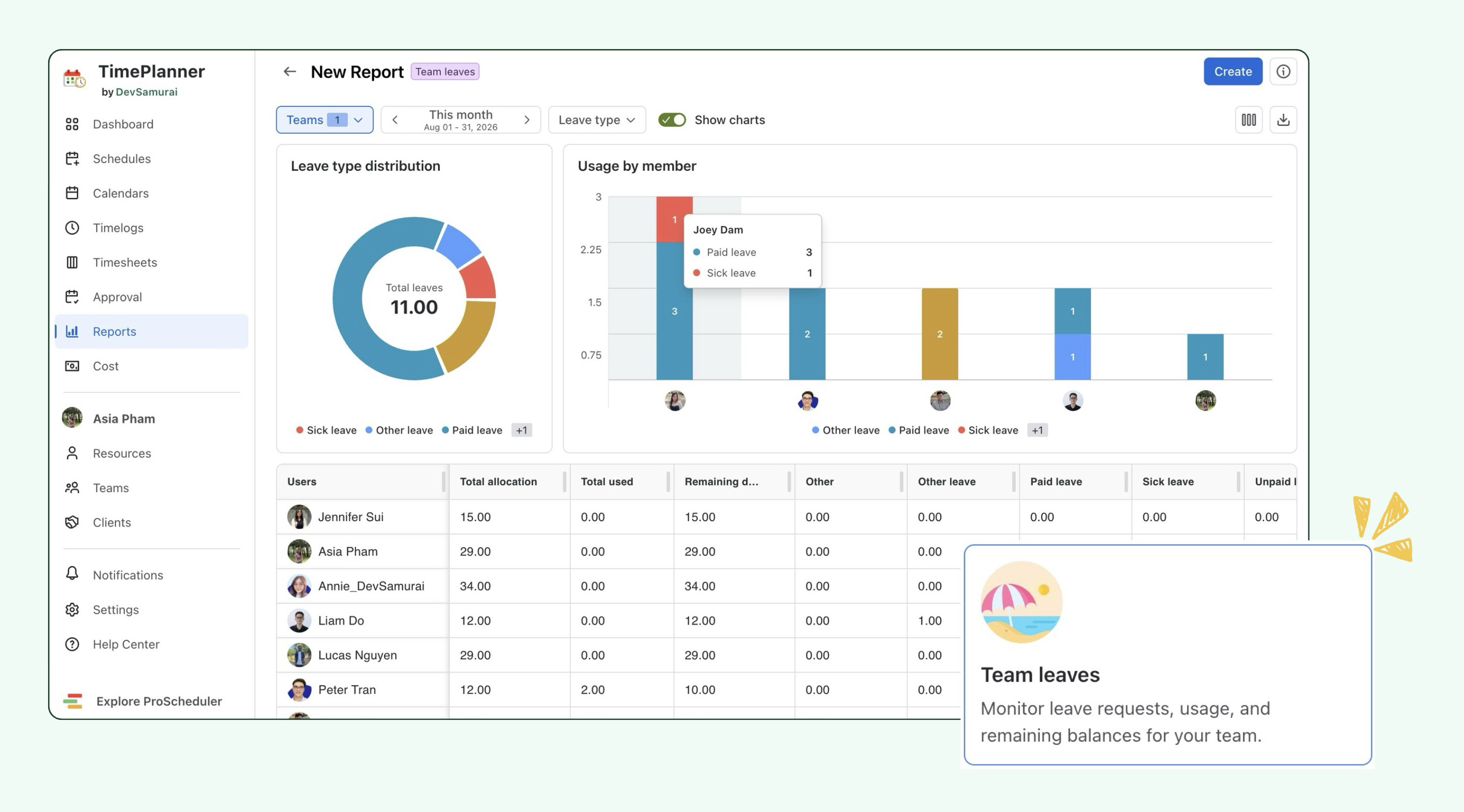
We’ve added a new Team Leaves report to help you review leave usage and remaining balances across your team.
The report includes:
-
Leave type distribution to see how leave is used across different leave types.
-
Usage by member to compare leave usage between team members.
-
A detailed table showing total allocation, total used, remaining balance, and leave usage by type.
Want to explore what has changed? Learn more about the Team Leaves report
🛠️ Improvements
Improved member assignment in Schedule
We've improved how you add members to Events and Planned Tasks from the Schedule: 👇
Expand to view more details
-
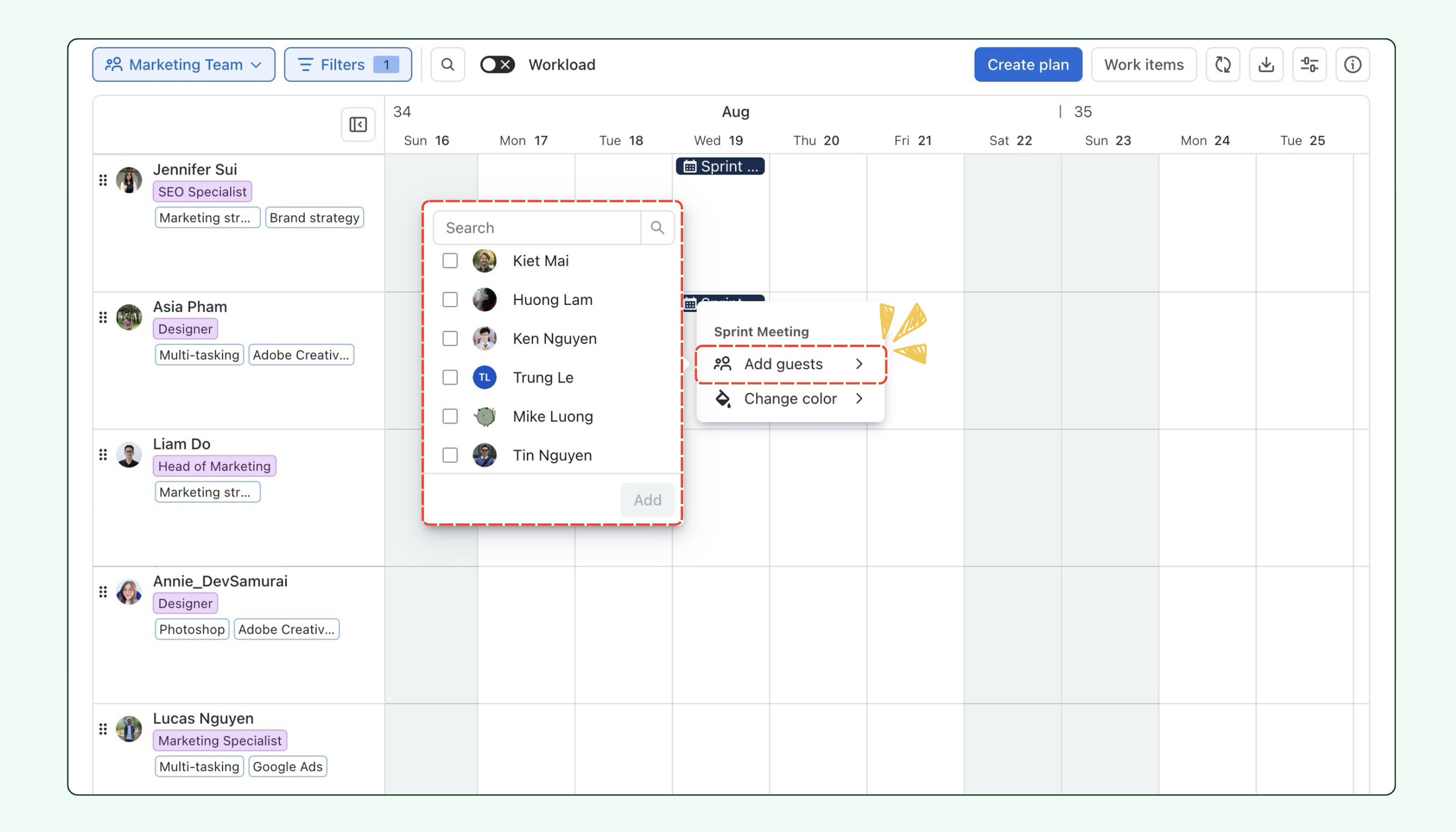
For Events, you can now right-click an event and select Add guests. Search for members and select multiple guests at once before adding them.
-
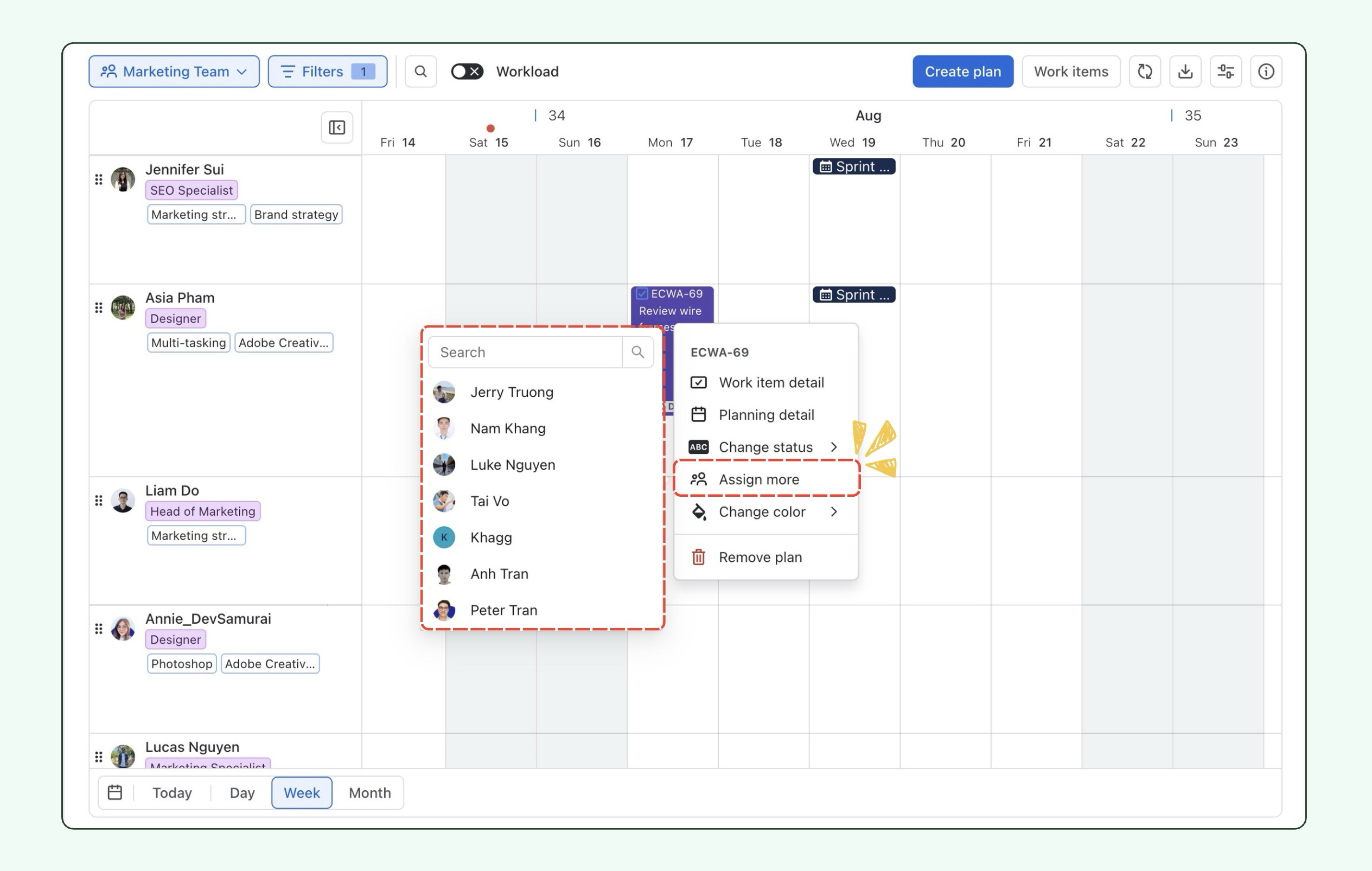
For Planned Tasks, Assign more now includes member search, making it easier to quickly find and assign additional members.
-
Additionally, you can select multiple planned tasks and use Assign more from the bulk action toolbar to add an additional member to all selected tasks at once.
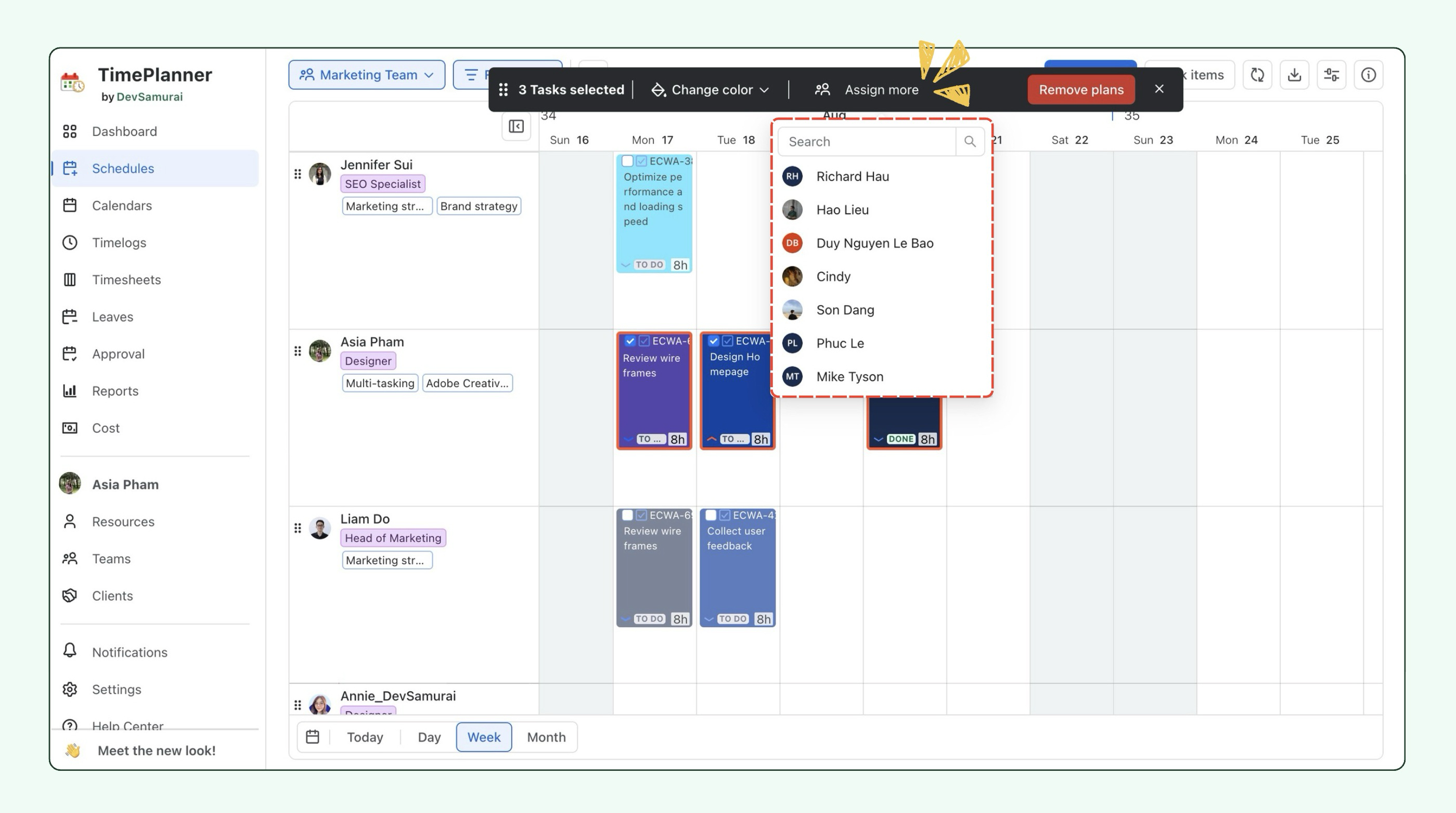
Members who are already assigned to the event or task are excluded from the selection list to prevent duplicate assignments.
Project filter in Schedule
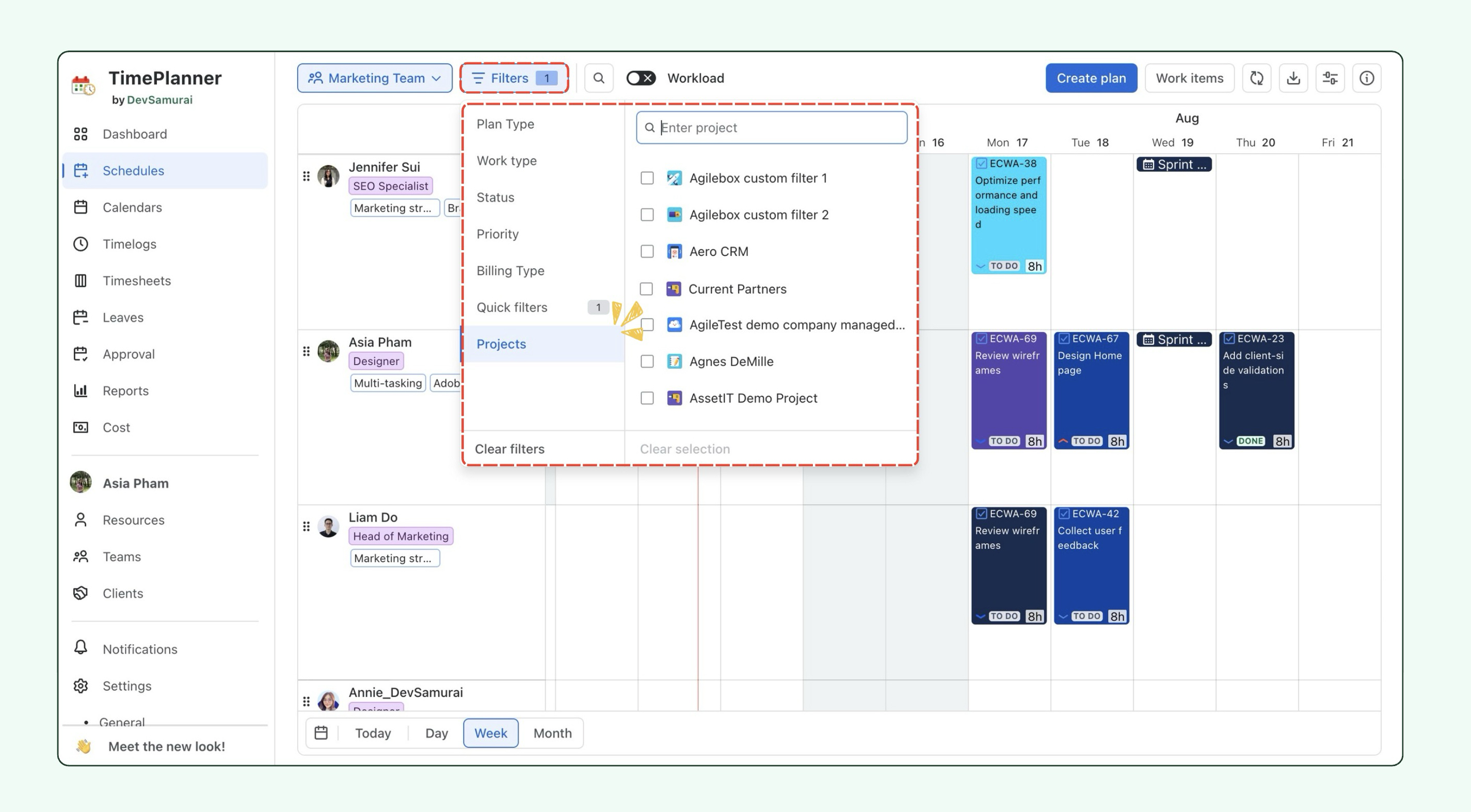
We’ve added a Project filter to the Schedule, making it easier to focus on work from specific projects. Select one or more projects to narrow the Schedule and review only the relevant planned work.
Planning modal improvements
We’ve improved the planning experience to make finding tasks and entering time faster:
-
Complete results in Basic filters: Filters now search across all available work items, instead of only recently viewed items, so you can find all matching tasks.
-
Auto-select hours: The Hours field is automatically selected when planning or logging time, so you can enter a new value immediately.
Reports improvements
We’ve made several improvements to Reports to make data easier to find, organize, and review:
-
Report filters: Narrow report data to focus on specific work items.
-
Table sorting: Sort table data to organize and review results more easily.
-
UI improvements: Updated the Reports interface for a cleaner and more consistent experience.
Actual and scheduled cost in Excel exports
Excel exports can now include both Actual Cost and Scheduled Cost, making it easier to compare planned and actual project costs.
Enhance Timesheet CSV Export with Jira Work Item Names
Exported Timesheet CSV files now include Jira work item names, making it easier to understand what each logged time entry is associated with instead of relying only on numerical data.
🐞 Bug fixes
-
Fixed an issue where a Jira issue could not be planned if it had previously been planned by a user who no longer had access to the project.
-
Fixed an issue where Resource Group Rate was not loaded correctly after refreshing the page.
-
Fixed inconsistent leave approval behavior when a request exceeded the allowed allocation, where Approve could be disabled in Leave Requests but still available from Schedules or Calendar.
-
Fixed an issue where leave requests could not be approved after opening them from an email notification.
📘 Help Center
If you have any questions, please don't hesitate to contact us through our support desk. Our team is available 24/7 to assist you.
If you're enjoying our app, we'd appreciate it if you could leave us a positive review. ⭐⭐⭐⭐ Your feedback is valuable and means a lot to us!